Let me know if this currently exists, I could not find anything about it.
Briefly explain the problem:
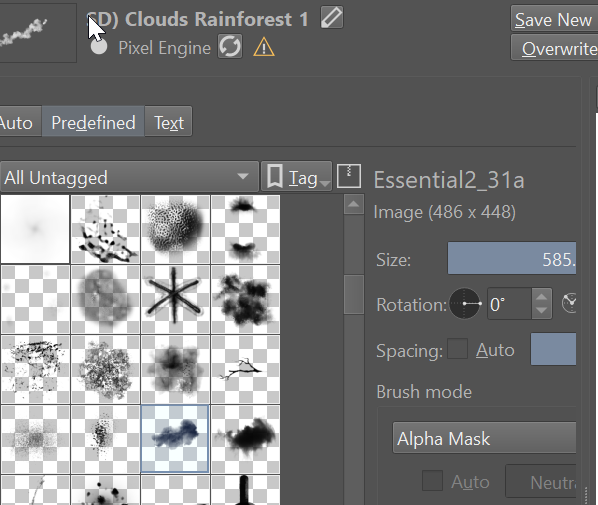
When selecting a brush tip in the brush editor, the currently selected tip is outlined/highlighted in grey. This makes it difficult to see since tips are typically black and white and the alpha indicator is also grey.
Explain your workflow and how it can be improved:
Highlight the selection in another color, like red. Or it could be user-defined in the settings somewhere… in case someone likes it being grey or a different color. 

