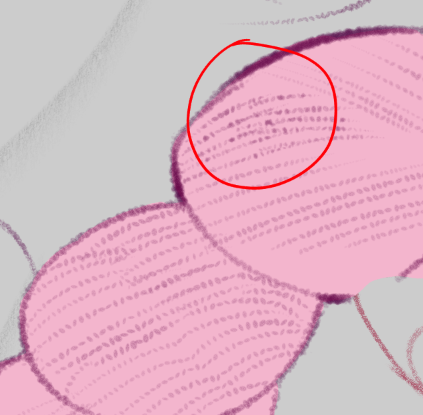
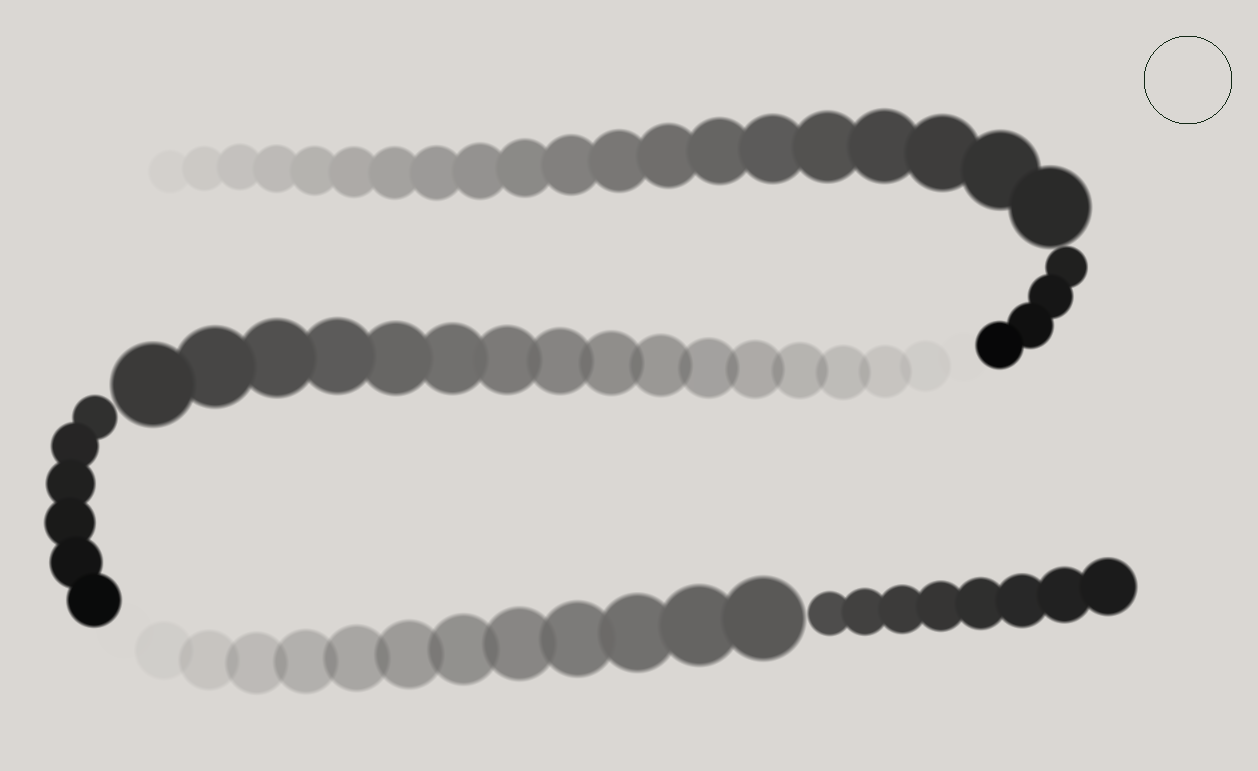
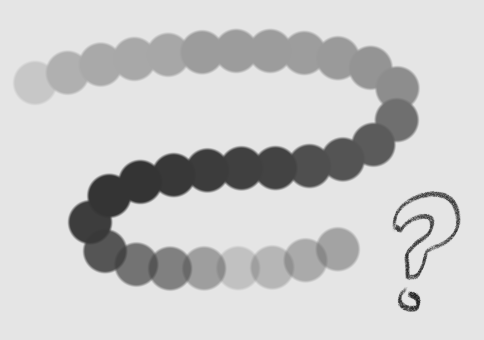
I’m trying to replicate a CSP brush I made recently, but for it to look right it requires a setting equivalent to “Blend brush tips with Darken” in CSP. Basically, it prevents the brush tips from stacking opacity on each other as they do by default when you randomize the spacing such that they intersect.
Is there an equivalent setting in Krita that I’ve missed? Examples below.
Well, fuzzy dab provides the random spacing, but it then causes the opacity-stacking blotchiness.
To clarify, I’m looking for a setting that prevents the brush tips from stacking their opacity and thus causing these splotches (that is, the stroke maintains a consistent opacity despite brush tip overlaps).
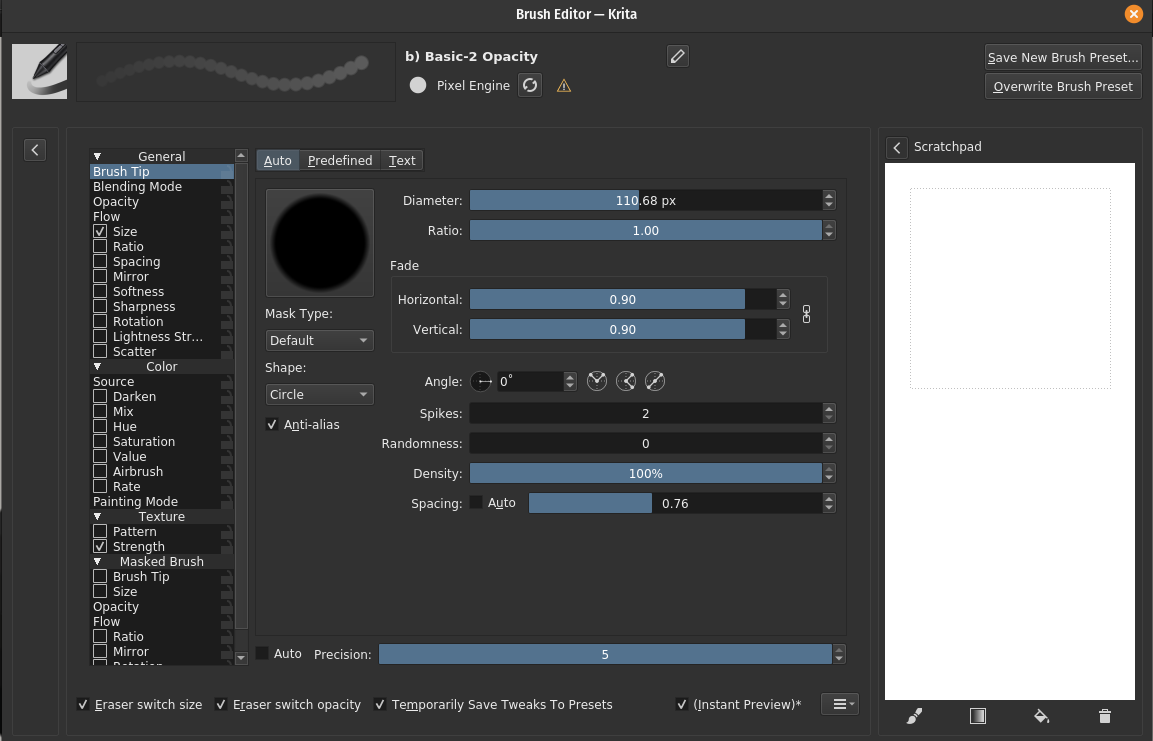
The engine is just pixel engine, but if there’s another engine with such a setting, I’d just make the brush in that one, I’m all ears!
There’s fuzzy dab and fuzzy stroke. I don’t have a lot of experience with these 2 (and I might be way off base) but I watched a video from Ramon recently where he described how different these 2 sensors are, even though the name sounds the same. So if you tried just one, give the other a shot, too. The video is the 3rd in the Krita brush making series that just came out a few days ago.
From what I understand from my own testing, fuzzy dab randomizes the parameter per brush tip “stamped” (dab) and fuzzy stroke randomizes the parameter per stroke on the canvas.
The setting I’m looking for doesn’t really have to do with randomization though, rather the issue I’m trying to resolve is made evident once randomized spacing is turned on and the brush tips overlap irregularly.
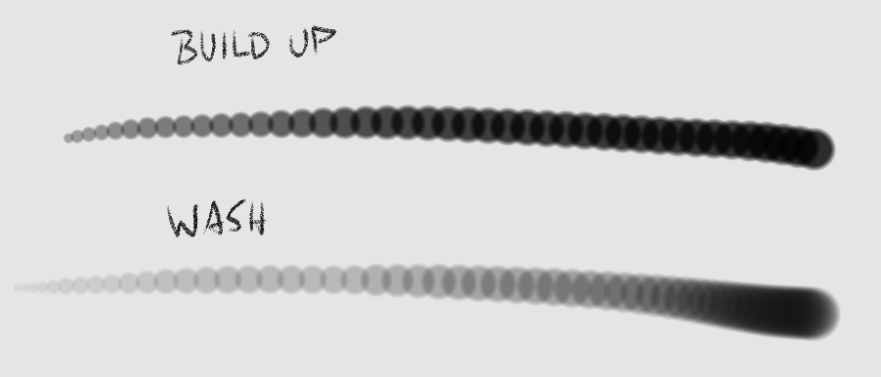
This is weird. Can you test the brush with a fixed opacity of 25% - 50% to see if Wash Mode behaves as expected?
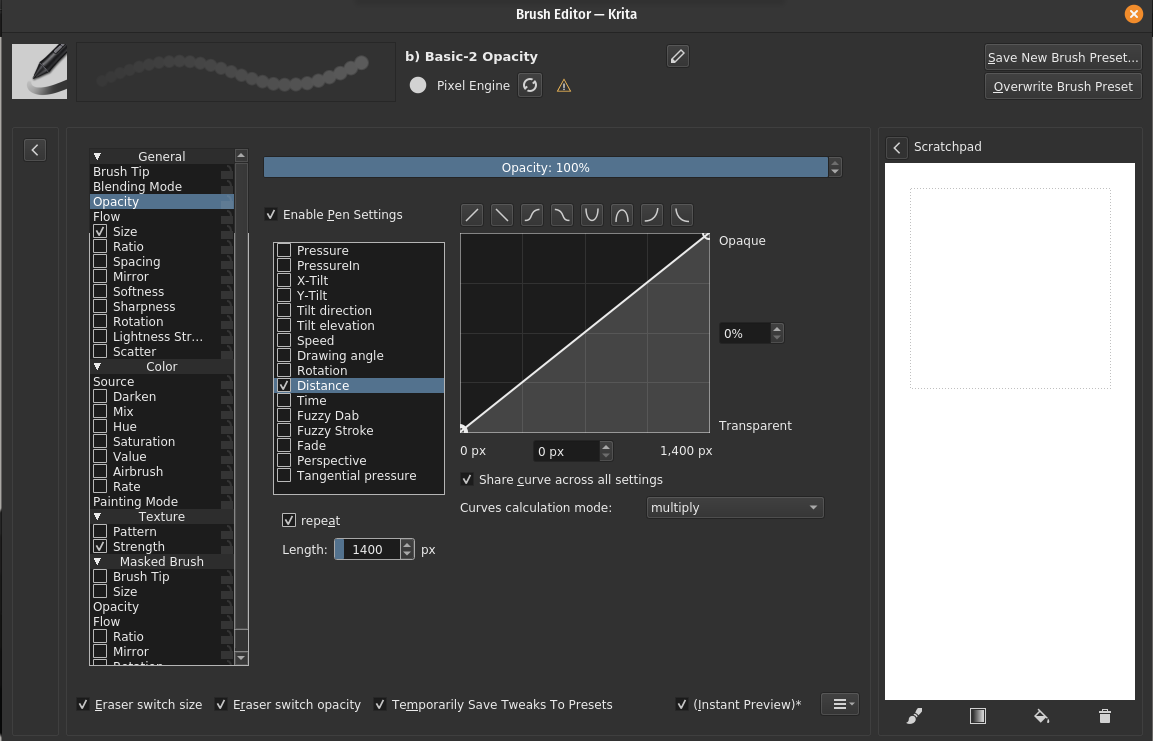
Also, what are the opacity settings of your brush? I think I notice a ‘bug’ with the Wash Mode. Let me exemplify bellow: