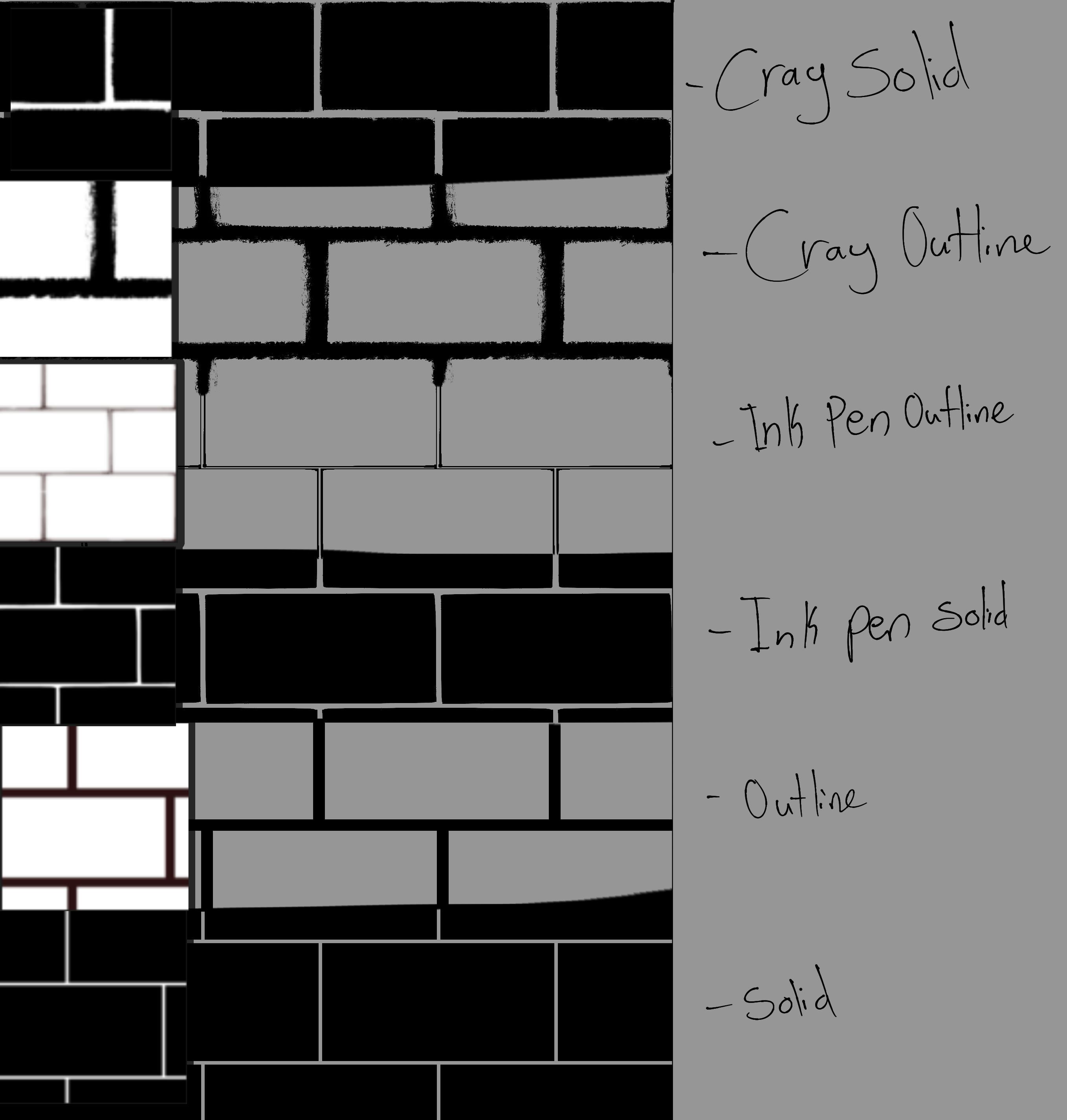
Made Some brush and pattern so I don’t have to draw them manually.
First time posting on here, please let me know if something isn’t working right.
Edit: Reuploaded the brush
Made Some brush and pattern so I don’t have to draw them manually.
First time posting on here, please let me know if something isn’t working right.
Edit: Reuploaded the brush
 Hello @Bezvy, and welcome to the forum!
Nice that you want to share your work with the community, unfortunately you forgot to add patterns and brushes to your bundles, so they are more or less empty beside the different brick-icons in each of them.
Michelist
Hello  , thanks for telling me
  I’ll reupload them with the brushes and pattern.
Hi there! Sorry, I’m new with Krita. I am wondering how to download this pattern/which file? Is there a youtube tutorial I can watch? Thank you <3
Edit: Nevermind! I got it:)
Hello @Erika_Estrada, and welcome to the forum!
The bundles are installed as follows:
A bundle is installed in Krita via the menu ‘‘Settings’’ >> ‘‘Manage Resource Libraries…’’ and in the opening dialog you have to click the button + Import in the next dialog browse to the downloaded bundle, select it and confirm the selection. Now Krita imports that bundle, and you can use its content, so the brushes in case of this bundle.
In case this BUNDLE comes in an archive-file, like ZIP or RAR for instance, then you have to unpack the archive to get the BUNDLE-File it contains, then you can proceed as described above.
Loose resources, like the pattern files, are installed as follows:
Not bundled resources are installed into Krita via ‘‘Settings’’ >> ‘‘Manage Resources…’’ where you have to click on the button Import Resources and then browse to and select the resource in question, click on okay, or however a selection is confirmed with your file manager, and the resource is installed. In seldom cases, you may need to restart Krita afterward, but usually you can use the resource right away.
Michelist
