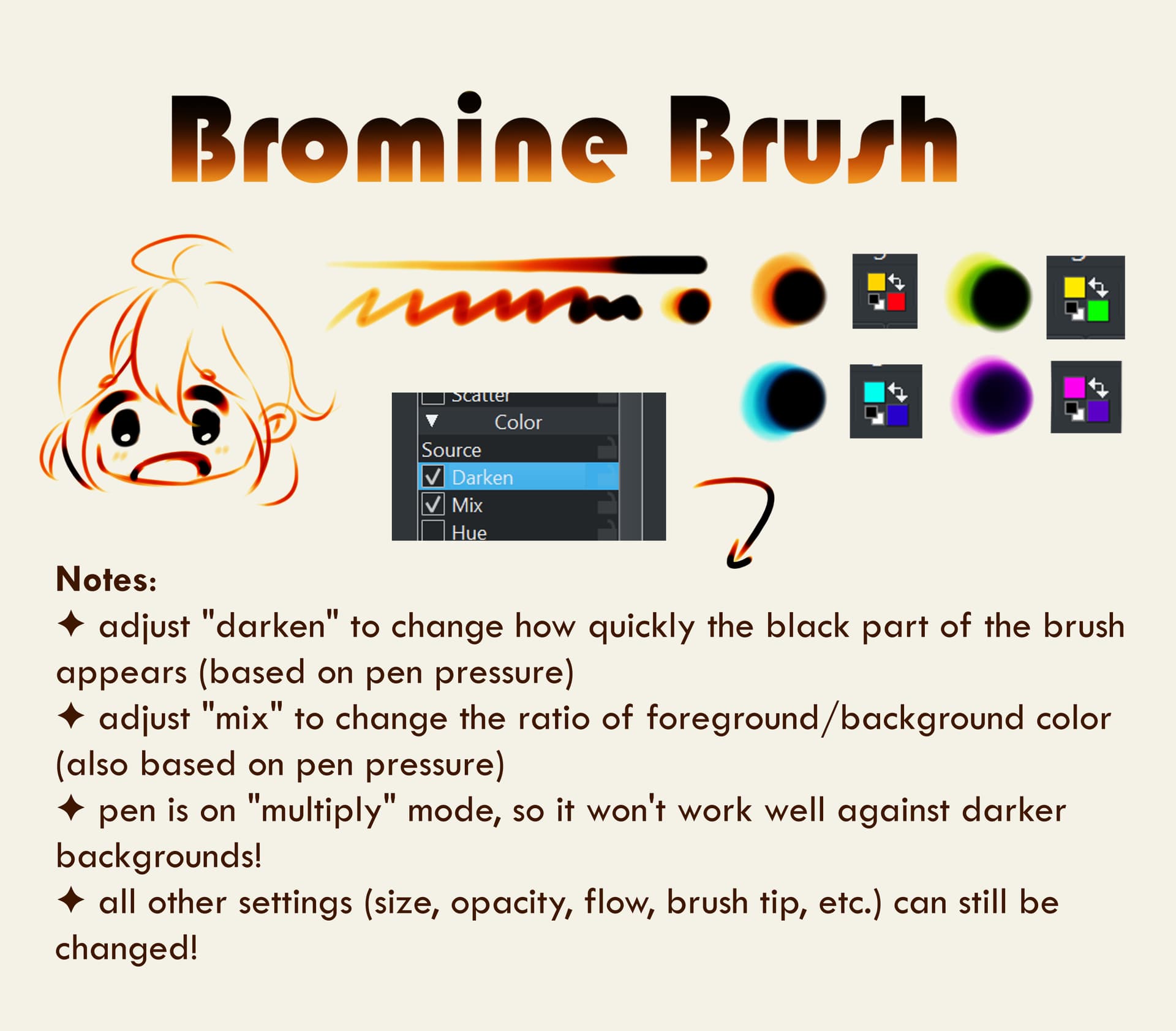
Hullo, I made a brush inspired by the viral bromine brush effect!
Big big thank you to Jyanmao who initially made the Clip Studio and Procreate versions, which I then used to figure out the equivalent Krita settings. Please leave them a thank you as well if you can!!
Thank you for sharing your brush with the community!
I just checked it, and it works as you described it, and it seems to give smooth transitions from light to dark colors, so I can only say: “Good job!”
My Krita doesn’t have the secondary color that the image has, so when I pick red it’s only red and black rather than yellow to red to black, where is it? I swear it was in my Krita but my workspace got reset or something, idk what messed it up but it was some time ago
I haven’t tried the brush yet, but I’m pretty sure that the black is automatic with the darken mode (so I think you have to have yellow as your foreground colour, and red as your background, to get yellow → red → black)
You can find the button for the foreground and background colours in the tool bar of the default layout.
But if you have managed to lose it go to settings → configure tool bar. You should be able to find it in the “available actions” section (or with the search bar above it), click on it, and then the left arrow. After you click apply, it should add the button back to the tool bar.
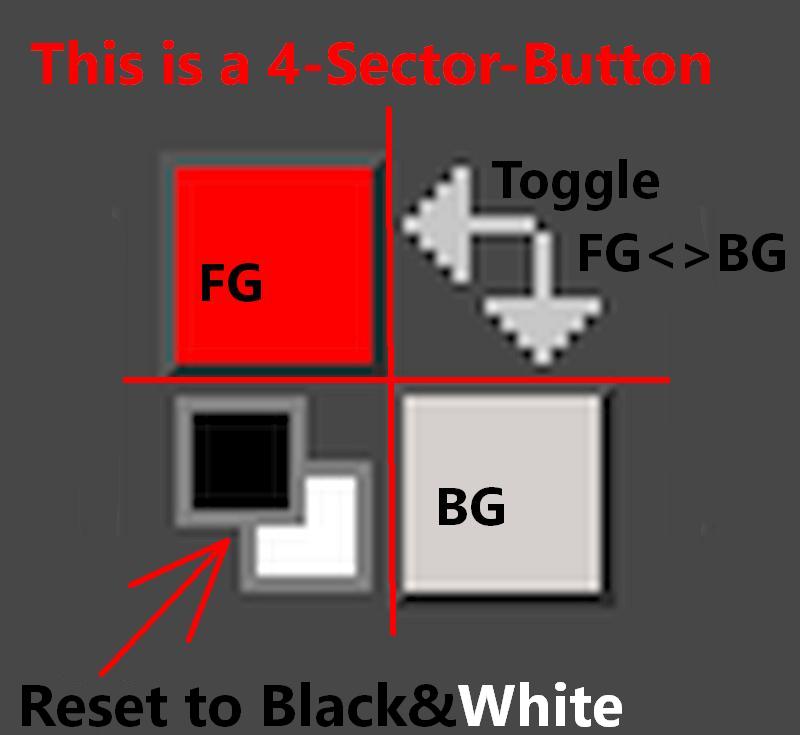
It seems you don’t know Krita’s interface and its possibilities well. The FG/BG-Color-Selector is a 4 sector button, a button offering 4 different functions depending on the corner you click into that button:
So you are able to set a color for foreground and background toggle between those two colors or reset it back to standard black and white, this allows you to set every color you want for foreground and background and the bromine brush will work with those colors you select here.
Here you’ll find a rough introduction into Krita’s interface:
 Hello
Hello 
 Thank you for this