My brush is lagging. I tried changing it from weighted to general or none. That didn’t work. I tried changing my preferred renderer. No significant change. There’s absolutely no lag in blender but krita has lag,
For the record, I have an Xperia pen hooked up to a gaming computer that runs Linux.
is this lag only on one brush? or all of them?
If it one brush only you may use a huge texture that is why. or size to big.
Also if you use big heavy textured brushes and boot krita on your integrated gpu then it will lag.
Which brush preset is it?
Krita uses the GPU only for rendering the canvas and not for drawing.
1 Like
Wait? really? only the canvas? and the opengl engine? Is this not here for rendering? Wich is apply strokes No? am lost
Then if not i guess it’s handled by cpu.
Then my bad i got confused by the “rendering” word: check the depth 8bit 16bit 32bit when creating canvas.
The brush spacing i guess the size of the brush and the canvas resolution?
That’s correct, it only renders the canvas (makes scrolling and rotating, as well as zooming smooth) but all the brush math is done by the CPU. GPU drawing was requested for many years but simply was not viable to implement. But I read it gets talked about recently by the main devs again, don’t know how serious an in what ways though. But if you search the forum for it you will find many topics about it and the explanation for why Krita doesn’t have this (one of which is that it would introduce pretty hard limits on memory and therefore restrict project size, since GPU memory is normally quite small in most consumer devices in comparison to normal memory. The other is that copying the data from memory to gpu-memory and back all the time would offset all the performance gains of using the GPU since the memory’s speed is still a bottleneck).
2 Likes
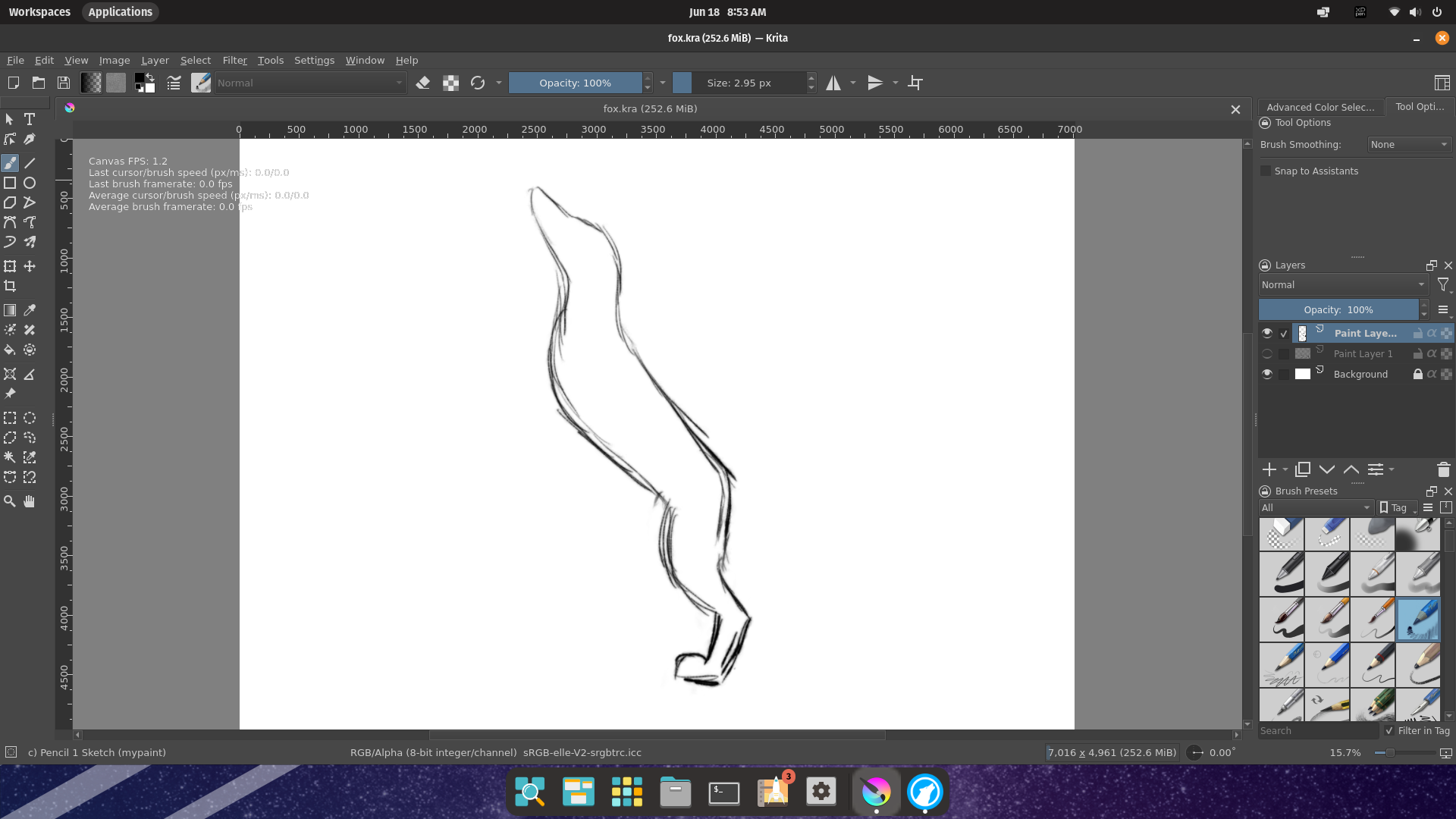
the canvas size is on the screen
Do you have the debugging info visible all the time or just for this (because it can make things slow too)?
Anyway I see that you use a MyPaint brush and that’s pretty much the culprit already. The MyPaint brush engine is from the similarly named MyPaint software (reimplemented into Krita) and it is pretty heavy, like not very performant. I read reports that even high end computers can struggle with it. I recommend staying away from the MyPaint brush presets in Krita.
Does it work better when you use another brush (that is not a MyPaint brush), like Pencil-3 Large 4B or something?
ill try another brush but what really drives me nuts is the eraser it starts to lag around 74.34 PX
That’s weird. What are your computer’s specs and what flavor of Linux is it? I don’t recognize the UI design.
You use an eraser preset or do you just press e? Later would only put the selected brush preset into eraser mode which makes it still the same MyPaint brush preset but working the opposite way. That would explain why it lags the same.
i just press e
Yea, that’s why erasing also lags, it’s still the same brush basically but with the blending mode set to Erase, temporarily.
i would like to just press e. its a lot easier than choosing an eraser every time. is there a way to designate an eraser for e
If you go and use a better performing brush, then the eraser will also perform better. It is for the reason Takiro told.
Michelist
1 Like
urica!
No it’s not possible but it will always “invert” the current brush so if you chose a brush for painting that is not lagging like two bags of sweet potatoes, the eraser also wont.
However, when you have a pen that is double ended (like has a tip on both end like an old school pencil) you can turn it around and put an eraser preset (or any other preset) on the other end by selecting it from the preset docker with that end. That way you can switch between two presets (any brush presets, not only eraser) by flipping your pen.
Is this a new installation, or did it work better before?
I installed Krita on a very powerful Mac and was surprised it lagged where my own lower spec Mac did not. As I investigated the different setup I noticed that an option in the Debug settings under Preferences > Performance > Advanced was checked. When I unchecked this, performance notably improved.
This topic was automatically closed 30 days after the last reply. New replies are no longer allowed.