Type of device : Tablet
Brand and version of the device: Wacom
System : W10
Description of the issue (you can include screenshots):
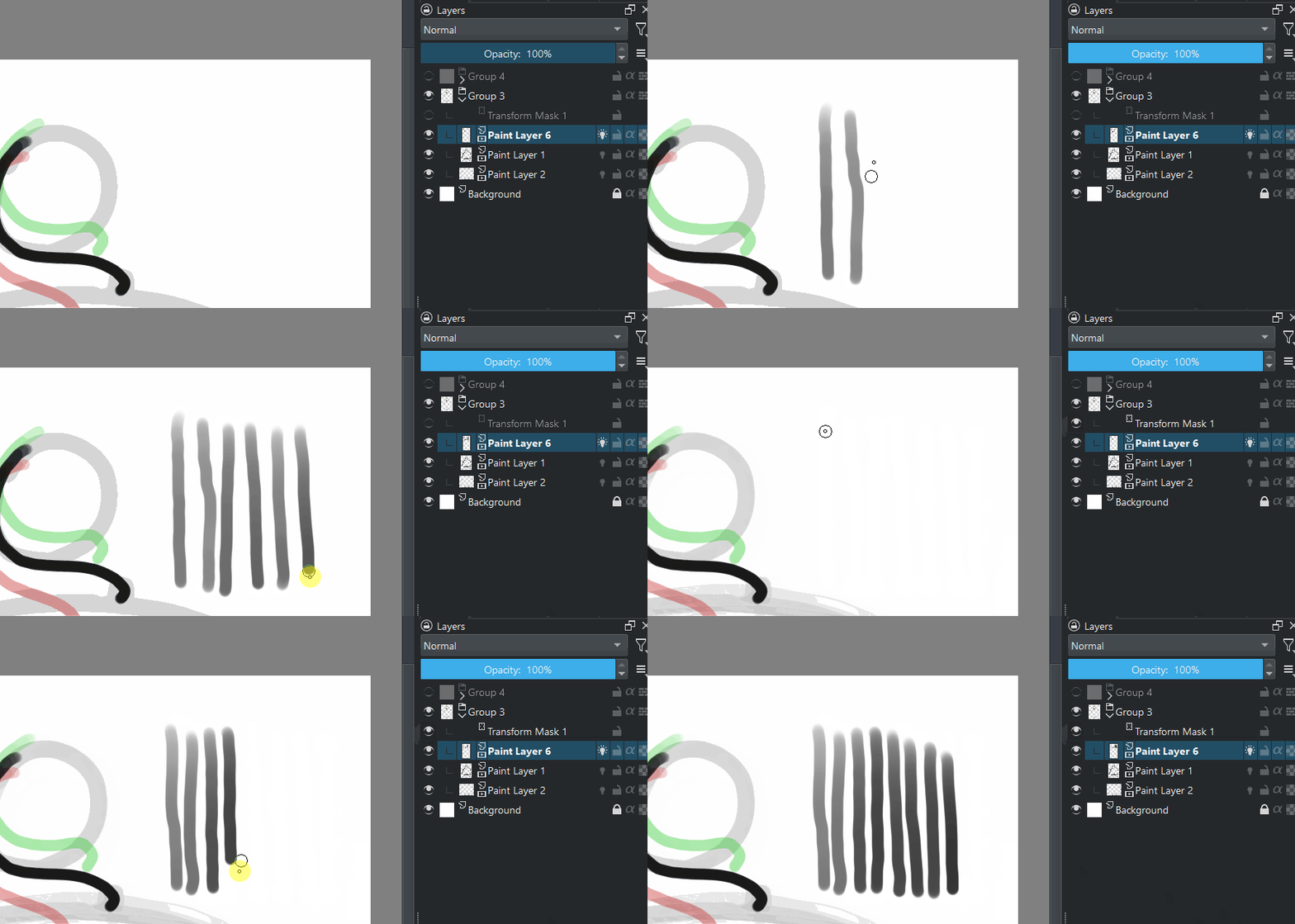
I was animating and placed a transform mask yesterday and everything was okay with it active. today it created a offset with my brush every time it is active.
Everything looks normal there as far as I can tell.
When the transform mask is active, the painted line is offset from where it’s painted on the layer because the transform is applied to the entire group.
You can see the curved lines move to the left when the transform is active.
If that didn’t happen yesterday, when you made it, that would be the surprising thing.
Assuming that the transform is a move to the left, the painted stroke is being applied to the layer at the position of the brush cursor.
What you see on the canvas is the transform applied to the painted stroke.
That is what I see when I do this and it’s what I expect to see.
I’ve no idea why it was different for you yesterday.
yeah but if that is “normal”, then transform masks are really useless for traditional animation. to me this is just a double transform of a rigg effect. Makes sense if you think about it but does not mean you want it.
I will sleep but I might just draw on Blender or something. The Animation Curves actually exist there. I have to work and not troubleshoot and make bug reports and feature requests for each step I make.
I’m not sure what you expect though. When you draw on a layer with a transform mask on it, the transformation is instantly applied as you paint. When the transformation is a position offset, the new line appears with that offset.
Drawing without transform applied will draw line where pen goes through. Activating mask will apply transform.
Drawing with transform applied will draw line pen goes through. Deactivating mask will apply inverse of transformation.
Expecting to make math as I draw to how it will end up after the transform sounds like a big stretch. Even more if it is more than an simple affine transform.
It was doing the inverse the other day, unless I thought it was shifted when not but I doubt it because I placed the mask to frame the animation better and all was correct in frame when working.
Inverse matrixes are not especial, let alone for a simple pan that is affine.
On Blender or any other I would just correct everything with curves or some empty or armature. Honestly I start to think it is quicker for me to model and rig and animate in 3D than to draw 8 frames of a squishy ball character in Krita even though it should be 2D work.
But yes you can correct the original with the animation applied and have it affect the default state and that is by far more complex than paint on the right spot and offset to the side because there is no notion of camera or objects in a scene.