This feature is a must! As an autistic person, with my rigidities, I don’t dare to use Krita out of fear of having to do constant trial and error to use the correct brush without having a preview of the stroke! Is there any update about the intention to add this feature? It’d be appreciable!
Thank you for mentioning this, I have managed to get a working implementation of brush stroke previews in the Brush Presets docker! It’s an extra option in my custom build of Krita 5.2.14
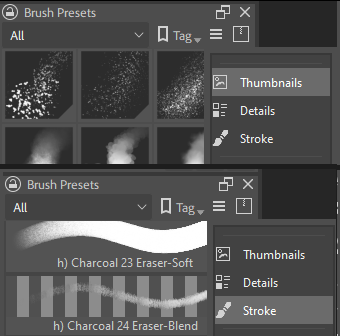
Any change to brush settings are reflected in the brush’s stroke preview, just like the brush editor.
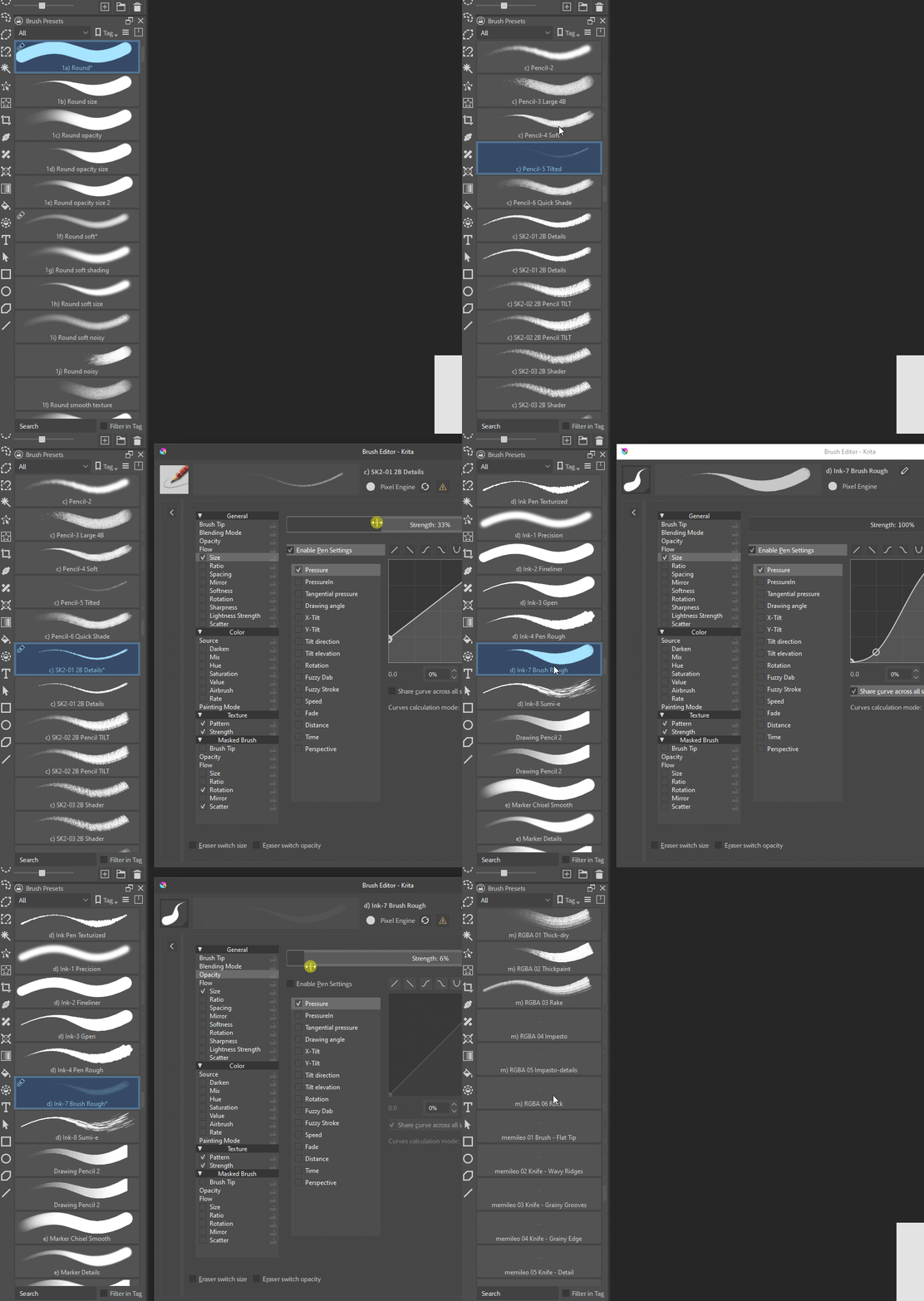
I chose to stick an approach similar to Photoshop for simplicity, you can still hover over brushes to see their icon or look in the brush editor.
You can see what was involved in making this feature work in the commit for my 5.2.14 fork here: Stroke preview thumbnail implementation · KDE/krita@26851a8 · GitHub
I hope this rough implementation can serve as a stepping stone to making this feature request realized in a future version of Krita. While it feels great to have this working on my own copy of Krita, I’m sure many others would also appreciate this as an optional feature right out of the box.
You can create a Merge Request and may be your changes will be merged upstream.
My god Tenzin, you’re a wizard! I don’t know how you do it. I really hope all the tweaks and additions you’ve been making over the past couple weeks could be merged into Krita proper at some point. It feels like a shame to have these hidden away on a forum much of Krita’s userbase is oblivious to. We need people like you who have the artistic insight to know what artists want out of their software and have the technical know-how to make it happen.
Need!
I’ve been working on a refined implementation the past week and just requested a merge request as @raghukamath suggested. The first implementation I showed only allowed you to view brush presets in a single column like “Details” view. The merge requested version allows you to view them like thumbnails, similar to Photoshop and CSP.
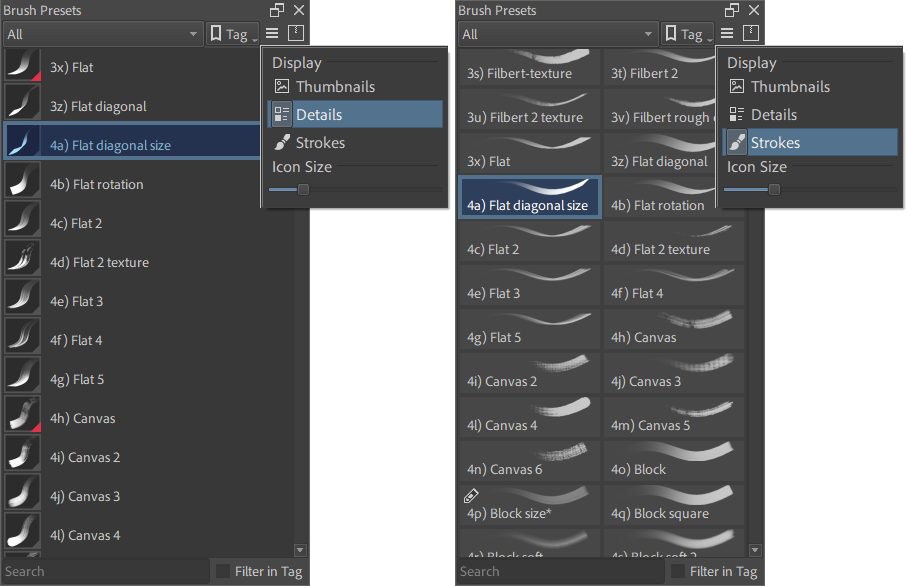
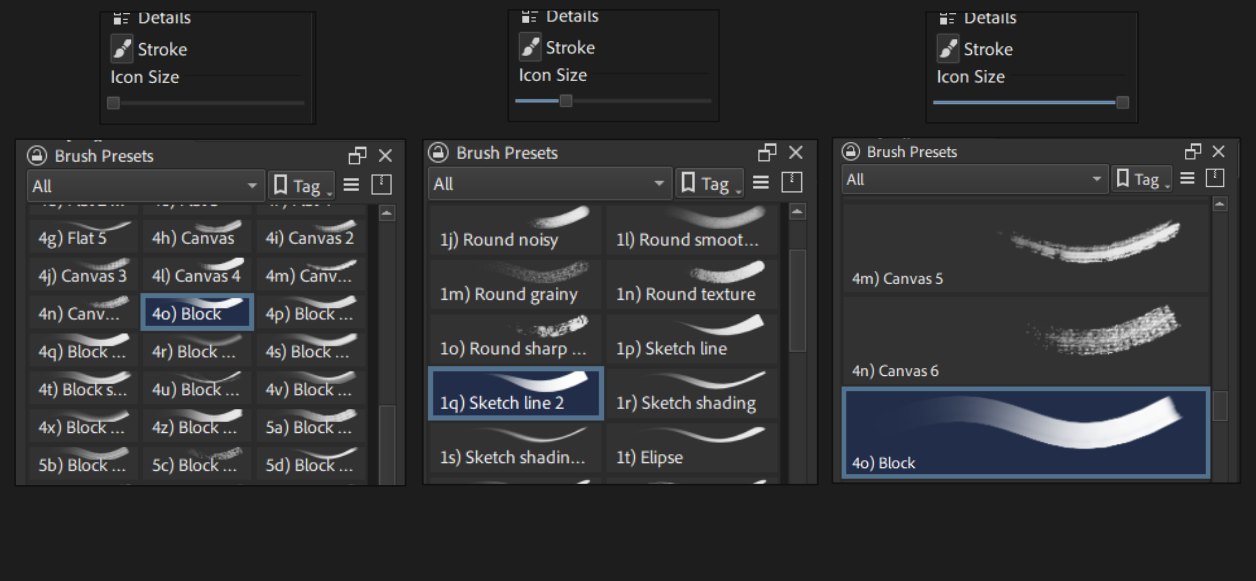
They’re now compatible with any Krita theme
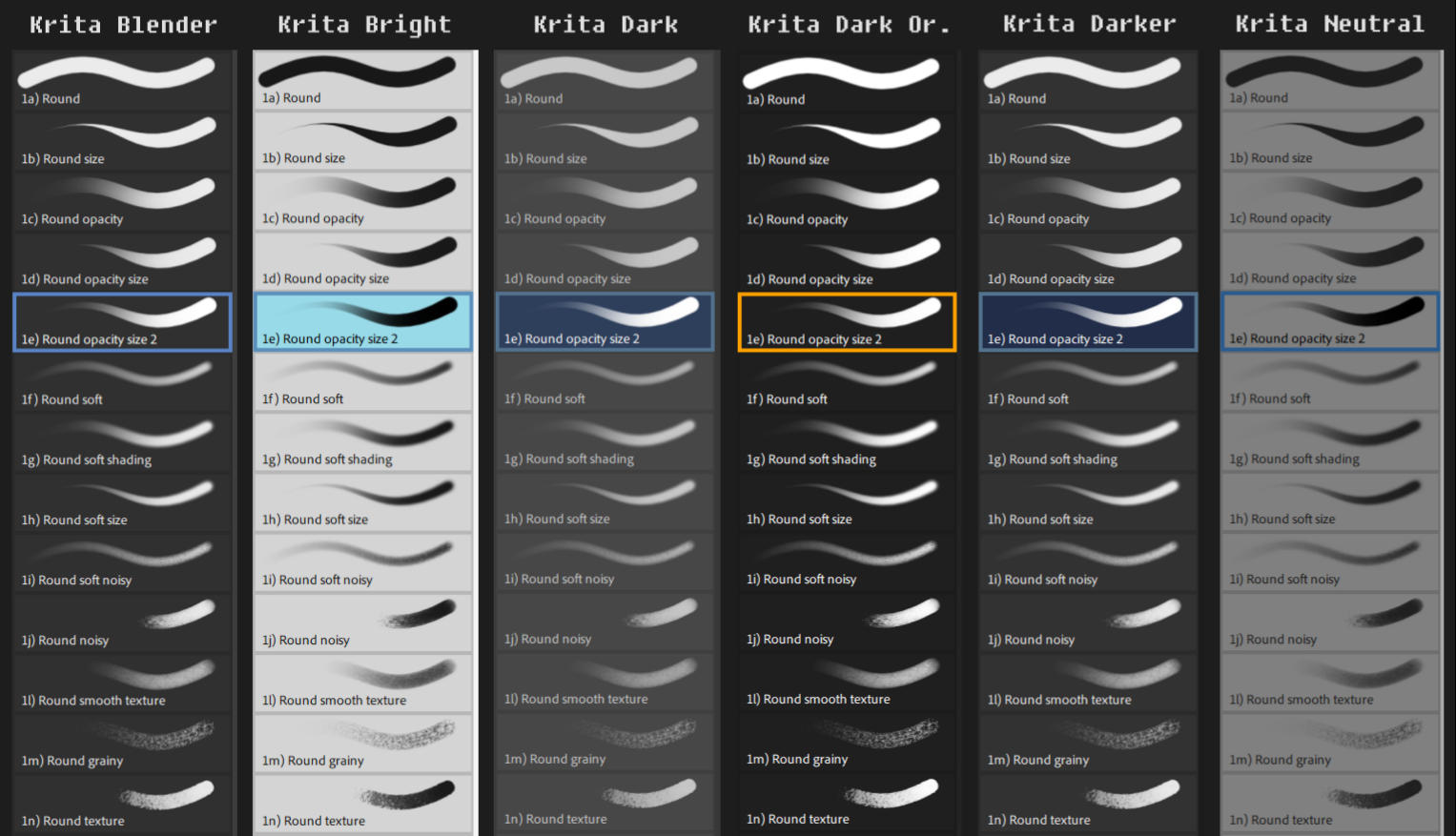
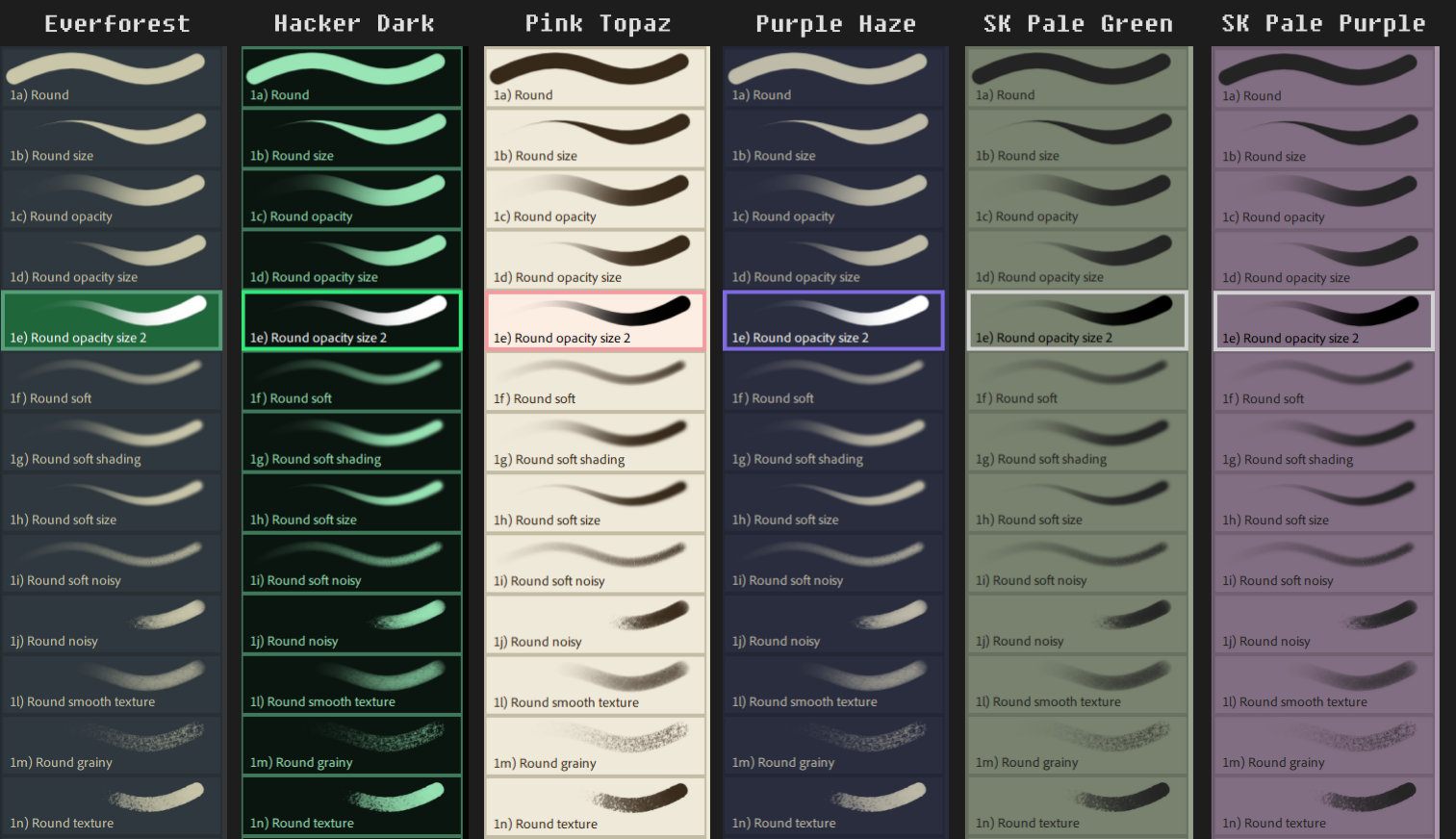
The first implementation didn’t actually update on every brush setting change like toolbar sliders and other brush editor settings but now they do:
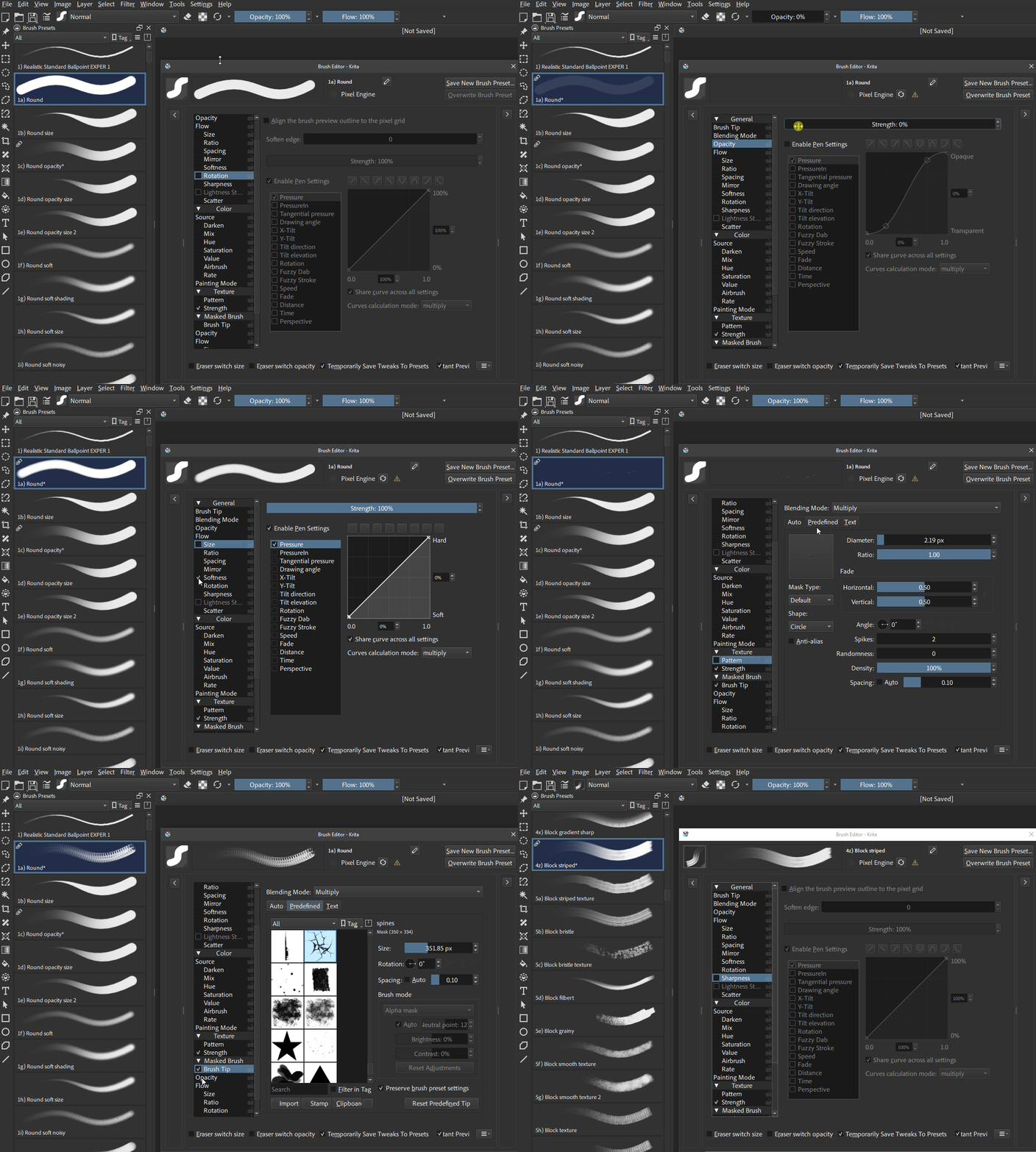
Along with the UI improvements there’s been many performance improvements and edge cases that have been taken into account to make the feature robust.
Here is the merge request if anyone would like to review it (it would be much appreciated): Add Brush Preview Option (!2611) · Merge requests · Graphics / Krita · GitLab
Hey @tenzindraws really thanks for this. You made my day 
Need! please I’ve been hoping for this feature since i started using krtia 
You can follow the link and download the package there to test this feature. Please be aware, that there can be bugs. And the feature was developed by a user and not yet approved by the krita devs.
You may have to wait a while, maybe several months until you can use it officially. Krita 5.3 has stopped taking features so it won’t get look at until Krita 6.1 gets in development. However, if you’d like to test it now you can: linux-build (#3883843) · Jobs · Tenzin Rangdol / Krita · GitLab
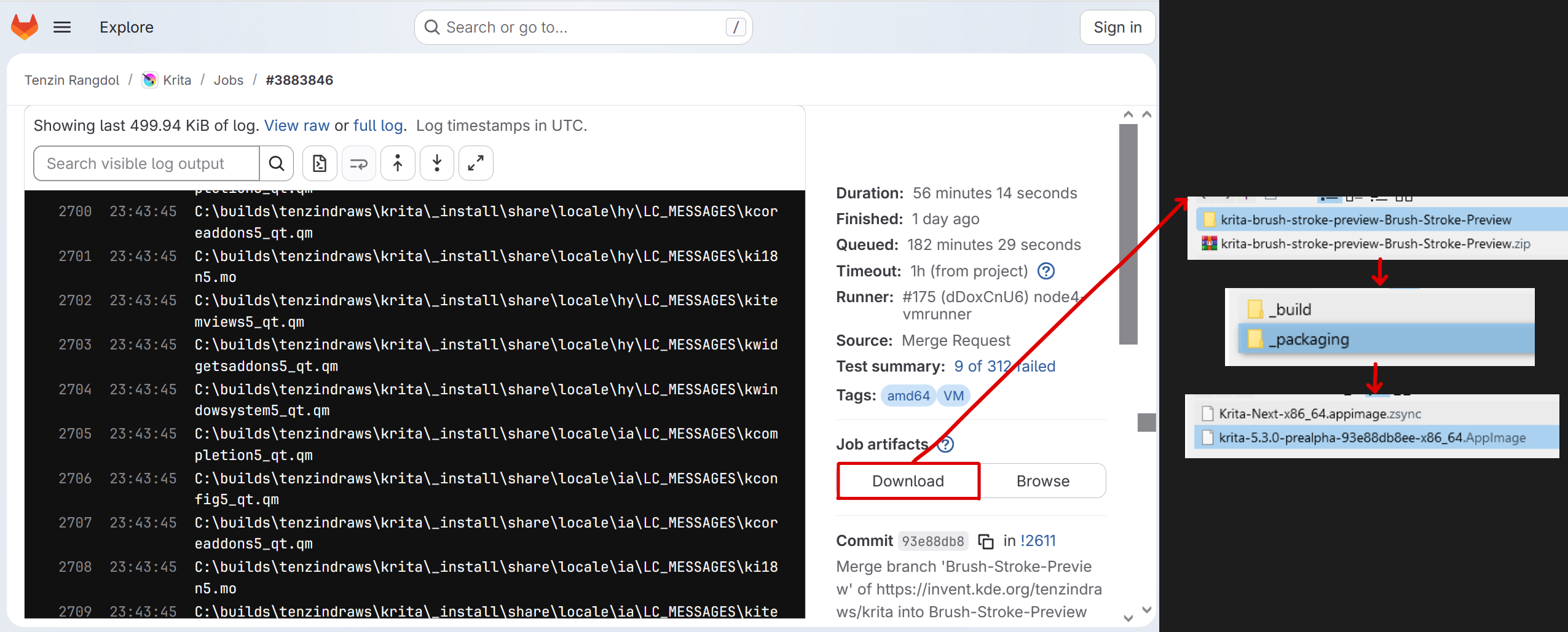
As @BeARToys mentioned proceed with caution as it has not been reviewed by Krita devs yet and there may be bugs.
To clarify, since someone will probably ask: Krita 6.1 is basically the next version after 5.3.
Krita 6.0 will be the same as 5.3, but built on version 6 of the Qt framework instead of version 5. This is necessary to support newer versions of Linux, Android and macOS. Both 6.0 and 5.3 are already available for testing and should release close to each other.
So Krita 6.1 is the next version where feature development will happen and shouldn’t be too far away. You don’t have to wait through 5.4 to 5.9 first or something like that.

Sry but that is a completely different request.
Here brush preview means, the image, that you see in the brush editor. Not the preview on the canvas.
Please create an additional feature request for this.
Thank you so much for this appimage; the brush strokes feature is amazing! Thank you very much for all your wonderful work. Really appreciate.
Hello again @tenzindraws … just a note that have just noticed that kra thumbnails not generating on save. Checked my [x11/qt5/mate/linux] mmolch thumbnailers setup and nothing had altered there. Cleaned cache, rebooted, reinstalled Caja features, etc. When tried going back to previous 5.3 prealpha, new image save generated the kra thumbnail. Really like using your appimage; not only do the brush previews run great, but the appimage runs faster/smoother. I won’t be updating system to qt6: already have the simple setup I’m very settled with, and very happy to stick with your appimage/the brush preview feature within that. Is there something I need to tweak, or is it something else? Thanks.
EDIT: just tried fix of installing a second file manager, PCManFM, which has made all thumbnails viewable. Sometimes doing this causes other issues, but okay so far.
Hi @tenzindraws, I’m testing out the linux appimage build from your link and when I try to change the display settings in Brush Presets I just get an empty menu. I’ve tried moving the docker and resizing it and tested different themes and settings on my laptop running mint (will try to reproduce on my desktop) and it didn’t respond to me clicking within it so I wasn’t able to change the preview settings. Running a macbook air with Linux Mint 22.2 Zara.
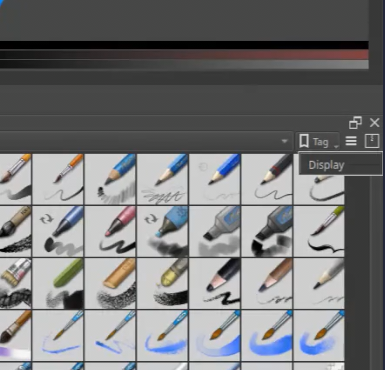
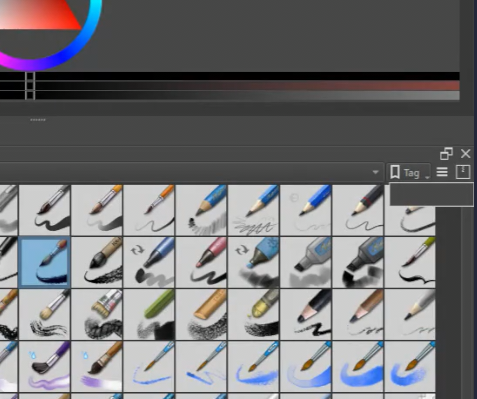
Hi emmyjemmy, I’ve encountered this issue as well and I think it’s due to Krita 5.3 rather than the changes I made to the codebase. I would notice that every time I click the settings button it would be blank at first, then I would have to click away and click the button again for it to display properly. This would happen regardless of whether it was just Krita 5.3 or krita 5.3 + brush stroke preview feature. This issue does not happen on my custom build of Krita 5.2.14 + brush stroke preview feature.
Is the settings menu always empty? Or just the first time you click on it
It looks like it’s always empty but I will mess around with it and report back.
There’s a bunch of KisPopupButton-related things I fixed recently, you may be able to cherry-pick those.
Is it possible to make this into q plugin? just in case if this doesn’t get implemented