Hello! I am new to using Krita, and I noticed with brushes that have Rotation turned on (ex. Ink-4 Pen Rough), the brush cursor outline shape spins when you’re drawing a line. It can get quite distracting, especially with larger brushes.
Is there a way to prevent this without turning off the brush cursor outline or the rotation itself? Thank you!
I may be wrong, but as far as I know are these functions bound together. If you want to see the outline of a spinning brush, you’ll see it spinning while you use it.
One could imagine, that this behavior may be problematic for those who suffer from epilepsy. So a circle covering the size of such a brush may be a good thing for them, but it does not fulfill your requirement of outline and spinning, without showing the spinning while painting.
The Ink-4 Pen has Rotation controlled by Fuzzy Dab (as well as Pressure) so it will jump around all the time.
Even if you have Rotation controlled by only Drawing Angle, or only Pressure, natural variation in how you draw a line will make it jiggle about.
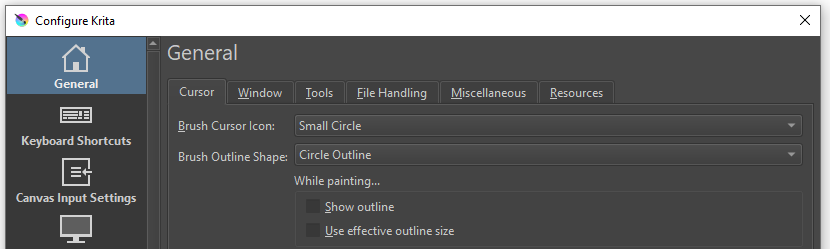
Thank you both for the info! With it in mind (and some help from a friend who’s also been learning Krita), I found that the best way around this issue for me was to change the Cursor settings. I turned off “Show outline” under “While painting”, then set “Brush Cursor Icon” to “Small Circle” and “Brush Outline Shape” to “Circle Outline”. That way, I have a brush preview before I draw, and an indicator of where my cursor is going when drawing.