[Brush settings] Wish for a new "Angle Offset" control for Rotation → Tilt direction

The problem: the painful double release of brush bundles…

Some graphic tablets offer tilt and some don’t. Right now, advanced bundle brush makers often release two bundle packs: one for tilt, another for a non-tilting device. It’s hard to create, maintain and release. It’s also confusing for users to choose the right download link and know if their device has the feature or not. So I’m looking for a solution here.

Tilt Device VS Non-Tilt Device

That’s because in order for “Tilt direction” to work as expected, the initial rotation of the brush tip (in the Brush Tip panel) must be set to vertical. Once set, the rotation is managed by the tilt direction, and that’s fine for the user of a tilt enabled device: their hand angle will tilt the brush, so this one will return something like a slightly horizontal angle by default (for right and left handed people).

Unfortunately, the same brush preset for a tablet without a tilt will only paint with the brush tip set to “vertical”. In the case of a flat brush like a rake, or many other ‘flat’ brushes: this makes the preset useless or really mediocre for a user of a device without tilt: a vertical brush tip is rarely a good translation of the original intent of the brush maker.

Hence the current need for a double version of the bundle: one with tilt, one without.

A possible solution ?
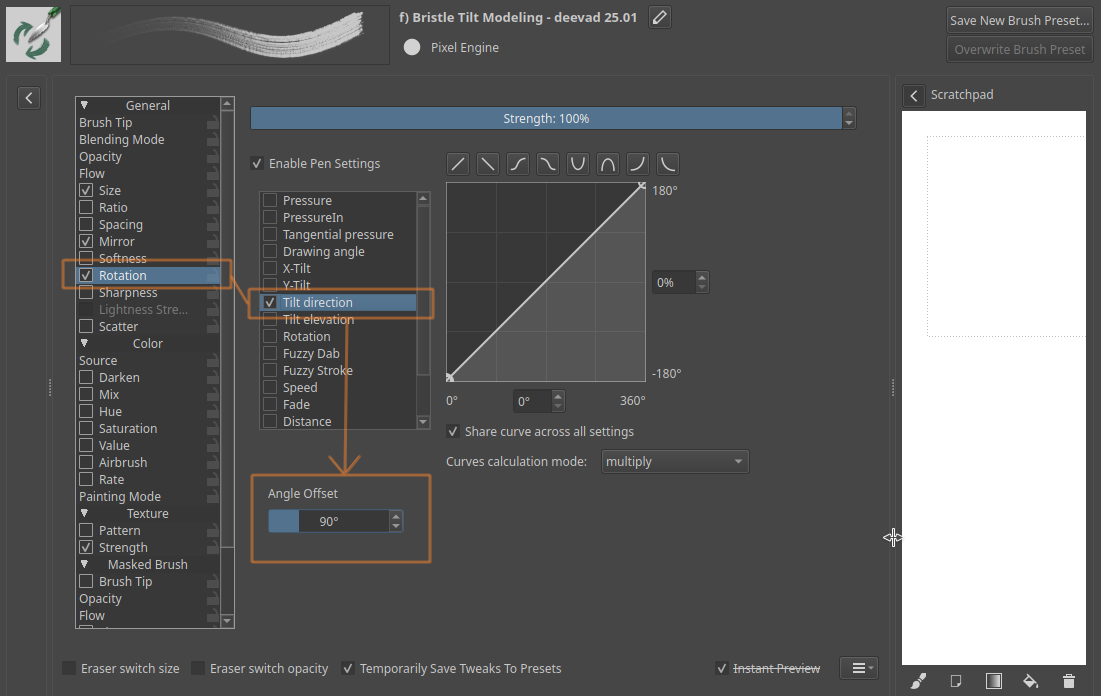

Mockup illustration: ‘Angle Offset’ placement suggestion

I propose to add a new “Angle Offset” in the Rotation → Tilt direction (one like the “Drawing Angle” option already has). This change would give brush makers a possible way to release just one bundle pack for both audiences. Let me explain:

The brush creator could set the initial brush tip rotation (in the Brush Tip panel) for a tablet without tilt (e.g. a nearly horizontal, slightly angled rake), and then in Rotation → Tilt direction compensate for this angle with the new Angle Offset control, so that the tilt direction can start with the brush vertical as a 0° reference (or “midnight clock” reference).

Result:

  • Users with a device without tilt would get the horizontal, slightly angled brush as defined in Brush Tip Initial Rotation.
  • Users with a tilt device would get the shape that follows the tilt direction of their pen and hand.

Observations:

A change like this could be retro-compatible with previous brushes, I guess, and safe. Especially if the system assumes that in the absence of an angle offset value, it must be 0°.

Also, if implementing this is about duplicating the “Drawing Angle” option, I would also like to see the duplication of the “Lock” option as well (but not sure about the necessity of the “Fan Corners”).

Thanks if someone starts working on it!

Meanwhile, for my next bundle I’ll probably just release a single bundle optimized for tilt and invite users of non-tilt devices to rotate the brush manually in the settings and overwrite them.

11 Likes

I see what you mean. Assuming we can reliably detect if the device is supporting tilt or not, it should probably be doable. I haven’t touched this area of Krita at all so won’t comment further :slight_smile:

1 Like

From a quick glance it looks like there’s no way to know if a device supports tilt, just whether tilt is 0 or not. The calligraphy tool (KarbonCalligraphyTool) seems to keep track of this, setting an m_deviceSupportsTilt variable if tilt is used and using that to determine how to handle 0 tilt. So that might work. Otherwise you’d be stuck with the same problem of needing 0 to be two different things, 0 for non-tilt and 90 for tilt (if I understood that right?).

Only having a non-tilt/rotation-supporting device, I agree that having to tweak brushes to make them workable is annoying :slight_smile:

2 Likes

Barrel rotation is another such feature apparently only supported by some Wacom pens and to make things worse on linux the Wacom library picks it up but Krita does not recognize the signal. So, in when you thought you installed the correct bundle because your tablet has the feature it might not work in krita regardless.

Maybe we could use a hack… ahem, “heuristic” – if tilt is ever reported to be != 0, then the device supports tilt. Not sure how reliable it would be, however.

Or a checkmark for the input devices, like you have the speed setting, you can have a tilt checkmark. It’s up to users to try, if the tester doesn’t detect tilt, switch it off. That is, if there’s no more elegant solution.

1 Like

I proposed something similar a few years ago:

There was some interesting discussion there, and a bugtracker wish was made, but it never made to krita. Maybe those topics could be merged.

5 Likes

Here are some breadcrumbs if anyone would like to implement it (I’m a bit low on free time lately).

This exact UI functionality “Angle Offset” is implemented for Rotation > Drawing Angle, so there’s a lot of good example code to work from. What is missing is a condition that would enable this offset only for no-tilt devices (e.g. mouse, or a tablet without tilt support).

  • KisDynamicSensorFactoryDrawingAngle.cpp - this is the brush editor widget with the spin box for the angle offset (for Rotation > Drawing Angle menu)
  • KisDrawingAngleSensorModel.cpp - hooks the spin box to the model using Lager and forwards it to KisDrawingAngleSensorData defined in KisSensorData.h. This class also deals with writing/reading these settings.
  • Sensor data is consumed in KisDynamicSensorDrawingAngle.cpp, this is where the offset is added to the equation
  • KisPaintInformation - provides paint input event info and performs lower-level calculations e.g. converts the X/Y tilt to an angle.
    Probably this class would be a good place to add a property that determines if the current device is tilt-capable.
  • Pen tilt sensor is defined in the generic KisDynamicSensors.h whereas drawing angle sensor has KisDynamicSensorDrawingAngle.h file.
  • The classes can be referred to in a couple more places, but grepping for the names should reveal that quickly.
1 Like

I agree with you about the merging those topics, after reading all the info that both collected, its the same goal that you wanna get with this Global Brush Angle Offset for both Rotation and Tilt direction.
Both parts win in this merging.

I like your initial and final idea, if that could helps a lot with the improvement of the Tilt Direction for the brushes.
What do you think about this? @Deevad are you ok with the merging?

1 Like

Thanks for reading, but I don’t think merging them is a good idea.

I read @wojtryb 's request carefully before opening mine. His request is for a global option, at the settings level. It’s a useful feature request, and works as a preference, allowing the user without tilt to choose a preferred constant angle instead of a flat one (and decide if they’re left or right handed). They can also enter a compensation for the angle if they prefer a slightly angled brush that adds to the tilt (for a tilt enabled device). I like his feature request and think it would be a useful addition for Krita.

My feature request is different: it is a “per brush preset” option, saved and baked on the brush settings and brush preset system. It just aims to make the base tilt more neutral (mainly make the rakes and such horizontal instead of vertical) for non-tilting devices by adding an angle compensation.

The two feature requests for sure mess with similar signal and variables, but are implemented in different places, for different purpose and would require separate merge requests (anyway).

Mixing the thread here would only add more confusion to the topic, imho.

4 Likes

There’s no problem implementing both without merging the topics. The topics are just to keep the discussion more relevant.

Given that I already made some research, I’ll try to work on this next. Can’t say though when it will materialize.

5 Likes

OK, good news I guess, this turned out to be really straightforward to implement. Heh, working on Krita is so unpredictable :stuck_out_tongue: Sometimes I want to fix “a simple” thing and I get stuck for days, or another time it looks like a lot of work at first, but then I breeze through it. Anyway, I digress :laughing:

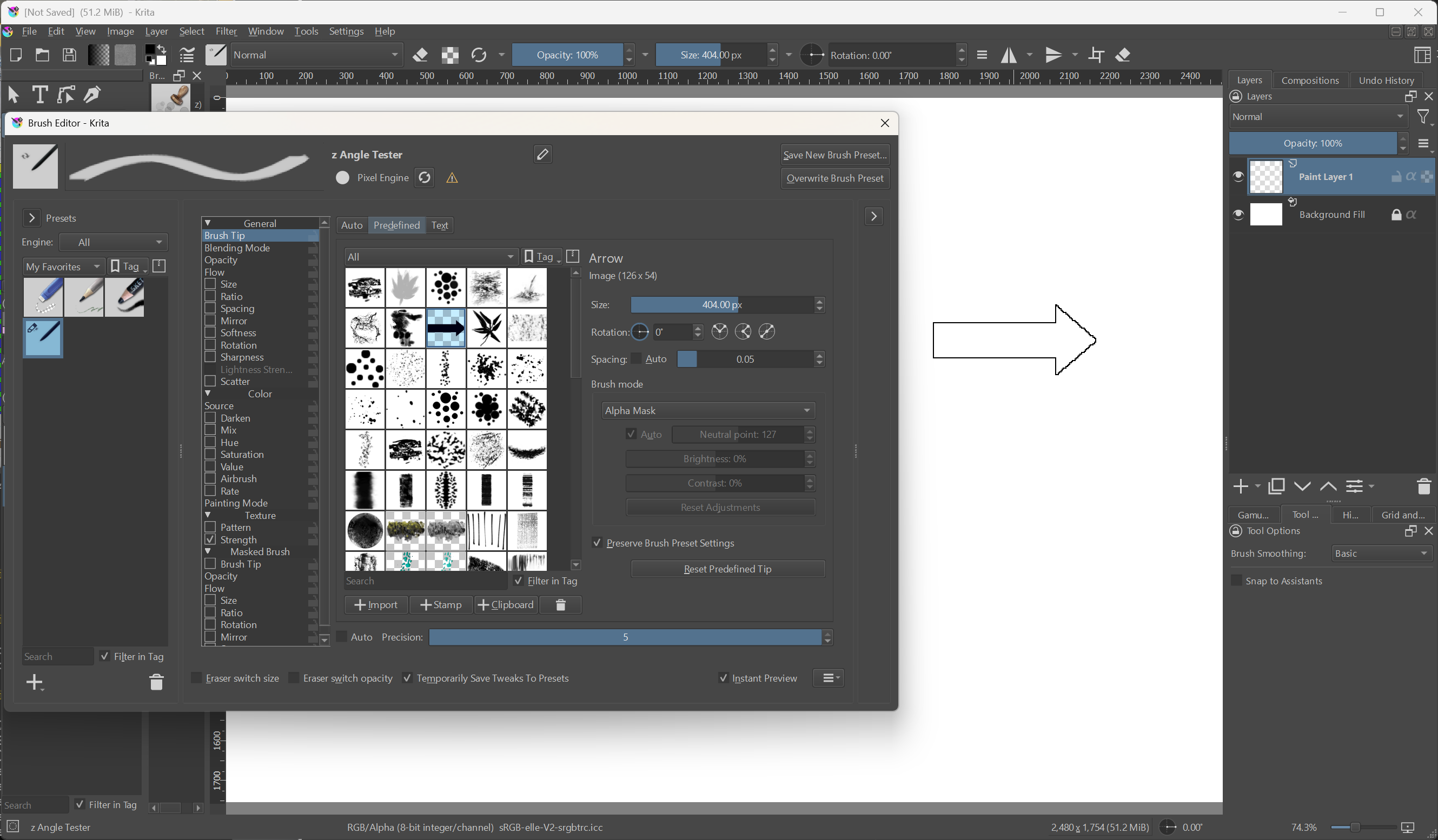
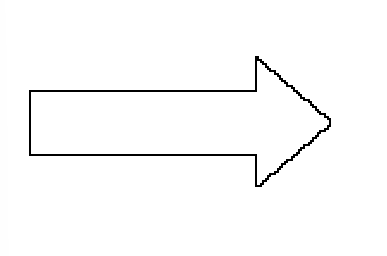
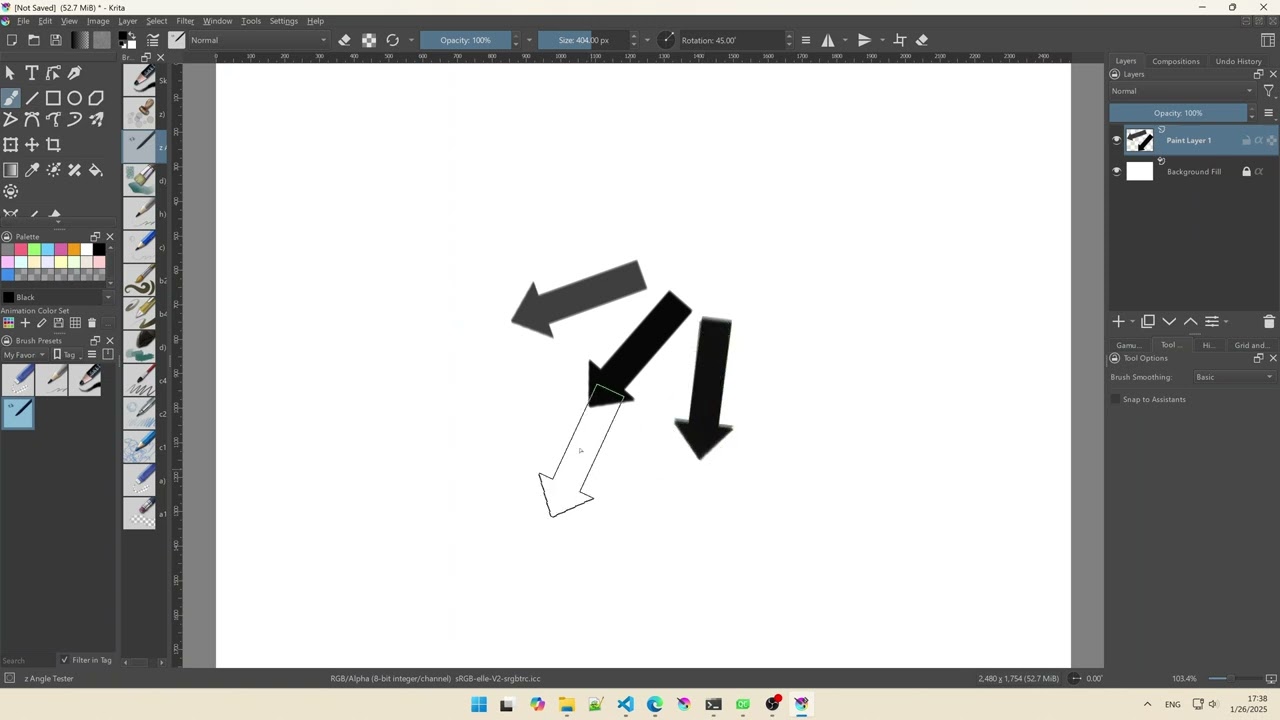
I created a tester brush. At 0 degrees brush tip rotation it points to the right:

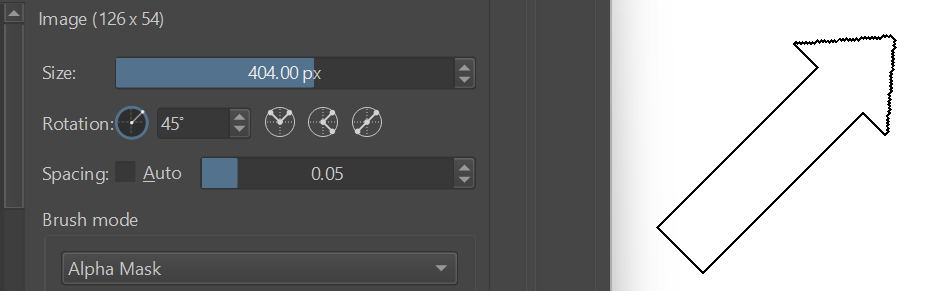
Adding the tip rotation of 45 degrees rotates it counter-clockwise:

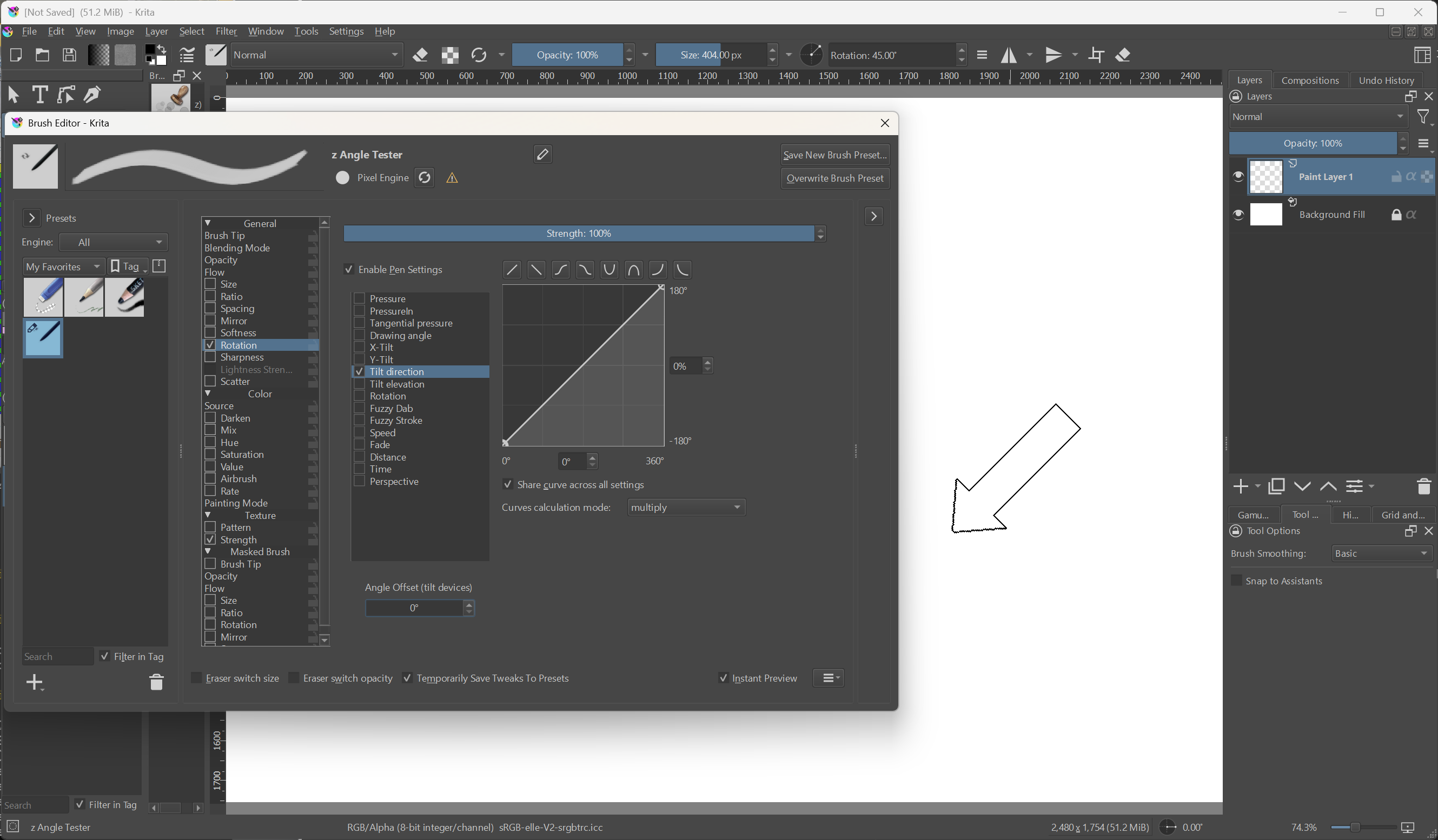
When you turn on Rotation > Tilt direction, at 0% it adds a -180 degrees offset, which will flip the arrow like this. I double checked that this is consistent with the existing behavior.

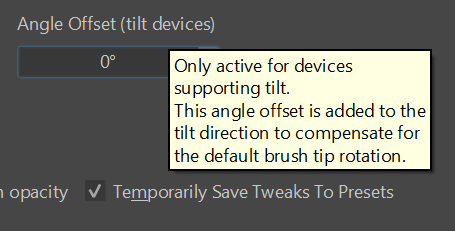
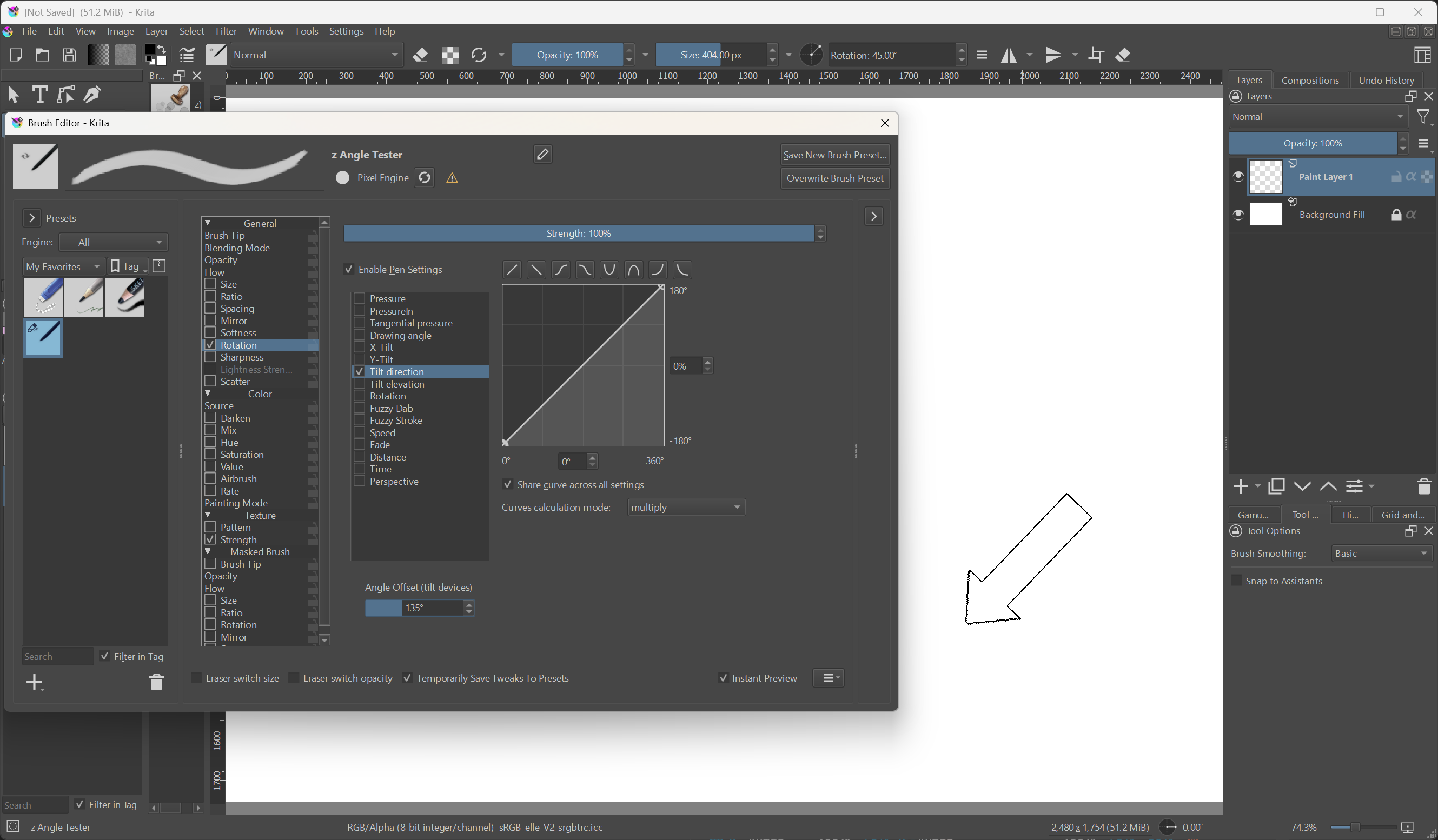
You might have noticed the new offset field that has appeared. It is currently not effective, because I’m using a mouse and the value is 0 anyway:

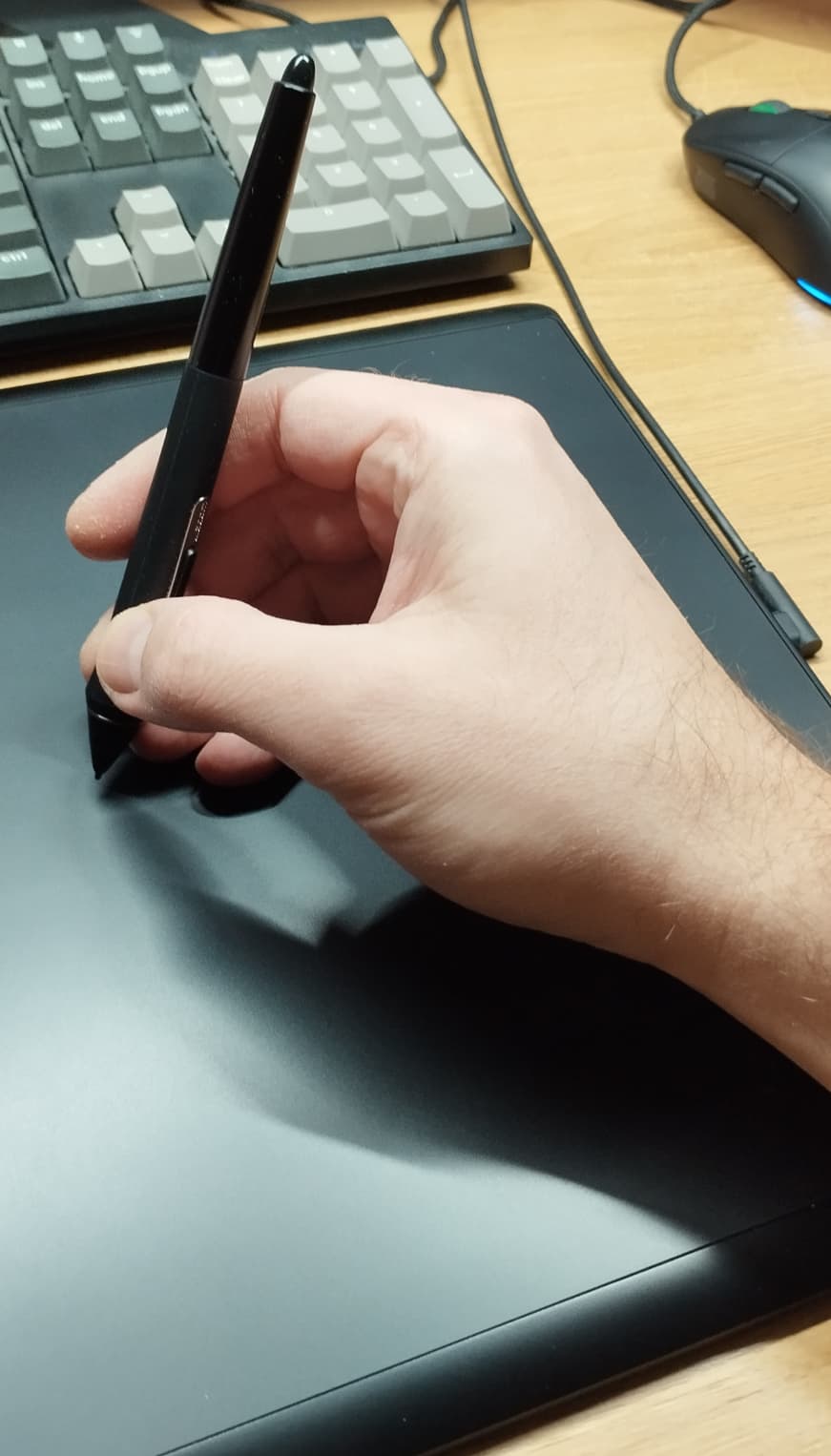
If this stays at 0 and I now pick up my pen, the arrow would get rotated. If I try to hold the pen at a reasonably natural, right-hand person angle, the arrow becomes horizontal:

(Forum rules: I took this photo myself with my left hand)

Adding the compensation angle of 135 degrees “fixes it” (45 - 180 = -135):

Now, the only caveat is that I used the aforementioned (xTilt != 0) || (yTilt != 0) heuristic to detect if the device is supporting tilt or not, which isn’t perfect. If you hold the stylus perfectly vertically, it will “think” it’s a no-tilt device and don’t apply the offset, meaning the cursor will thrash between two rotations. However, given how unnatural that position is, I think this is good enough. Hopefully.

Moreover, as far as I can tell, X/Y tilt are Qt tablet events and they are integers in Qt5, but become floats (decimals) in Qt6. So it’s possible this issue will go away once we upgrade Krita, because there’s no way you can hold a pen freehand and get 0.000 tilt :smiley:

OK, that’s pretty much it. I will do a bit more testing and look at @wojtryb’s request next and then decide whether to post it in a single MR or not. For now I only pushed the source to my branch. :saluting_face:

10 Likes

:heart_eyes::heart_eyes::heart_eyes: Wow! Thank you very much for all: the coding efforts and the report here with the screenshot ! It looks great.

2 Likes

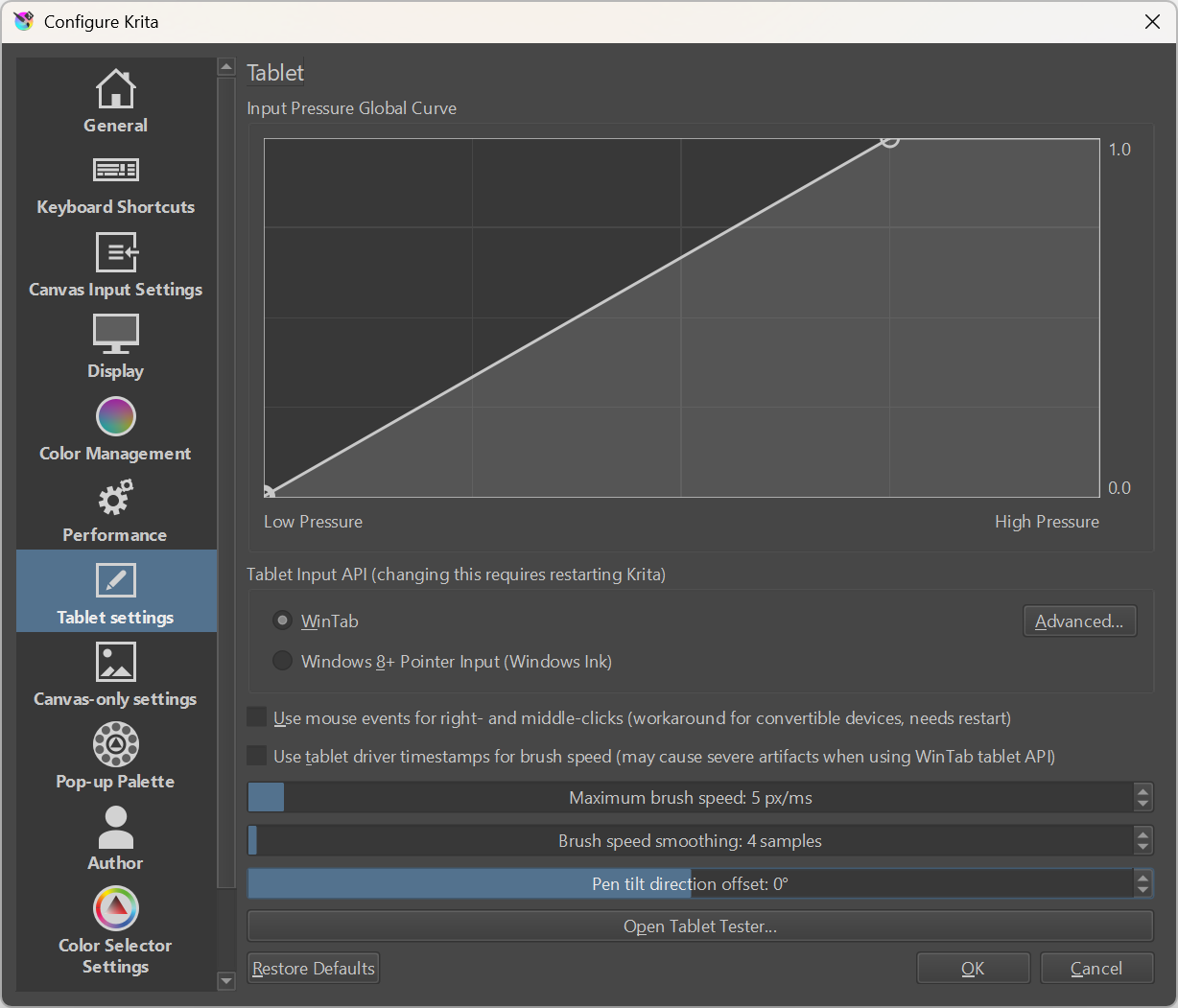
Here’s the other feature (a new slider in tablet settings). You can see it in action in the video.

I put both in the same MR, which you can check out here:

Pen tilt direction angle offsets (!2314) · Merge requests · Graphics / Krita · GitLab

4 Likes

This topic was automatically closed 4 days after the last reply. New replies are no longer allowed.