I know that you can change the size of individual brushes and save differently sized versions of the same, but I mean like a generalized menu (probably a docker) where you hit a button and the brush you’re currently using is 20px, or 30, or 100, or 2, or whatever other sizes you’d added – basically as a staged shortcut of the size slider in the top bar. I migrated to Krita from Medibang and the ability to succinctly change the size of your brush to a specific set value while using was a unique function Medibang had that I found particularly useful. Does Krita have anything like this?
 Hello @Astroblaze and welcome to the forum!
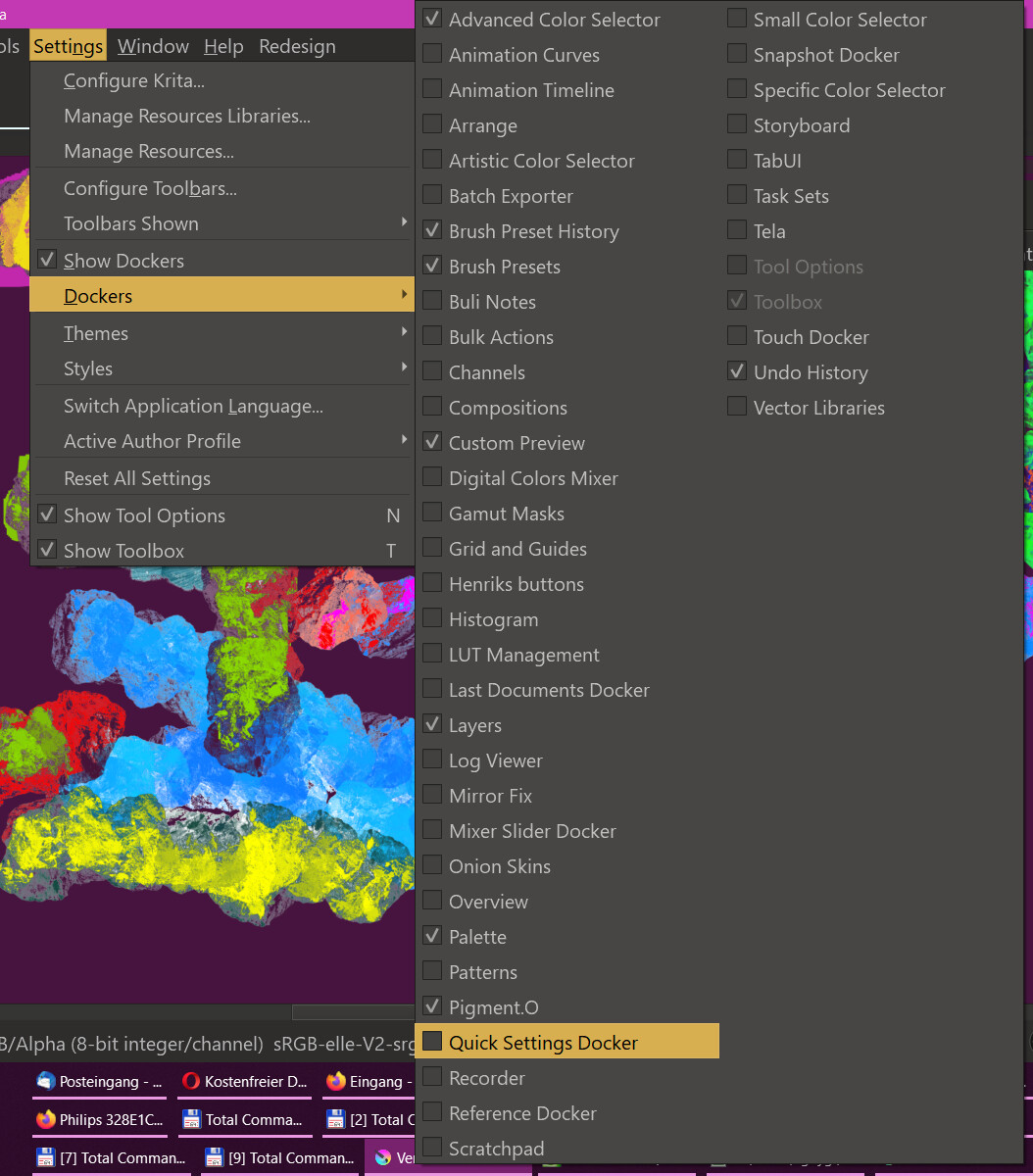
It is the “Quick Settings Docker” you are searching for.
You’ll find it in Krita, under “Settings” >> “Dockers”.
Michelist
Oh so it is. Thanks! (So much for reading the entire manual to try and avoid silly mistakes like this, lol.)
You’re welcome, but I did this for me.
And I still do not understand everything, and many things I can not or maybe not yet, such as animation, well, eventually I probably understand it, is just not my theme.
Even today I always have a tab open in my browser with the manual for quick reference, this is not a shame and I can only recommend it again and again to everyone.
One thing is for sure though, ignorance is not a shame, it’s just a shame not to ask something because you’re afraid of being thought stupid by asking a question. Someone who asks is smart, because one has the courage and the will to learn something!
I wish you all the time happy painting and have fun with Krita!
And always have the courage to ask, because there are no stupid questions, only stupid answers. 
Michelist