Hi, I’ve been having a couple of issues with my brush sizes for a few weeks now and I can’t find anything online to help. I’m not sure if I should post these separately but they started happening at the same time so they could be related to each other?
Whenever I use a brush with an integer as its size, it automatically rounds to whole number. E.g., if I size a brush to 51.19 px, it sets itself to 51.00 px instead despite me not pressing any keybind to make it lock into a whole number. This doesn’t happen if I manually type in the size, but it does happen to brushes that are already saved as integer sizes.
This next one’s a bigger problem for me. Sometimes when I switch brushes, my brush will copy the size of the one I used before it. My main brush is 10 px, my eraser is 50, and when I switch back to my pen after erasing, it sometimes changes the brush size to 50 px. This isn’t a consistent issue, but it usually happens a few times a day at random.
I’m using Krita 5.2.13 and I’ve already tried resetting all of the settings and reinstalling the app but there’s been no difference. I don’t remember changing any of the settings for this, so for all I know they could just be bugs. Any help would be appreciated.
You wrote you are “changing” brushes. In that case I haven’t noticed your issue (Krita 5.3 on Windows 11):
Case A
- Using a paint brush preset at 20 px
- Switching to an eraser brush preset at 50 px
- Switching back to paint brush preset at 20 px
In this cases the pix values are always keept - the eraser is always 50 pix, the paint brush is always 20 px.
Case B
The other case is not to use a dedicated eraser brush preset but the erase mode of the paint brush preset (default shortcut E).
- Using a paint brush preset at 20 px
- Activating the erase mode of the paint brush
- Changing the size of the paint brush to 50 px
- Erasing
- Deactivating the erase mode
- The paint brush now is 50 px
This is the default behaviour of the erase mode.
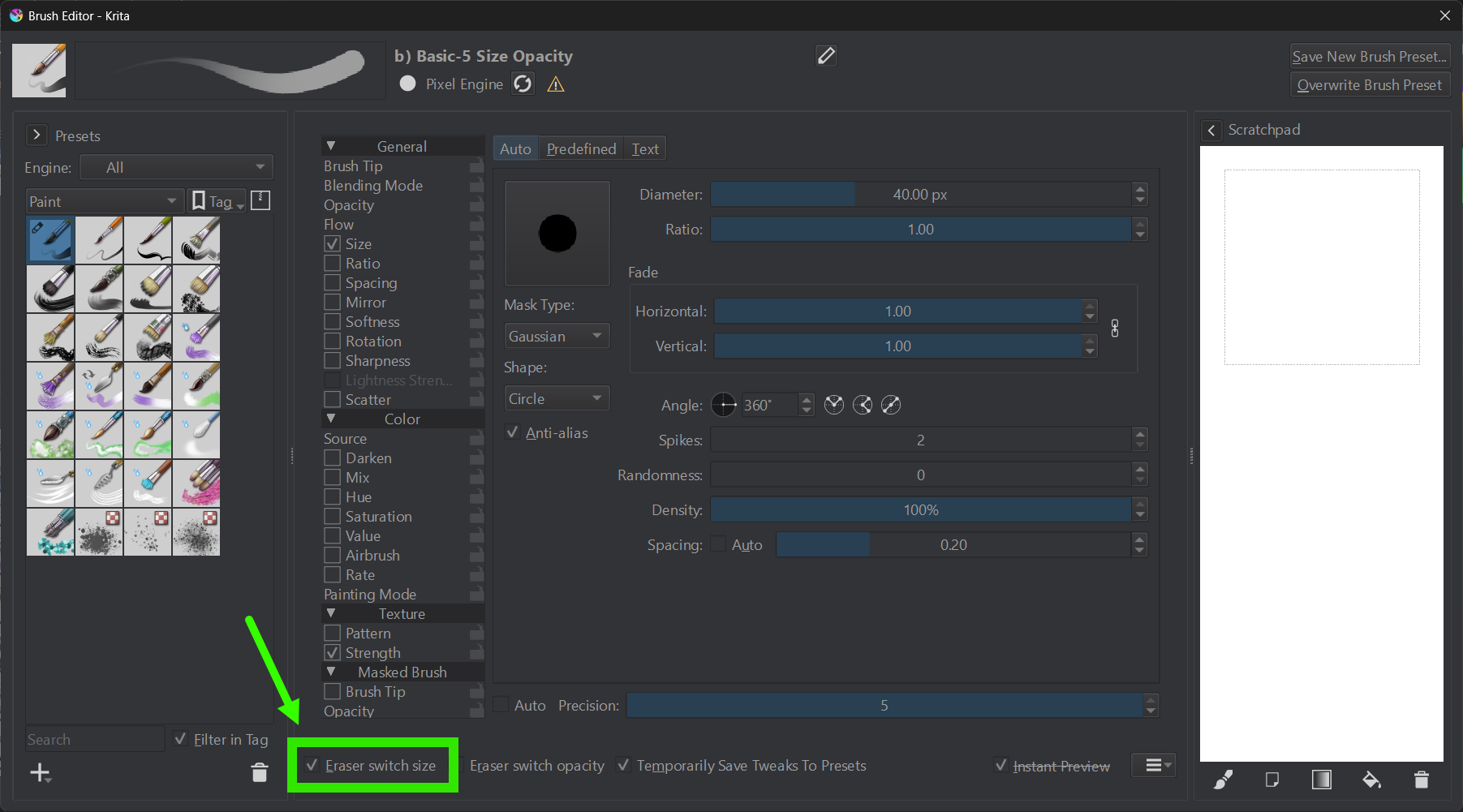
But there is a setting in the Brush Editor to change this behaviour:
If I activate the marked setting, I get independent px sizes for paint mode and erase mode of a brush preset.
I am aware this is not exactly what you described, but maybe you are sometimes using a dedicated eraser brush and sometimes you are just using erase mode?
The issue isn’t exclusively with the eraser brush— it also happens with any other brush preset I try to use, seemingly at random. I always use the eraser brush preset rather than eraser mode on my brush.
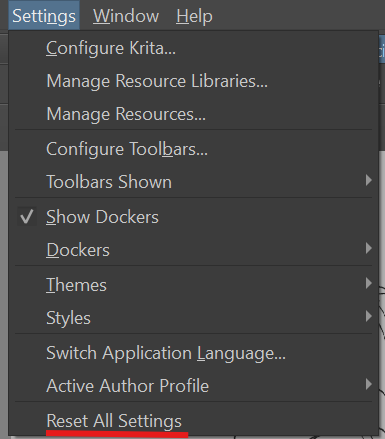
UPDATE: I wound up clicking “reset all settings” and that seems to have fixed the issue. I’ll have to go back and fix all my settings again but I think it was worth getting rid of the problem