Is there anyway to make the brush draw as soon as I click instead of just drawing when the mouse button is released or when I move it?
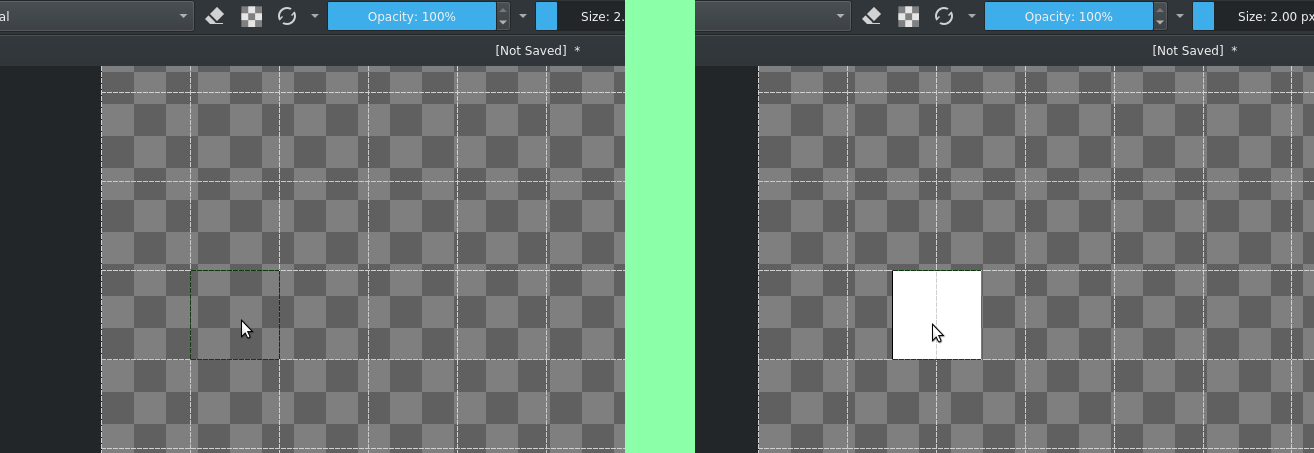
I’m asking about this because using a brush bigger then 1 sometimes it don’t draw where the preview outline shows when I click. Maybe with image can help-me to explain better:
In the image on the left I already clicked and held the button and it didn’t draw. Only when I moved a bit to the right it draws but not where I clicked before as the right image shows. Because of that I make a lot of mistakes not being able to guide me through the outline preview. The feeling is that the brush is heavy. But sometimes it draws where outline shows. It depends where I exactly clicked and what direction I moved it.
Another difficulty is that when clicking and moving, if it is not moved enough and the mouse button is released, nothing is drawn. This happens when I’m clicking in different places and a few clicks I unintentionally move it just a little bit…
So, there is a configuration of brush to change it?
In 5.1.0-5.1.1 there’s an issue where Sharpness brush dabs are inaccurate, unless you toggle “Align brush outline preview to pixel grid” in the brush settings.
Try downloading Krita Plus from Krita Desktop | Krita and see if it resolves your issue.
Okay, this is interesting. It seems like dabs aren’t made if a stroke is smaller than half a pixel. Doesn’t seem exclusive to Sharpness brushes either, and it doesn’t seem to be a regression too. Point-click dabs and 1-size brushes seem excluded from this problem.
I’ll file a bug report, but I would maybe guess it’s that way for a reason.
You described the problem related to the stroke too small where nothing is drawn, but not about the outline problem. This other problem I click where the outline shows me and I start to make a stroke, but the drawing doesn’t start exactly where the outline showed. That’s what I tried to show in the pictures. If you look carefully you will notice that the outline is in one place and as soon as I started the stroke to the right the drawing was not done exactly where the outline showed. Would it be necessary to do another formal bug report for this? Or maybe just a comment on your report bug issue to add information as these issues might be related?
There is more than one aspect to this problem which does happen with small brush sizes.
It looks like you’re using the grid, set to 2px, as a guide.
The intersections of the grid are centred on individual pixels so if you place the brush outline centred on a grid intersection then it shoudl paint exactly where the brush outline is.
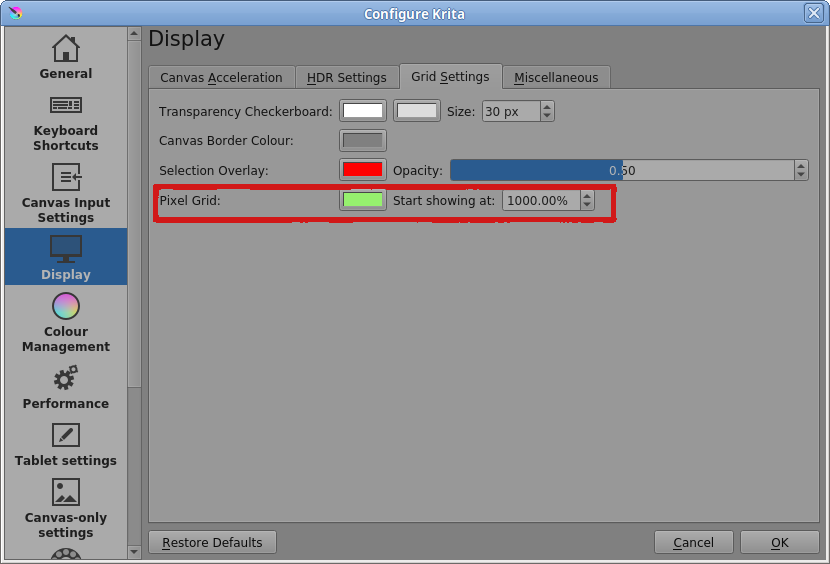
At that level of zoom, I’d expect to see the pixel grid but you may have adjusted its settings so that it never comes on.
Or it may be that you have Canvas Acceleration turned off.
Yes, you’re right. I set it not to show the pixel grid and because of that my example about outline was not clear. Sorry about that.
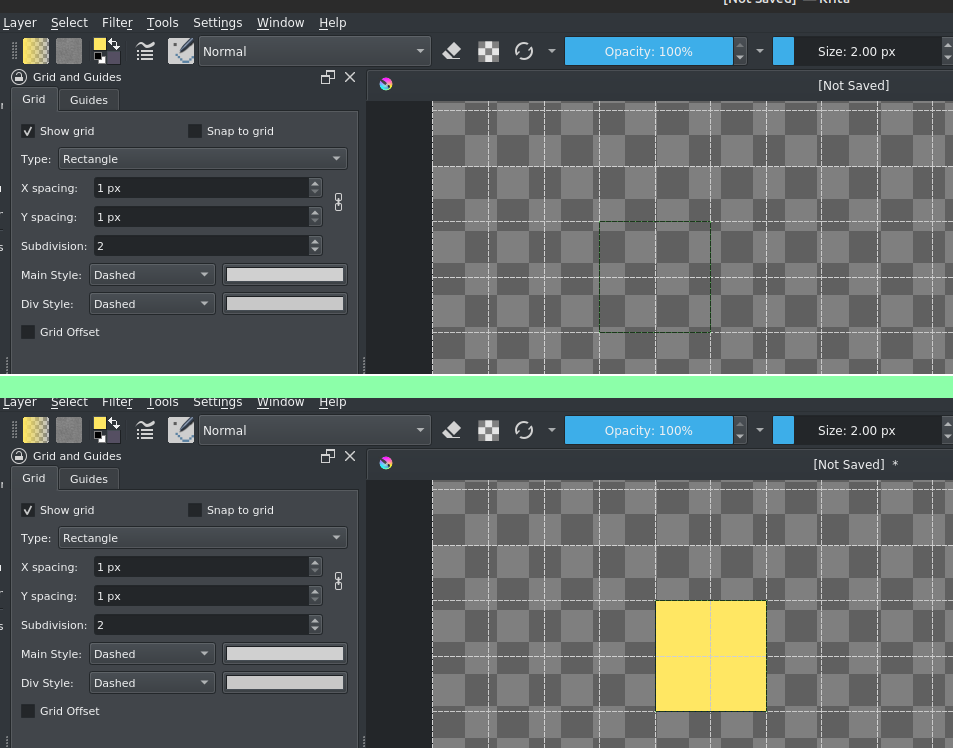
I did another example with images now using grid 1px, but the brush (pixel art) size 2px and I kept “Align brush outline preview to pixel grid” activated.
My outline show me that it will be drawn in a place, but if I hold the mouse button and try to make a stroke sometimes didn’t starts to draw where the outline showed. It depends exactly where I clicked, like I said before.
Yes, but only with brush 1px. Brushs bigger than that sometimes occurs the problem like I related when I try to make a stroke.
You have explained and illustrated it better but there’s more than one factor involved.
In the past, I’ve tried to understand this while trying to make 1px or 2px square pixel drawings and I never seemed to get what was going on.
I’ve tried something like this with a brush tip that’s a 1px x 1px .png image and adjusted the various sharpness, strength, etc, etc settings but never got something that behaved in the ‘simple and obvious’ way that I hoped for.
I think that some things about krita don’t scale well down to small brush or stroke sizes.
That’s a subject for the developers to study and maybe sort out one day.
You could try it with a 2px x 2px .png brush tip that’s solid black to see how that works out for you.
I tried a 2px x 2px .png brush, but still working in the same way.
I got. This is not simple and involves more things. A report was opened by Tom about the stroke and maybe it’s related to that. So, for now I’ll use the pixel brush without outline (just with arrow). I’m getting used to it and it’s been easier.