I have made an account specifically to report, following your steps for updating to 6.0 did nothing but bug my entire program. I deleted the folder as instructed, and it turns out other plugins I use, such as Shortcut Composer, stopped working the moment I did that - so I re-installed that one, and then at no point did I ever hear a sound..
..until, I turned off UI recognition, and then it started playing an extremely loud sound that hurt my ears as I was clicking away, trying to turn it off and being unable to for some unknown reason.
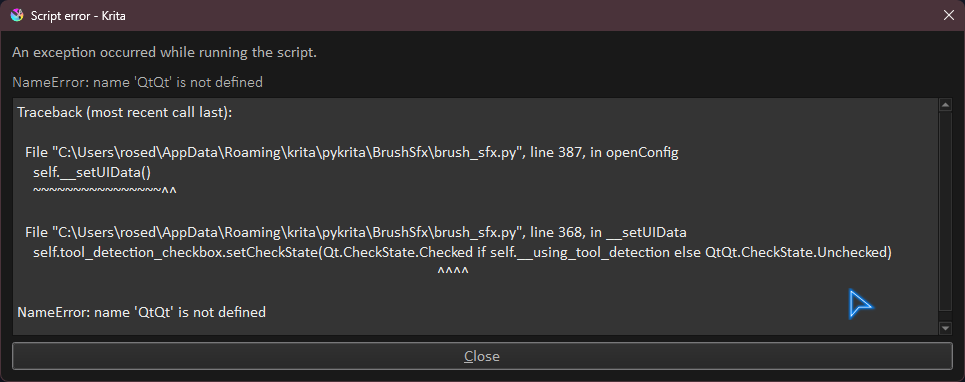
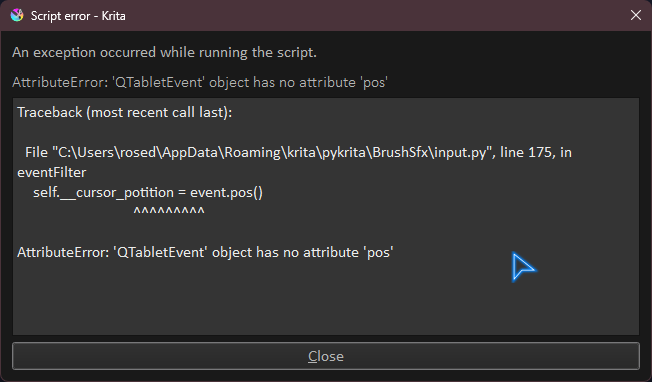
As that happened, trying to click on the plugins options simply did not bring up its intended prompt - instead, showing this error window.
Update again to version 1.1.8, it fixes the erros shown in the print, can you test it?. I tested it with the shortcut composer plugin and it is working for me, what other plugins stopped working too?
while at the same time doing a very sharp, brief noise sound
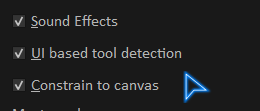
edit: UI based tool detection AND constrain to canvas were both off - I’ve checked them and now it’s just not playing any sound at all - but at least now it’s not showing the error message above
shortcut composer is working properly (due to being latest version), and I have no other plugins since I forgot many of the other ones flat out refused to load due to some qt5 thing - probably an incompatibility with 6.0
Updated again (v1.1.9), this time I tested using a drawing tablet.
For the Constrain to canvas, you have to have Canvas Graphics Acceleration enabled, if it is disabled but you enable the Constrain to canvas option then no sound will play
Ah. that’d do it.
I had canvas graphic acceleration off to try getting better performance on a larger canvas, since I’ve been working on a large multi-layered commission.
Will give it a try and report, though it’s unlikely that I’ll keep it on afterwards due to needing to work on that.
I’ll wait until 1.1.9 is available for download on the GitHub page.
It’s now working as intended - thank you for bearing with me.
If I don’t see a substantial drop of performance working on that commission, I’ll stick to keeping it running since I really depend on positive feedback due to ADHD.
No worries. If you have to turn graphics acceleration off, just disable the constrain to canvas option too. If you have problems with graphics acceleration, try changing it’s configs, for example, I have bad performance if I use the Direct3D option but it runs fine with OpenGl option