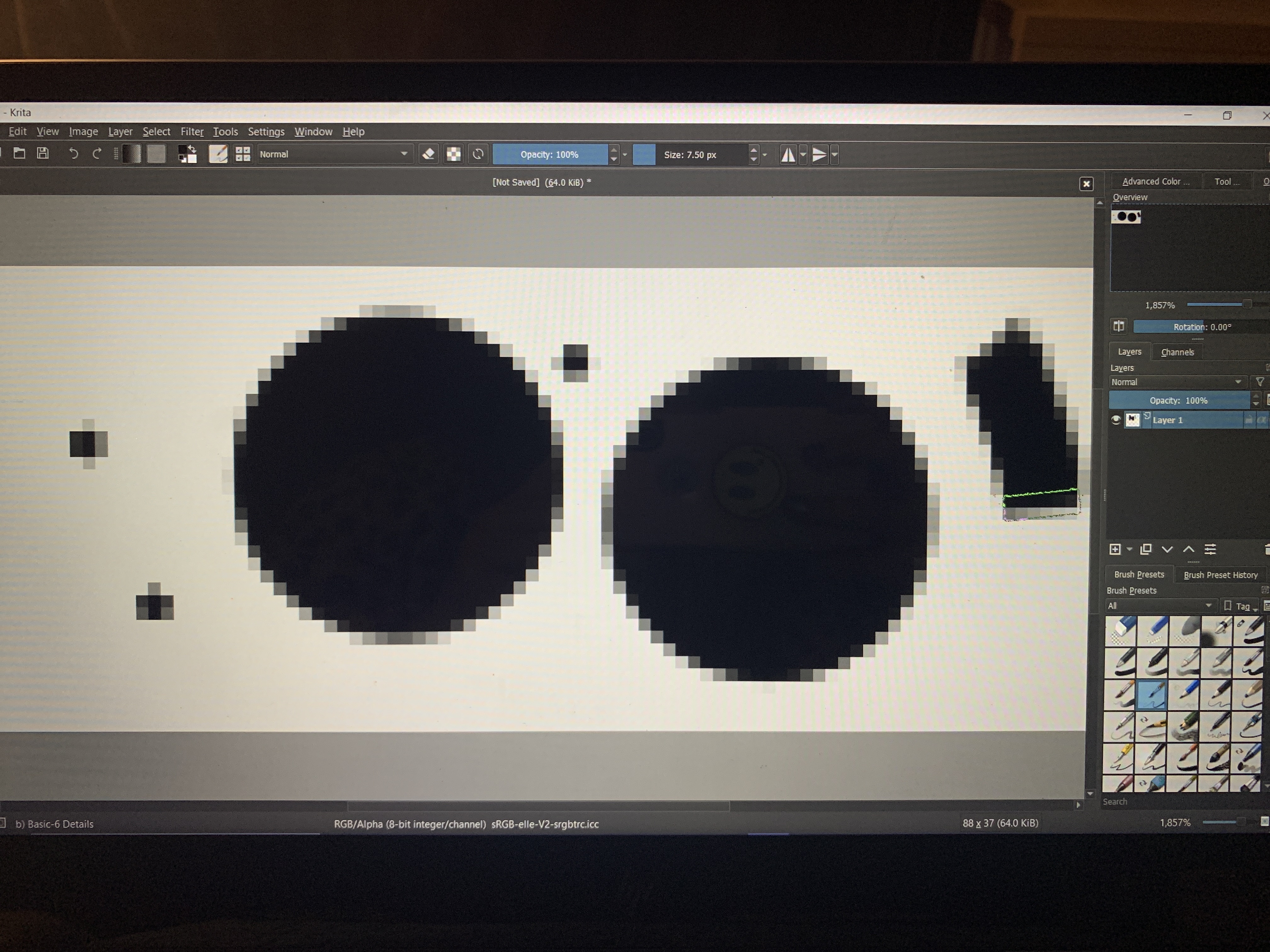
I somehow made all of the brushes huge and pixelated and i have no idea how to fix this, been trying for almost a month. Please please help me!
When creating a new file, you need to create it big. You can choose either A4 or A5 300dpi template, it should be just fine for most cases.
1 Like
Wow!!! Thank you SO much!!!
There are two settings in digital art for your canvas. The size of the canvas sets size of the outer edges of your property of drawing. The pixel density will set the size of the pixels. 300dpi means you have 300 pixels per square inch rather than the default 100dpi. If you want to go above 300dpi you need a strong machine though. When you set your brushes to a large size they will lag.
Don’t tell me Krita by default shows inches and dpi instead of actual pixels… (that would be a nightmare in my opinion, I hope it isn’t like that). DPI on its own doesn’t mean anything. I can easily set 100000 DPI because what matters is pixel size, which is equal to dpi*size in inches. So you can have very high DPI and very low size in inches, and that would result in pixel size that can be easily opened on a weak computer. (I’m saying that just to clarify).
I just used the names of the templates because they have good pixel sizes and they can be easily found… I hope.
1 Like
This topic was automatically closed 15 days after the last reply. New replies are no longer allowed.