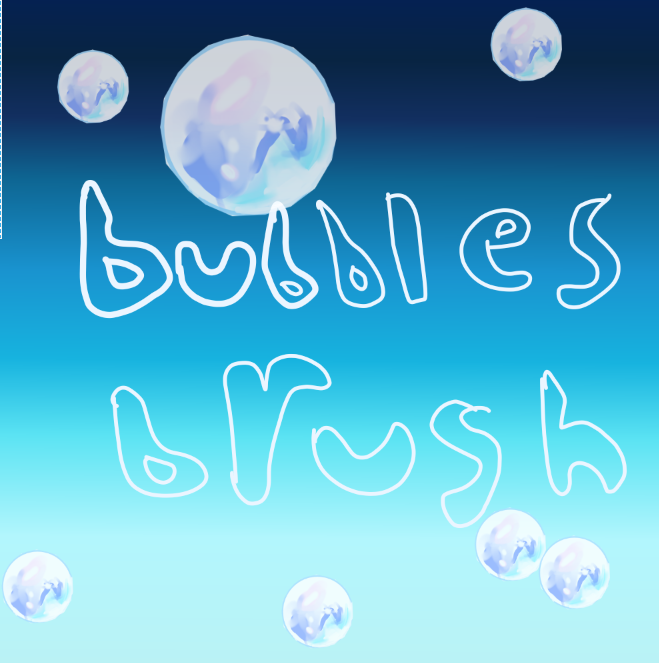
Hi artists !
this is my new bubbles brush
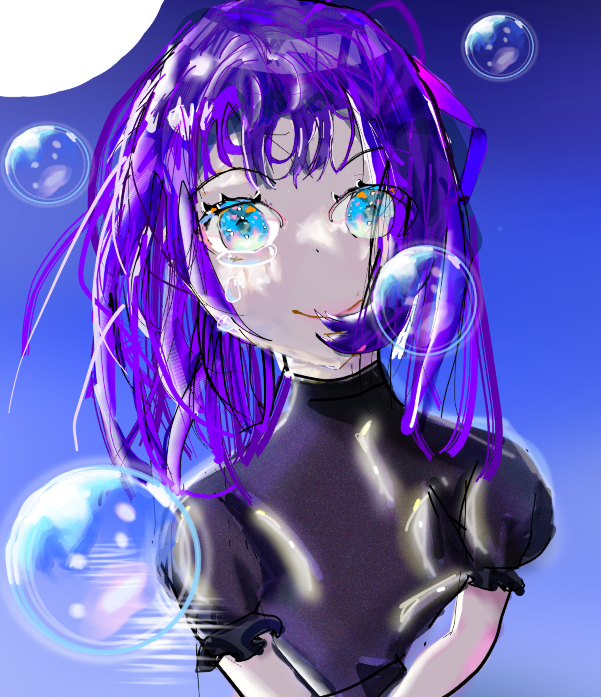
download link https://drive.google.com/file/d/1xoV43xmqzNr3zpYtDkGQt9NfgjZROc1M/view?usp=sharing
download link https://drive.google.com/file/d/1xoV43xmqzNr3zpYtDkGQt9NfgjZROc1M/view?usp=sharing
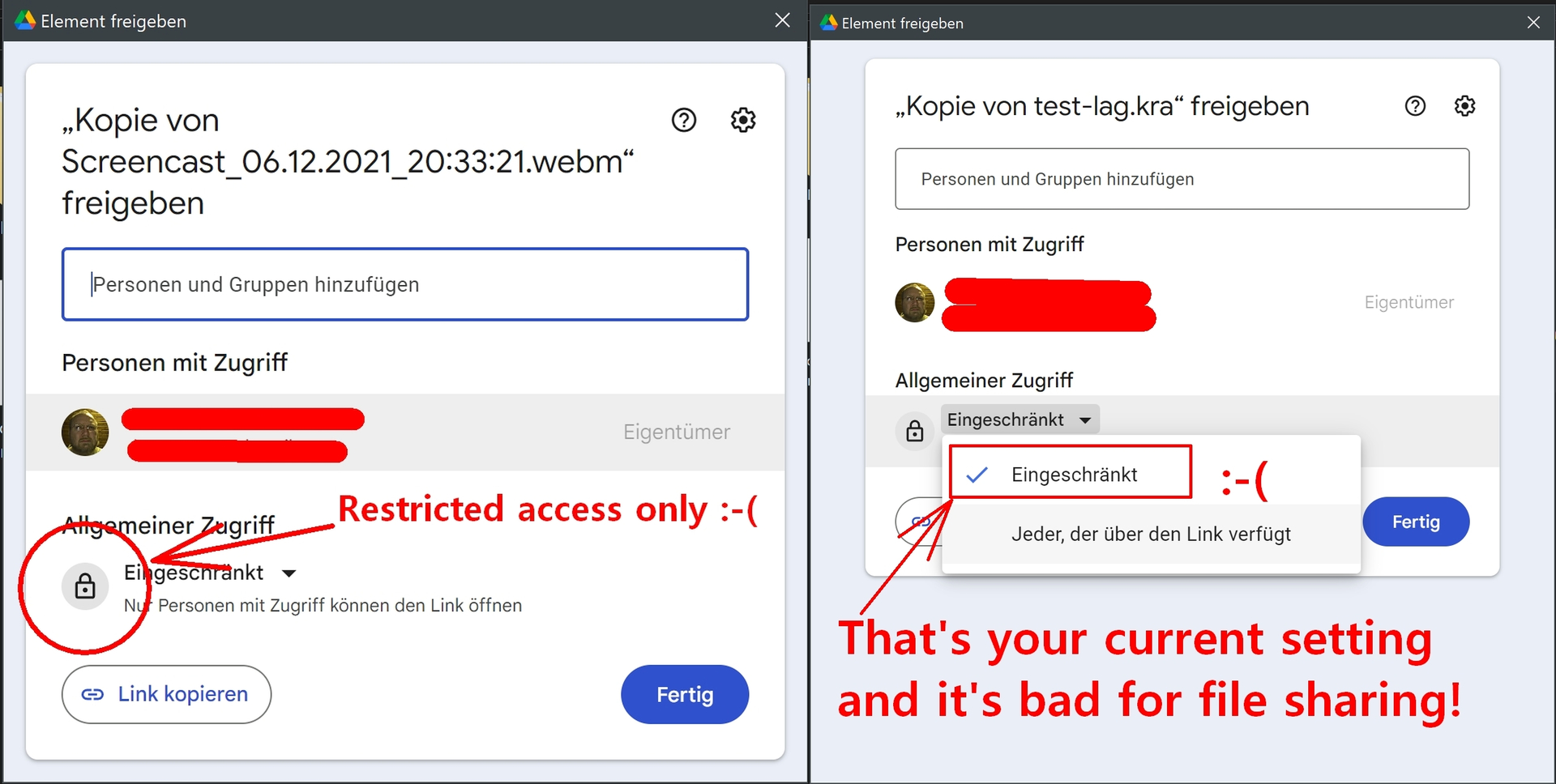
If you want to share resources with us, then please do it without demanding us giving you and Google our email addresses, because that is the way you selected in your Google drive to share your brush - believe me, nearly nobody is willing to do that.
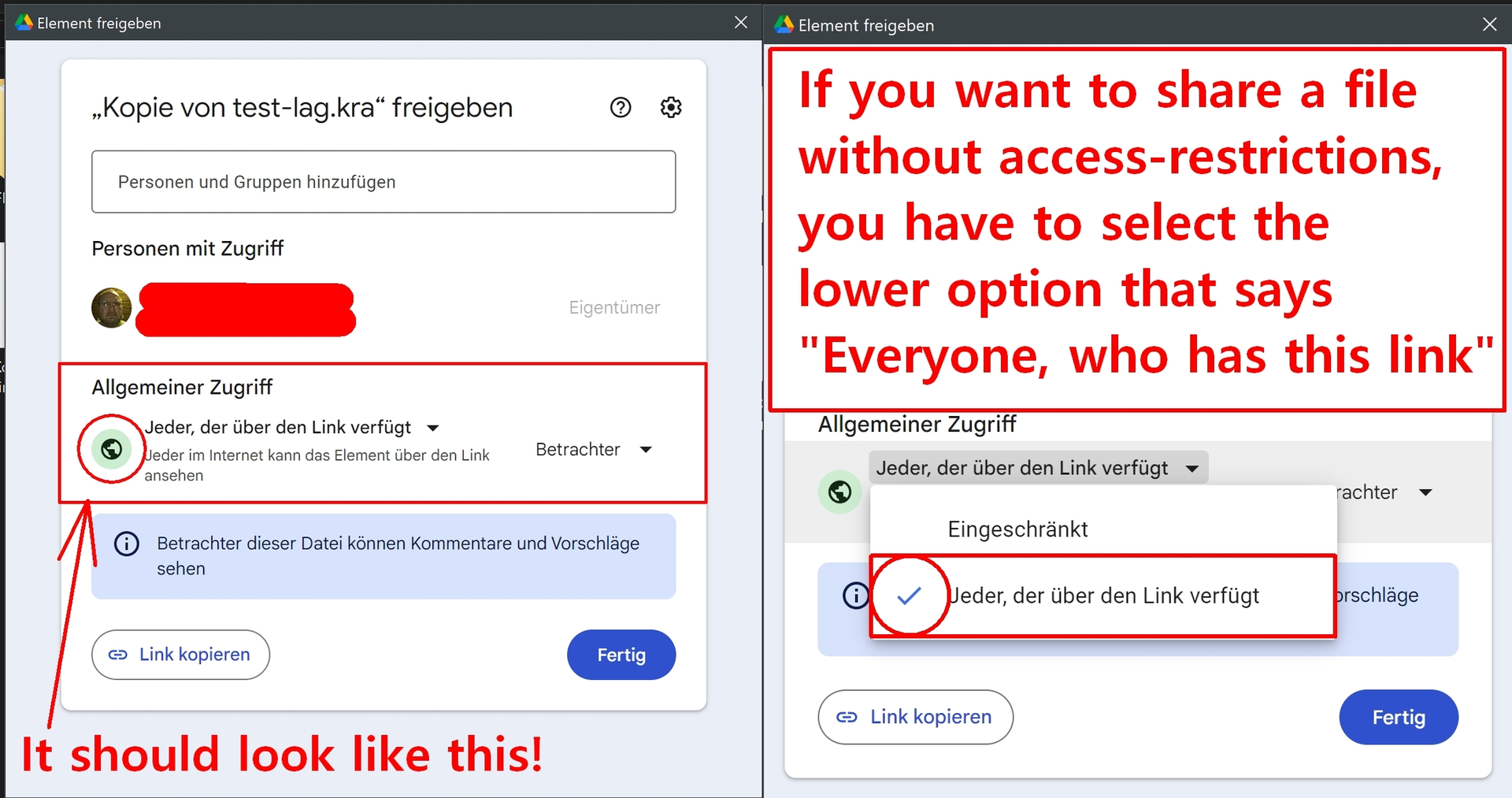
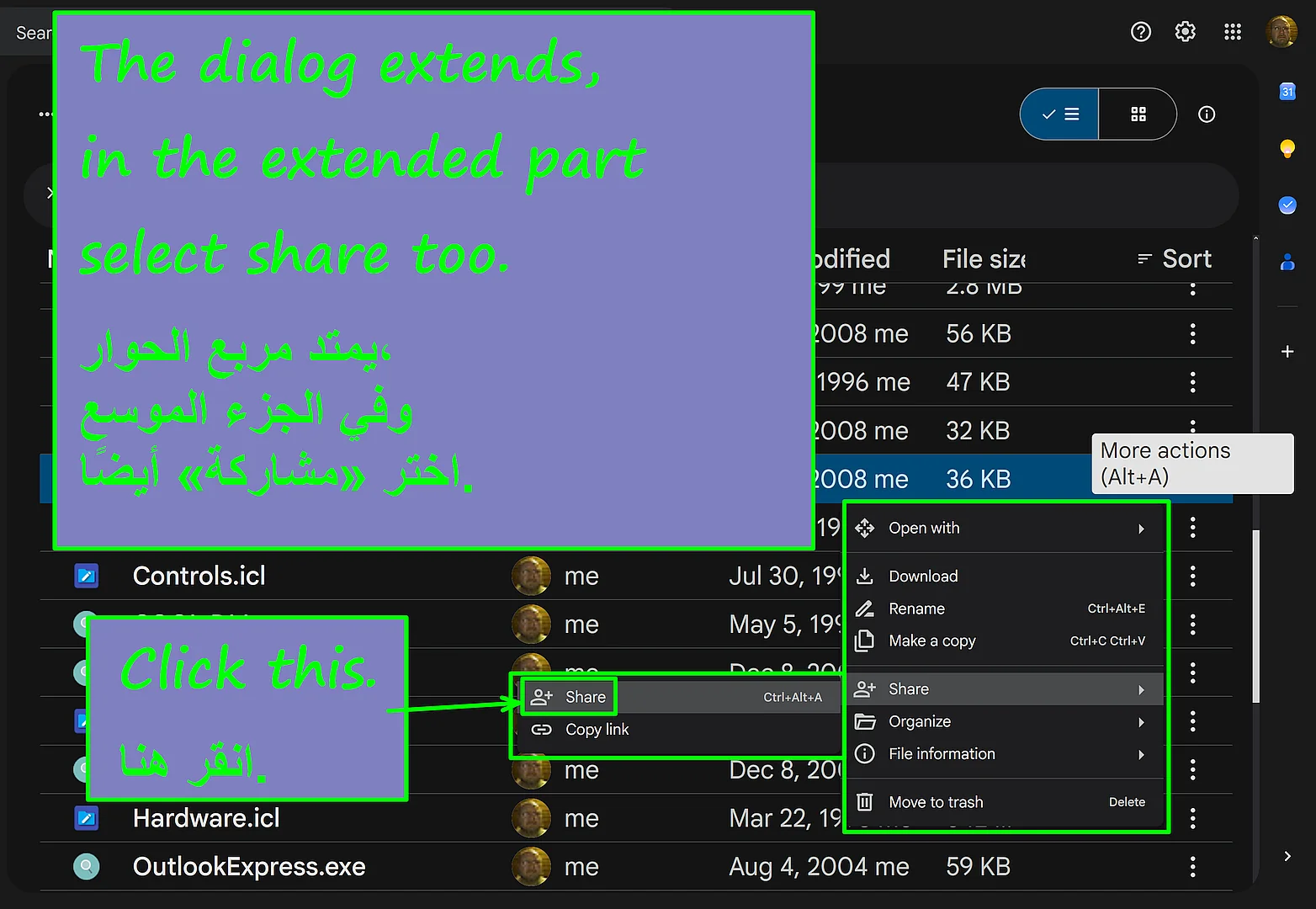
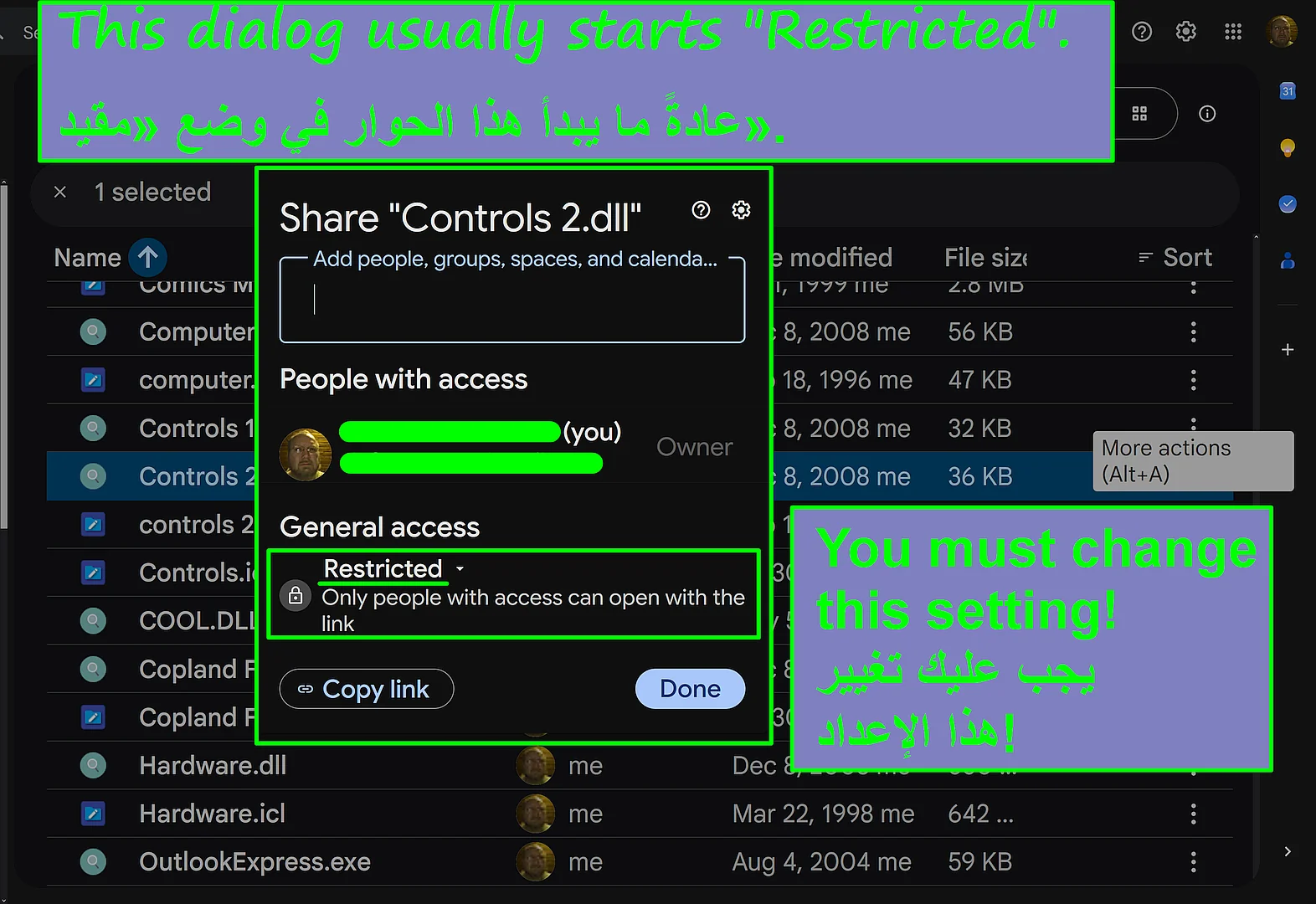
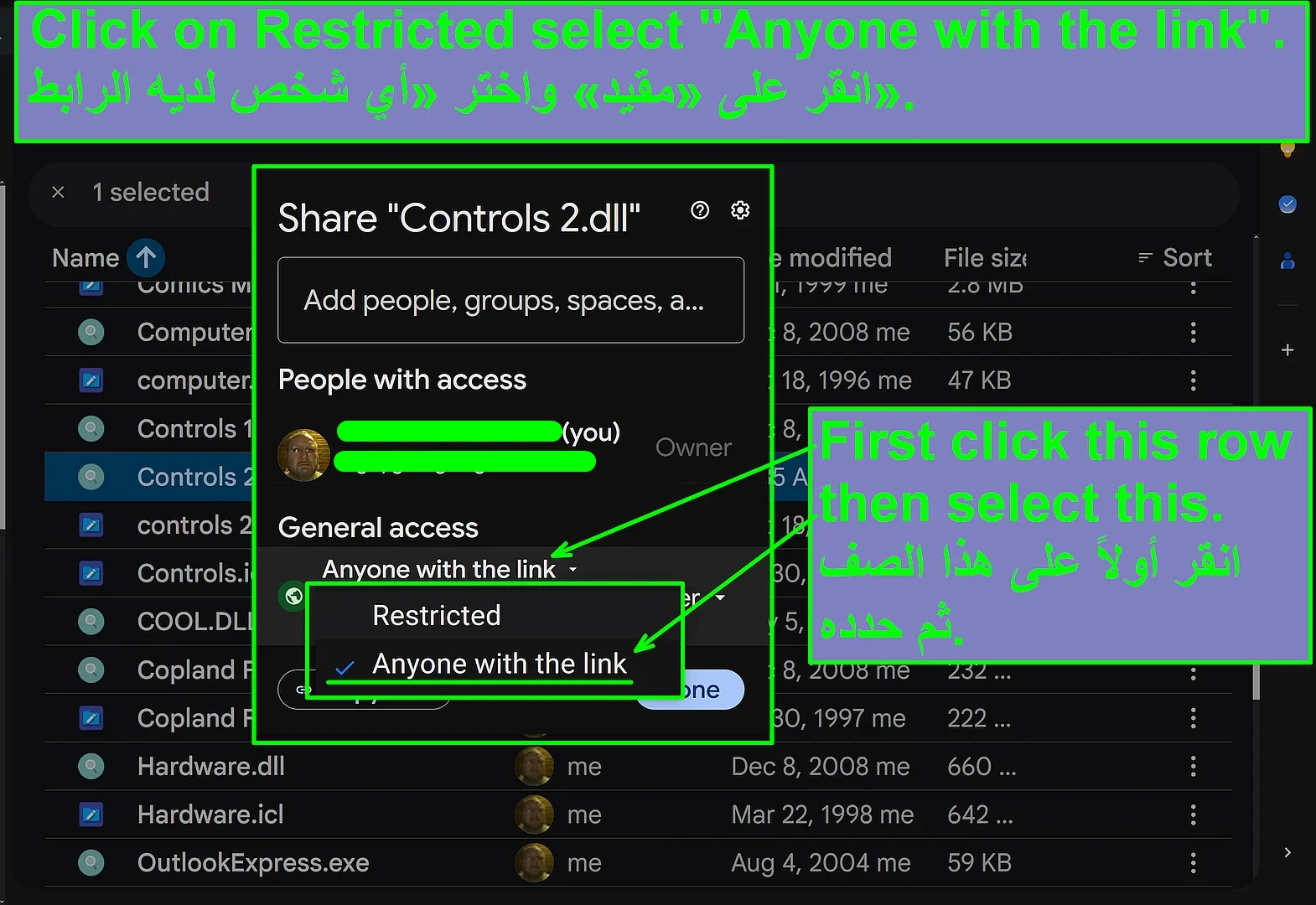
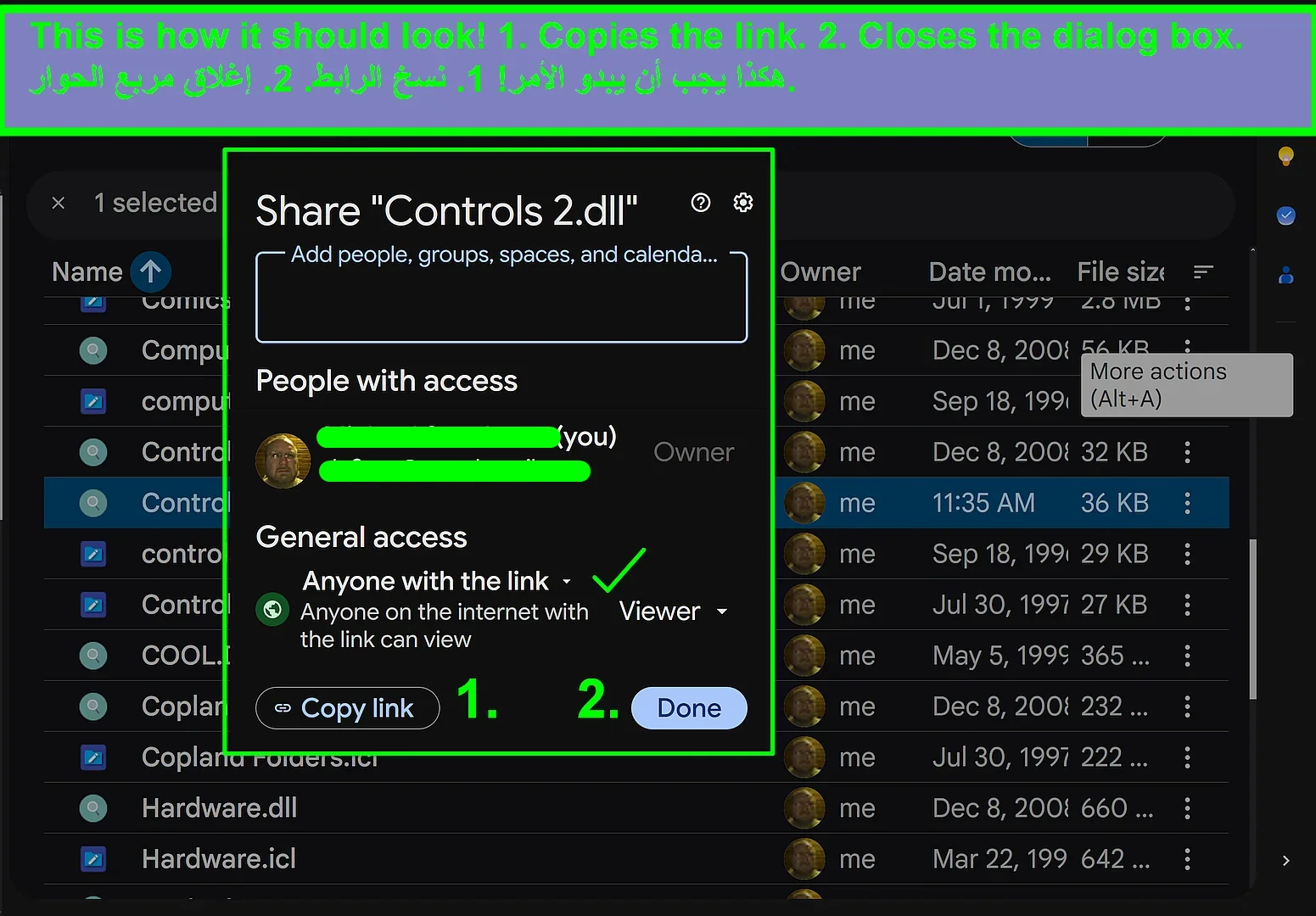
To share files via Google Drive you have to select these settings shown in my second screenshot:
These are your current and unwanted selections →
To freely share your files you need this selection →
Thank you very much!
Michelist
I can’t download the brush
No one can.
The user has made the usual beginner mistake in sharing files via Google Drive, at least I guess it was a mistake because I do not want to imagine users who are doing it on purpose. But that is not a problem, I posted above how to set up Google Drive correctly as I always do with such things.
And I’m not sure why the user does not come back to see a community echo about their creation, something most are really interested in, which leads to noticing messages like mine that there is something they should change. But here it seems to be different for whatever reason.
Usually it is simply the standard error of these times, people have not read a manual nor inspected the options their programs offer and set up their programs correctly. In between I often have the feeling they seem to believe the software will make everything like they want it to be because the program/app can read their minds, but so far we don’t have mind reading software, and I really hope we will never have.
Michelist
I agree. Its different when you are sharing your brush pack on Gumroad or Ko-Fi to encourage donations and you need an email address to potentially send a receipt to. You shouldn’t require an email address to be submitted without a good reason. More than that when you enable this on Google Drive it requires people to create a Google account and agree to their Terms Of Service and End User License Agreement(TOS and EULA) which people may not be willing to do. Google is a corporation that can sneak some bad guy clauses in there.
When you leave this enabled you collect email addresses without reason and force people to either agree to Googles terms or ignore your brushpack.
When are you gonna apply the google drive changes? I would love to use the brush, it looks cool.
To be honest, I fear, probably never. And that although I went so far to even offer my mail address - without getting an answer.
It is only a suspicion, but I guess the user was overwhelmed with the options Google offers and additionally with our reactions and the requests for changing the sharing options too, but there I may be totally wrong.
Furthermore, the user didn’t answer my two PMs I send to them.
لأكون صريحًا، أخشى أن ذلك لن يحدث أبدًا على الأرجح. وذلك على الرغم من أنني ذهبت إلى حد تقديم عنوان بريدي الإلكتروني — دون أن أتلقى أي رد.
إنه مجرد شك، لكنني أعتقد أن المستخدم قد شعر بالارتباك من الخيارات التي توفرها «جوجل»، بالإضافة إلى ردود أفعالنا وطلباتنا بتغيير خيارات المشاركة أيضًا، لكن قد أكون مخطئًا تمامًا في هذا الشأن.
علاوة على ذلك، لم يرد المستخدم على الرسالتين الخاصتين اللتين أرسلتهما إليه.
Translated with DeepL.com (free version)
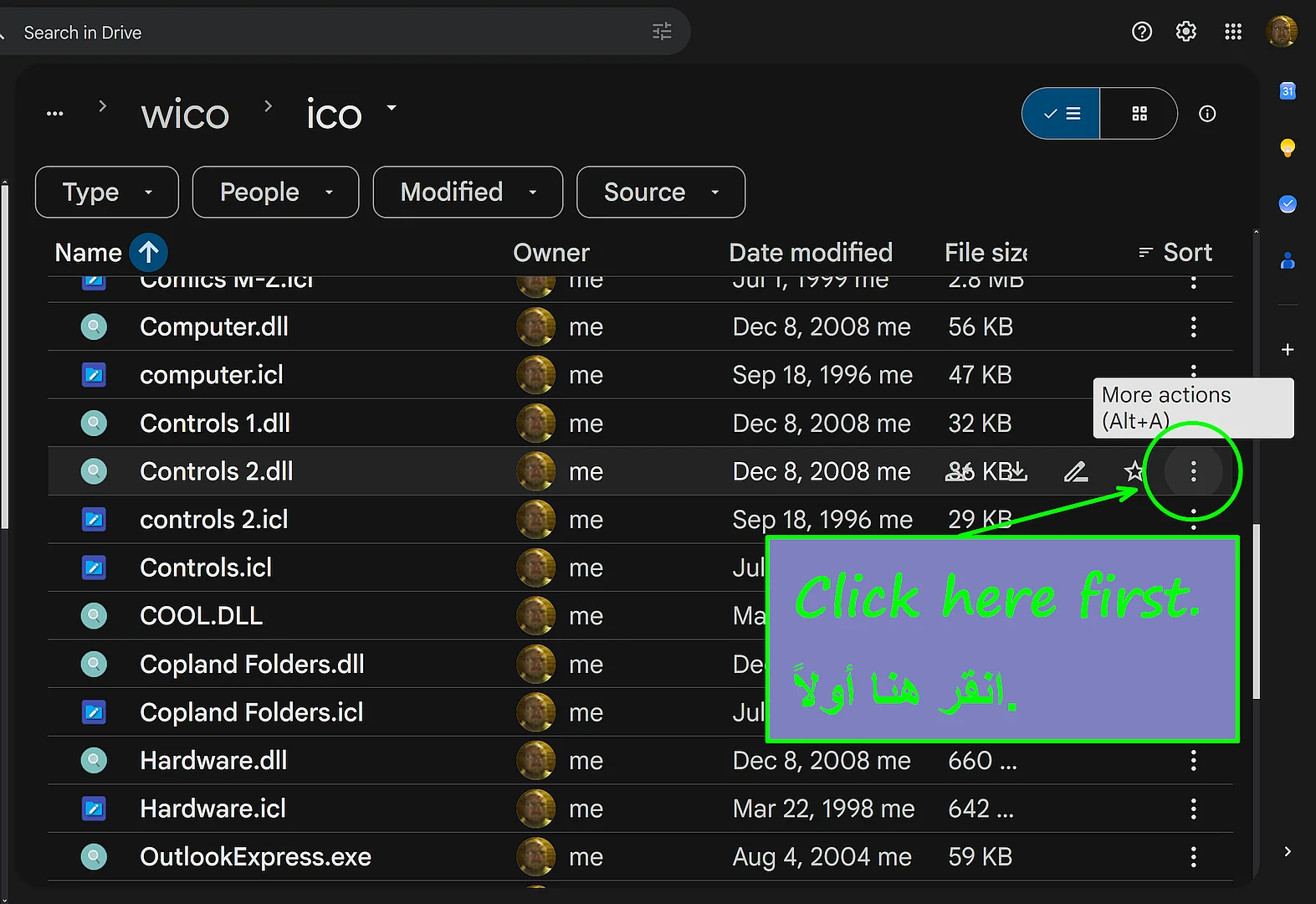
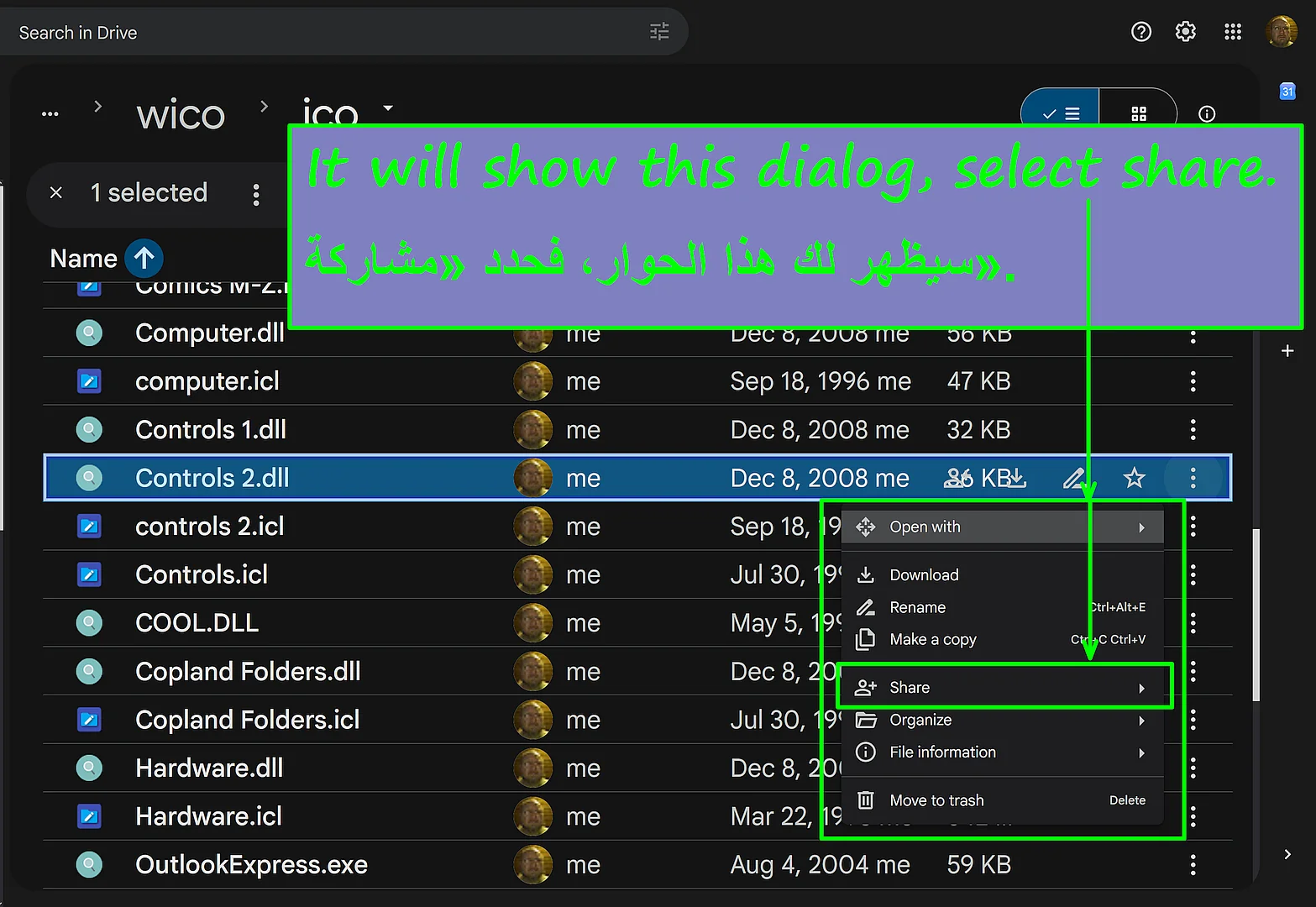
So, here a last try to describe how to share a file using the WEB-Interface of Google Drive to share a file in a way that anyone can download it without being forced to reveal their own mail address. An Arabic computer translation is added to the screenshots and the translated description is posted below the screenshots.
إذن، هذه محاولة أخيرة لشرح كيفية مشاركة ملف باستخدام واجهة الويب الخاصة بـ Google Drive، بحيث يمكن لأي شخص تنزيله دون أن يضطر إلى الكشف عن عنوان بريده الإلكتروني. تمت إضافة ترجمة آلية باللغة العربية إلى لقطات الشاشة، كما تم نشر الوصف المترجم أسفل لقطات الشاشة.
Translated with DeepL.com (free version)
Michelist