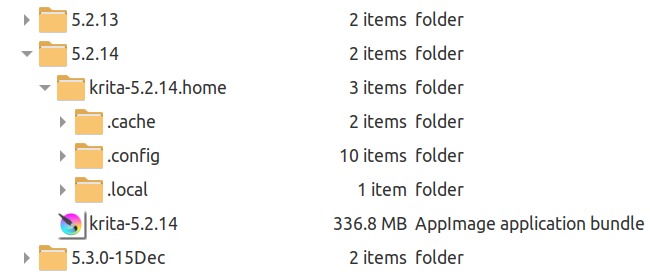
The ‘home folder’ must be created by you, initially, or the default locations will be used.
In the folder where you’ve decided to put it, place the appimage file and give it execution permissions. Rename the appimage to krita-x.y.z for convenience (you don’t need the appimage extension).
Then create a folder called krita-x.y.z.home
When krita starts, it will see that folder and use it as a ‘home folder’ and then create the required subfolder structures when it first runs.
After that is the best time to replace any of those ‘local home’ config files and resources with existing ones you may have.
It is essential that any copied in kritarc file is then edited to change the file pointers ResourceCacheDbDirectory and ResourceDirectory values to point to the current local home location which will be -/krita-x.y.z.home/.local/share/krita