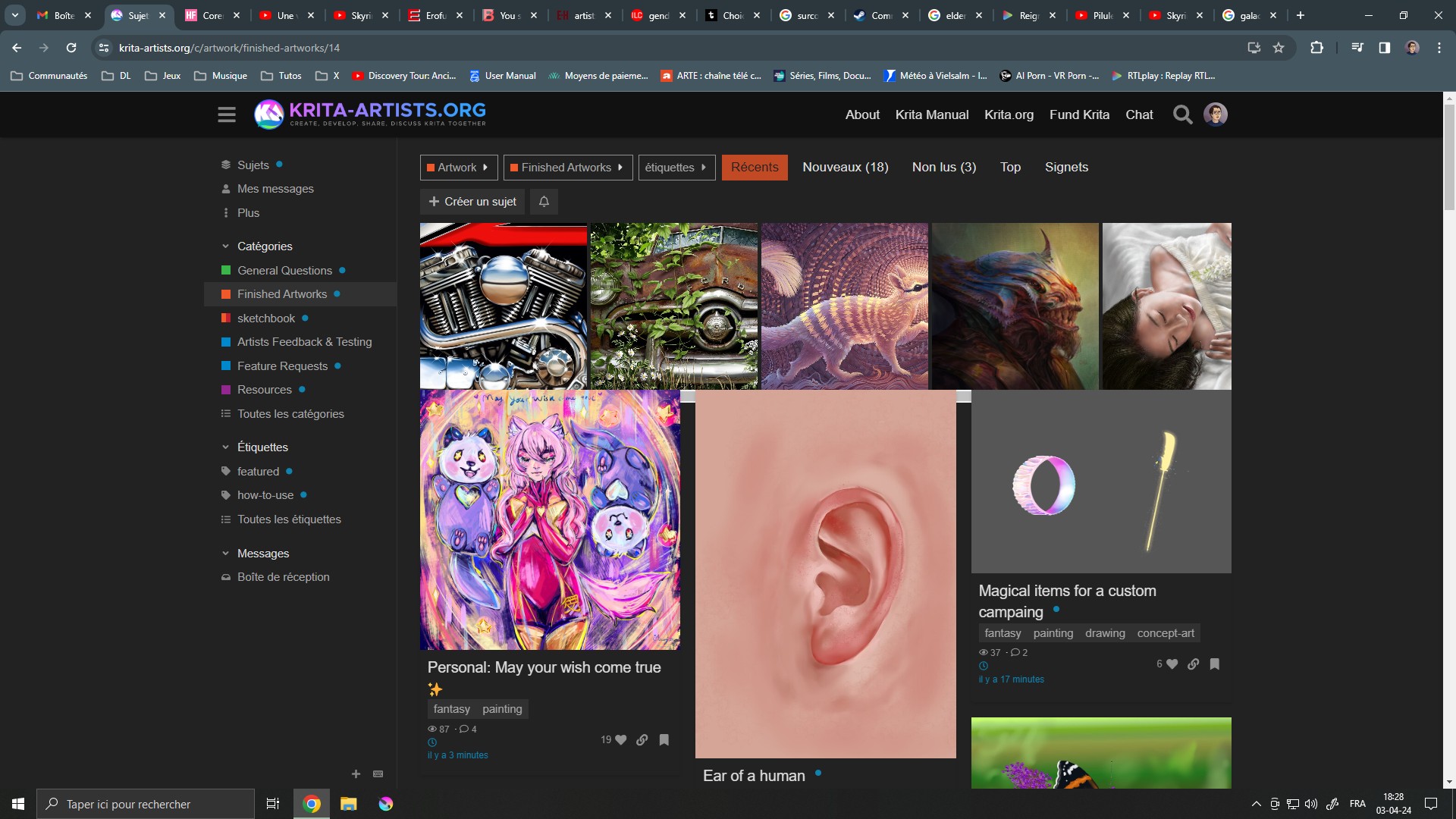
I’ve recently been having a weird display of the artworks on the site, with the top of the regular artwork widows mingling with the featured banner and hiding the slider. I think it started yesterday???
It seems like a bug? Or did I accidentally mess some settings up? 
2 Likes
No you are not alone. this happens in google chrome.  I will check this. It is fine in firefox.
1 Like
From time to time this happens in Firefox under Ubuntu Linux either.
2 Likes
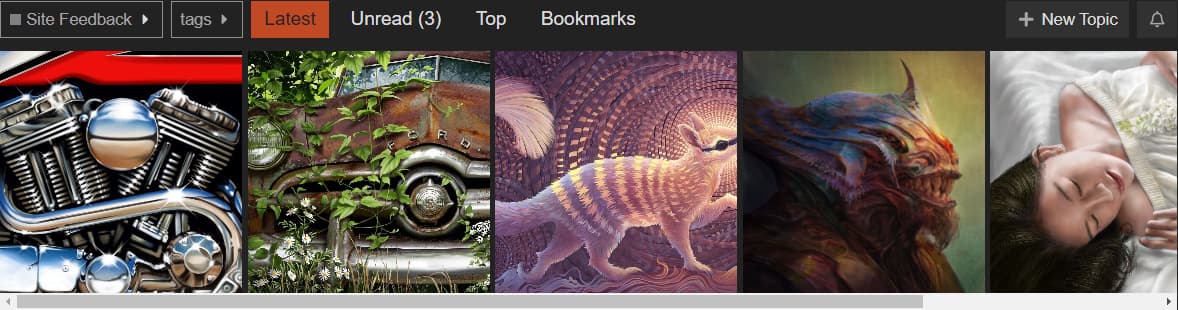
I have a different issue with the art display, where it does display it all inline but the scrollbar is not disabled but is unresponsive to mouse, hiding the overflow images.
Workaround: If you have this error, you can tab through the images and it will forcibly scroll to them. At that point, it reacts to arrow keys too. (I suspect something’s consuming or preventing focus to the control; it also doesn’t tab the last image, so the count might be off if it’s using an array for the images. Not sure)
5 Likes
This also happens on Vivaldi, a Chromium browser. I’ve been dragging my feet to take a look and report, but the issue is that the featured row is a <span>, which is inline by default and doesn’t have a height of its own.
It’s immediate child is a <div>, not inline and does have height, but it’s 200px. Each featured <img> thumbnail has set height of 220px.
It’s a simple fix. Change this css rule:
.tlp-featured-topics.has-topics {
    padding-bottom: 20px;
    height: 200px;
}
To this:
.tlp-featured-topics.has-topics {
    padding-bottom: 20px;
    height: 220px;
}
It’s the 200px div mentioned.
2 Likes