Ok thanks
There as only one brush in configuration file
002bb \u30b3\u30d4\u30fc
Seems to be a reference to a brush named “002bb コピー”
Did this brush name tell you something?
Is it still available your Krita setup?
Grum999
Ok thanks
There as only one brush in configuration file
002bb \u30b3\u30d4\u30fc
Seems to be a reference to a brush named “002bb コピー”
Did this brush name tell you something?
Is it still available your Krita setup?
Grum999
I may not quite understand what you are saying because I am reading English in translation…
The “002bb copy” is a brush preset that I have already deleted and have no backup left.
No worries, your answer was what I expected: it confirm me that the plugin is crashing when you install it when an old version of configuration file refers to an un-existing brush
Thanks for your feedback; I’ve opened a bug for this case:
Grum999
Hi @Minh
Thanks for using the plugin 
Concerning eraser mode, the bug is known:
As you can see it’s fixed
But not released yet.
You can see overall progress here:
Not really productive from a while, so I don’t know when next release of plugin will be published.
As fix is pushed on repository, you can install WIP version; use Import Python Plugin fom web… function and provide WIP zip url:
https://github.com/Grum999/BuliBrushSwitch/archive/refs/heads/v1.0.0.zip
Please not as it’s a WIP version, there’s maybe some bugs, or change can occurs for final version
Grum999
Thank you! The one I was using was crashing with the 7th added brush so I tried your WIP version and it’s been working fine for some hours
Thank you for this brilliant and extremely useful plugin. I discovered this plugin when I specifically searched for ways to lock a specific color to a brush preset.
Hi,
I downloaded the latest version of the plugin and i use Krita 5.2.2 (last version as well)
I dont’ managed to reach the “setups manager” screen.
I managed to swith between the different panels : “groups & brushes”, “setups manager”, “general configuration”.
The “groups & brushes” panel shows the “groups & brushes” fonctions : fine !
But the “setups manager” panel still shows … the “groups & brushes” fonctions (the screen doesn’t switch)
Additionaly, when I reach the “general configuration” display, the right functions are displayed (available default brush +behaviour) but after, i can’t reach again the “groups & brushes” panel.
If I insist switching, Krita crashes …
Is the plugin usable with the last version of Krita ? Is the plugin still suported ? Are the other users facing the same difficulties ? Is there something wrong in my computer ?
Best
francis
Hi
I don’t have any problem on my side with this plugin, but from the given description I’ve an idea of “what could happen”.
This is something I’ve faced when I’ve implemented the settings managed with CompositionHelper plugin and I have to confess I wasn’t able to understand what exactly happened here:
I’ve made a fix on CompositionHelper (rewritten some stuff differently), and I wasn’t able to get the problem anymore but as it occurred in really random way on my side, I can’t affirm I’ve definitively fixed the problem or not.
As CompositionHelper and BuliBrushSwitch use the same library and library was not updated for BuliBrushSwitch then yes it’s possible that the problem occurs.
Waiting for a “fix” for BuliBrushSwitch (if it really fix something) what you can do is:
Yes
Yes, but I’m slow to manage development
I’m curious about it too, but I’m not sure there’s a lot of user for this plugin 
I don’t think
Grum999
Hi “Grum999”, thanks a lot for your so quick answer !
I’m going to try what you suggest.
You are totally forgiven to be a slow developer ! Whatever the bugs that could exist, I really appreciate your huge contribution !
Anyway, if i can collect evidences on my system (screenshots, better understanding of possible issue, etc.), i will do of course to help to debug.
Good evening (from France)
Francis
Hi
I’ve made a test update with the “fixed” version of setups manager.
You can download plugin it here (not released yet on github repository as I’m not sure if it will fix or not the situation):
https://grum.fr/tmp/bulibrushswitch--test.zip
Can you tell me if it fix the situation on your side?
Did you have tested CompositionHelper plugin? if yes did you encountered any problem with setup manager?
Grum999
Hi,
Unhappily, it seems that the patch does not fix the bug. But I tried to do several screenshots to better explain the issue :
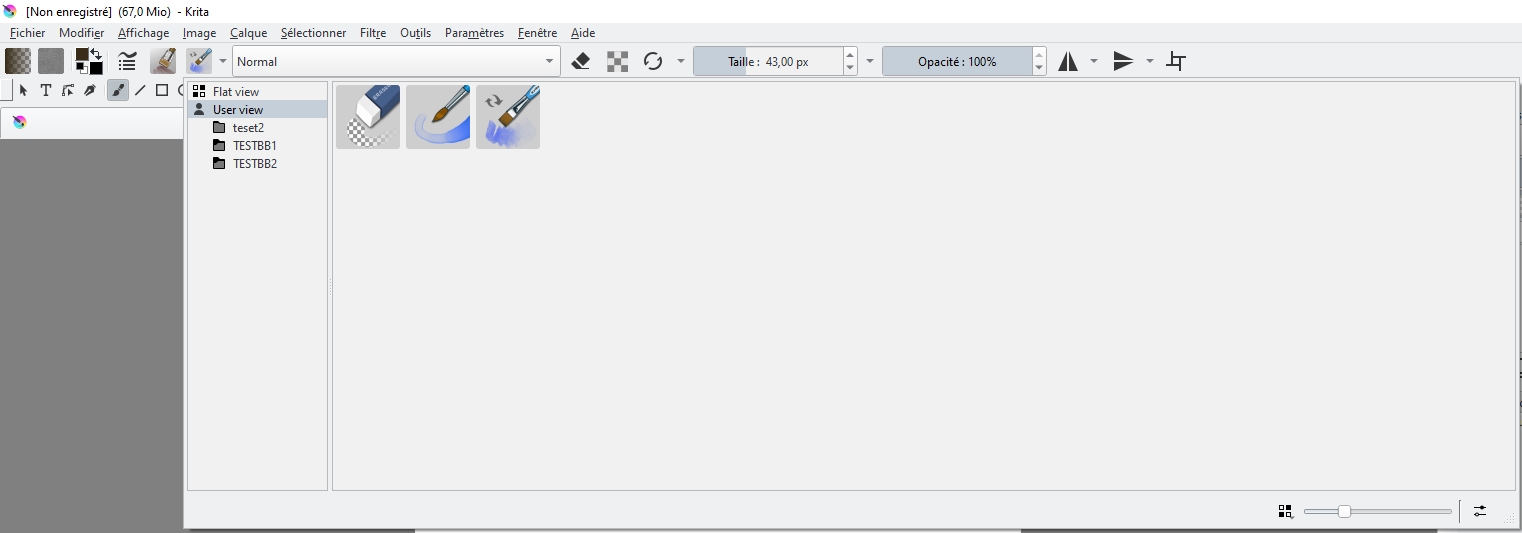
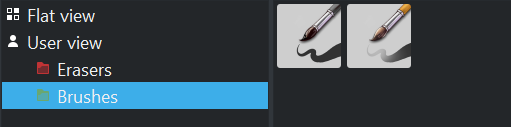
I first open the plugin (toolbar). All is ok but nothing changes if I click on the “flat view” command (left column of the windows). Is it normal ?
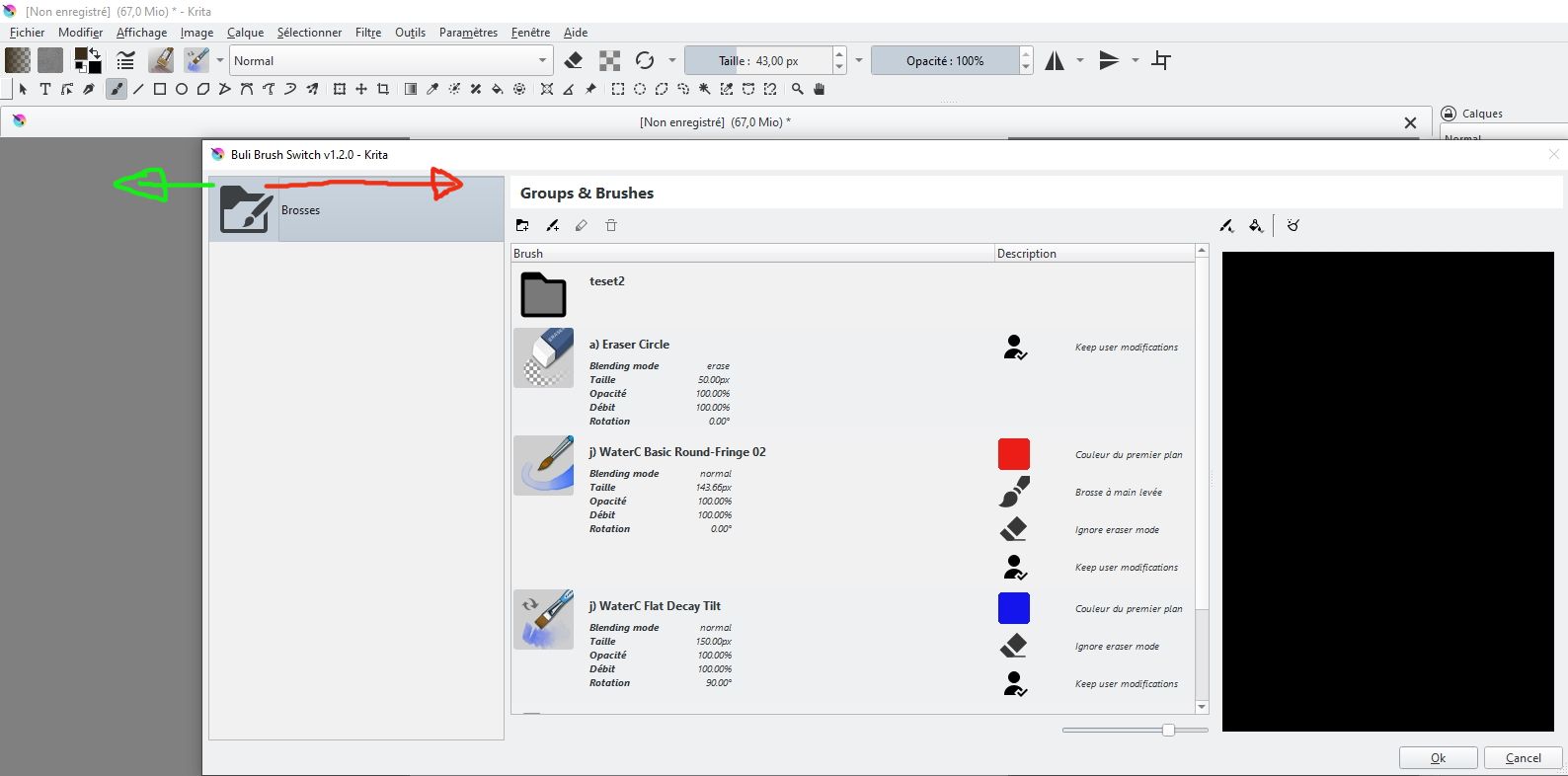
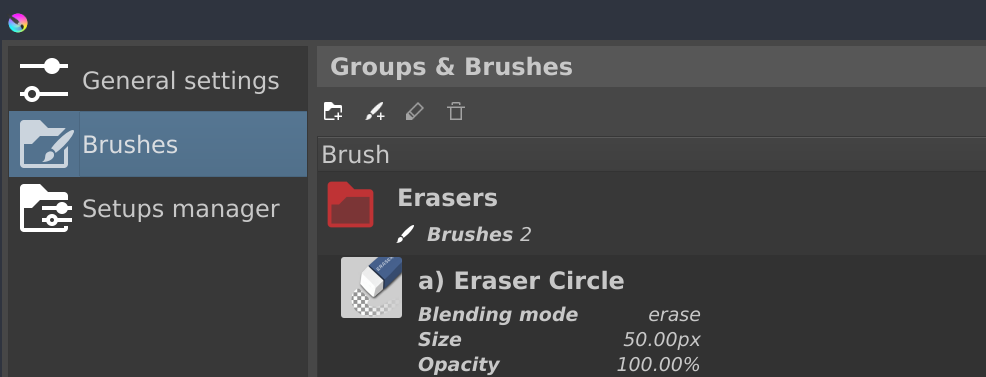
Then I click on the “configuration” button (bottom right) and I get the second screen :
In the left colum, I have only one icon “Brushes directory”. And it’s the right contents in the windows. All the commands inside this windows work correctly.
If I want to change the screen, I need to drag laterally the “Brushes directory” icon.
(green arrow on the snapshop : acces to “global config” screen - Red arrow on the snapshot : acces to “setups manager” screen".
For me, it’s not very convenient. I prefer the classical sytem (3 icons or 3 tabs).
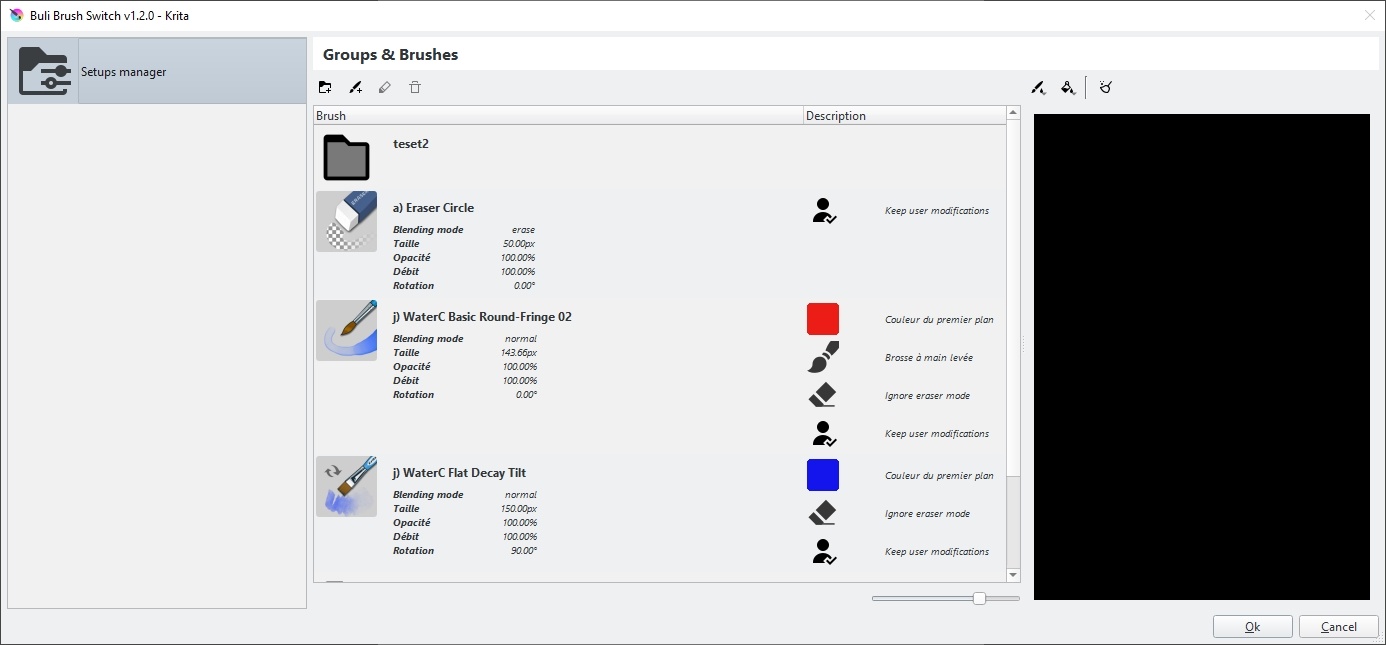
If i drag the icon to the right (red arrow), I acces to this screen :
The content of the screen is wrong. It’s the previus content. If I try to clik on the “setups manager” icon, nothing change.
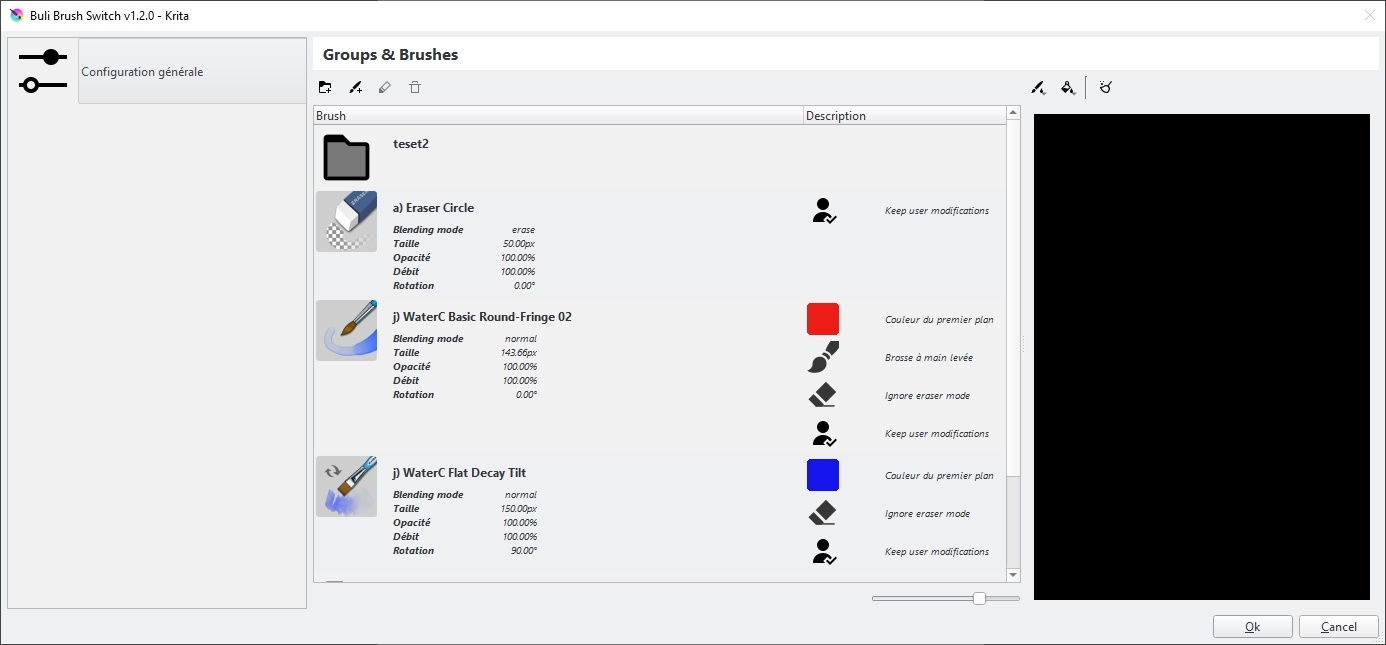
If I drag the “setups manager” icon to the left, I access to this screen ::
PS : I can’t use more than 4 screens. I’m going to write a second post.
(continued …)
This time, additionaly, I need to click on the “global config” head of the tab in the left colum to get the right contents associated to this screen :
The head of the tab in the left colum is now dark grey and the right content is displayed.
But now, I’m trapped. If i drag laterally the “global configuration” icon (dark grey), i only can access to the “setups manager” with the wrong contents". Unable now to reach again the “brushes” screen.
I can of course close the windows, and start again.
That’s the folk !
I hope it can help to debug.
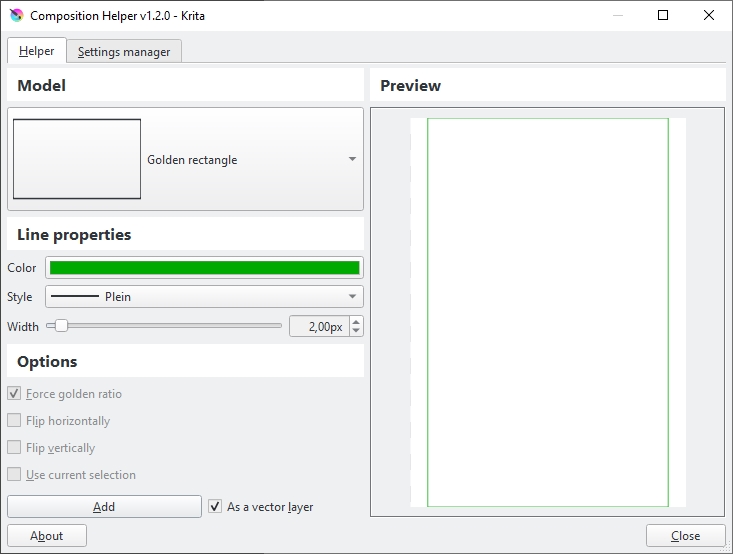
I installed the composition helper plugin. It seems to work perflectly. But the UI is different : classical tabs :
Whatever the results, i really appreciate your help !
Take care
Francis (Bordeaux)
Hi
In a situation like this:
-- Group 1
   +-- brush 11
   +-- brush 12
-- Group 2
   +-- brush 21
   +-- brush 22
-- brush 0
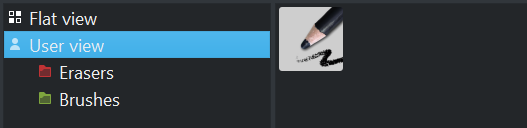
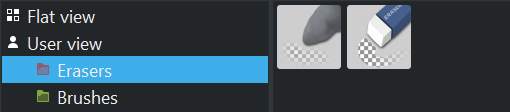
The flat view should display:
brush 11 brush 12 brush 21 brush 22 brush 0
The user view should display:
brush 0Group 1 selected: brush 11 brush 12Group 2 selected: brush 21 brush 22Example:
Need to be confirmed but in your situation it’s seems to be normal because it seems all brushes are grouped to root folder.
Ah, this is really weird 
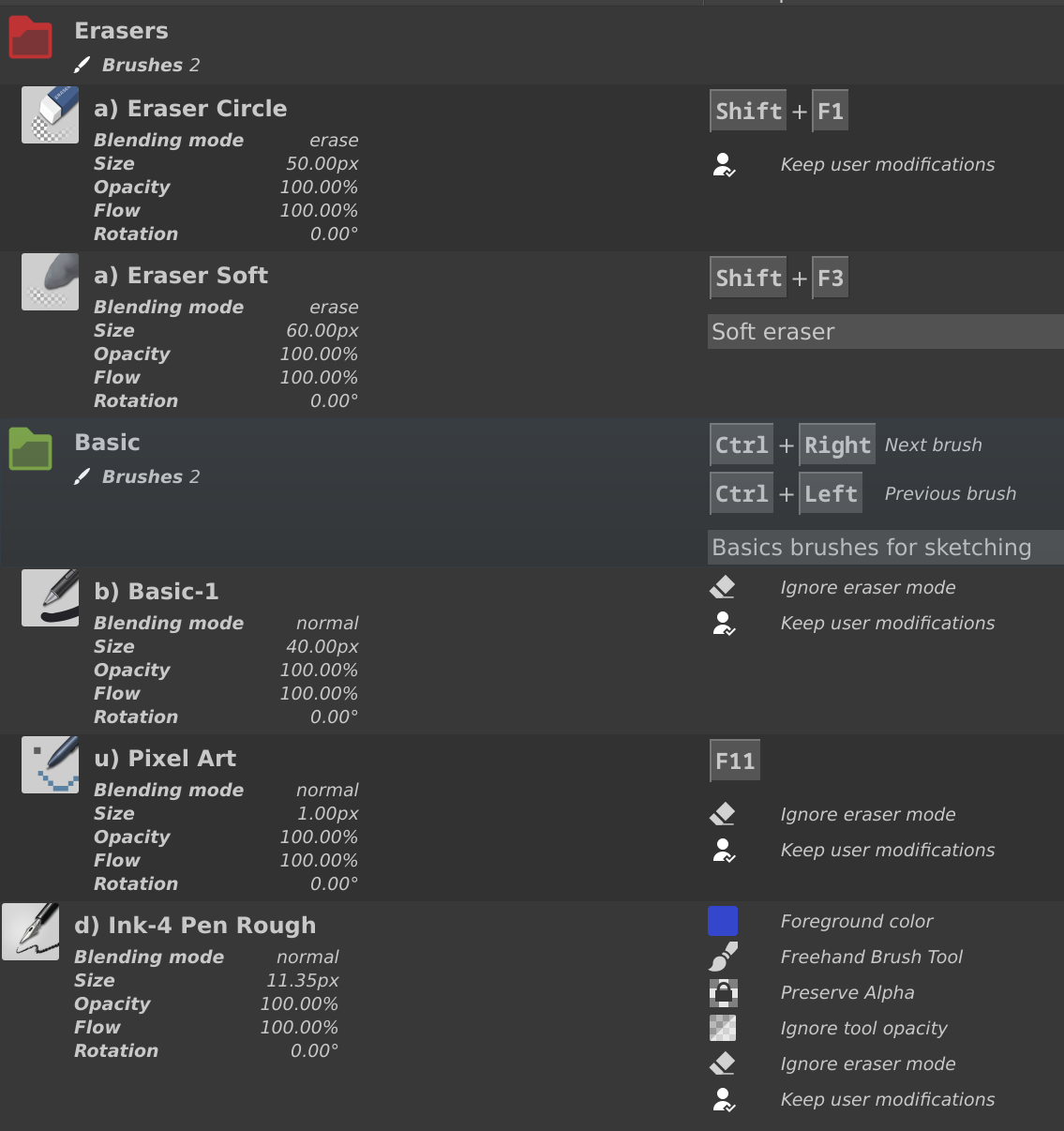
Normally you should have it like this:
With the screenshots I understand better the problem, I had something else in mind related to another bug.
I need to understand why on your side, the list is in “horizontal display” instead of “vertical display”.
Also i’m not sure why once you have the page label available, clicking on it don’t change the page.
Which operating system are you using?
Linux, Windows 10, Windows 11, MacOS?
Grum999
Hi,
After checking the situation, “flat view” command works perfectly well. I did’nt understand exactly the purpose of this command at the begining, but now, it’s totally clear.
So, no problem with this command.
Concerning this screen :
I never got it. I saw it online. This is the tutorial of your plugin. Because, “1.0.0” was written on the top of the tutorial screens, I imagined that you change your UI for the 1.1.0 update, introducing “horizontal display”. I regretted the choice, because for me, the “horizontal display” seems to be more messy. I never imagined it was a bug.
I suspected a bug when after several clicks, I couldn’t get the right content of the pages.
I’m currently using windows 10, and I also test it on windows 11. I have the same issue with the two OS, and for the 1.2.0 and 1.1.0 versions. I run a standard version of krita 5.2.2 without any change of the original code.
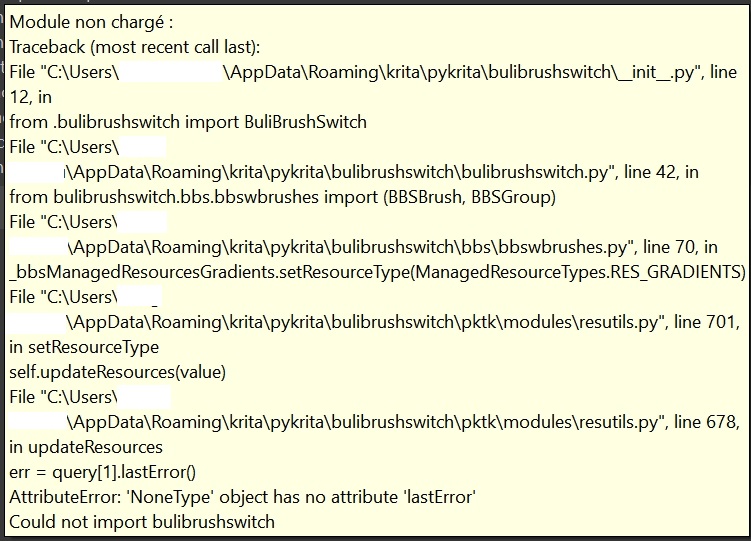
I tried to test the 1.0.0 version with Krita 5.2.2 and krita 5.2.1 : I can’t manage to load the plugin. I can install it. I start again Krita. But it can’t be loaded ::
I don’t know if it can help to solve the current issue.
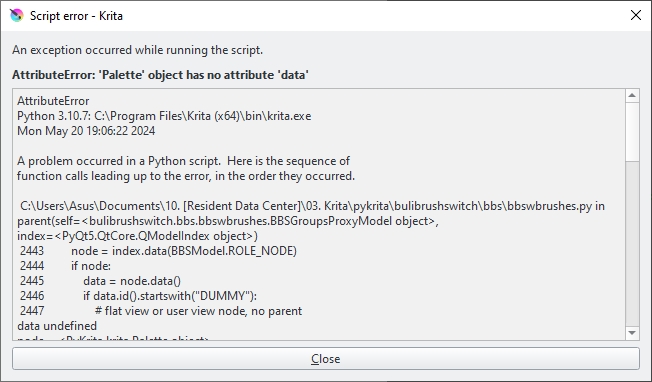
Additionaly, I get an error message with the 1.2.0 version. For me, it’s “randomly”. But for you, it probably won’t be of course.
Best.
Francis
Apparently I have the same problem, this on windows 11, I have not tested on Debian.
By the way, is there any way to give a shortcut to the folders? This is mainly to invoke the brush that is in the first position, since using the shortcuts for next brush and previous brush always make me end up with a random brush from the list.
Hello! @Grum999 First off, fantastic plugin—there are so many great tweaks and options that make switching brushes super easy. However, I’m running into a major issue: Krita completely shuts down (crashes) every time I use any actions with the Buli-Brush plugin, like switching to the eraser via shortcut or selecting a brush from the Buli-Brush popup list. This started suddenly, and I’m not sure what changed.
I saw someone else mention other crashing problems, possibly linked to some Windows 11 updates—maybe it’s related? Are there any workarounds or troubleshooting steps I can try? I’d love to keep using this plugin, but it keep crashing.. so I hope the issue can be solved soon. Thanks again for the great work!