the reference image python plugin makes it into a docker so that should help
@kaichi1342 Is there some reason you can’t just pan the canvas until the part you’re working on is in the middle of the screen? This way, “M” would work just fine.


That kinda breaks the flow sometimes. 
I tend to draw very sketchy and fast on the initial layer. Then build on it.
Something like this are my first few layers;
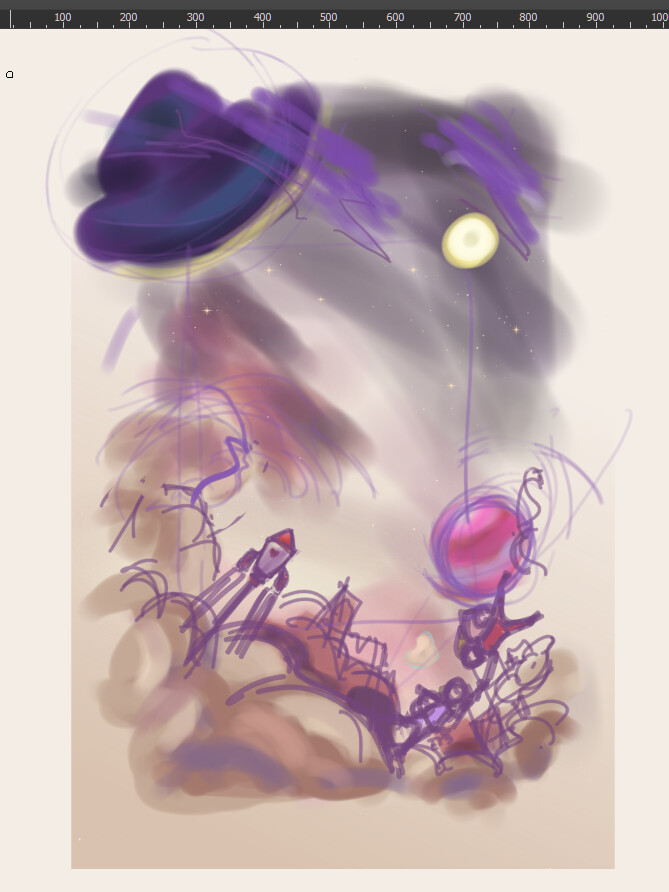
Right now i’m just trying to figure a setup so , so I lessen the panning.
I’m even considering buying or making a monitor stand so i can place my other monitor on top of my other monitor.
Thank you for all those who answered,
I do have a 2nd monitor. Its just positioned in a way where i strained my neck if I look at it quickly.
So I did try putting the references on a different screen way before but end up with a neck strain instead.
I did try like windows mode for reference. I probably tried alot before going on asking here.
And also looking for better set up myself.
Right now a blank docker over the right is one of the idea im testing. So i can just position Pureref over it.
Im also considering buying/making those stand so i can try stacking monitor on top of the other rather than on the side.
I use many reference - its more like mood boards to be honest. I drop all things that i feel connected or I want to draw and then sketch away. 
Its tedious , hope i find something that works for me.
You can try setting M to “mirror all layers horizontally”
I like it over the default settings but it may lag out with many layers/a large canvas.
Just looked into this because it was also bothering me. There isn’t a way to do this, but it’s actually super easy to implement. I’ll see about submitting a MR.
OMG thank you.
I was also thinking of looking if it can patch it up with a script, but i’m not very familiar with krita codebase and the extent of my knowledge is beginners at that.
It was really kinda minor annoyance, but when using tablet monitor it gets noticeable / specially with how i setup my workspace.
really , really thank you.
Here’s the WIP branch if you want to try building it. Or just if you want to look at the code. I’m not very familiar with the codebase either, but I’m starting to get the hang of at least finding where stuff is implemented. This happened to be a trivial change because the function was already created to take a point to center things about, was just a matter of changing it to the cursor (luckily some other function already had the code for getting this) and hooking it up to a config option!
Thank you. I’ll look into compiling it after work hour.
Thank you very much.
I think it can be a separate menu item in View > Canvas > Mirror View Centred on cursor. This way people can assign it with a shortcut key and use both options rather than making it a config option and using one behaviour in place of other. Also it will be one less config option to toggle 
I really recommend a stacked monitor setup BTW! I moved to that because my Cintiq is so large that having a monitor on the side would be pretty cumbersome, and wow! So much better, I don’t have to move my head at all to see my references.
Don’t even have a stand, I just have my ref monitor further back and on top of some stuff 
I have some spare plywoods and made a makeshift stand? Just something I can put it on.
And yes, wow this setup is amazing. I don’t strain my neck as often. It feels more natural.
I tried using some cartons box I have but they aren’t really sturdy stack together. So with the spare plywood i hastily built XD it.
Thank you again. To everyone here. You all are very helpful.  I appreciate it alot.
Mmm, didn’t think about that, good idea, more discoverable too.
You are very helpful. I’ll make sure to test it out and donate to dev fund as well. Im really grateful for this.
Manage to play around with it this morning. It is exactly what I imagine.
It works quite well with a tablet monitor. I will try do some paint demo with around cursor and canvas center to show how different it is.
I also read the discussions about the mirror around cursor action , I personally would love it to be a default. But anything decided is fine with me as long as the option to do so exist.
I kinda remember someone on Youtube trying Krita and I think when they said they cant find an equivalent mirror option to clip studio its probably what they meant. I think its holo live Ina.
Once again thank you.
From what I know and see clip studio too does mirror around center like Krita and not around cursor.
 I don’t really know much about csp either been using krita and inkscape for most of my need ^-^. The instance just pop up into my head as i remember from one of those lets try krita vids. might try to look for it.
I really happy an option now exist. 
@AlansArtLog tried Photoshop and CSP while implementing this, and I think only photoshop did mirror centred around canvas, rest all did mirror around viewport center like Krita. I think mypaint had this feature, after this is implemented other than Krita now I don’t think any other software will have this.