Hi! I’ve been using Krita for 3 years. I’m not very familiar with creating custom brushes on my own (yes, I know I’ve literally shared 2 of them on this forum lol)
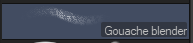
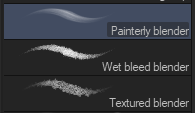
I’ve also been using CSP for a few months alongside Krita. I really like some of the blender brushes, especially the following which I want to transfer to/recreate in Krita:
I can recreate the other brushes myself, but these ones are what I have the most problem with, and I like them the most
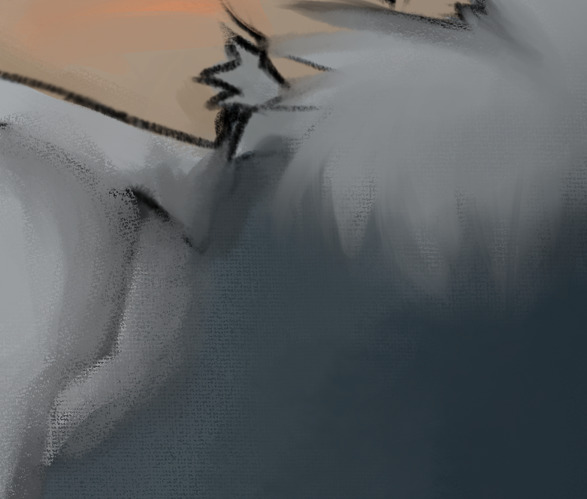
Here’s the effect I got with all of them combined and I just loved it so much.
I wasn’t able to re-create them, so maybe I could get a tutorial on it or is there any way to export them and import them into Krita? When I tried to re-create them using the Smudge Engine, they didn’t “feel the same”. The CSP brushes felt like actual brushes, Krita’s felt very digital and too smooth.
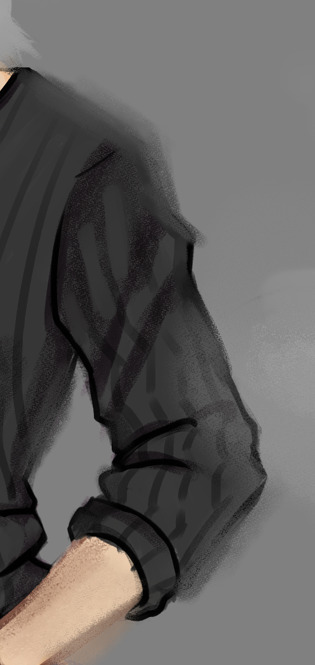
The attempt to recreate looked like this after a lot of trial and error:
You have to recreate CSP brushes, more or less, from scratch. There is a script that is able to extract CSP brush tips, but apart from that, it is the same problem as with Photoshop ABRs, Krita has neither the brush engine of CSP nor the brush engine of Photoshop.
The advantage of Photoshop ABRs (ABR = (A)dobe (B)rush (L)ibrary)) is that they can be read by Krita up to a certain PS version, and that newer versions can usually be converted so that they still work in Krita.
With CSP you have to go “the hard route”.
And since you are not offering any kind of resource here, that is the dedication of the whole resource category, offering resources for other users, but actually looking for answers about creating CSP brushes, or even using them in Krita, I have moved your topic to the appropriate category.
Please be so kind to keep this in mind in the future, it can’t be that hard to read the description of the main category to determine what purpose this category is made for.
Thank you!
What I do for an interesting smudge/blender brush is take a smudge/blender brush that already exists that I like, then change the tip (or brush head) to what I want from the editor’s library of tips, then make any further changes that I need. You can put in a texture in addition to the tip and make adjustments. There’s videos on YouTube about making/adjusting brushes in Krita.
If you have Krita 5.x… you can import these blender brushes that I adapted and change what you need: