Can you help me please. How does the text tool work, can you write in Krita or not ?
I can’t write when I want to fill in the speech bubbles.
Thank You
 Hello @Andreas, and welcome to the forum!
Of course, you can.
But there must be preconditions met, without them met, it won’t work. Text can only be on a Vector Layer and to create texts you have to create a text-box first with the current release version, so do a LMB and hold your left mouse button to drag up a rectangle of a size you see fit and let your LMB go, and then the text-box is created and Krita’s current input dialog will open. Now you can write. If your text is ready, click on the save button and then on close. Now you have your text on a Vector Layer and have to see how you will get in your speech-bubbles.
And here I hope you are working on large canvases, because the current way of editing text in Krita “could be better”, but in the not too distant future, maybe in one or two versions, the text tool will change, and you will get a text tool with editing on the canvas, with continuous text that automatically flows around objects or should make automatic line breaks in speech bubbles (if I understand it correctly) and much more.
But if you want already make use of the features of the upcoming text-tool, you can download and use the current nightlies of the Krita NEXT-Line, development-versions of Krita how the devs envision Krita’s future. And some features are more than worth to at least try these versions if you will work heavily with text.
In case of further questions, feel free to ask. Here are a lot of experienced users who can help you.
I had to move your question into the Basics & Interface category, because the category you had chosen wasn’t correct. Please try to find a category that fits the topic of your question in the future for yourself, it would help to reduce the maintenance work in the forum.
I wrote a little guide to help to find the right category for your questions:
To choose the right categories, every main category has a short description what its dedication is, and additionally you will find a description in every category, these are named after the following scheme:
About the XYZ category, for instance, About the Development news category, which will help you to reduce the amount of maintenance work needed to keep this forum tidy.As this screenshot proves:
Here as text-copy:
Develop
Your code is your artwork. Want to help Krita developers improve Krita. Post here to discuss the features and improvements. Gather feedback from fellow devs and the artists. Collecting use cases and feedback helps a lot in development.
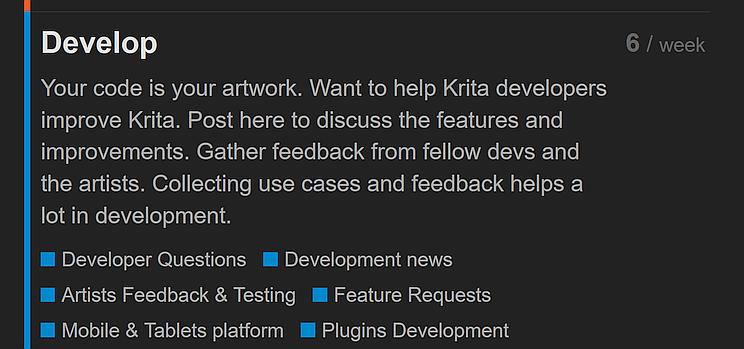
Please be so kind to obey this for your new future topics, it would help us a lot.
Another thing, what is always a good idea and even requested in one of our many rules and guides, is to mention the OS you use, like Linux Mint 22.3 or Windows 11 for instance, as well as the version of Krita, like Krita 5.2.9, and from where you have got your copy of Krita, because depending on the source the way to solve issues can vary a lot.
Thank you!
Michelist
1 Like
Also here is the manual for the text tool, explaining how it works.
It’s important to know that speech bubbles don’t automatically have text fields added to them.
2 Likes
Thank You very much, even when my english is not very well, I understood everything… 
My english is not very well thats why I prefer to ask here…thanks
If you are lucky, then the manual may already be translated into your language. But to be honest, there could be more translations than the 12 we have.
Also, as a hint, you can use translation plugins for your browser. If you should use Firefox, I can recommend TWP - Translate Web Pages – Holen Sie sich diese Erweiterung für 🦊 Firefox (de) to you, it is a very good translator and reachable via your RMB.
An even better translator is DeepL, I don’t use their browser plugins, but they are available for Firefox, Chrome and Edge.
Furthermore, they offer apps for Windows (which I use if needed), iOS, macOS, Android and Chromebook, and you won’t get a more accurate translator currently, at least not for free, and if you register for free with them, then you can translate texts up to 5000 characters each, instead of 1500 without the free registration. And if you want to pay for it, then all restrictions will fall, and you’ll get even additional stuff, but I’m on the free registered version, it is more than enough for my needs. DeepL is worth to try out.
Michelist
On some of the manual pages you can select a different language. Perhaps you’re lucky and yours is among them.
I use windows 11 and Krita 5.2.9… Thank you for your advice
1 Like
This topic was automatically closed 30 days after the last reply. New replies are no longer allowed.