Oh shoot, I’m sorry for you, I’ve known a few people with OCD during my decades of psychotherapy, so in principle I have a good idea of your inner problems without knowing the details.
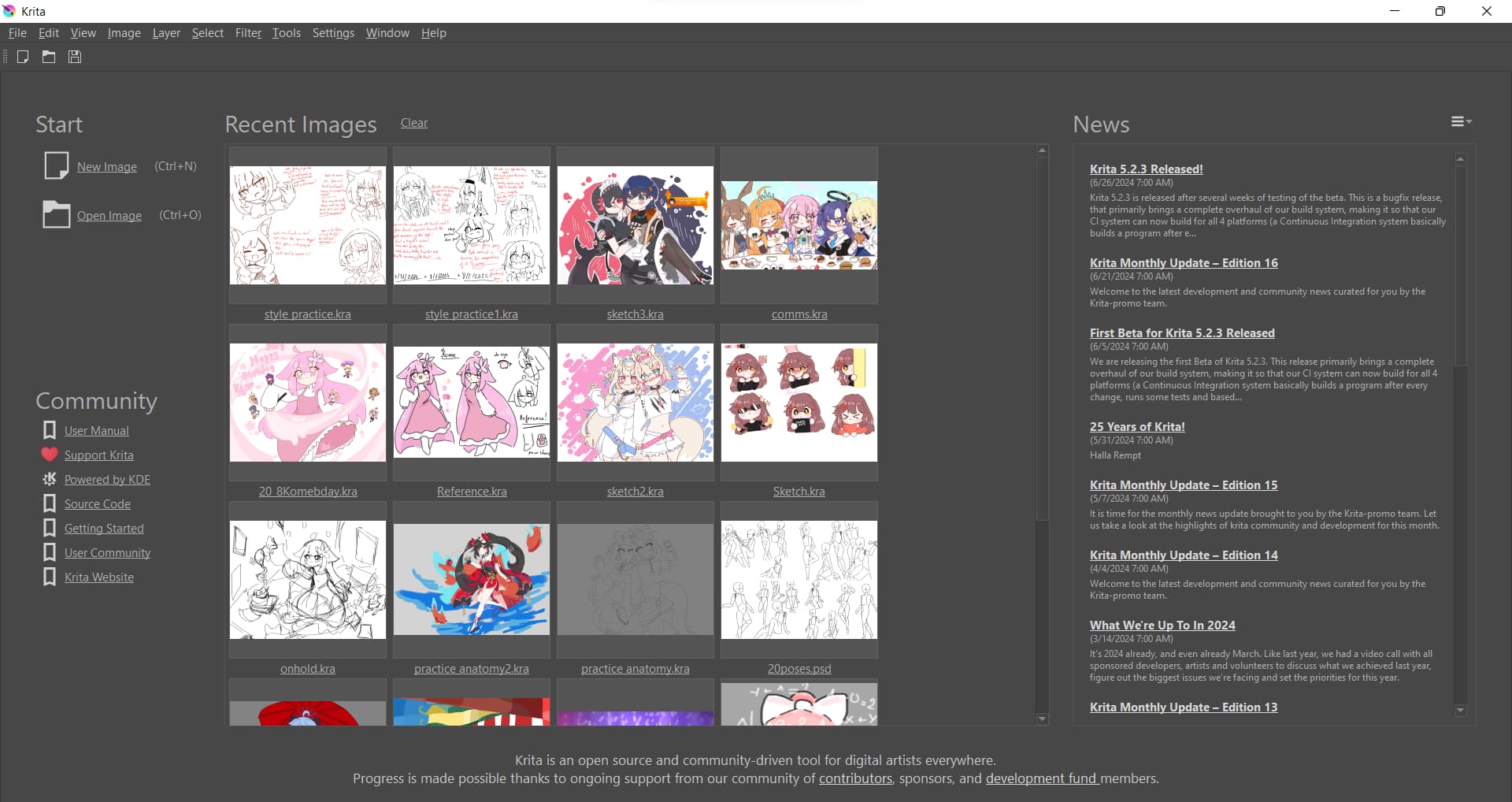
Not knowing which extra room you are talking about, changing the spacing of the thumbnails is not possible as far as I know. However, you could alternatively remove the images from there and only access them via the file manager. However, you would have to repeat this after each new image to avoid accumulating a new “pile” of images, which could be annoying.
If you want to remove the news displayed on the right, you can do this via the hamburger menu at the top right.
I’m sorry that I can’t offer a solution. But maybe you can describe in more detail what exactly you want to get rid of, maybe use your screenshot and highlight the areas you mean? Maybe there is a way in Krita’s settings file kritarc …
@freyalupen, @Lynx3d do you have ideas how to help here?
Michelist
You can change it through the API. Spacing works fine, thumbnail size is hackish but kinda works. With the recent images panel open, try the script below on the scripter:
from krita import *

qwin = Krita.instance().activeWindow().qwindow()
recent_images_list = qwin.findChild(QListView,'recentDocumentsListView')

# Can only be used to decrease entries size
recent_images_list.setStyleSheet("QListView::item { width: 50px; }")

# Increase or decrease spacing between items
recent_images_list.setSpacing(45)
Tweak values to your liking. Turning it into plugin to execute it automatically at startup should work.

i’ll try it out tysm!