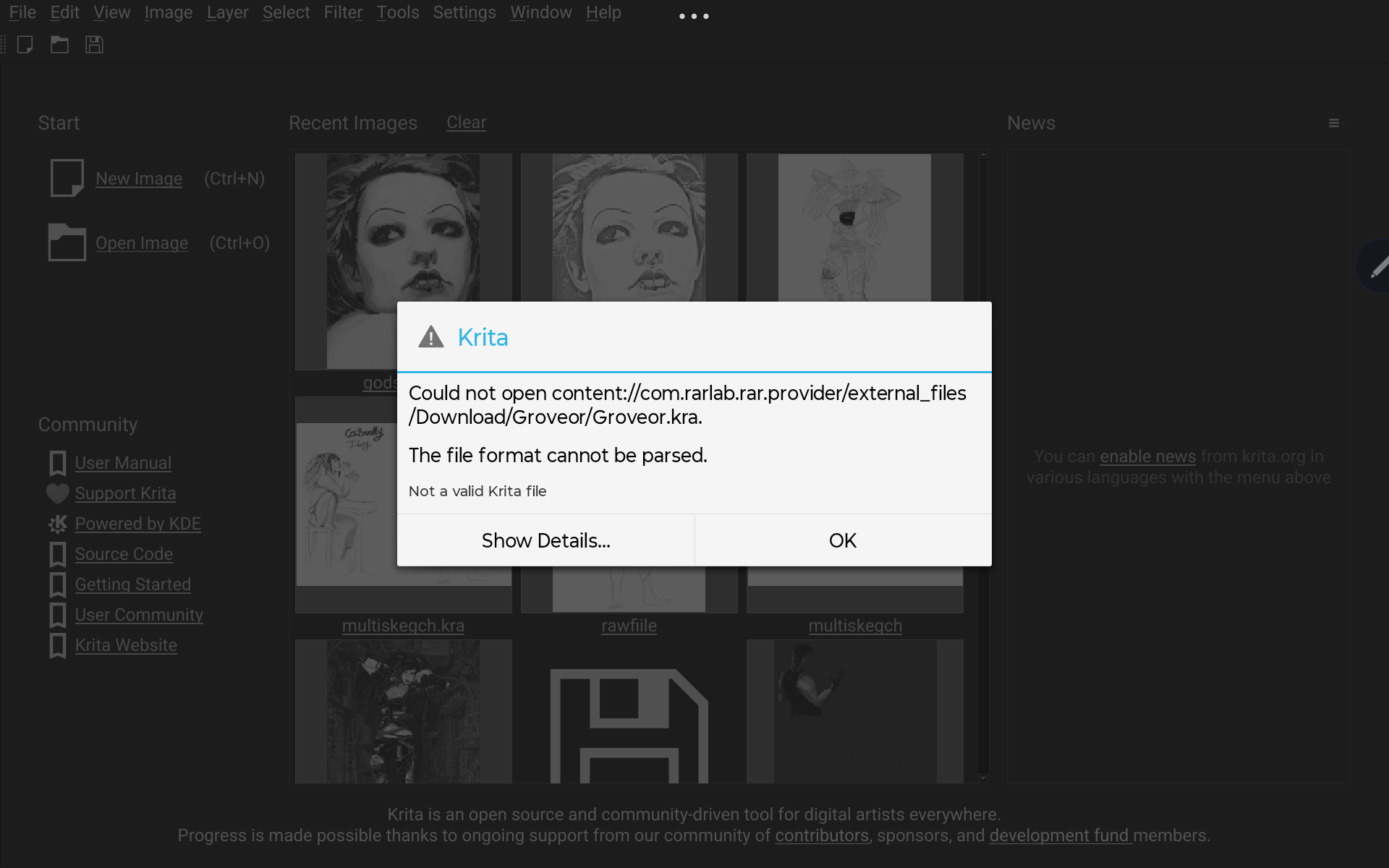
(‘groveor.kra’ is the name of the file btw)
hello, so i JUST finished this drawing and after I saved it, it came up like this when I tried to open it again. The file says it’s 0GB and I went through WINRAR to try open it again. I am on Lenovo M11, my app is 5.2. and this is a commission piece, so any help asap is wanted. I am severely unsure of how to fix this!!
Did you save it to cloud storage or to the computer itself? There are others who have had problems saving directly to the cloud.
Why would you go though Winrar? 
I think the problem is the file’s location.
Using your file manager, move the file into your downloads folder found within the section called internal storage.
Then, from Krita, use ‘open image’ to navigate to this file and open it.
Let’s hope it wasn’t the two times opened file issue.
If you got a message when you saved your file asking if you are sure to overwrite, then you opened your file twice in the beginning, but only ever worked on the open file, and while saving you first wrote your work to disk and then got the question to overwrite - then you are done, you overwrote your file with nothing.
Michelist
I had already tried this before sending it onto here, and this is what it still came up with. I had looked at other people who had the issue but couldn’t seem to fix it
I had got the message asking if I was wanting to overwrite, but I had used it for ever other one of my files and it hasn’t done this. So it think I have just overwrote it with nothing…I’d never deleted my auto saved for it, but I’m guessing it’s completely gone then lol
Not sure, I think to the device and I had used Winrar as it worked for other to retreat the corrupt file 
I’m sad to hear that you lost your work.
But at least here lies a chance to learn a new habit that you must internalize into your workflow and make it a part of your inner self, constantly create backup copies of the work you are at.
Krita offers already measures to help the users with this, but unfortunately most don’t think about the fact that even in the year 2026 things can go wrong. Since the invention of data carriers, there exists one rule: “Make backup copies of your work!”, and as an amendment there exists the rule: “You can never have enough backups!”. In Krita’s menu File you find two options made for quickly creating a safety cushion, you must check them out to find out which suits you more, these are File > Save Incremental Backup F4 and File > Save Incremental Version CTRL ALT S. If you hit one of the shortcuts every 10 or 20 minutes, then you can not lose more than that amount of work, when you additionally set Settings > Configure Krita > General in the tab File Handling the setting Number of Backup Files Kept to 5 or 6, then this will very slowly create a second cushion each time you save your work.
Alternatively, there exists a plugin Oughtasave Plugin - An Autosave Replacement which will automatically create backups, but since I never tested it, I can not tell anything about it.
In both cases you should hold these backups as long as possible, and if you should have issues with disk space, you should hold at least the last backup of a day for the last seven days, but always check the backup you want to hold, not that you hold a backup that is corrupted for whatever reason. I never deleted my backups before I finished a work, and even then I hold some of them.
Michelist