I’m on Manjaro linux and krita 4.2.7.1 The button for default template does not respond/open
Also, is there a manual for the comic project docker so I can learn all about it, I assume it’s still in some kind of developing phase…
can you show a screenshot of the button? , When you create a new document you should be able to choose the comic templates by selecting one of the template from the list and clicking use this template.
Thanks for pointing out the missing section about the comic manager, we will try to add the information in the manual soon, until then you can refer to this website for its documentation.
Sorry, I was’nt clear enough, I meant the settings window from the comic projects docker
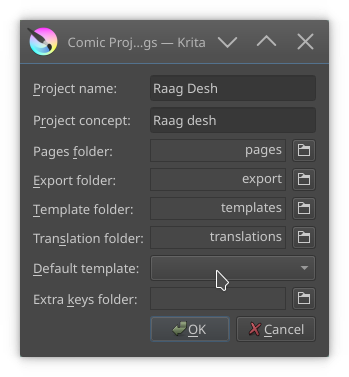
Try making a first page. There will be a pop-up asking you for whether you want to generate a template or import one. The button you are talking about looks inside the template folder for entries, which is unique per project(because different projects have different needs)
The reason I did it like this was to ensure there was as little as possible setup necessary; you just choose a folder, write down a project name and concept, and press ‘add page’, then it will ask for a template, and that will become the default template.
2 Likes
add page gives me this, and then Krita crashes “steevast”
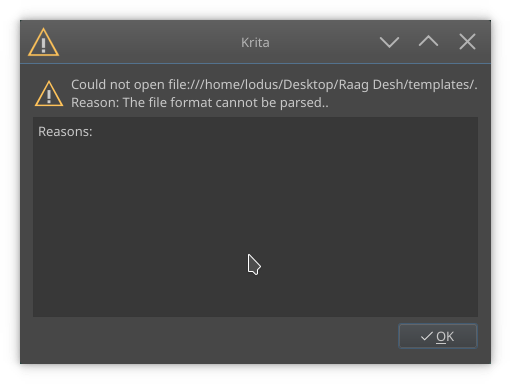
adding from template gives me this, again the button is not responding.
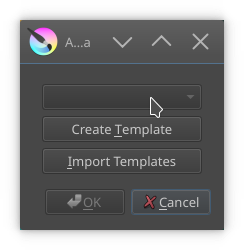
feels like the comics project thing does’nt know where my templates (in this case japanese/manga) is located. Because opening a blank page outside of this docker allows me to use the default templates without any problems
maybe import them from the default location? I really like the standard manga layout
I cannot access the templates location from python. That’s why you need to import. It seems however that Krita cannot open the template that you’re trying to import, which is why it is giving that error?
Bit confusing but I think so too, can you tell me where I can find them? I’ll try to import them
The default templates are wherever krita is installed. It might be easier to just open up you favourite template and save the file as a kra somewhere without changing it, and then import that kra file.
That’s also why I say I cannot access the files from python, on each operating system these files are located in a different place(because each operating system has their own ideas about installation and user files), and thus I need to ask Krita directly where such files are stored. But we never implemented python api for it, and probably won’t do so until the resource rewrite is done.
1 Like
I understand. Made one myself and imported it, this works.
Great work Wolthera
oh, btw, I just realized that you also asked about the manual. For python plugins, there is an embedded manual in Krita, this is under settings → configure Krita → python plugin manager, and there select the comics project management tools. A manual should pop-up in the lower section of that screen.
We did it this way for python plugins because they’re supossed to be super-interchangable, meaning that the manual on the docs website might not be correct for the given version of the python plugin, and it also encourages plugin developers to write a proper manual for their plugin.
1 Like
Cool, I’ll have a look
This topic was automatically closed 15 days after the last reply. New replies are no longer allowed.