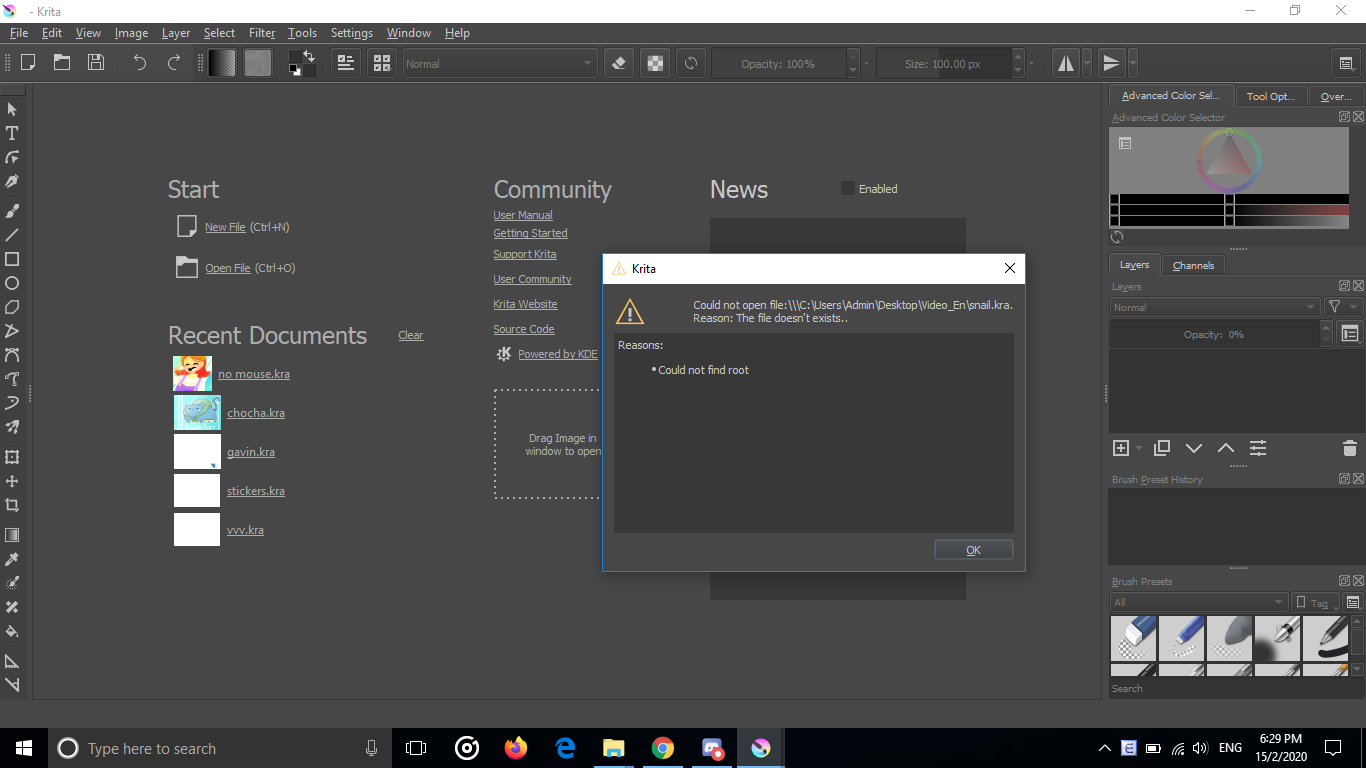
Not for me but my friend. She used Krita to draw some animations and they were nearly finished when she got her computer fixed and the files got corrupted. She can’t open any of the .kra files of her previous projects. Here’s a screenshot of what pops up
what do you mean by “having her computer fixed”? the files exists still?
If yes, well try installing stuff like ffmpg again if it is missing or a previous version of Krita? I am not sure really… sorry.
That error message sounds like a file system problem. The thumbnails under Recent Documents show that no-mouse.kra, choca.kra, etc are there and are readable. Can she open and work on those files?
Can your friend sign up to the forum and explain the situation herself?
I’d suggest using the File Manager to search for the files and if they can be found then to copy them to a USB memory stick for safekeeping and later use when this problem is sorted out. The fact that this happened after she had her computer ‘fixed’ does sound suspicious.
Can she give files on a USB stick to you for checking?
(I know this is too late but you should make backup copies of any files that are important to you, on a USB stick or whatever external storage device, especially if anyone else has access to the computer.)
It sounds like she or the person who was making the service didn’t backup the hard drive beforehand? What was done in the process of fixing? Reinstall of the OS? Something else?
I’m the owner of the corrupted files, I’m sorry for answering so late
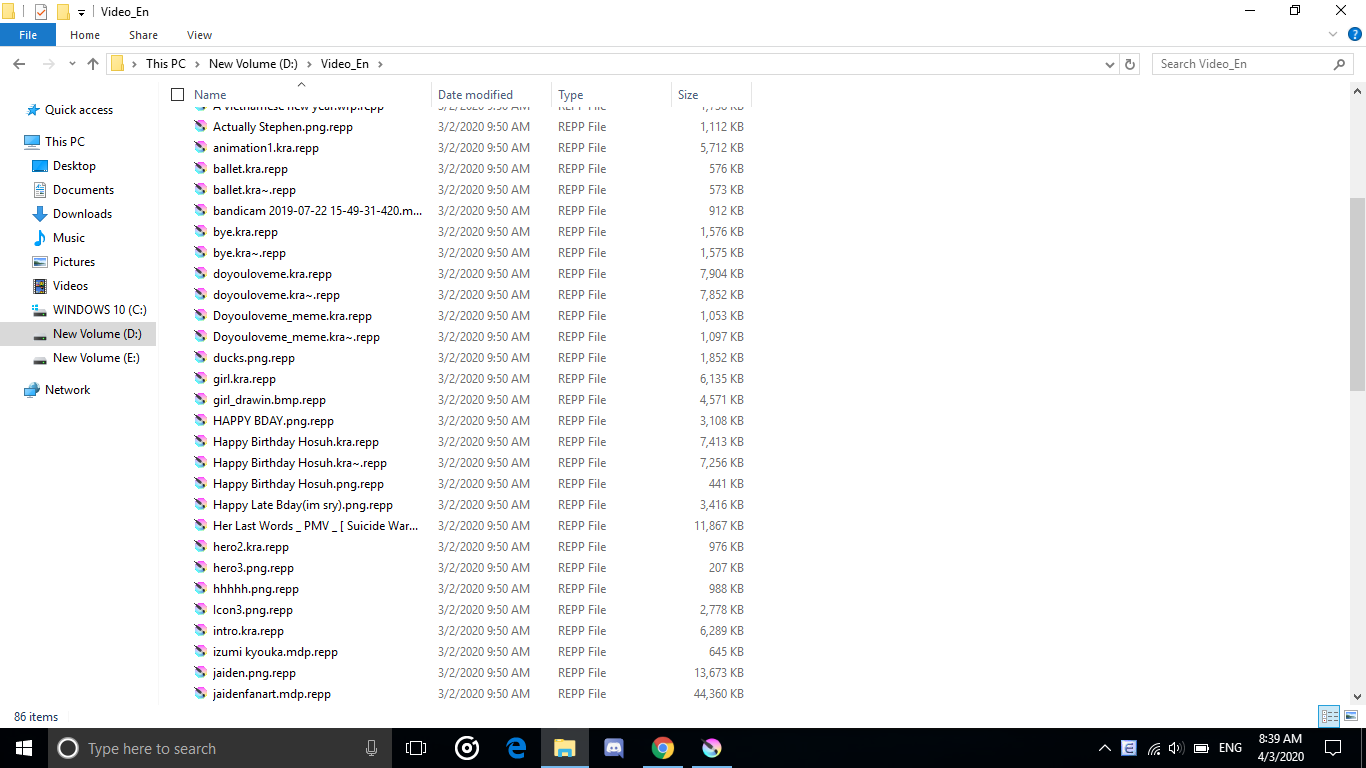
About the files, they all are .repp files, and renaming them back doesnt work either
On January, my computer became too heavy, and there were some problems with its battery so I got someone to fix it.
The technician told me that everything important had to be copied to disk D: and E:, because he was going to restart the entire disk C:. He also told me to list all of the programs I needed so that he can download them all again later. After that, everything was running like normal, until I realized that I forgot to download some games. Then commercial pop-ups would automatically appear, and it became apparent that my computer had a virus of some kind, so I got the same guy to fix it again. He restarted the disk C: again and got rid of the virus, but nearly all document files then have the “.repp” (I didn’t check the files before). At this point, I couldn’t get it fixed again so I’m stuck in this situation.
The files like no-mouse.kra, chocha.kra were made after January this year, which is after the fixing of the computer, and they work perfectly fine.
The old files were copied, but to drive D: and E: instead, unfortunately.
Again, thank you.
*.repp I never heard of this before and by the looks of it is hacker searching for a quick buck. 900$ to unlock files I would not do that at all, I rather buy a fucking pc instead of giving money to those pigs.
i was looking around and seems there is a slight hope to recover them. it seems the virus that places those files for ransome has 2 modes (offline and online) if it was done in online mode they are unsolvable but if they are made offline there is a decoder around for it.
But this is all super dodgy, I would back up your entire hardrive before “playing” with any of this, the guys that made the decoder might be the ones that made the virus too so keep an open eye. Or use the decoder on a expendable pc/laptop you can easily format if anything goes wrong. but I feel there might be “no hope” for those files.
I know this tottally sucks, I have lost files of 1 month of work and I have cried like stupid for days. Even so my suggestion would be to suck it up and do it all over again. trust me it will come out even better than the first time because you already know all the weak points you already made. it always comes out even Better than before.
If you have trouble understanding how Krita works, please make a new thread. It’s very difficult for user supporters to try to help several people with different problems at once. The OP of this thread had a very specific issue that doesn’t seem to be the same as you have, so please do make your own thread and people will help you there.