I’m trying to transition to Krita from CSP where I’ve become accustomed to toggling canvas rotation on/off with a single hotkey, as well as resetting rotation via a double click while in the rotation tool. Is there any way to replicate that behavior in Krita? I’ve tried setting roate mode in canvas input to just a single hotkey, ‘R’ for example, but it doesn’t toggle the rotation tool on.
I’d like to preserve my muscle memory for this type of tool as I use this input scheme across multiple software in my workflow if possible.
Fellow CSP user here. I have it set up to rotate when I have R pressed and then rotate with Stylus (or mouse). Under Settings, go to the Canvas input settings. Here you find the rotate canvas option. If it is not already there, create a new shortcut (Mouse Button) and sepcify the key you want to use and which mouse button. If you use a Stylus, it is th left button. This should work like CSP.
I don’t think it’s possible. Canvas rotation isn’t really a tool to begin with, in Krita and doesn’t have a toggle.
Personally I like using it by holding ctrl (or was it shift?) on my keyboard and middle mouse button on the stylus, which lets you freely rotate the canvas with the stylus. Perhaps you can change the shortcut to something that’s closer to what you want.
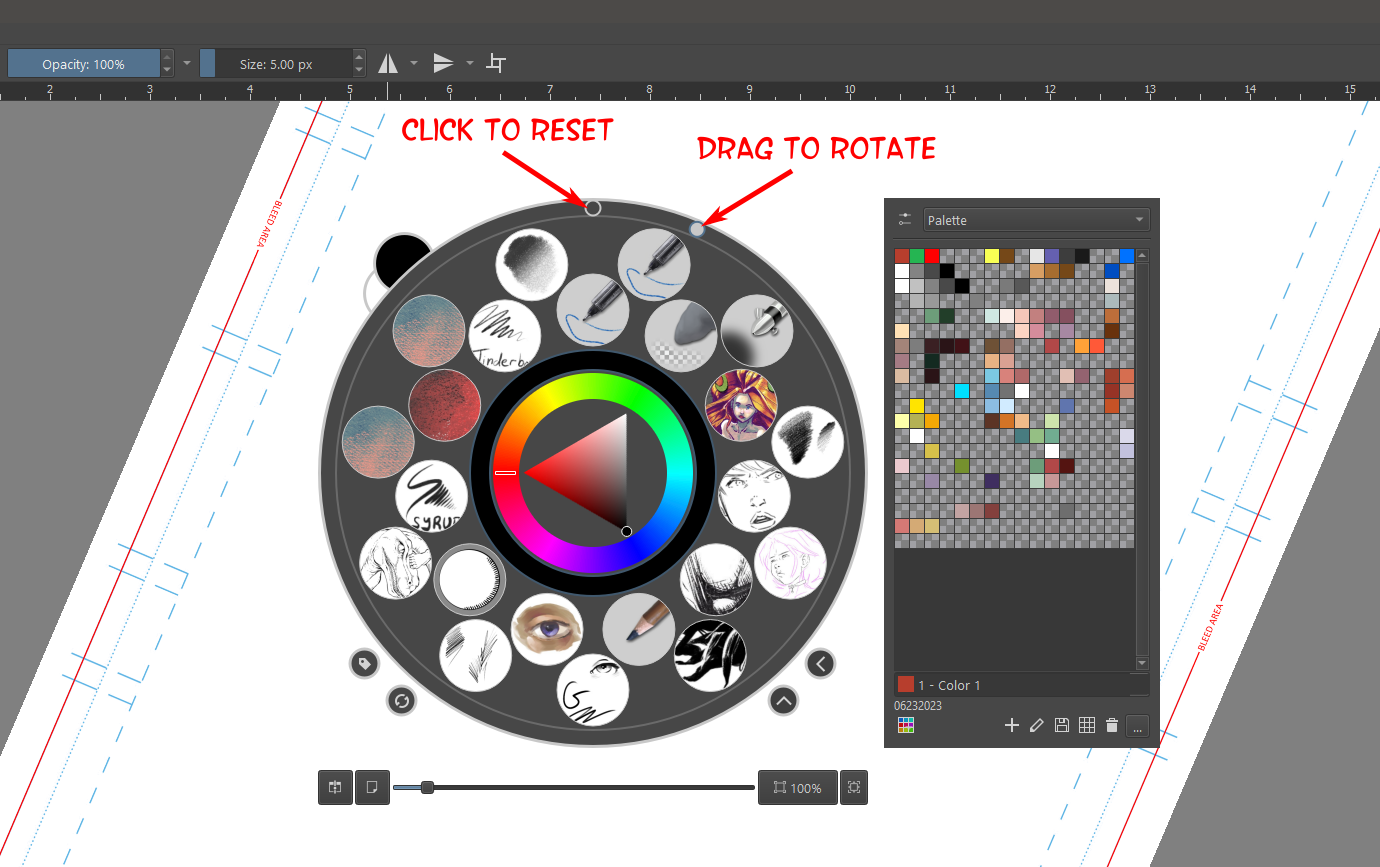
The Floating Color Selector has a Rotation Ring on it. Right Click the canvas to open the panel and drag the grey dot around the outer edge. To reset the rotation to 0, click on the empty circle at the top of the outer ring.
I appreciate the responses unfortunately none of these are the solution I was hoping for and I have already tried all of these. I’ve been trying to make the transition to linux but I have many years of muscle memory of rotation being a one keystroke toggle across multiple software. With the held toggle my muscle memory gets in the way and I wind up making many unnecessary strokes due to releasing it too early and the floating color selector just doesn’t have the efficiency I was hoping for.
I’m honestly a bit surprised this isn’t an option since this is how rotation has worked for me in every other software I’ve tried but I guess I just gotta adapt.