Canvas texture inside krita option setting

Hi. I would like to request to be able to immediately choose canvas, watercolor, paper or any paper textures when i create new canvas. Or an option to add canvas texture in the setting. The setting will include the layer modes option, scale, color, brightening, contrast. You know just anything neccessary. And make sure the brushes got affected by the texture. Or else the texture will just got cover.

Because right now i tried to use the canvas oil or any camvas that is set up by Ramon but i dont feel that the canvas texture does shows up when i put brush on top of it. And yes i did draw in the draw here layer or draw here for overlay. But it doesnt show any texture compare to other art app and i dont mean rebelle (cause rebelle is just another realistic level). Just any other standard art app.

Second, if i use ramon’s already made canvas oil, the layers just a bit many and a mess. I would like to just have layer with my drawings.

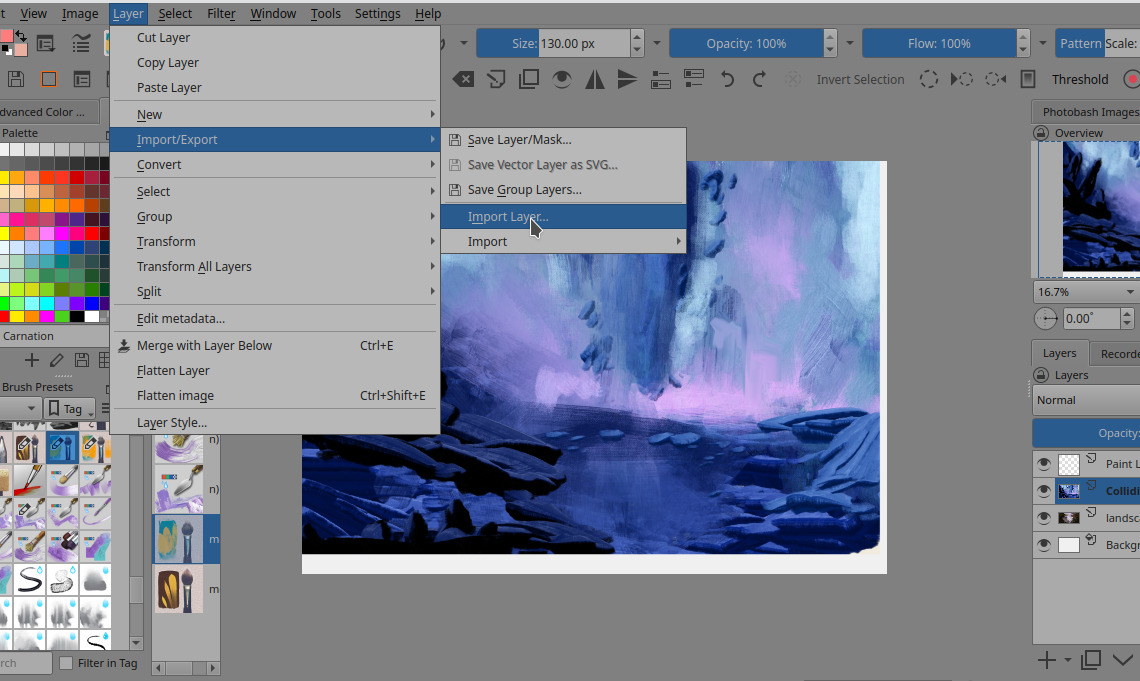
Third if i insert my own canvas texture image in a layer and then use layer modes, the step is a bit much and in the end make me lazy to want to import image. Especially the image import is going to be in new tab, not immediately in the layer i want. So i have to copy paste the image layer to the layer i want. Im too lazy and too much steps.

Please consider thanks.

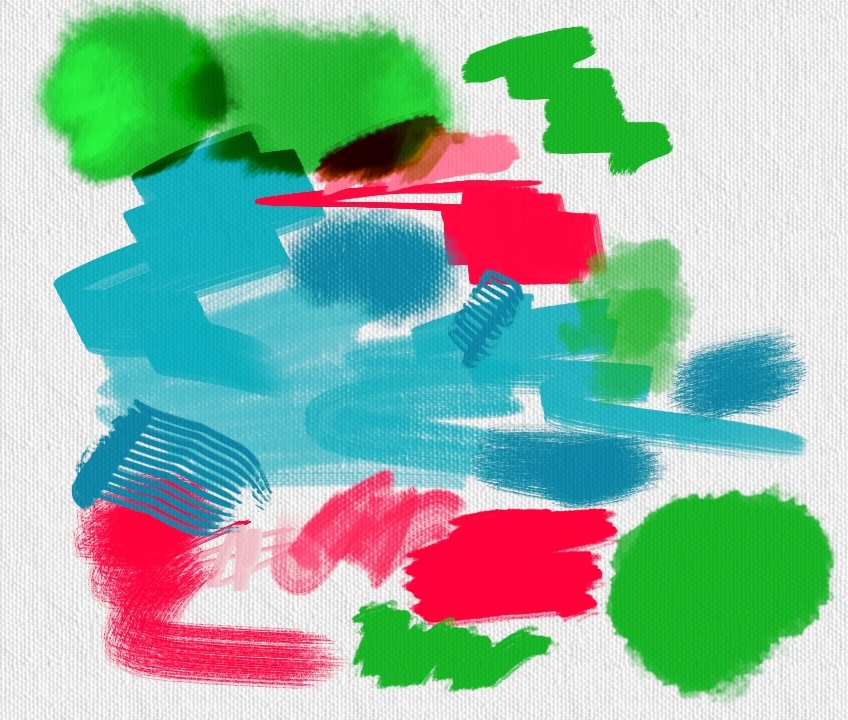
I like the idea, can you show me a capture of what do you paint to see if everything is like expected? Just a couple of brushstrokes. To achieve the behavior you mention you need to have same texture in canvas and in the brush texture/ pattern field.
I agree that my system of layers is a bit tricky :man_shrugging:. But is that way to offer more control about the final result. Maybe I can review it and see what can be improved for 2023.

Can you prepare a mock up of your idea, like a preview for the panel ? Maybe we can create a better resource pack with patterns and some default templates.

About importing, you can drag your textured image file in your painting and then select “insert as New Layer”.

For example, what do you think about this?


i have modified the texture for both fill layer and brush.
One thing you need to take into account is that we can achieve this

but the texture inside would be an error.
we need some way to verify if under the painting we have painted area already or not. i use here a modified version of @emilm brushes. They are cool

yep i think you get the texture i wanted. But just for comparison and better consideration.

Here is the example in paintstorm studio which i think the most complete.
5
that is the menu for creating a new canvas, have option to immediately use canvas texture. When click will give option to how to arrange the texture.


Here is the options, there are lots of settings for it.

That is the brushes result using the texture canvas, for thick oil, it wont be as clear which is reasonable.

This is the option for each brush setting to use canvas texture (it might be a bit too much, but for thick brush can be useful). the top one is brushes without canvas texture, bottom is with.

or an option for the brush to use other texture, rather than following the canvas texture. (krita also have this)


this is an example in infinite painter.

this is an example in ibis paint. (this one is a bit different, the color is brighter and this i dont play with the layer modes, and i cant recreate this bright color using any layer modes. idk how this achieved. i tried linear burn but diff bright color. anyway, im not asking for this but just as comparison and the bright color is pretty)

this is without the texture, the color looks very different.

I would like if krita have their setting inside the app instead of opening canvas oil.kra everytime. first, its more versatile what i can do with the texture and picking diff textures (can import textures). second, minimise the mess in layers.

@RamonM about importing you said ‘drag the texture to my painting’, im using android so i dont think i can drag.

remember you have this when you create a new document.


a second tab to control the content.
What you are showing is just a texture in overlay or multiply mode in my first impression. there is no interaction between the brushstroke and surface. Also you have templates to not load all the time the same file.
Templates — Krita Manual 5.0.0 documentation.

About import layers in android

Yep this one helps thank you.

this one i dont get about the fill layer, you ask me to fill a pattern? then sure i can use overlay but the color is still grey, i cant easily change color, scale, brightness etc. in short, is just too much steps.

I want a nice experience drawing in krita without too much alternative. I know there is an alternative like import texture as layer and modify from there or using the fill tool or using you canvas oil.kra but those alternatives are not as nice that makes me dont want to bother to use texture at all.

https://drive.google.com/file/d/1PlB4sDva1td1a0mRUQ6ubWWp0oiVe4Fj/view?usp=sharing
I hope this help.
About the way we could use templates, read the link i pasted before and you will get more info

Hmm i see. Its a bit better i can easily choose textures and scale it. But i need then go to filter adjust the color cause its too grey. And then layer mode. One by one is thats it? Well its not as nice experience cause its all over the place. Im sorry im kinda spoilt with other art app that easier to pick texture. That i just dont want to compromise. Like i said, to much of a bother.

I havent tried how it will affect the brushes. Later ill try. But i really wish there really is custom texture by itself. I like an efficient art app rather than looking at alternatives.

for now is what we have already. Maybe if somebody writes a plugin or some coders are involved… who knows. @tiar @raghukamath. Could you read a bit this thread to study if we could improve user experience in this field, please? For the moment @Reitei17 you can use what i have explained here and in the video about Smart canvas in YT.
But i agree that feature is useful. And also we could add more tileable textures to create better surfaces.

Thank you. Yes i will use the alternative. I only make this feature request if the dev is interested to make it. If not, nothing i can do. For plugin, personally i dont like it too much. First the UI is a bit rough and sometimes buggy.