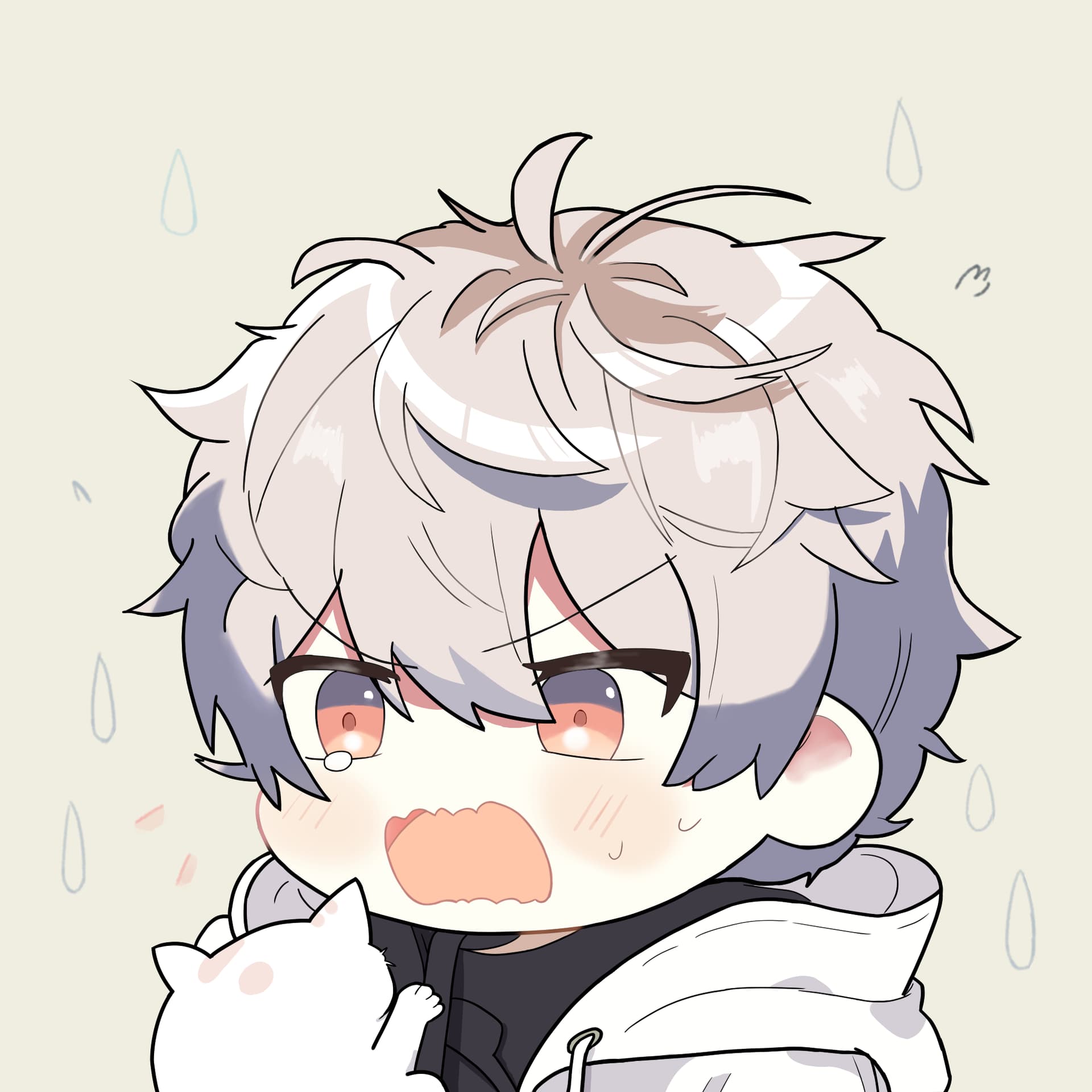
I was taken aback by the cat  . What should I do?
Drawing Story
Background
This image is created in thought of profile photo, so it’s square sized and with the character’s head focused. The character is shocked by the cat jumping on him. Of course, this is the most delightful artwork I’ve ever created.  He’s so cute.
Goals
I’d like to draw anime-style boys for long, and after my first try, I found some of the problems and try to fix them. I have so many things to learn, but I can’t learn them all in one step. So I set these goals for this artwork:
 Head Structure
 Hear Partition and Structure
 Krita Workflow
After I did enough practice, I challenged myself to get this drawing done.
Improvements
Compared to my last artwork, I think I’ve got these improved:
 New Work Space - I twisted the shortcuts and get a new layout for Krita so that I can see the overview of my artwork to get things placed more accurately.
 Mirrored Version Still Good - I mapped mirror canvas to key
 ~which is much more easier to reach for my left hand than defaultm, and I keep tracking the mirrored version to make both looks well.- Shadow Looks Better Now - I observed some examples of shadows and found they are result of light.
 Yes I just know about this. This time the shadow came from the front and up side of the character and I draw shadows and high lights keeping the position of lights in mind.
  Better hair - I followed an online lesson and find hairs has different parts. It’s more easier to draw hair keeping this in mind.
 Proportion Practice - I found myself can’t get the curve’s proportion properly, so I do some practice and find I can draw multiple curves and erase the unneeded ones. This helps a lot.
- Perspective Practice - I learned basic perspective and found myself can imagine how an anime styled head looks like in 3D in this practice.
- More Krita Freatures Learned - Inherit alpha, merge layers and alpha mask are so useful. Can you imagine I draw my last photo without these functions in mind?
 Adopt my good points and avoid my shortcomings - Lesson learned from my last artwork, I didn’t draw hands, body etc in detail to make drawing a relatively good artwork possible.
 Effects is Included - I add some lines and water drops around the charactor to learn how to make simple effects. This came acrossed to me when I found some broken grass in an artist’s newly posted artwork.
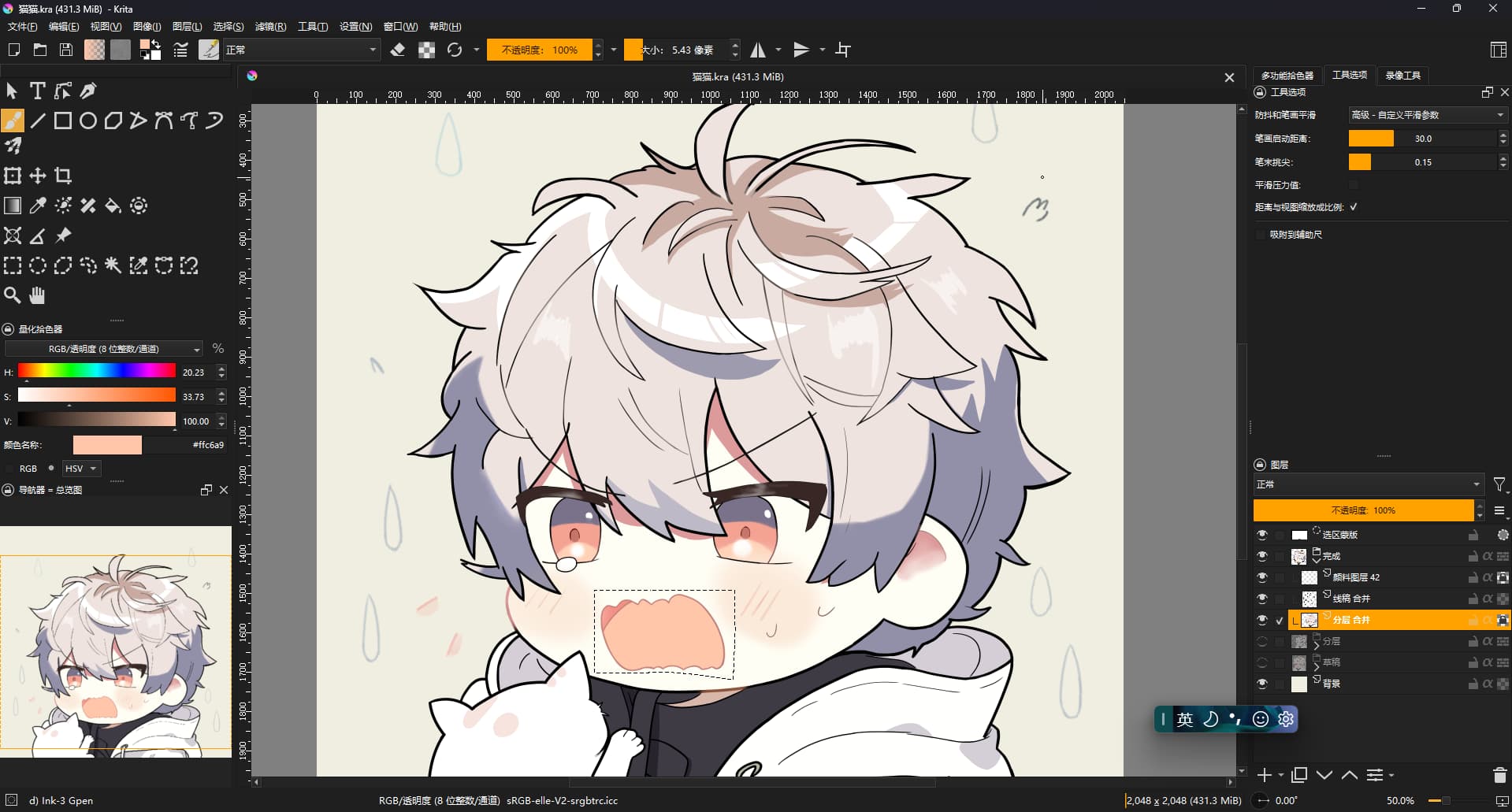
These improvements cover all my goals and it’s a successful challenge!
New Problems
However I still find some problems:
 The eyes seems not to be looking at the cat. And if he lowers his head, it should looks better. I did draw the head a little bit down but it doesn’t work. I think it’s the problem of eyes’ position. Maybe perspective practice with face is needed (not just head, but also facial components like eyes and mouth.
 The shadow is not so realistic. I tried to use multiple color to form shadows in different parts, and it looks well for me. But I have no idea of the shadow boundary. The shadow seems to be too sharp but I don’t know how to make it softer. I’d like to blur the boundary but it just get worse.
 How to mix colors? I found other artists get multi colors mixed to draw one object, making a texture of that object, such as wood drawn in many "brown"s, not just one white color like the clothes in this drawing.
Realized Truths
If the draft is not cute, the result won’t, too.
This is the colored draft. You may notice I make the charactor to be flatter a little bit compared to
the completed version,

but it’s still cute.
So the proportions are much more important than details in my opinion.
Help Wanted
I’d like to make progress as fast as I can. 
I’m still new to digital art and could you please give me some suggestions?  Feel free to edit the image! Your help will be well appreciated! Thanks a lot!

 Aww mate, I wish I could help you, but I kind of feel lost myself.
 “practice, practice, practice”. Yes, practice is good, but it’s difficult to practice correctly… Also it can be very, very exhausting if done effectively. In this sense, practice can be worse than just trying to paint another picture, but nothing is fully black or white.
 The eyes seems not to be looking at the cat.
 The shadow is not so realistic.
 How to mix colors?
 I will keep an eye on what you have mentioned in my next practice. You did help me a lot.
  Don’t be lost.

