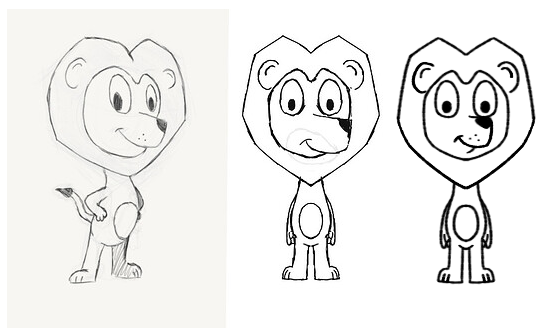
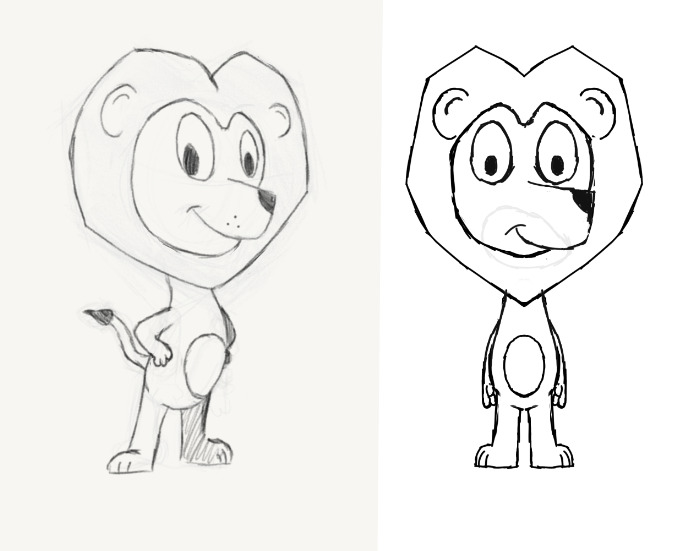
Overall I’m happy with what I’ve got (considering I’m not the best artist) but I can never quite feel happy with the snout. For context I’m trying to design a cutout animation character and to me the snout works better in the three-quarter view but falls short in the front view.
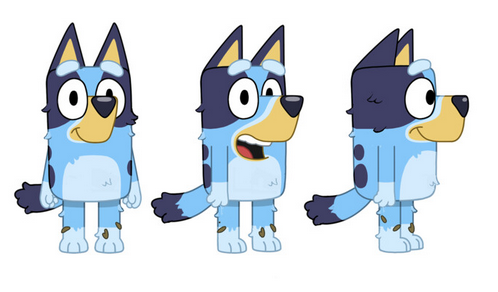
Some inspiration for the snout shape is Bluey where it seems to work really well but on this character feel very out of place. Although maybe it’s fine and I’m just being overly critical of myself? I’m curious how others would approach this?
Hi @MWoodin - Welcome to the forum. There are lots of folks here who will be happy to help you with Krita or give feedback on your drawings.
I like the 3/4 view the best of the two. The front facing lion just needs a small adjustment on the snout. If you look at some images of lion characters facing front, it will give you ideas on how you can place the snout in the same perspective as the face (search for front-facing lion cartoons to get some lineart examples).
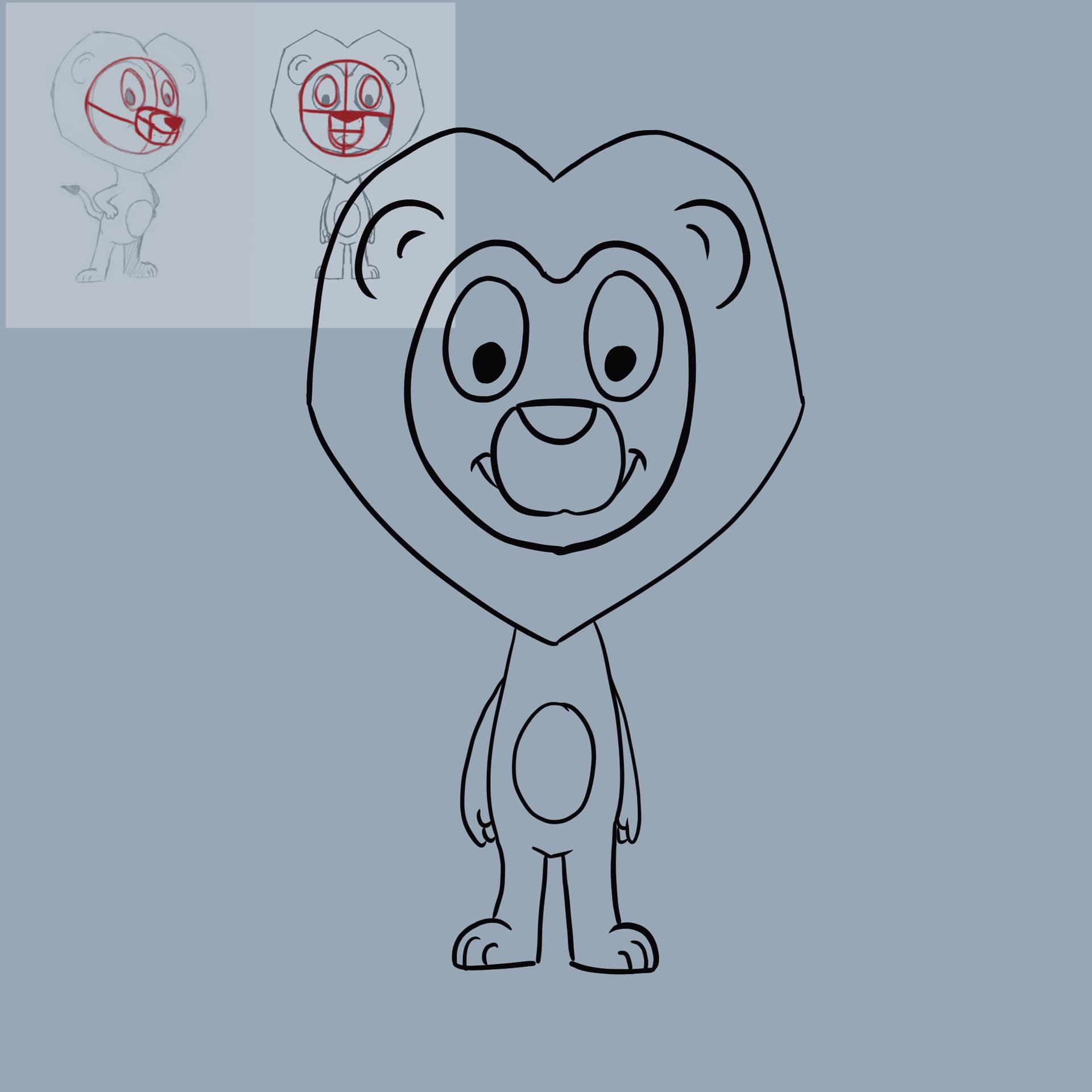
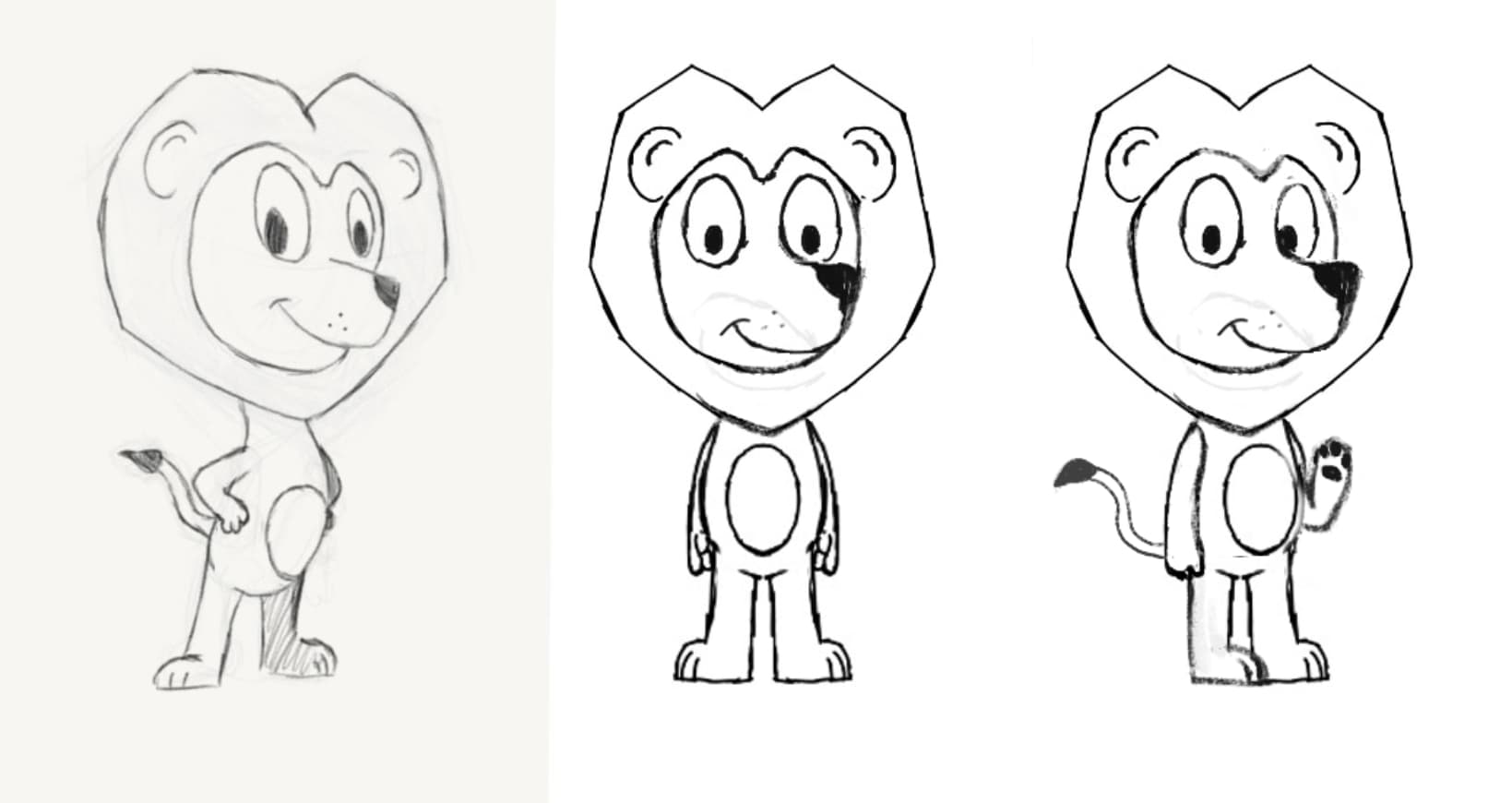
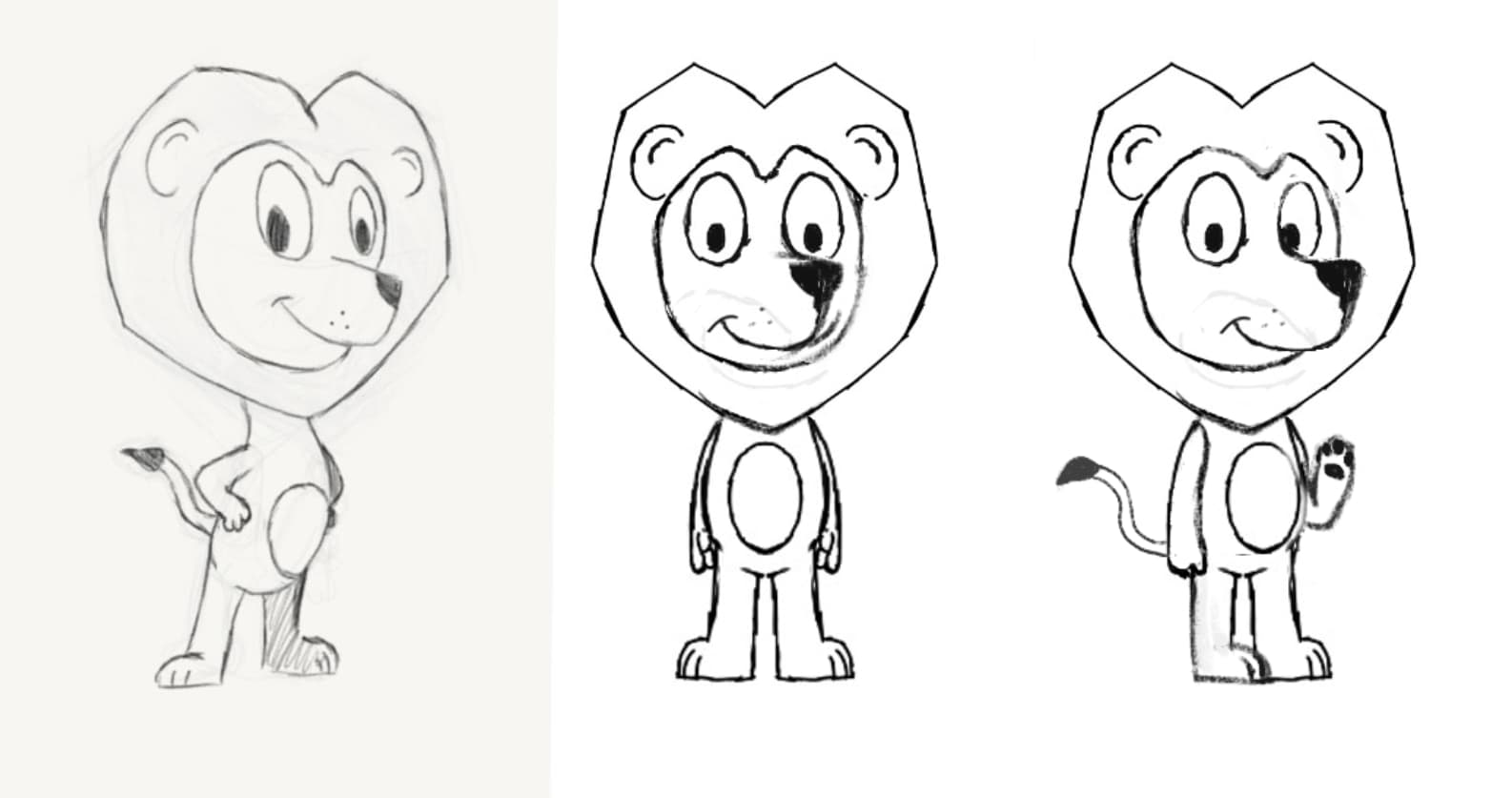
Hi! I try to revise the design of the lion’s face a bit.
I don’t know how to explain exactly on what principle I changed the muzzle. I’ll just try to depict how I see it. I tried to base it on Bluey’s face design too. For me the muzzle looked too downcast (?)
I also tried doing a 3/4 turn.
I also increased the body, but you can ignore it If you don’t like it
If Bluey is the inspiration, just look how it is when the characters slightly turn. It’s never a full front view (that always feels forbidden when it happens ) but the snout changes in size; it gets smaller!
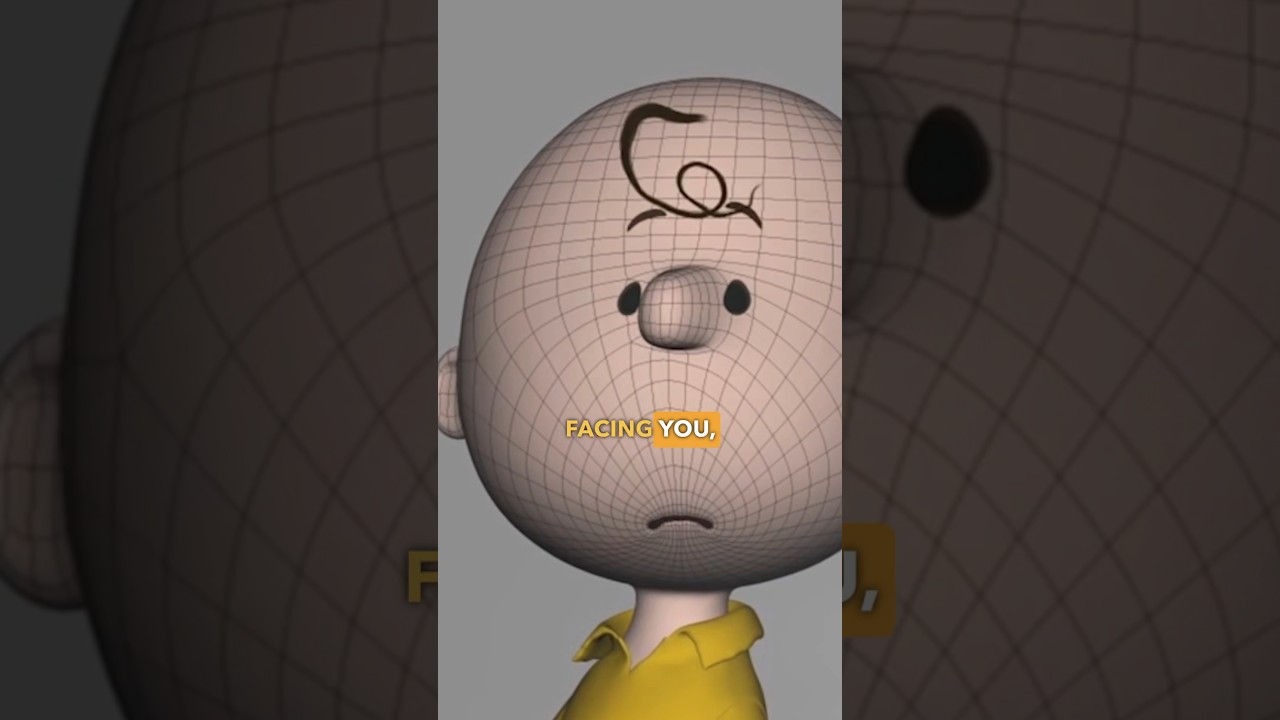
It does not work, because you forgot, that in 3D the shapes wander accordingly. I have drawn over the sketch and added structure lines maybe that helps.
I don’t think that a 2D character has to necessarily work in 3D. There are quite a few that don’t. These characters are very rarely shown full-front, because they don’t need to. They are, in fact, slightly turned to the side. Maybe the lion in “front-view” needs to have his right arm drawn over the body, to make it more apparent…
The character that was taken as inspiration (Bluey) also doesn’t work very well in front-view. The toy version made the snout smaller and the eyes look slightly more spaced.
In the end, I think it has a lot to do with the drawing style and character choice of the creator. If they want a character that was made just like you proposed, good! If they don’t, also good!
And if it has to be turned into a 3D character, there is always a way to make it work;
A character feels wrong if that is not the case
You can not use a side-view feature in a front-view.
If the arms are in front and behind of the body, the body is rotated.
That is no front-view. It is a site-view.
When an artist decides to change that rule, they are making a deliberate choice. For example, by targeting children. They draw like children see the world (in symbols), making the features easily recognizable.
Here, @MWoodin is not happy with the side-view. So it is not his choice but an accident. It is up to him to make it his happy little accident or change it to make it a happy little accident.
I didn’t say they were in front view but slightly turned. When I wrote 'front-view", I only called it that way to know which one I was talking about. Hence the quotation mark.
If @MWoodin wants to make the type of character you could find in a cartoon like Bluey, then I guess it wasn’t even in their mind to create a front-view design, but probably a site-view like you said. (I tried to look at site view of characters but didn’t find anything about it )
Yea so I wasn’t happy with the snout in the front-view. I didn’t have a side-view in my initial question. But yes I understood the snout was going to be “wrong” from a 3D perspective but just wasn’t sure how to translate it to look nice.
@Katamaheen posted their version which to me looks correct.
 ) but the snout changes in size; it gets smaller!