@Mythmaker Thanks a lot for your useful feedback. I don’t know if this is happening before, because i have always lot of patterns loaded as .png files in the patterns folder. But if importing is not working well (as expected), or transforming in pattern is not good we need to report it. @tiar@dkazakov@raghukamath Can you verify this? maybe is already reported? a regression?
Maybe related with this? 375002 – Using some textures corrupt brush preset
THANKS.
Today, last day for pencils? maybe not. Maybe i am going to change things in the project.
If you could extend it a little more, maybe more people would be encouraged and I would give a little more time to experiment with the charcoal pencils, but it is only a recommendation, for my part I have been busy and but when I free myself I will contribute a little more to the brushes as you can. greetings to all.
After a nice and constructive talk with @tiar and @daroart37 i realized 3 weeks is too short period to be tested and improved. NOW THERE IS NO DEADLINE So what i am going to do now is preparing what i would include in the pack and publish here. This change the roadmap but maybe is safer
And if we update in future maybe we add or delete brushes from the pack.
I hope you like the idea. What do you think about it?.
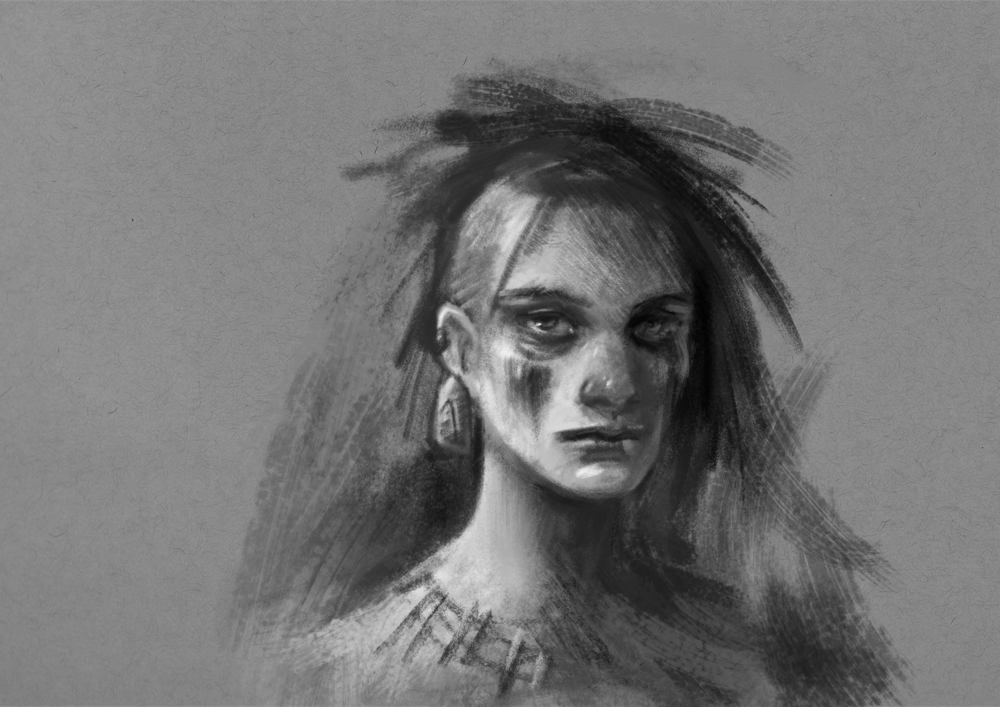
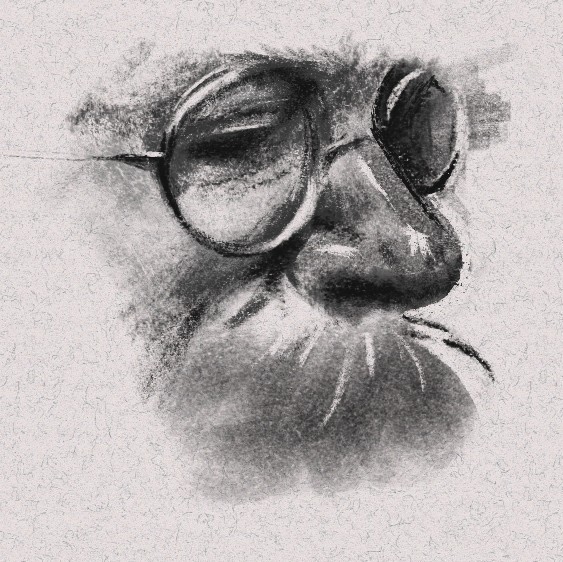
I know maybe is not a complete drawing. But as i was doing it iwas feeling … i like it. and… how complex are charcoals . This will be imitating compressed charcoal in mid grain paper. What do you think?
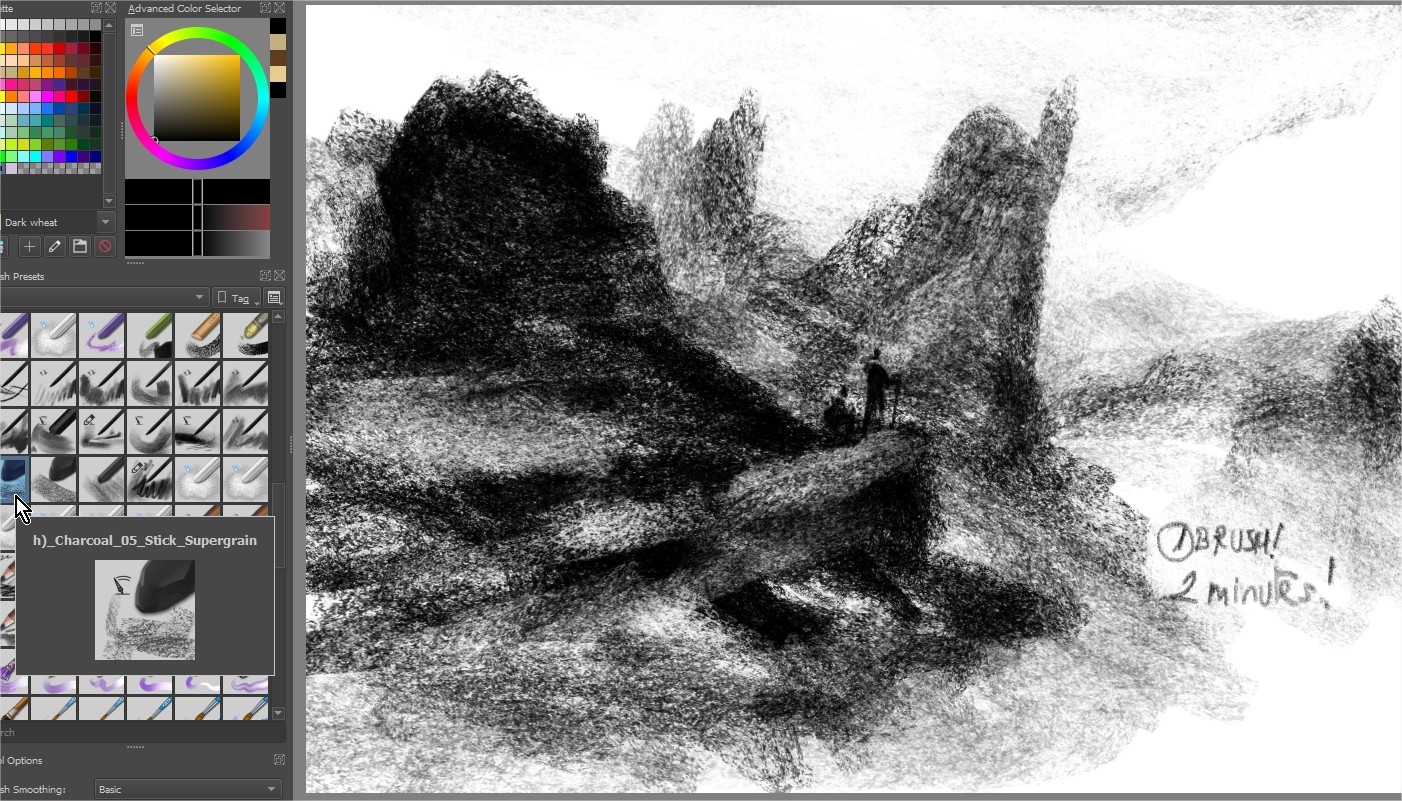
One thing I was struggling with this past week was remembering they were supposed to be pencils - Most of my past experience with charcoal has been with compressed sticks.
I’m not really keen on dry media in real life because of the feel and the mess, but I do like the effect - so this way I get to emulate the look without having to deal with the drawbacks!
I have done a few sketches with your presets but not made any real changes to them. The feeling I get is I like the expressiveness of them but maybe also need some tighter ones for precision work.
Obviously blending is also a significant part of charcoal work - so it feels a bit restrictive without them.
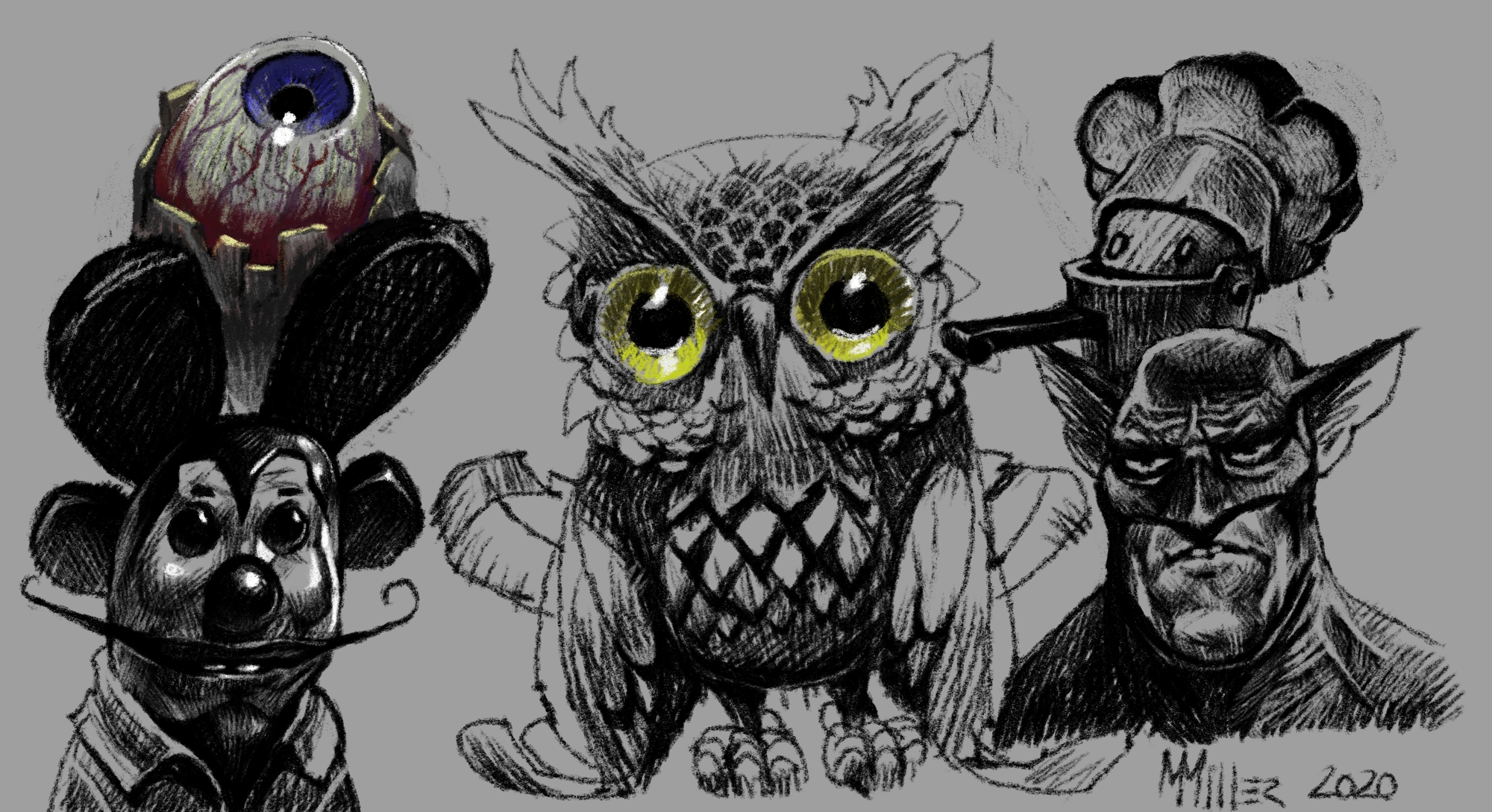
I did this one a couple of days ago using your stock presets for the majority of it - then I got carried away and threw in a bit of brushed texture from a preset I made.
I started to play with making my own from scratch and managed to cook up some interesting presets after a while. Once I’ve compiled a few worth sharing I’ll post them and the assets in case they’re useful.
I scanned real charcoal marks to try and make them look authentic - though I’ve found the most realistic ones to be less interesting in practice. The best ones seem to come about at least partly by accident!
This is really interesting. I see you are enjoying the project. Cool!. As you mention the blenders and sticks i am totally agree, they are really imoprtant. I started from pencils because sticks seems to be even more random and with crazy affects.
We think in the same way, if you want to avoid the mess of traditional and dust and costs.
I would like to see annotations to understand where you use each tool and see the visual result. If you see in my notes i do it all the time. I don’t care if the sketch is amazing or not. I am gathering usual info. (by the way your sketch is cool)
And remember if you create a cool brush you can share it. We learn together and artistic accidents are fun!
And as a new, one of my students is testing also charcoals. She is learning fast and is a really kind woman. Her name is Nova, i hope you like it
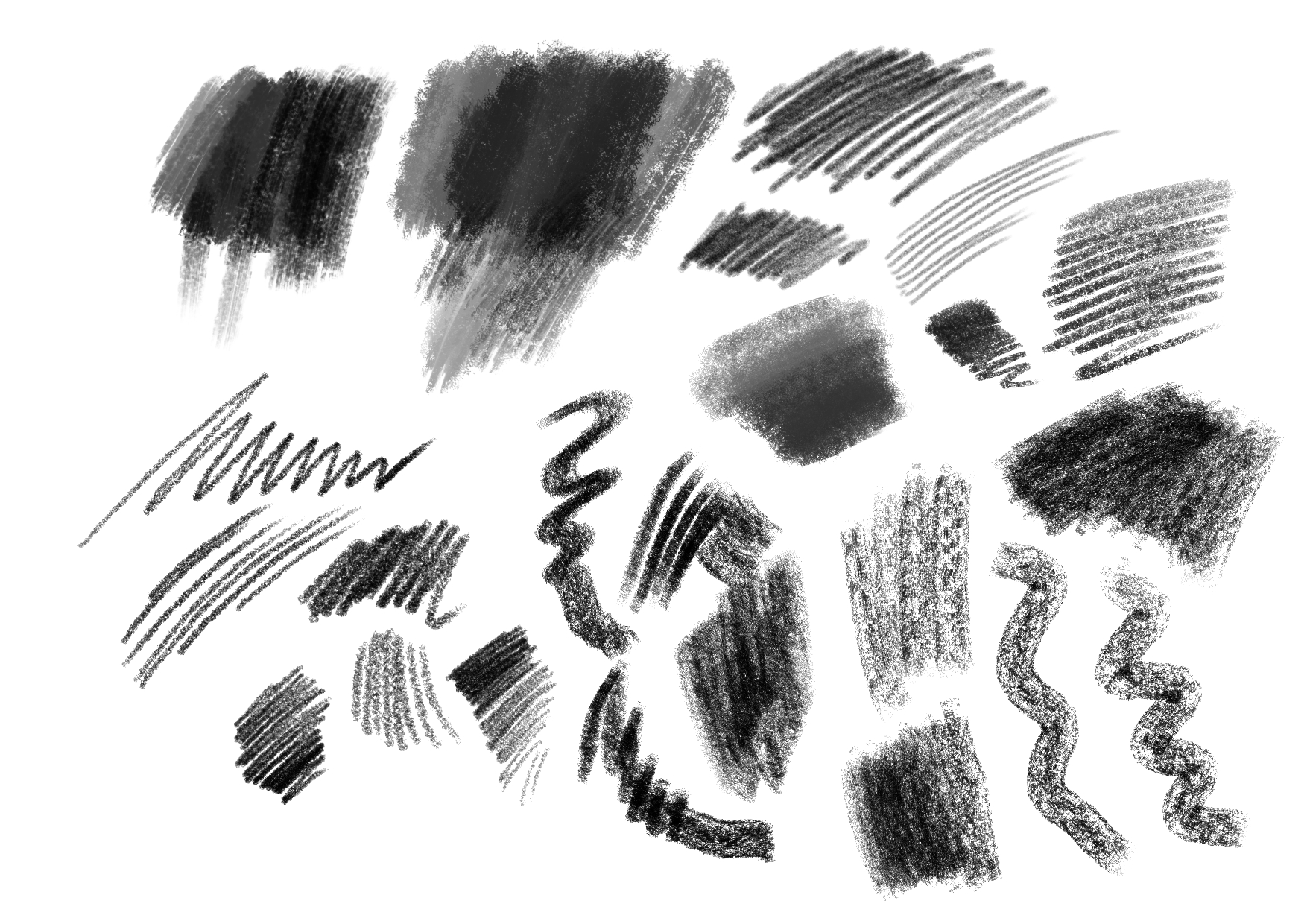
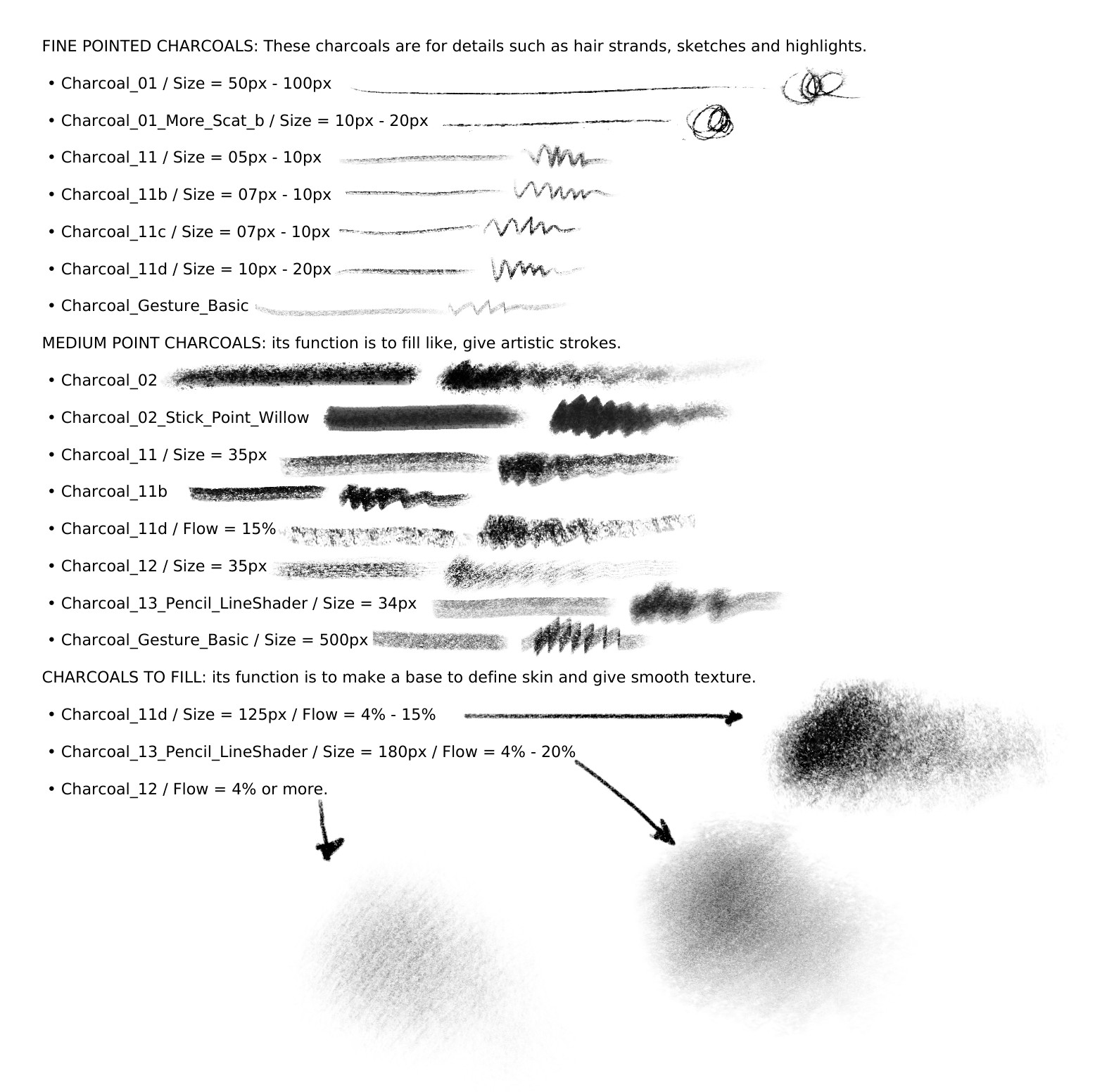
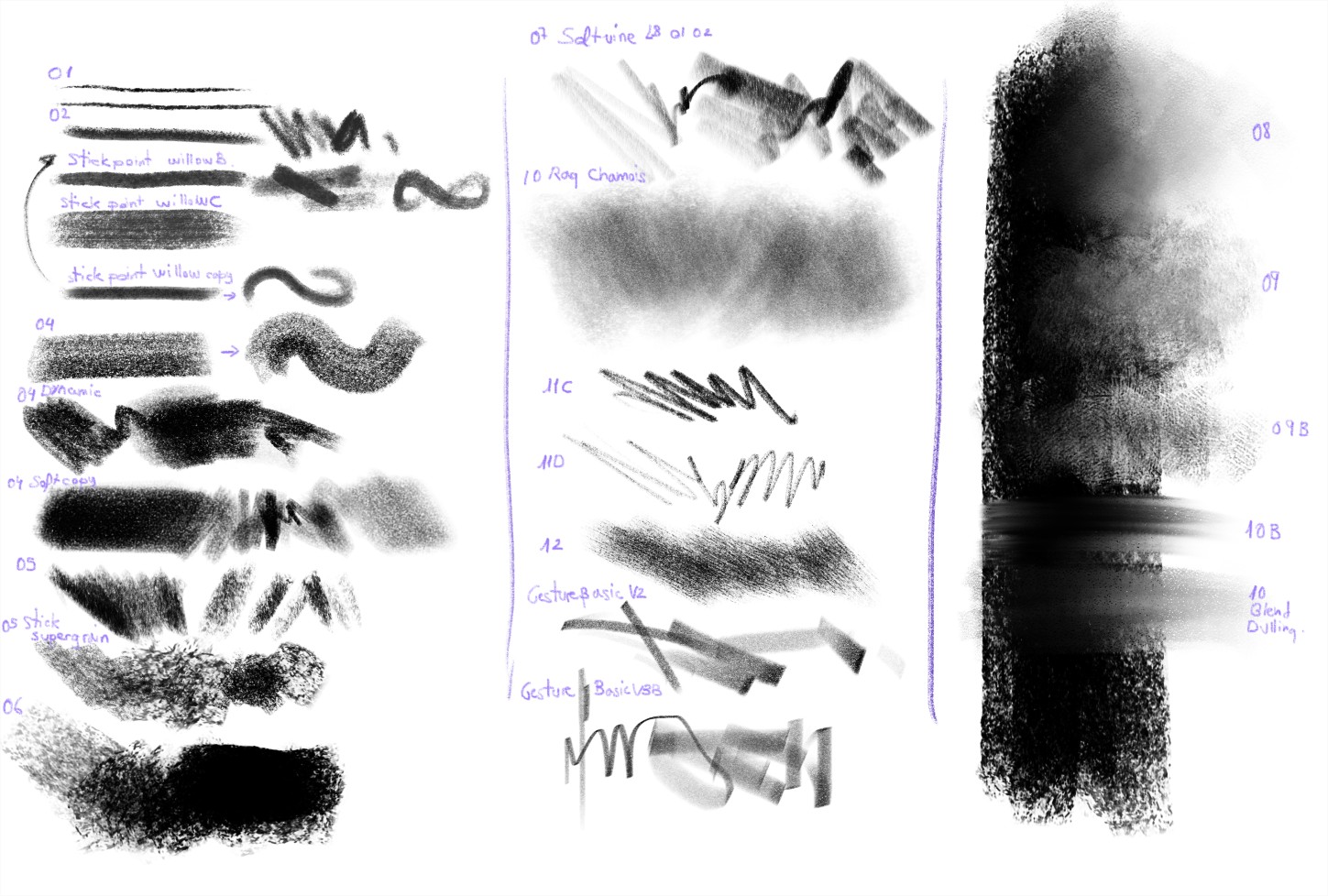
Hello everyone, here is my analysis of the brushes that @RamonM has made, I have made a list according to the size and function of the brush, I think this is essential to do it for any technique that we use to illustrate, be it digital or traditional, If we do not know the potential we have, we will not know how much we can achieve. So here is part of my analysis.
There I left a small quick practice of digital charcoal, it is a copy of another work in charcoal. It is obvious that there are still more charcoal pencils left to reach a greater potential, there are missing brushes to smudge, soften, special artistic strokes and with that the package would be complete in my opinion. In my analysis I can conclude that all the brushes work but it depends on what you want to use it for, now I have not defined my favorites yet, as for creating new brushes to complement it, it would be great to see all of @RamonM first. If testing the brushes in their entirety shows a lack of some major charcoal, then for my part I will create and modify until I achieve something worthwhile. For now everything is going very well.
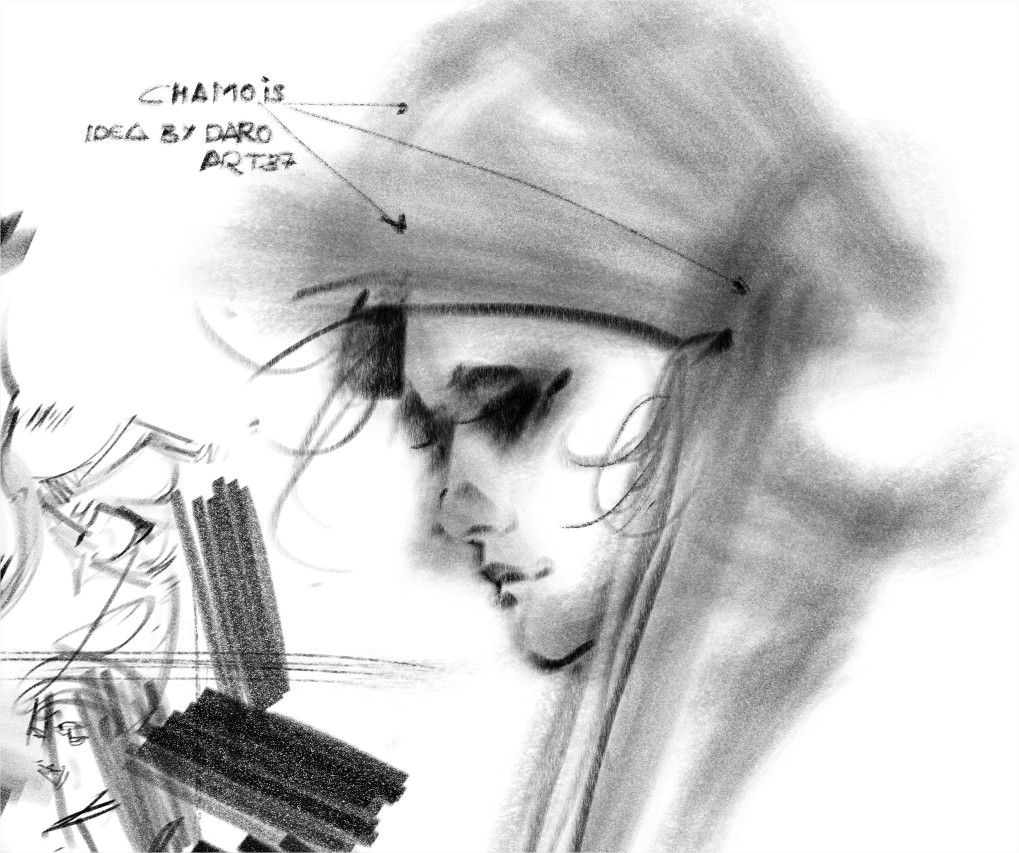
Here i am again! I have created a Chamois to create this kind of supersoft shading. Based on the @daroart37 idea i think it will be a good addition. I like it because it is not a perfect shader.
I am not familiar with these types of traditional materials to bring an opinion.
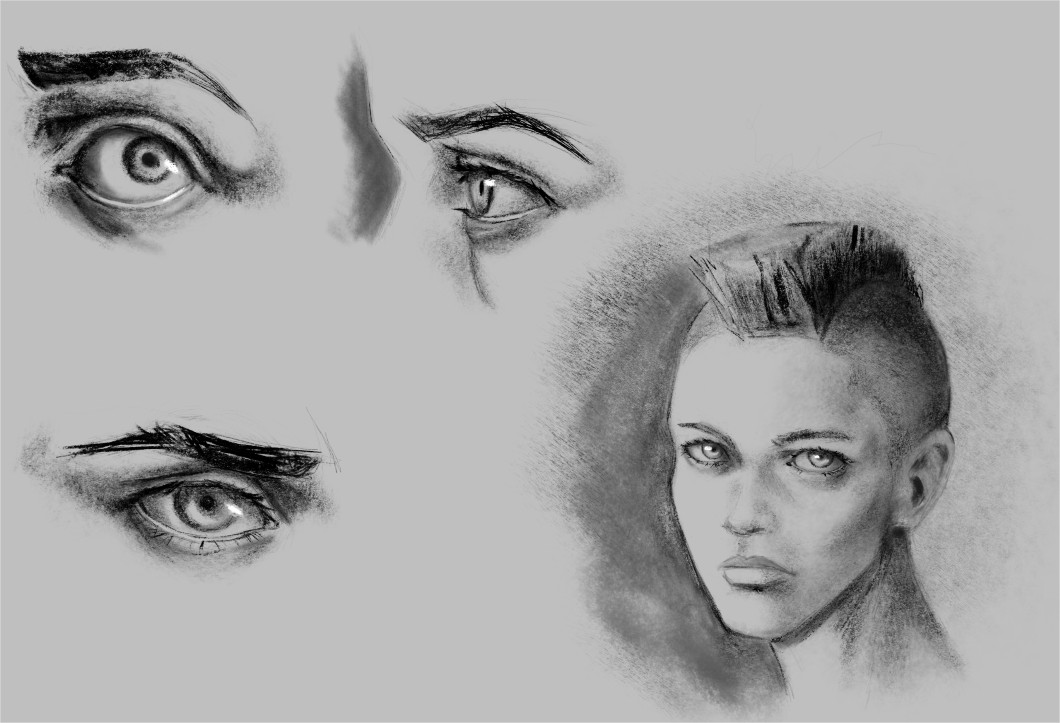
But I did these imagination sketches. I used the “charcoal-1-more-scat-b” pin.
I can only say that I liked it and the only problem was the excessive consumption of RAM that followed (even after closing the file it was consuming a lot of RAM. I saw that another user had a similar problem and solved it).
I hope at some point to do some more realistic study using photographic references.
Finally, thanks Ramon for your work and dedication.
Good news, I’m glad we are about to see all your charcoal brushes, the effects you have created are very good, there is something for everything, it will take a while to experiment but the results will be super great, we should all Help classify these brushes and support them in perfecting them if maybe they can be perfected because they are really cool, we should do more illustrations with them, I want to make a proposal for whoever I can. make a simple drawing with each charcoal brush, to demonstrate its capabilities, something like a nose, an apple, a tree, an object, hair, etc, there are simple things that can be done and thus be able to experiment even more with the brushes, I think it will help to give feedback.
Ok now is the right time for MASSIVE testing. I am going to give all my charcoals prototypes to the community. I could refine them and sell them in gumroad or similar, but i think is a good oportunity to show the world how Krita can create amazing things collaborating. So don’t be shy, any test is well received but remember 2 things:
If you post and image tell me which brushes do you use and your feedback. If you have ideas on how to improve it, or if you see it useless, tell me without worring too much. nothing is written in the stones in this case right?
Enjoy, testing as @daroart37 commented is very good. Also you can draw in your style and draw simple objects to check the shading, details, speed (there is an issue related whith patterns i am investigating) so don’t expect perfect speed yet
TILT is really used in some of them. Maybe the icon show it maybe not. THEY ARE NOT FINISHED
Be sure you have loaded in your paintoppresets folder all the resources.
An example on how to Import Presets, not bundles (remember you need to have the brushtips loaded, but if the brush use the default Krita 4 resources you don’t have to do anything else. When you import the brush, is done.) https://youtu.be/drYOrnG0Ui0?t=869
Thanks for joining us. I am checking the RAM issue. because i think we have discovered something about performance i have to report too. As this is in WIP i am gathering all the info. Thanks.
Nice sketch! with a bit “cartoony-comic” style
Thanks for the update! I’ll get on it when I’m free…
I just wanted to say a couple of things about testing them;
I’ve found that my impressions can be somewhat different depending on whether I’m testing brushes by doodling versus using them in a real use scenario. I often hit this problem when creating brushes myself because I’ll be scribbling or doing basic rending (painting sphere’s for example) and think that a brush feels really good - but then I go to use it on an illustration and it doesn’t handle the way I expected.
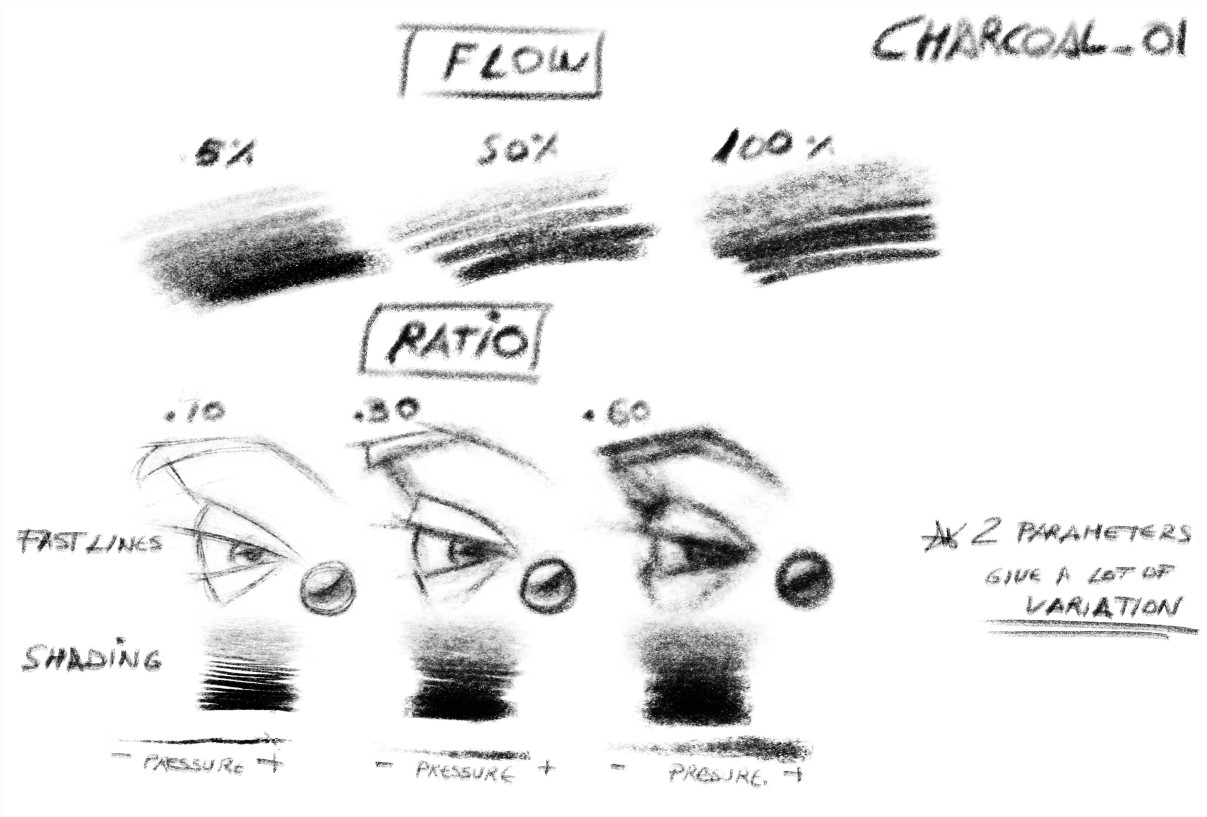
Secondly - I find cursor settings can be very important to how a brush handles; Even though the behaviour is the same. For example - the first brush Charcoal 01 is difficult to use with the brush preview outline due to it’s shape and dynamics; but if I switch to a standard arrow cursor it becomes viable as a precision pencil.
I’ve actually been thinking about making a feature request around cursor settings as I think it’s an important issue (plus switching settings in configure Krita can get tedious!).
The short version; don’t rely on initial impressions - test brushes with real drawings and try different cursor settings if it feels weird!
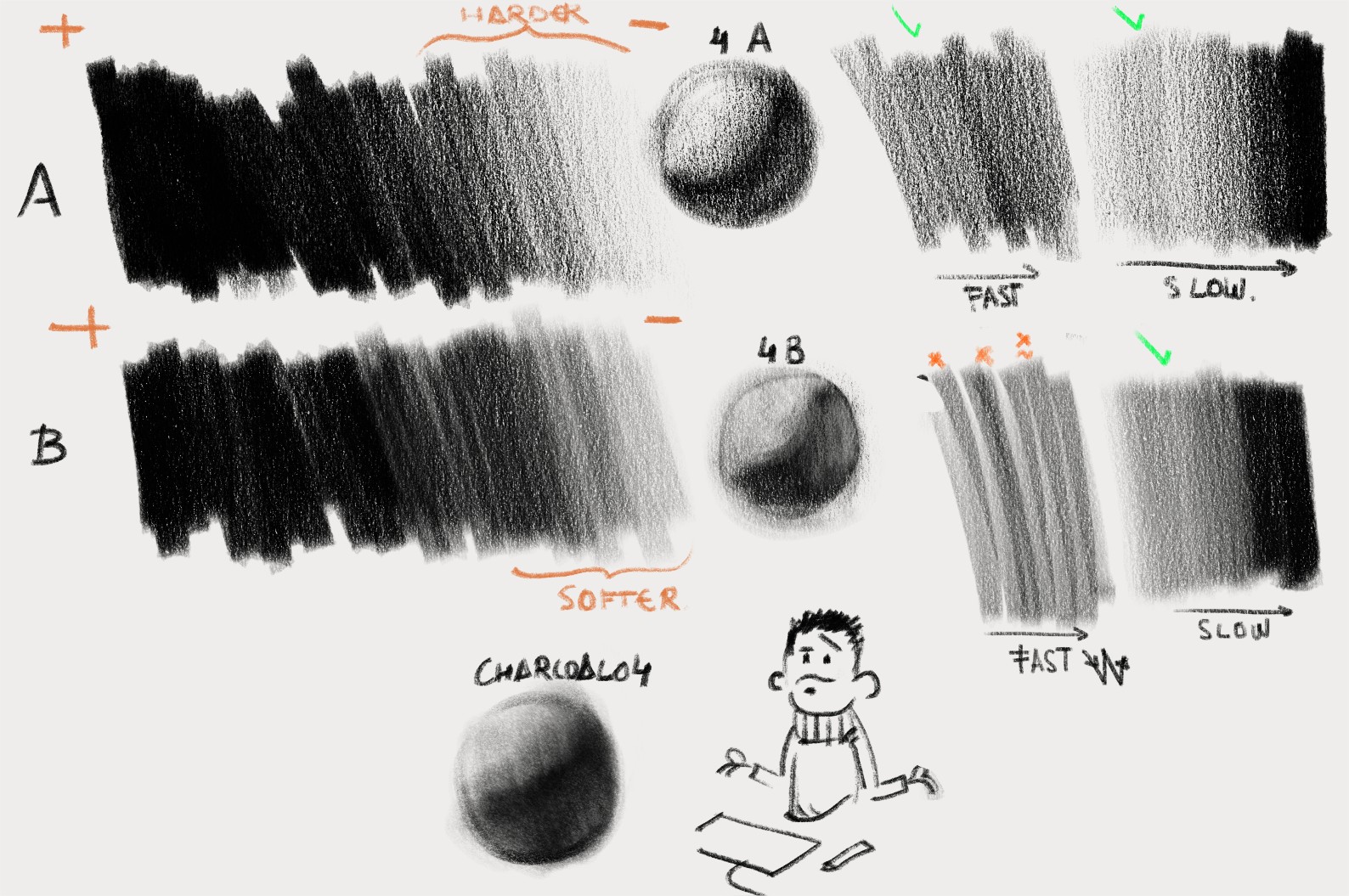
I have created a new pattern to generate a better looking (more real i think compared with my reference sheets). I would like to know your impressions about this one. i like both, but i am deprecating lot of material, because i am looking for the real experience. This mimics Pitt Charcoal Soft. on Newsprint paper. I will answer comments later. i need to finish the Youtube video
I was going to say - I think the softer one makes sense for general use. But are these different patterns or different presets?
If they are pattern variations, can you still mimic the grainier one by increasing contrast on the softer one, or just using a coarser tip?
If they’re presets then I think I would still get more use out of the softer one. For a stronger texture I think I prefer a coarser, more varied grain rather than uniform granular.
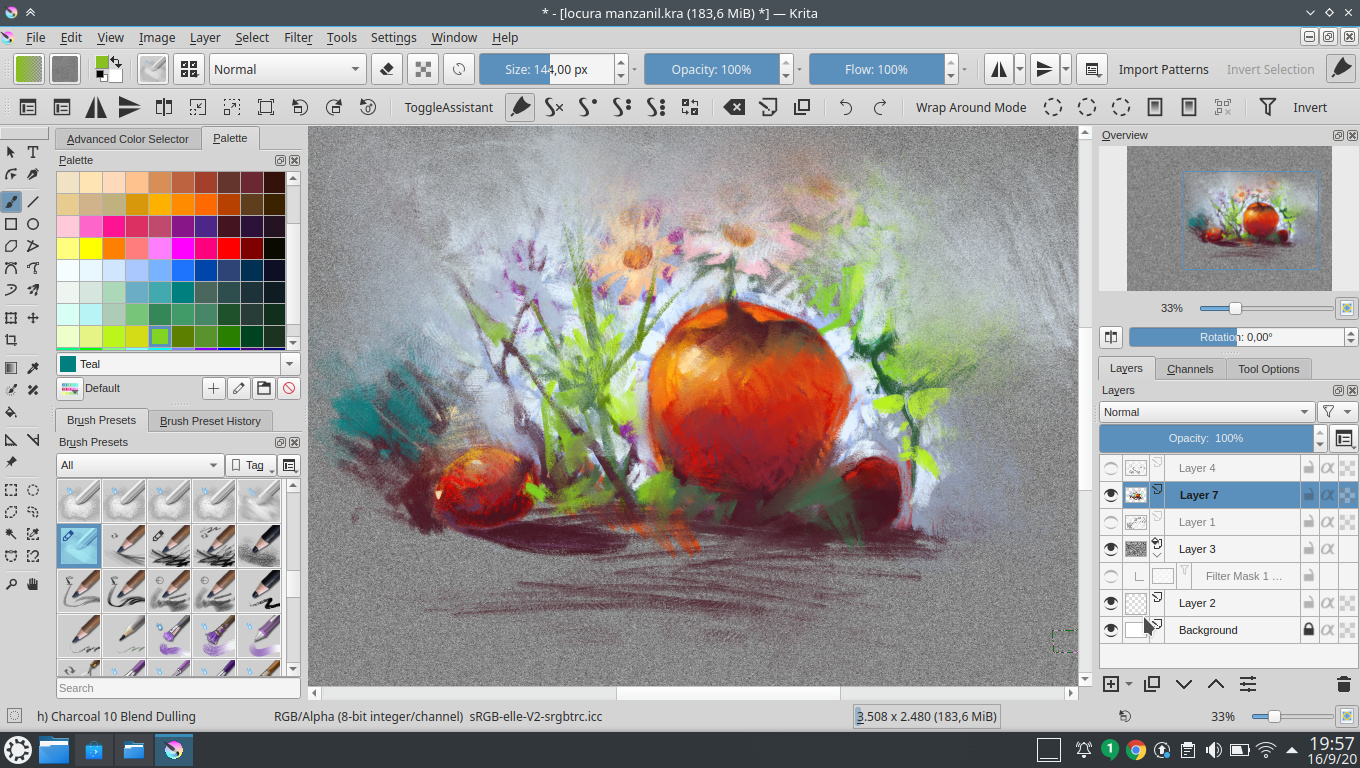
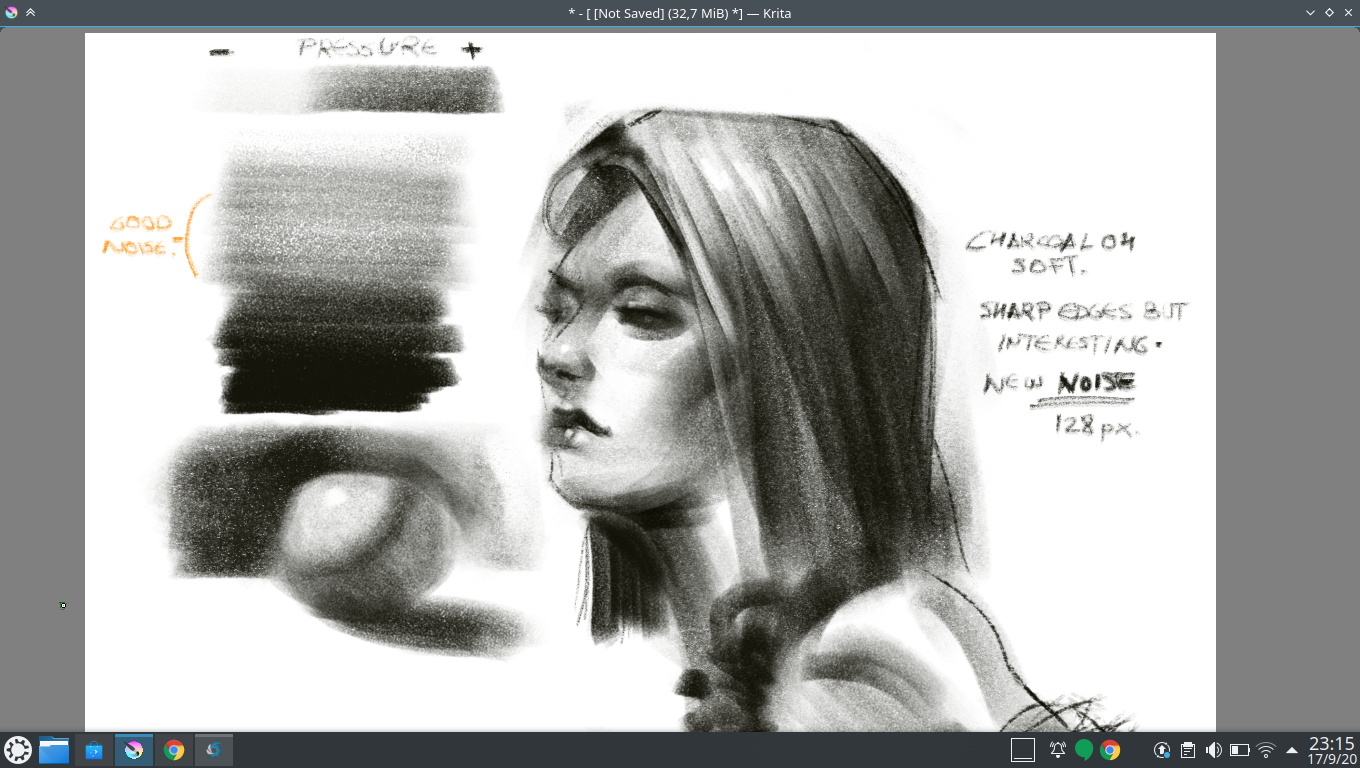
 . This will be imitating compressed charcoal in mid grain paper. What do you think?