Hi, I’m new to Krita so please be patient with me. So far I love Krita and I use Blender so I really want to support Krita but I also need Krita files to be compatible with Photoshop as I am not the only one who will be using the files.
I read through the thread about clipping paths but I did not see an answer to my question. So apologies if I missed something.
So in Krita I grouped 2 layers then selected the little icon to have the top image clip to the bottom image. All good. I then export to Photoshop and the clipping path is non-existant.
Is there any way to preserve clipping paths in Krita so they open properly in Photoshop. As an Illustrator who has to hand off my files to people using Photoshop this is a must for me so I hope there’s a way to get Krita files to open in Photoshop with clipping paths intact.
The Photoshop file version Krita supports is that of PS2, so its fairly old. Krita’s alpha inherence feature is not compatible with Photoshops clipping mask (never heard of clipping paths).
Clipping path is basically vector mask. To stimulate it in Krita, do Vector Layer+Destination In blending mode. You can even resize it and keep the vector cut.
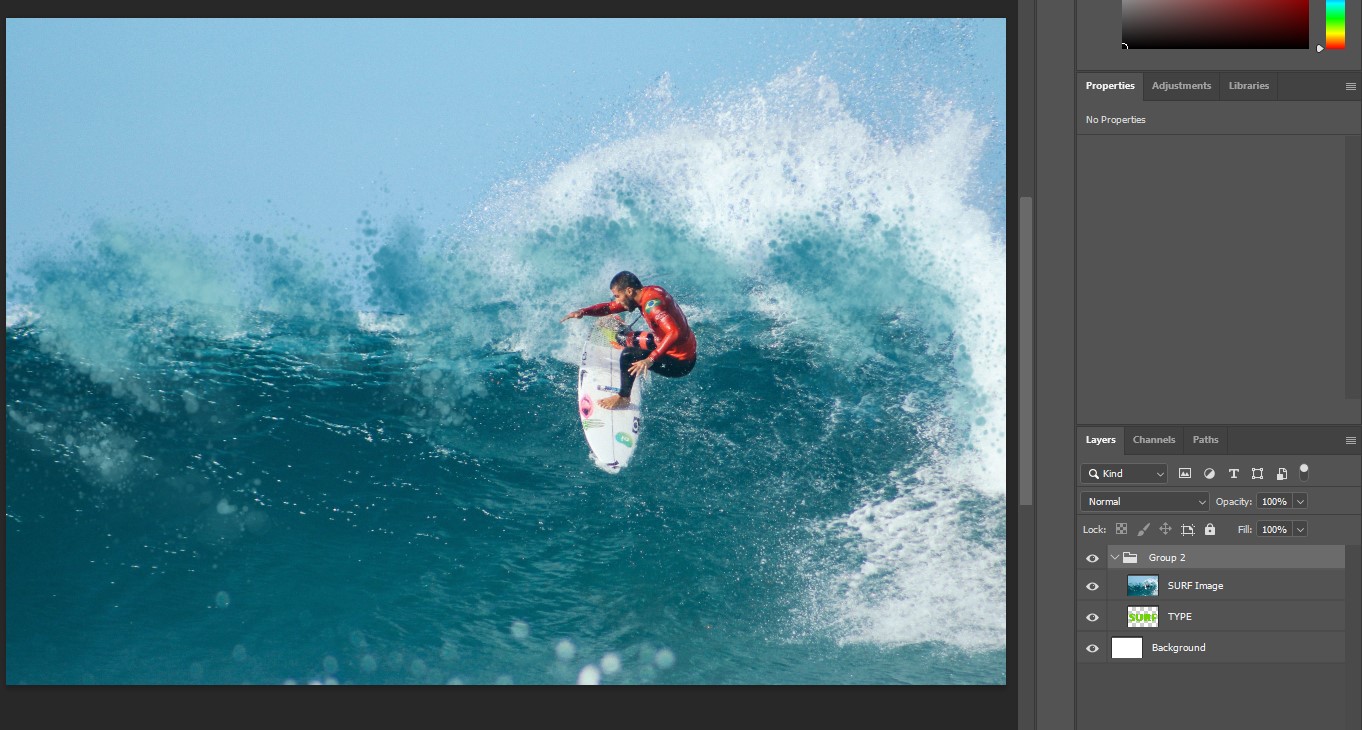
So let us use that video they use with Surf and a background as an example.
Create a group layer. Add an image of an ocean as a new layer inside the group. Add a green fill layer underneath the group.
Then use Text tool to create the word SURF. go to selection tool and do select all(ctrl+a) and copy. Then hide the layer. Go to the group and create a local selection on the group.
structure should look like this:
Vector Layer [hidden]
Group Layer
|-Local Selection Mask
|-Background Image
Fill Layer
Paste into active layer on the local selection mask. It should now have red surf letters. Go back to the group itself and now surf should be selected, right click and invert selection. Then right click on the local selection and convert to transparency mask.
The result should be the same as the video.
Final structure should look like this:
Vector Layer [hidden]
Group Layer
|-Transparency Mask [with SURF]
|-Background Image
Fill Layer
You could make the TYPE layer white text on black then Convert it to a transparency mask to put on the SURF Image layer.
(I’m assuming that .psd can handle transparency masks.)
Thank you that worked and imported into Photoshop fine. I was looking for an alternative to Photoshop $$$ and trying Clip Studio Paint and Krita. I was especially drawn (no pun intended) to Krita because it’s open source!
It’s really unfortunate Krita doesn’t support clipping masks though. As an Illustrator I need to use Clipping Paths for lots of uses in my images and using masks (although it works) is just not an viable alternative because it’s too awkward for multiple layers like i use Clipping Masks for. I will still use Krita but will likely buy Clip Studio Paint to use for illustrations because they support Clipping paths.
Question: Why do the Krita Developers not make clipping paths similar to Photoshop Clippijg paths? It would be a game changer!
Because alpha inheritance is more elegant and more powerful and more flexible than clipping masks, especially when combined with Pass Through on a group?
For what I understood from many discussion previously, there are some points to it.
When Alpha Inheritance was implemented apparently it could do things that Clipping masks couldn’t do.
Krita by default don’t have Pass Through on Clipping Groups, which gives an different result to the final image. When enabling Pass Through it emulates the result from Photoshop and similar.
My interpretation is that Krita made its own way and isn’t trying to be compatible with every other program.
Even if the devs decided to backtrack on this approach it would mean rewrite a huge part of the code. Not to say the time and money this would take, and if a small team this would take development time from other major features.
I don’t know if PS can disable the ‘Pass Through’-like behavior, so I will say nothing. However if it can’t then Krita would have an unique option for Clipping mask.
Would it thou? What makes a program really stand out is its features and ‘power’, not exactly compatibility. Look at Blender for example. Studios use Blender exclusively or on some specific workflow (Like everyone uses it to make background or storyboards).
So I don’t see the problem with .kra files, you can always download and install Krita if someone sends you the file. It’s free and open source, also being available on Windows, Linux and Mac. Maybe it is easier than making Krita have proper Clip mask.
Since it took it like that, my guess photoshop accepts transparency masks on the layer but not on the group? I figured it would work on the group since when I saved it as psd, krita opened it just fine. Doing it on the group also gives more flexibility
There may be some ways to make the process more straight forward depending on what exactly your use case is.