I have:
Krita 5.2.2.
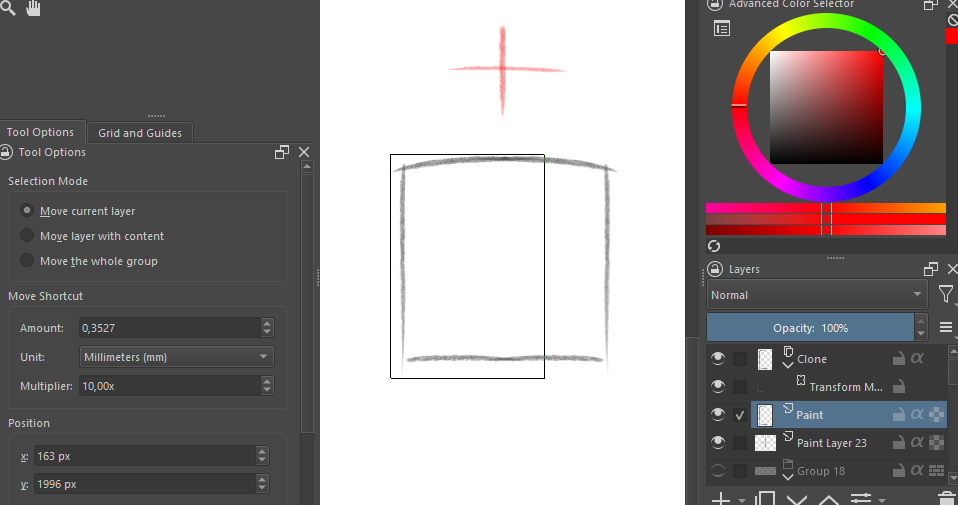
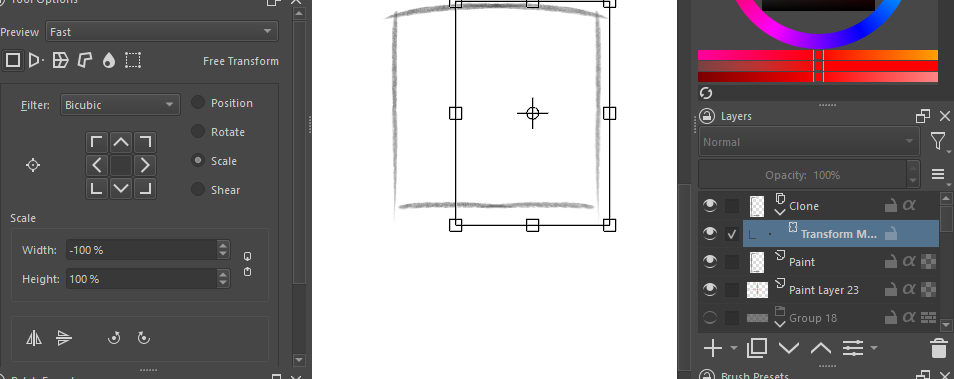
Windows 10 1 Paint Layer 1 Clone Layer of the paint layer with 1 TransformMask on it with mirrored width (-100%)
(scr1, scr2)
When moving the paint layer, the clone layer moves fine on X axis, but on Y it moves mirrored way, mirroring position, not copying move offset of the paint layer. I want it to move position not mirrored way
Since there is no other way to move clone layer in Krita (as I know), I can’t move the initial layer without breaking the positioned “square” image I made (scr3)
If I move the whole image with another TransformMask applied to Clone And Paint layer, the mask doesn’t affect the paint area, so when painting in one spot it paints in another.
In a situation like this, for mirroring (horizontal and/or vertical) with a transform mask, I create the transform mask on a paint layer that has been flood filled to cover the entire canvas. Then I drag the transform mask onto the image layer that I want to mirror.
That way, a small amount of painted content on the image layer is correctly mirrored about the centre horizontal and/or vertical axis.
It’s about getting the pivot point of the transform in the middle of the canvas.