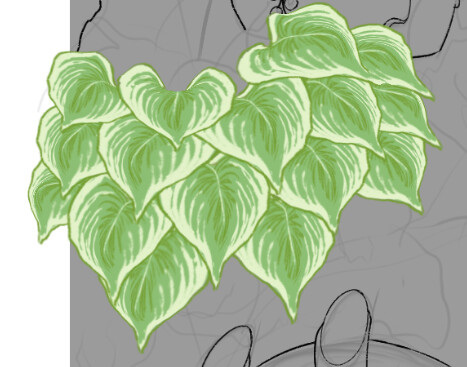
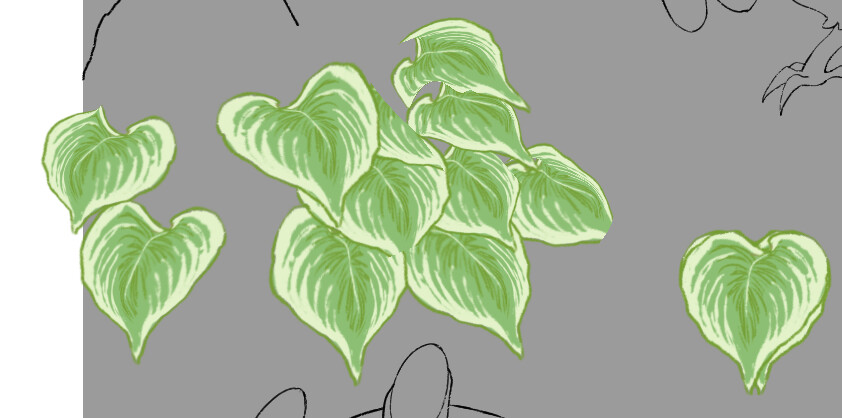
I’m using the clone layer + transform mask method for making some foliage in a piece. Everything works fine, until I save, close Krita, and eventually reopen the file in Krita on the same device. A large amount of the layers are simply missing with some having an odd rendering error of looking like I erased over half of them (which, as a clone layer, is not possible). I have tried turning the visibility on these layers off and on again, but they only returned some of the layers, and which layers it actually renders seems to be a random pick every time I turn off and on their parent group.
For reference, this is what it looked like before:
And this is what it looks like now: (Note that the layers on the bottom right are only the source layers for the clones, and that the missing layers are still in their location, and have their mesh transform mesh appear in the right location when entering transform mode.)
Windows 10
Krita 5.0.2
EDIT: here’s a link where you can download the file!
Hello and welcome to the forum 
Can you make the .kra file available via a link to a file sharing service or website? It would be useful for someone else to look at it and see what they can find there.
Oh, right! Thank you, I added it to the initial post, but I will include it here as well!
https://drive.google.com/file/d/1JPk6BKIuYT34BsCGBWq1MgAGkF77fqIh/view?usp=sharing
I think that what is happening is a massive computation/rendering overload.
That is my ‘guess’.
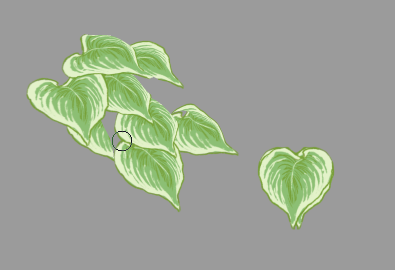
It looks different every time I open it:
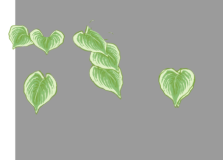
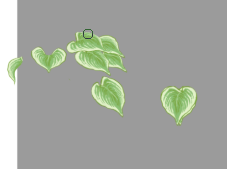
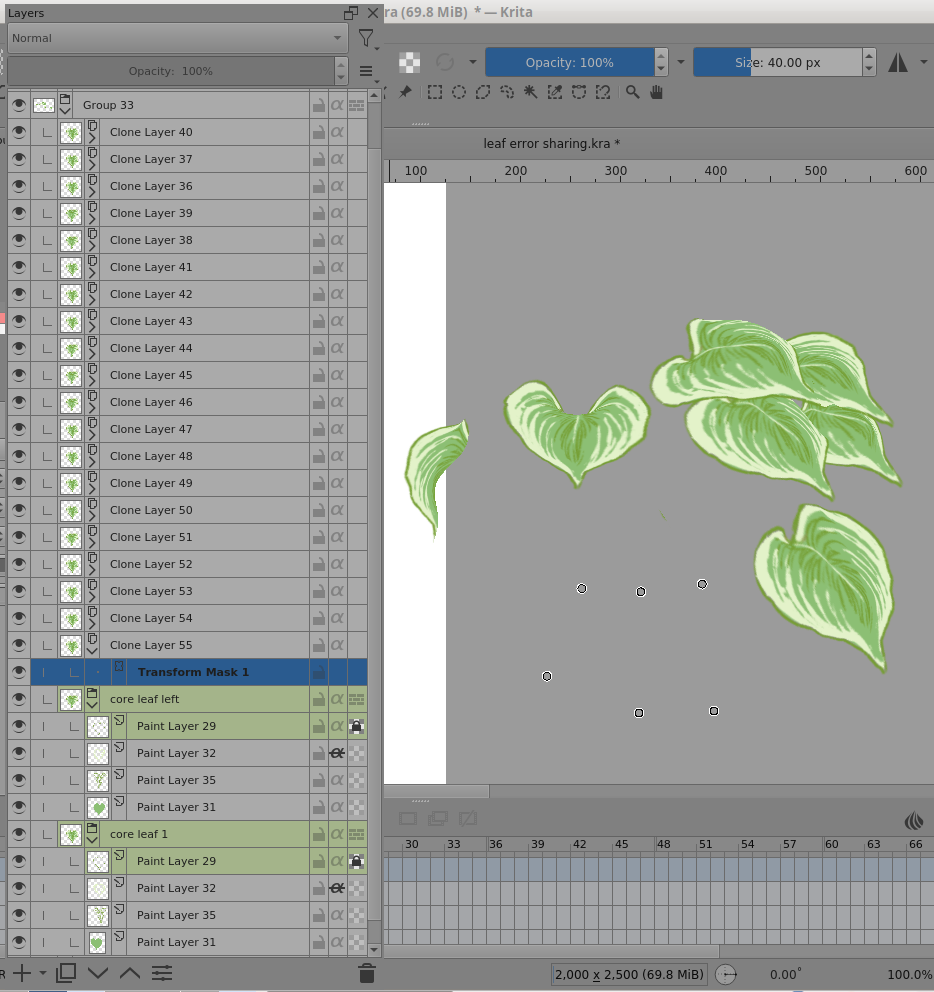
Note: You’re not using a Mesh transform, it’s a Warp transform.
Here is the structure, the Warp control points can be seen but no leaf image:
There are 20 clone layers. Each clone layer has a Warp transform mask on it.
The clone layers are clones of a 4-layer ‘core leaf’ group.
(If I tried this, I’d make clones of a single layer containing the leaf image, not a group, so as to reduce computational load.)
Any time I tried to study it by turning off transform masks or clone layers, it took ages for any change to happen, if it happened at all which it rarely did.
Even if I turned off the visibility of the core leaf groups, nothing happened.
I made an additional clone layer and put a Perspective transform mask on it.
That did not have any problems with visibility etc changes after I’d saved it and reopened it.
However, if I replace them all with Perspective transforms, changing one transform causes another transformed clone image to vanish.
Further different little ‘test’ activities gave unexpected results in terms of things not being visible in a way I’d expect them to be.
This really needs a developer to comment on the situation.
Please report a bug to bugs.kde.org under the product Krita. It’s clearly a usability issue if nothing else.