I’m having an issue after updating Krita to 5.1.5 (the old one I used was 4.4.2).
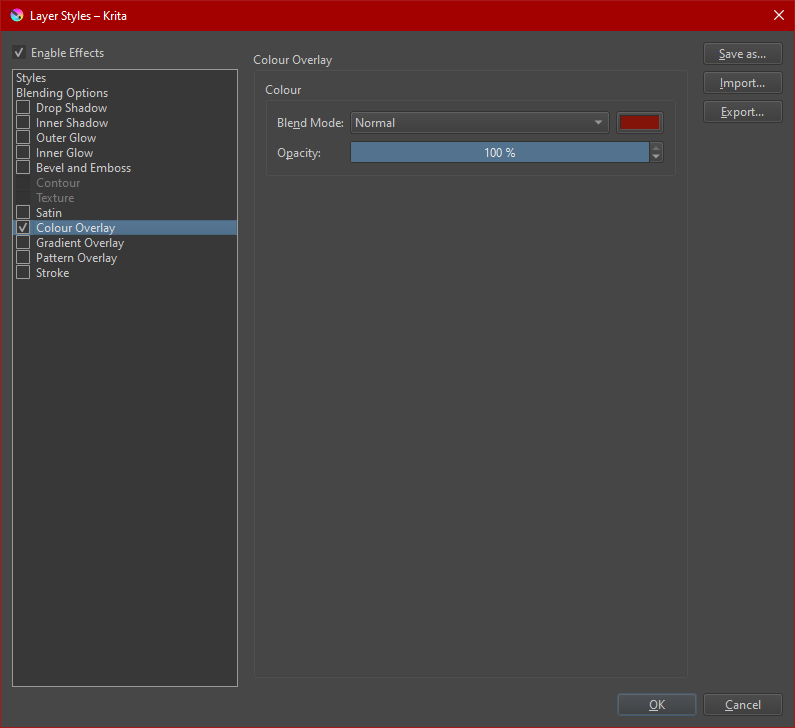
When I save and then reopen a file, the colours I have picked on Layer Style / Colour Overlay changes to a new much darker colour.
I haven’t changed any settings, and I always paint the same way, which is: one colour per layer, and then I use Colour Overlay to put the colour I want on that layer.
But after updating Krita and continuing to paint on an image, most (probably all) new layers darkened after saving the file och opening it again (the old layers from when using older Krita were still correct).
I tried again today with a small test-file with almost no layers and same thing happened. The chosen Colour Overlay colours were changed to much darker versions when I opened the file again. It doesn’t seem to change the colour I painted with, only the one picked inside the Colour Overlay.
It happens both when I save as .kra and .psd. When looking at them in IrfanView the test-file seem to show the correct colours, but opening in Krita to continue to work on it will save the new darker colours when saving next time, and then the image viewing program shows the darker colours too.
Not sure what I’m doing wrong
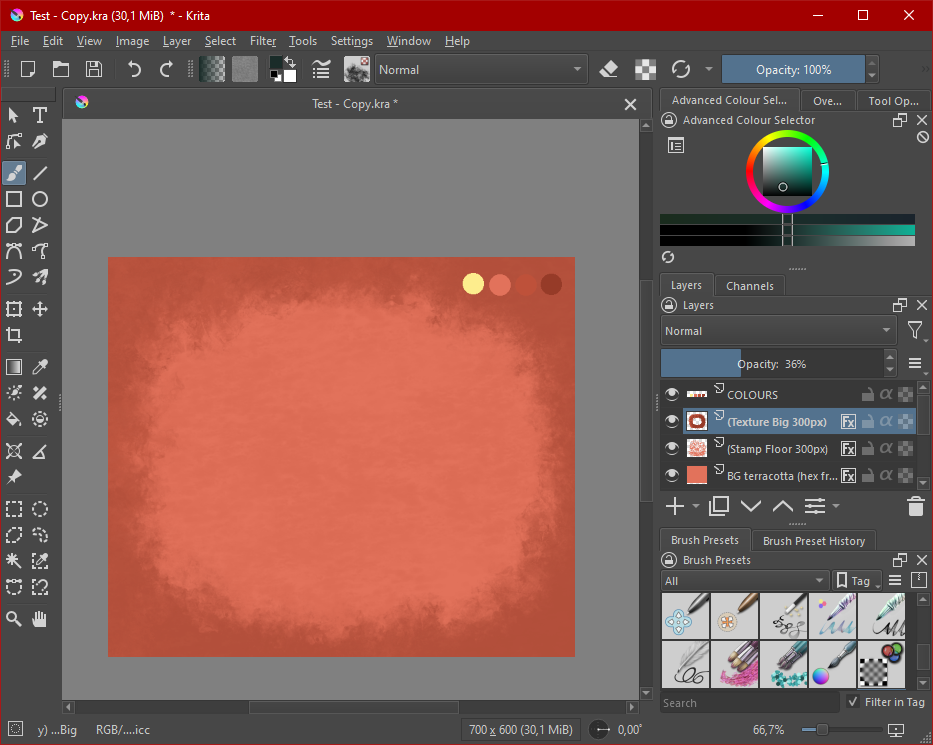
Correct colours before saving and closing the file:
Can you share the test file via some cloud storage here with us. Also Can you tell which colour profile you are using. I can see RGB in the status bar of your screenshot but not the full name. It might as well be a bug with layer effects which we would need to report.
It says: RGB/Alpha (8-bit integer/channel) sRGB-elle-V2-srgbtrc.icc
I don’t know what it said when I used the old version of Krita, I have always been using the default settings though.
I made a new test file (the old one has a layer with private text on it):
Here is what I did:
Painted in some paint, added the same colour as Colour Overlay, and placed a swatch with the correct colour on a non FX layer.
Saved the file as Test2-1
Opened the file again (the FX layer was now a lot darker)
Changed it back to the correct colour and saved it as Test2-2
Opened the second file (now it seems to be the correct colour)
So at the moment it seems every Colour Overlay layer gets darkened, and the correct colour has to be applied a second time after saving and reopening, and then saving the file again for it to stick.
I tested the steps with 5.1.5 version on linux and I could not reproduce it. For me the colour overlay stays the same colour that I have chosen.
I also tested this with the recent beta version of 5.2 and also nightly build and I could not reproduce this.
However as you say the colour in your test file is really darker than what the swatches placed next to it. I thought it must be a blending mode issue but the colours are really different, as in the colour has different hex value. There seem to be some weird issue going on here. Your colour model is also fine.
I am really out of ideas. I can only suggest you to try the latest beta and see if this problem persists. If it is not there then I guess the weird bug is solved in the next release if not then I think we should ask report a bug and request the devs to analyse your test files.
I haven’t tried the beta before, is it the ones under Nightly Builds / Krita Plus? Krita Next has a warning on it so it might not be a good idea for me to test that since I don’t know what I’m doing Do I only download the exe-file?
You can try the portable version of krita-next which comes in a zip file. There is no need to install this on the system you can extract it and run from the folder you extracted. But even just to be sure backup your krita settings. I will ping @AhabGreybeard, who I think knows more about windows than me, who can give you proper advice for testing under windows.
That is very good advice when testing a major new release. Also, it would be good practice for backing up and restoring the config/settings and resources at any time in the future.
In C:\Users\{your-username}\AppData\Local, you will find some files that have the name krita{something}.
These are the configuration/settings files and the number of them can vary depending on what you’ve been doing.
Make backup copies of them all, ideally stored on a usb stick.
In C:\Users\{your-username}\AppData\Roaming, there is a folder called krita.
That is the resources folder and it has many other folders and files inside it. Don’t concern yourself with what’s inside it, just make a backup copy of the folder.
Then download the -.zip file, not the -dbg.zip file, then right-click → Extract it, accept the suggested folder name and go inside it to run the krita link file.
That will not affect your existing 5.1.5 installation but it will use the configs and resources that you’ve been using so far.
This is why you’ve just made backup copies, in case something happens to them.
When you’ve finished trying out the 5.2.0-beta1, you can restore the config files and resources folder then carry on as normal with 5.1.5.
Or, you can carry on using the 5.2.0-beta-1 if you want to.
I made the backups and tested making a new file with 5.2.0-beta1, but the issue still persists, except that now it doesn’t help to change the Colour Overlay colour a second time and resaving, it switches the colour to the much darker one again when opening in Krita.
No problem. After a while, you’ll be able to guide other people through it
It’s good that you’ve found this out because it’s useful information for the developers.
Is it definitely the case that this problem did not happen with 4.4.2?
The situation needs a formal bug report at: https://bugs.kde.org/
Sign up and login are needed.
You can refer to this forum topic with a link and you can attach your earlier .zip file to the bug report.
Please do that and don’t worry about getting everything exactly right and neat and tidy.
Then post a link to the bug report in a reply here so that somebody can go in and formally Confirm it.
Every little report and observation helps to make krita better as time goes by
Sadly it seems like I can’t make a bug report, it says that my private email address would be public to all registered users, they recommend using a secondary account, but I haven’t been able to make any new email accounts in years and years because they ask for mobile phone numbers nowadays
That’s ok. I can do it eventually and post the link here.
re. the email addresses: If it’s Hotmail/Outlook or Yahoo then can’t you make alias addresses inside the account? My Hotmail and Yahoo accounts have many aliases but they were created quite a few years ago and I don’t know if they allow that now without a registered mobile phone number. I won’t give one because I’ve learned that you can’t trust any organisation with your mobile phone number.
My email isn’t letting me do much at all sadly, I hardly dare touch the settings even, they have been trying very hard to lock me into giving a phone number for access for years, by trying to trick me into entering pages where they ask for phone number and that you can’t back out of. So far I’ve been lucky and still has access
I was still not able to reproduce your issue. This is a curious mystery. Even if you report the bug how can we have a way to reproduce this so that the devs can see this bug.
I’ve done more testing, testing how I usually do things, and also asked my brother to test on his computer (both with v 5.1.0 which is what he had, and after upgrading to 5.1.5), and he has the same issue.
This morning it was working as it should to my surprise, but then it hit me that this time I had been sampling the colour for the FX layer from a different place. Normally when I work I will sample from two different places: Almost always from the colour selector up top, and very rarely from a dot on my “colour swatch layer”.
Files named Test 7 and Test 8:
This is what seems to be happening:
Paint on a layer
Paint with the same colour on a new layer (like a colour swatch layer)
Set Layer Style / Colour Overlay on the first layer to normal, opacity 100%
Use it’s colour picker to sample the colour from the “Forground colour selector” square up top = the colour changes to darker when I open it again after saving and closing
OR
Use it’s colour picker to sample the colour from the colour swatch layer made earlier = the colour seems to stay the same
I have tested in different order, and so far the results seem constant. my brother only tested a couple of times, but had consistent results too
Ahaa!. That is impressive detective work. And it also shows how important it is to take into account smallest steps we use.
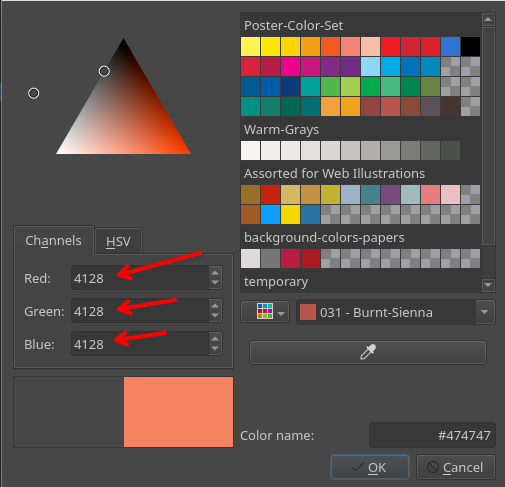
I can reproduce this and I think I know why this happens. If you pick colour from the UI and not from the canvas the colour seems to be in higher bit depth
You can see the value of RGB going way beyond the 255 range. 8 bit images only have rgb values from 0 to 255 but higher bit depths like 16bit have higher range of colours. And from what I have seen generally colour darkening is linked to high bit depths hence in my first question I asked you which colour profile you used.
It seems that the UI colour is higher than 8 bit and when the image is saved it gets messed up colours when it gets converted to 8 bit.
We should report a bug with the exact step you suggested and also add that rgb values go beyond 255 it will give a clue to the devs.


 Do I only download the exe-file?