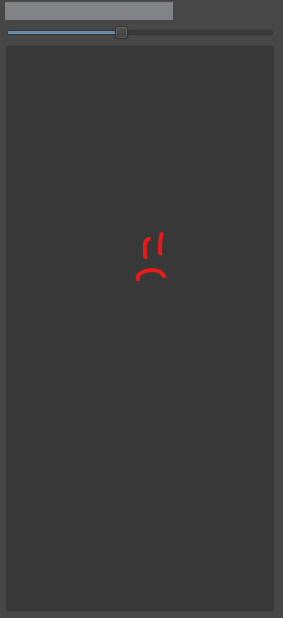
So I updated my file names in my folder since I forgot to update them, and now I can’t see any of my pages in the preview window whenever I click ‘Open Project’ now. I don’t have the latest version of Krita downloaded, and I don’t believe it would help either since it just glitched just now (5.2.2). My file is saved in the correct folders and everything, so I would like some insight and help as to how I can fix this. Thanks!
1 Like
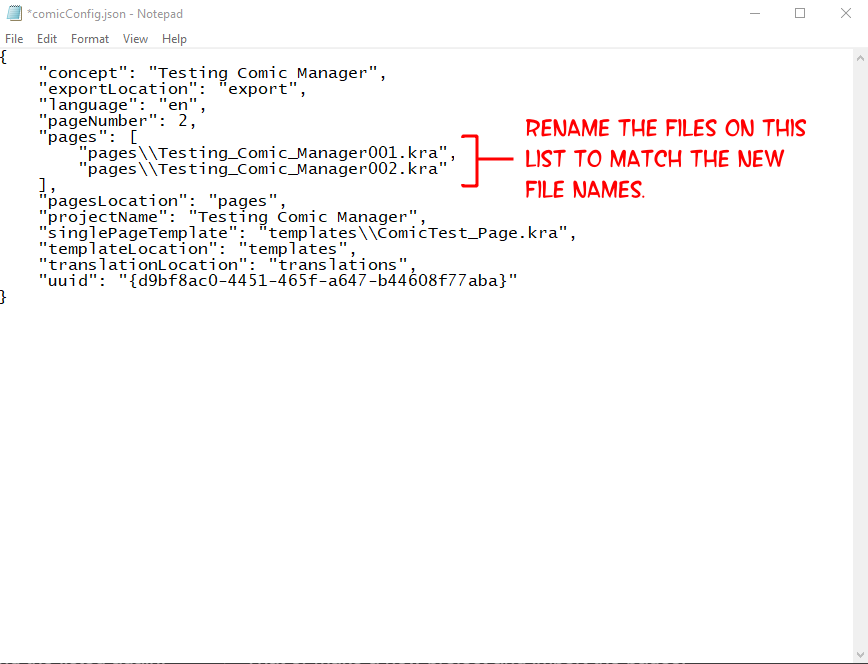
By renaming the files, you’ve hidden those pages from the Comic Manager’s project file. It’s the .json file you select when you use Open Project. If you open that .json file with a text editor, you’ll see a list that should be made up of your old page names. You’ll need to update that list to mirror the new names you gave the page files. Then you should be able to open the project and see them listed again.
Or, you could make a new project and just import all the pages to it.
2 Likes
When renaming the files outside of Krita and the Comic Manager they can’t know they were changed and Krita is still trying to find them under the names it knows, which it can’t anymore.
2 Likes
Honestly, I did not know that Krita would just stare blankly at me after renaming my files 
1 Like
When I pull the .json file in Notepad, only “pages”: [], appears for it. How would I go about updating where the list should be for future reference?
1 Like
I guess you mean the name of the pages as they appear in the Comic Manager? You’ll change those within the files themselves. So, you’d need the specific page open within Krita. Then you’ll go to File → Document Information and on the panel that opens, rename the Title field (shown below).
(EDIT) - I should also note, you’ll need to save the file after you’ve changed the Title. Krita will likely close the file once you do. You’ll then see the page name has updated in the comic manager.

2 Likes
I wasn’t aware of the Document Information tab, which was really helpful with solving this issue. Thanks so much!
2 Likes
This topic was automatically closed 4 days after the last reply. New replies are no longer allowed.