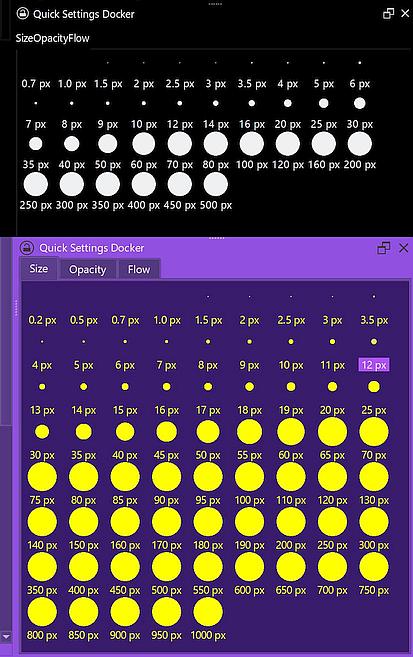
For a stroke holding its size constantly, you should use brushes that do not react to pressure or disable the pressure in that brush via Krita’s brush editor, that you can reach via F5 or a click on its toolbar-icon. This way you can set the wanted brush size/diameter and paint in that size. In combination with the Quick Settings Docker, you can access several brush sizes with a click. The Quick Settings Docker is found in Krita via ‘‘Settings’’ >> ‘‘Dockers’’, and you can even customize it if you are computer-savvy and have no fears when it comes to editing configuration files in folders Windows dislikes to see users in. 
The upper part shows the unmodified version, the lower one is an extended version I just made to showcase the possibilities: