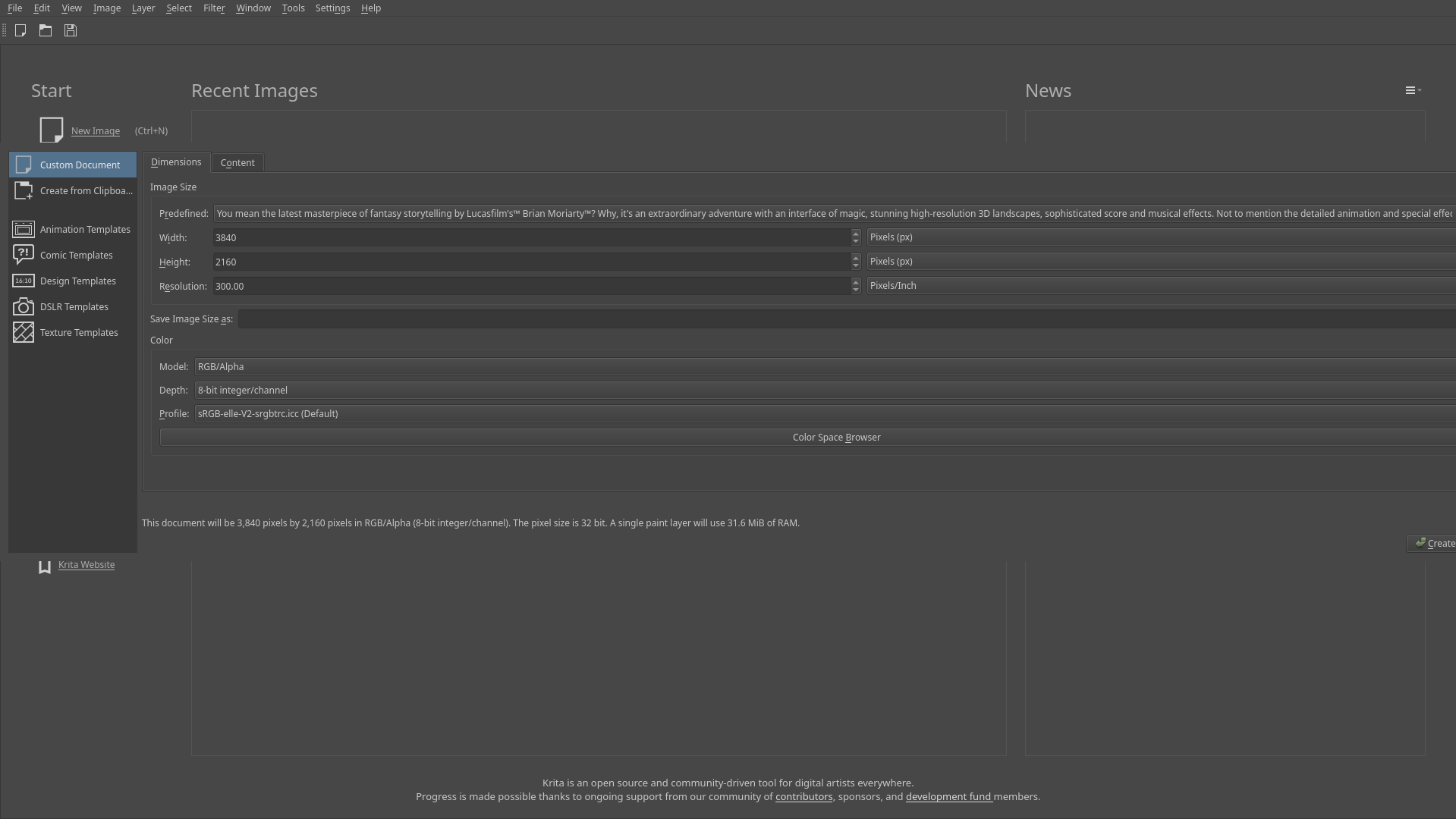
Hello. Krita user here, been using it as my main illustration software for 3 years. Currently migrating to a fresh Linux install after an SSD failure and currently I’m having an issue with the “New Document” pop-up dialog - the horizontal window length goes past the screen resolution regardless of size, and it can’t be shrunk down so I would have to manually drag it around just to be able to click the buttons on the right side. This does not apply to the AppImage or with a different user:
I did some digging prior to these comparisons and read something along the lines of Qt deliberately not using system-wide (or ever single-user?) themes for certain reasons, which a friend also confirmed to me. Here’s the theme that I’m currently using on my main $HOME directory: GitHub - grassmunk/Chicago95: A rendition of everyone's favorite 1995 Microsoft operating system for Linux.
Now the thing is I’m not sure which part of the installation process for this theme caused the pop-up dialog issue for me and it’s a bit overwhelming to backtrack each step and find the culprit, so I was wondering if anyone in here likely has more experience with this and could identify the problem better.
I would suspect this is due to some resource with a really long name stretching the dialog, not because of the style. Do you have one of those? Not necessarily a preset image size, it could also be in the other parts of the dialog.
If it is a preset image size like this, I don’t think you can delete it from within Krita, but Settings → Manage Resources → Open Resource Folder will let you browse the directory.
Interesting development. By chance I noticed that the pop-up window seems to be resizable again after clicking on “Create from Clipboard”. It doesn’t exactly solve this issue yet but there’s something about this to look into, I think.
Managed to figure it out because I noticed another application has the same problem. Turns out that it’s a spacing issue with the fonts that were provided for Chicago95. I opted to copy the MS Sans Serif fonts from my Windows 10 partition instead and changed my xfce4 and Qt5 settings accordingly.