I just updated krita to 5.2.6 (downloaded new version and uninstalled old) but now ctrl + freehand select doesn’t switch between the polygon and freehand select functionality. I used to use this a lot, has it been changed to something else? I have tried using different input devices (tablet + pen ‘huion kamvas 13’, keyboard + mouse). I haven’t changed any of my settings either so ctrl shouldn’t be bound to anything else other than color picking when outside selection tools since I guess thats default. I tried uninstalling and re installing 5.2.6, still the same problem. The official documetion says ctrl should still provide this functionality, anyone know what might be going on? Thanks for any help.
I just tried uninstalling 5.2.6 and using the old version I was on before (4.4.7), holding down ctrl after clicking with freehand doesn’t work in that version either… not sure why.
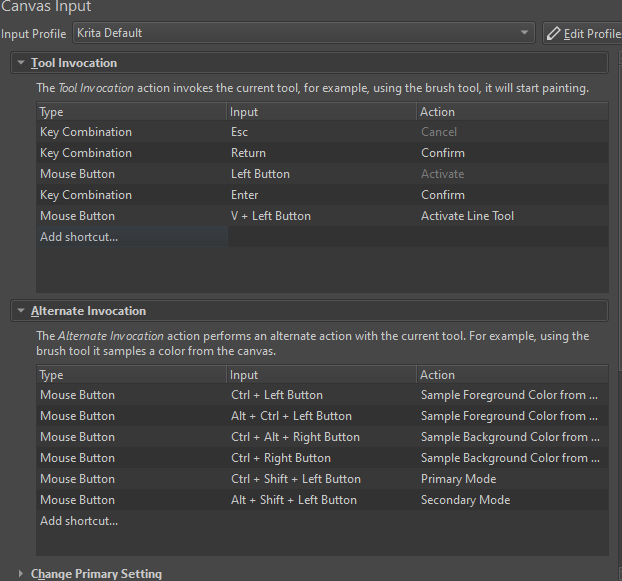
After looking at tool invocation settings it seems like maybe if they were changed it could cause this issue, but resetting them back to default did not fix anything. Heres a screenshot of my tool invocation settings:
I’ve never heard of the ctrl key switching between the selection tools. Possibly you had installed a plugin that is no longer on your system?
Normally, Krita saves all your previous customizations including plugins when updating but if you uninstalled Krita before updating (which is not the usual process) possibly you also uninstalled the config files?
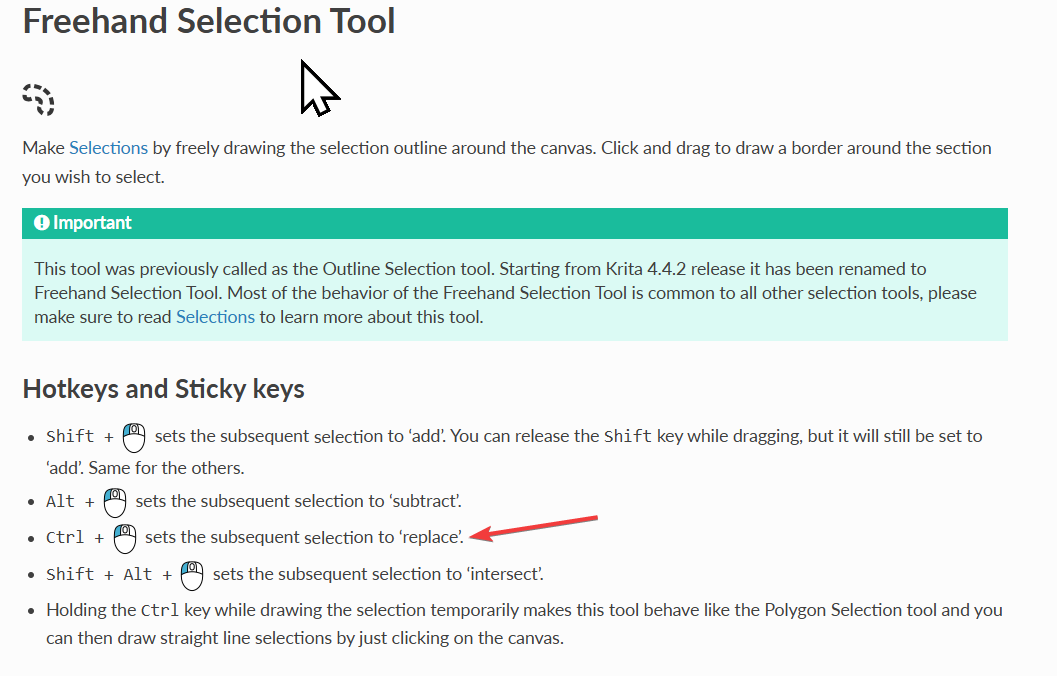
Here’s the manual page that shows what the ctrl key does when freehand select is active:
Sorry for not being very clear, I realize now that tool invocation also probably has nothing to do with it. I’m talking about the functionality listed just below your arrow in the screen shot, when holding ctrl while freehand selecting, the tool is supposed to swap to polygon selecting behavior, however holding ctrl just doesn’t do anything for me even though I’ve reset all my settings to default, uninstall reinstall, tried different input devices etc. Not sure what I’m missing.
Ah, you just taught me something! (too bad I didn’t read just one more line in the manual - lol) If freehand selection is active, holding control facilitates polygon-like selection lines. I just tried it using 5.2.6 on Windows 11.
So when you tried it, you had freehand selection active? (the one shaped like a lima bean)
No worries, its not the most common tool for sure. Yeah I can send in a video if you like but whenever I click with freehand select move it around a little or whatever then hold ctrl it doesn’t do anything. weirdly enough I tried this on my friends setup as well and it doesn’t work for them either. I hope I’m not missing something obvious somehow
I’m on a Windows 10 OS (Edit: tested on the 5.2.6 release and the 5.3.0 prealpha). My attempts, with both a mouse and a Huion Display tablet, have this feature working. However, it is a bit tricky, to be honest. What I’m doing to get the results:
1 - Using the Freehand Selection Tool, I hold the left mouse button and start my selection.
2 - I hold down Ctrl and then release the left mouse button (under normal circumstances, this would end the Freehand selection, but holding Ctrl locks the release, allowing the tool to now act as the Polygon Selection tool).
3 - With Ctrl still held, move the mouse around and click the left mouse button down (do not drag it) to place the line points.
4 - To swap back to Freehand mode, hold down the left mouse button, and then release the Ctrl key. With the Left mouse button still held down, drag the cursor to continue the selection line.