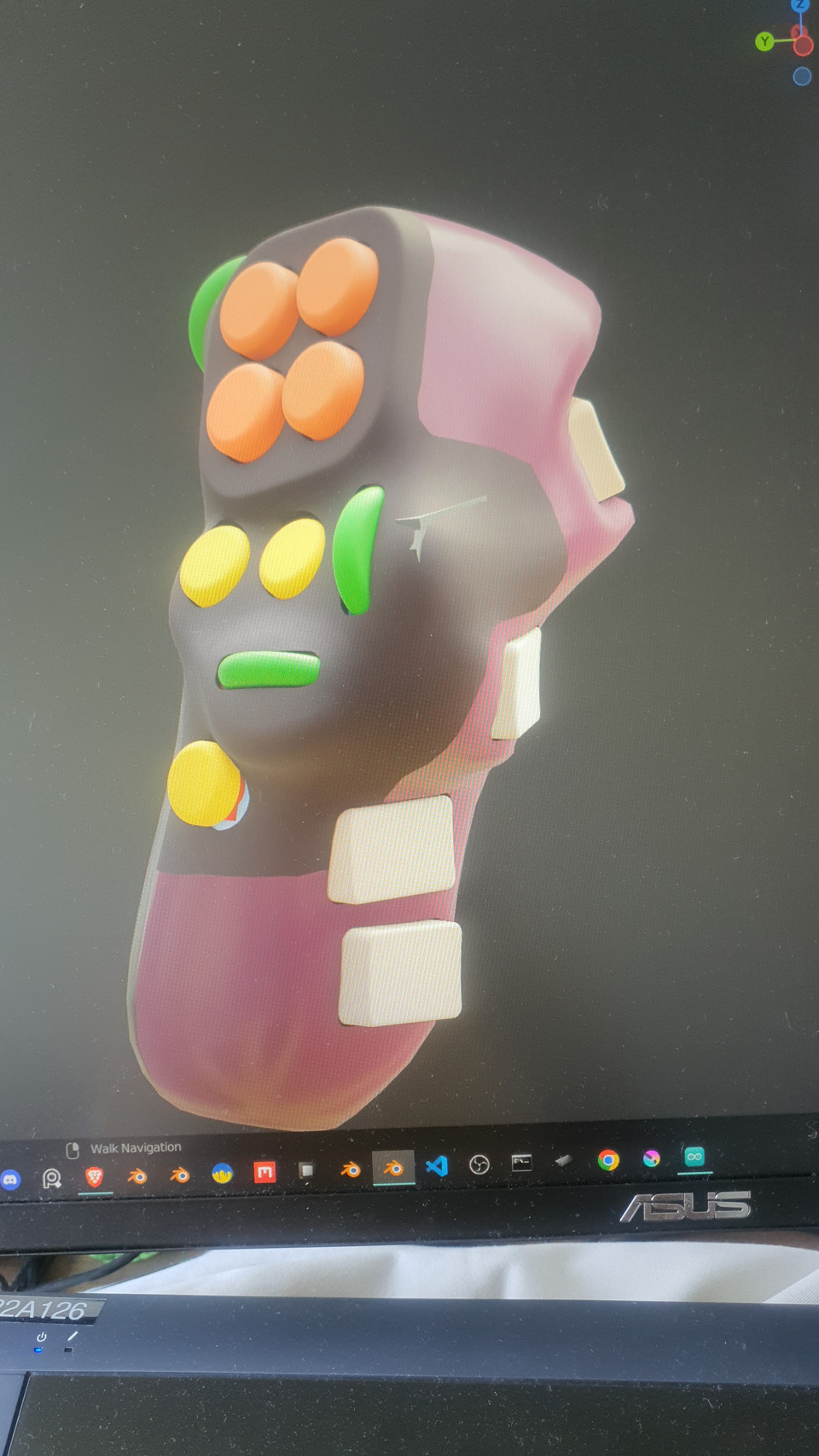
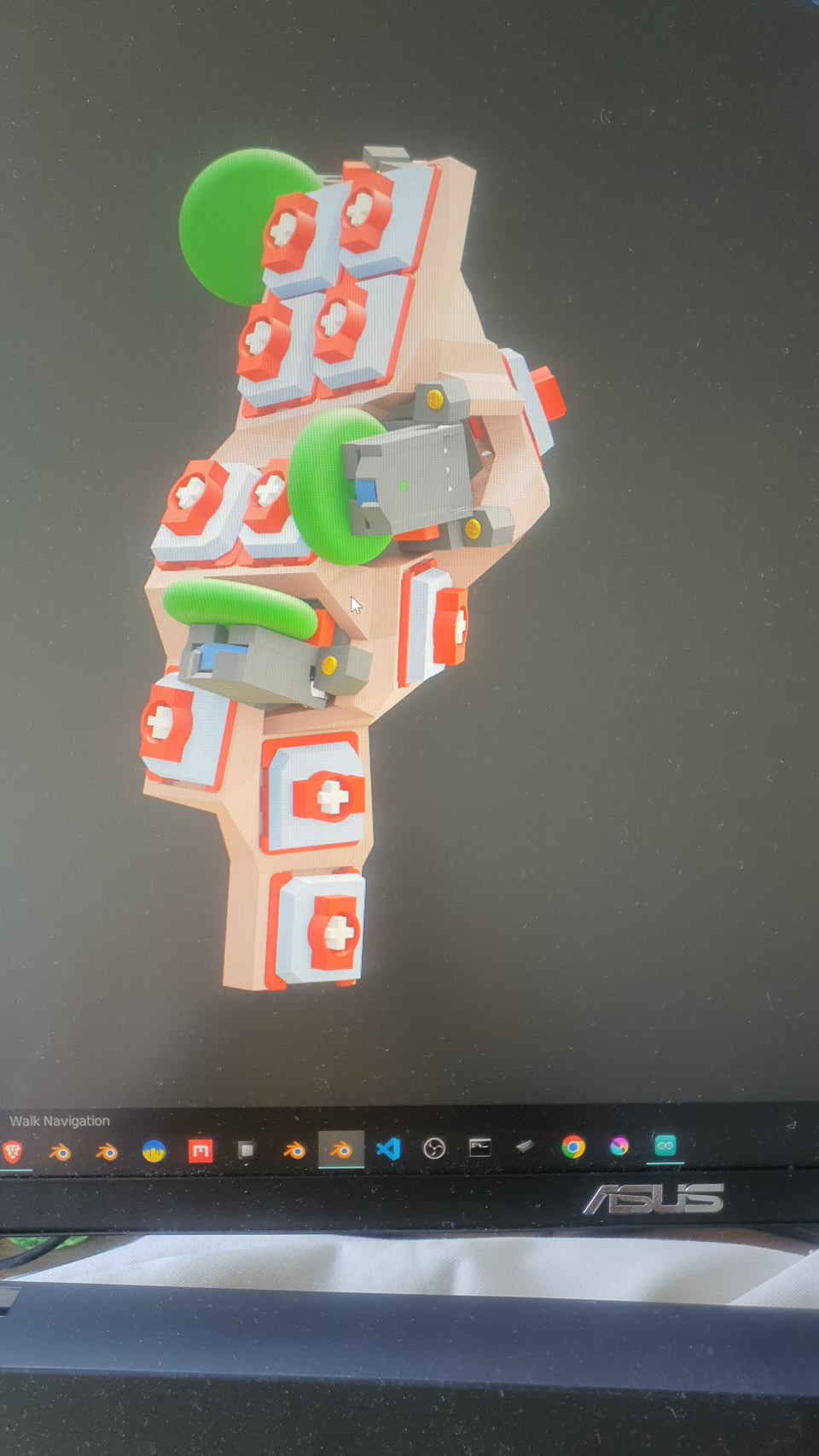
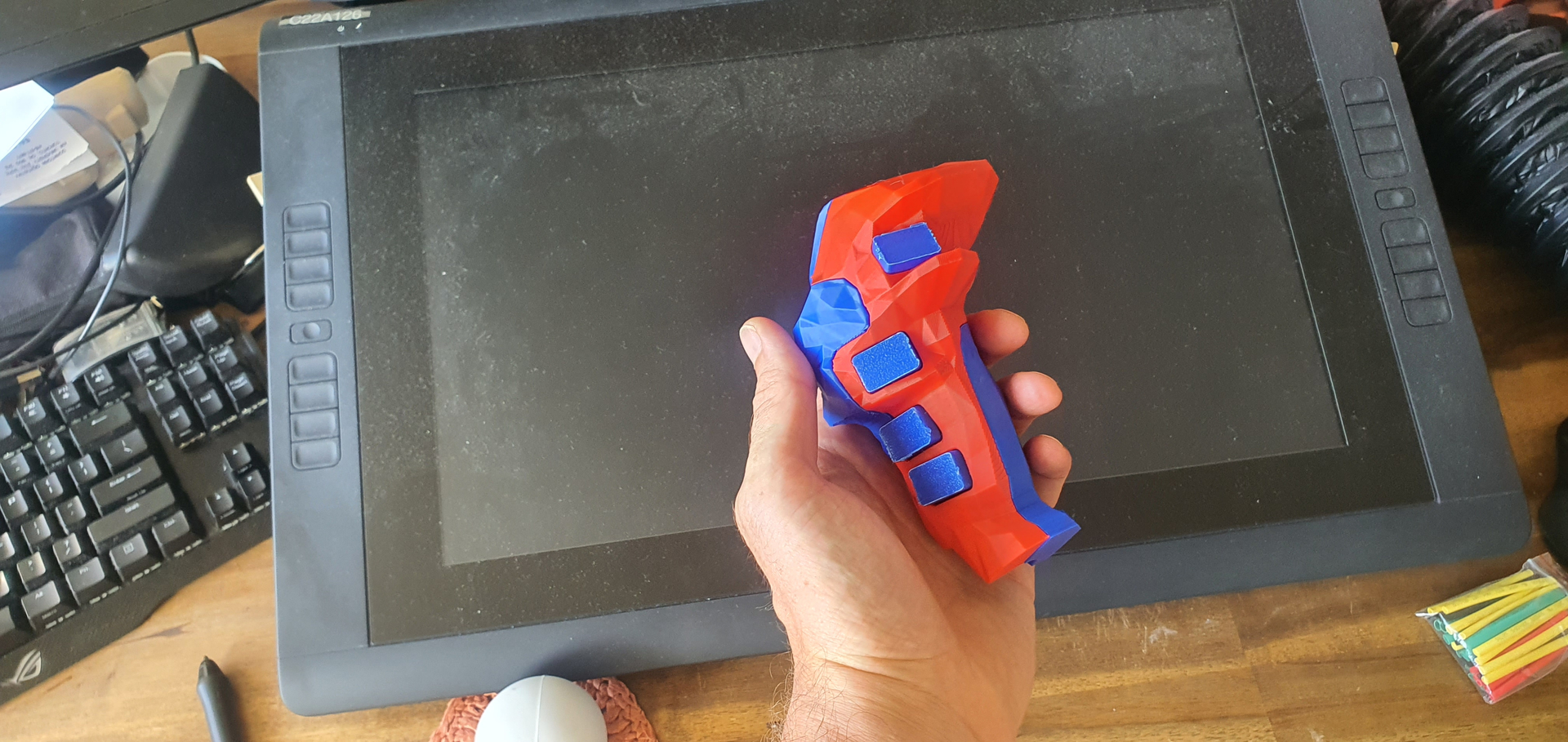
I’ve been tinkering on a DIY electronic project with the goal of developing a handheld shortcut device for artist which they could hold in their non-stykus hand. The main idea is ergonomics, in that the user’s arm doesn’t have to rest on the keyboard for long hours, rather you could lean on your elbow or sit in various positions while still being able to use tons of hotkeys. I personally always found it more restful drawing behind a table on a sketchbook this way, and I never want to sit behind a computer to draw after a workday because I’ve been in that same position the whole time. Drawing with my right hand while leaning on my left elbow seems like a more comfortable position. However, I’m unable to stay as fast and productive as on the computer due to lack of keyboard shortcuts.
At some point I was using a Nintendo Joycon as a shortcut remote and it was actually quite effective since you can easily press multiple key combinations thanks to shoulder and side buttons, in addition to the front buttons. However, the use of the single Joycon doesn’t exactly feel ergonomic and after a while your fingers start to cramp.
So far, I have managed to create something that actually works on Windows, Android and iPad and connects as a Bluetooth keyboard. The design I came up with is somewhat arbitrary but I wanted to try maximizing the amount of key combinations that the user could press. There are 7 front buttons and 4 back buttons (one for each finger - probably too many, since it makes it uncomfortable to grip the device). There are also three rotary encoders which also have a push button. So you could technically have hundreds of different hotkey assigned on this device thanks to modifier key combinations. This is something that devices like the tablet remotes don’t allow for, since they only have the front buttons and ultimately they are not that comfortable to hold either.
Below are some pictures of my first prototype. I’m currently planning to make it quite a lot smaller and make it so there are only 3 back buttons (modifiers) instead of 4. Two of them would be at the top and pressable with your index finger, so your bottom two fingers could be simply gripping the device.
Now I would like to ask anybody who’s reading this whether you would be interested in using such a device and honestly just tell me any thoughts that come up on the topic as well as upon looking at the pictures below. What do you think would be helpful in for an artist mainly using a handheld hotkey device for digital painting? For instance, I’ve added the 3 rotary encoders for changing any parameters such as brush size, opacity etc, or scrubbing the timeline or even undo/redo (scrubbing history). What other types of input can you think of? Tilt sensitive color picking? Do you need a screen on this device? Any feedback would be interesting to me, since I’ve been developing this solo and haven’t shared it with too many people.
,