If I have a selection:
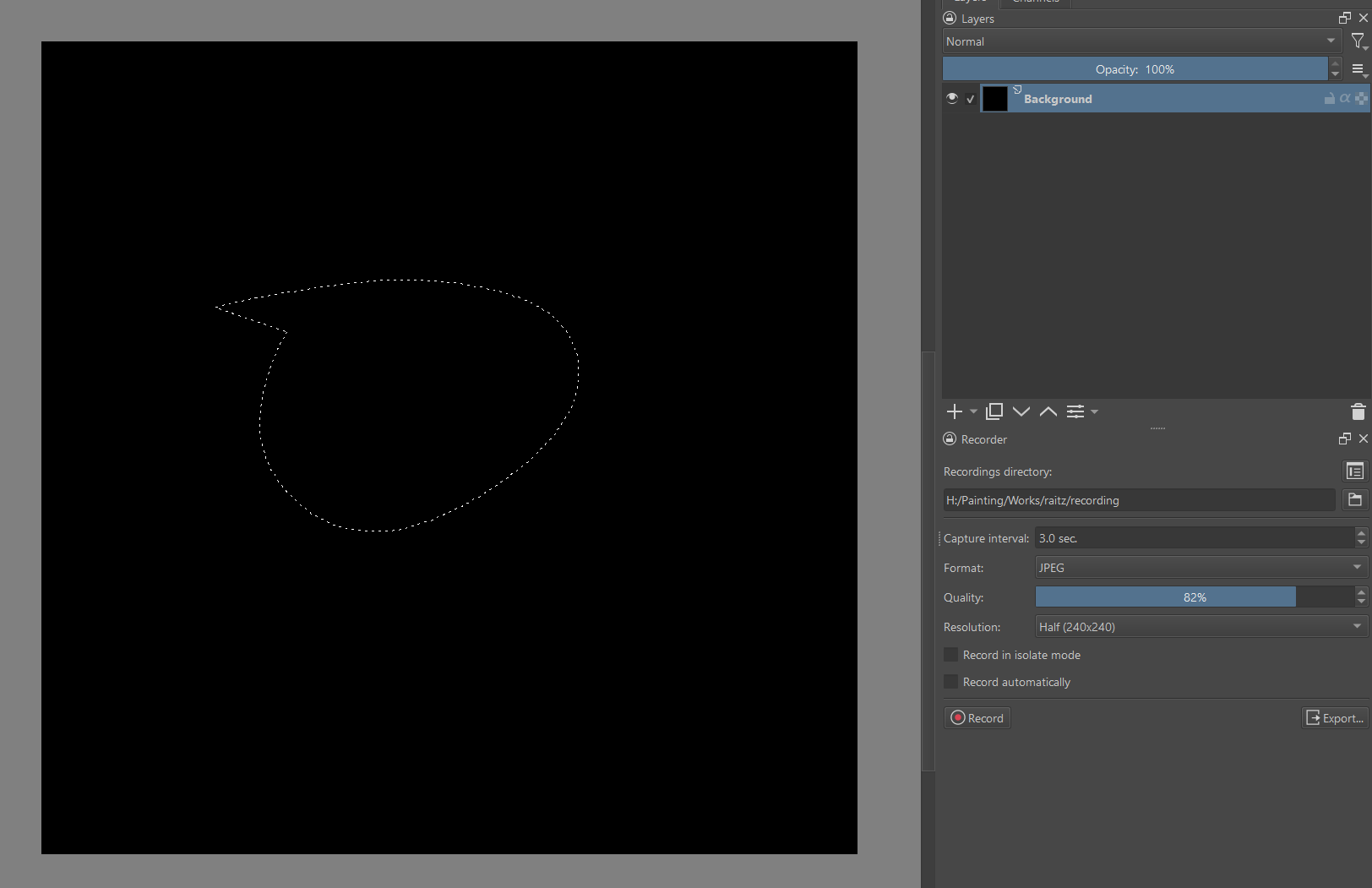
Then Cut & Paste (Ctrl + X, Ctrl + V), it leaves some pixels behind:
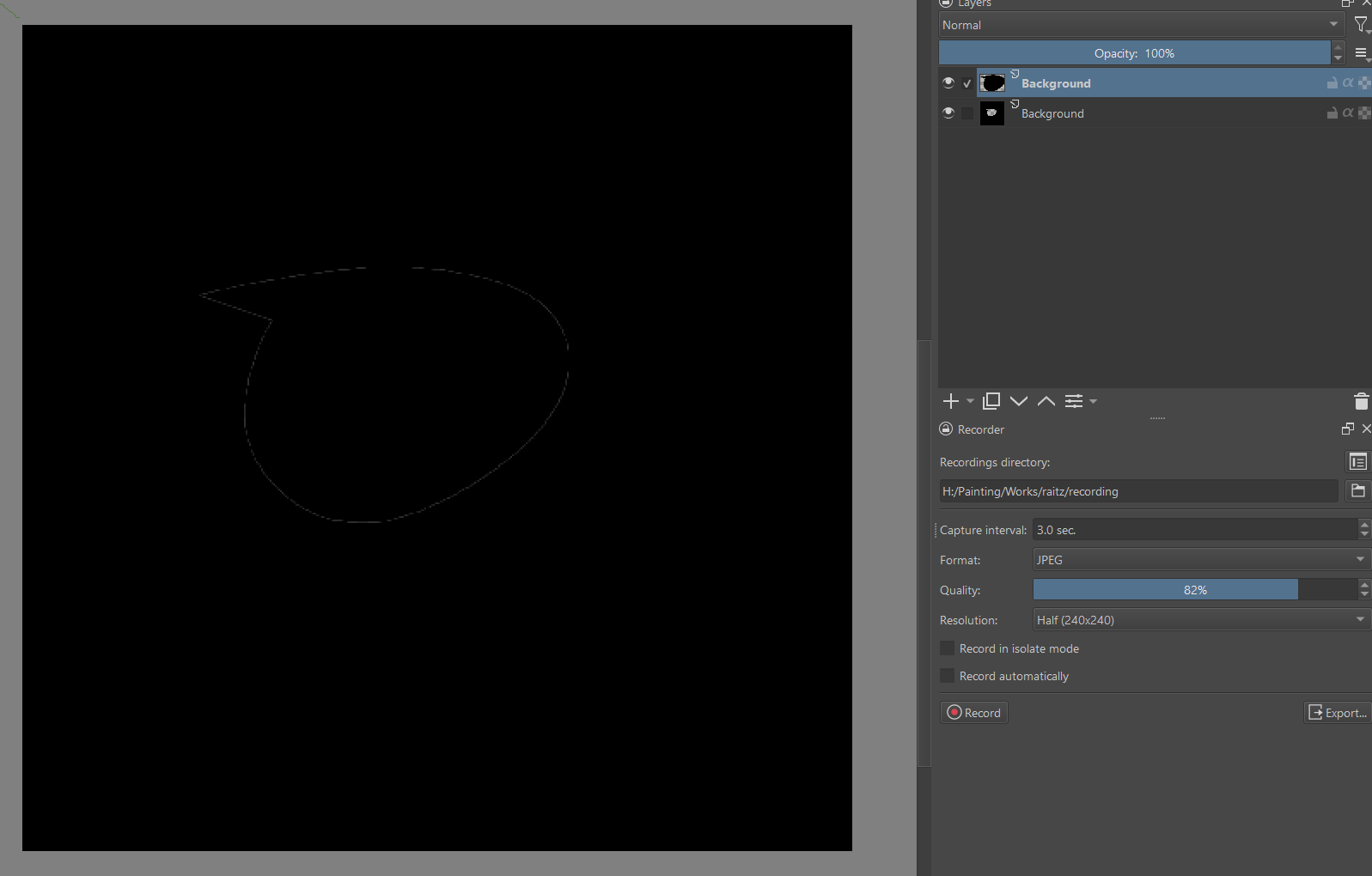
Is this really the intented behavior? It’s quite counterintuitive as Cut & Paste shouldn’t cause any difference.
If I have a selection:
Then Cut & Paste (Ctrl + X, Ctrl + V), it leaves some pixels behind:
Is this really the intented behavior? It’s quite counterintuitive as Cut & Paste shouldn’t cause any difference.
Hi
I don’t know if it’s intended behaviour. It’s caused by the anti-aliasing - if you uncheck that (in pixel selection mode) there will be no edge left visible.
Workaround 1: grow the selection by 1px, copy, undo (the grow selection), clear, paste.
Workaround 2: copy, shrink selection by 1px, clear, paste.
Could be made into a python script and ran via the Ten Script plugin if it doesn’t exist already.
I think I kinda understand why it works like this:
For example, a pixel is pure black with 100% opacity. Than when selected, it can be “60% selected”. And after Cut & Paste, we now have two layers:
Top: pure black 60% opacity
Bottom: pure black 40% opacity
Since the Normal blend mode is not a pre-multiplied alpha blending, it will result in a pure black 0.4 + 0.6 * (1 - 0.4) = 0.76 (76%) opacity, not 100%!
However, iirc other painting apps don’t share this behavior. I’m not sure why. I suppose when you cut a selection with alpha in other apps, they don’t simply cut the pixel into X% opacity and (100-X)% opacity?
I’m pretty sure I noticed similar behavior in other programs that allow partial selection too, even photoshop. I guess the difference is that in Krita it’s happening by default.
This topic was automatically closed 30 days after the last reply. New replies are no longer allowed.