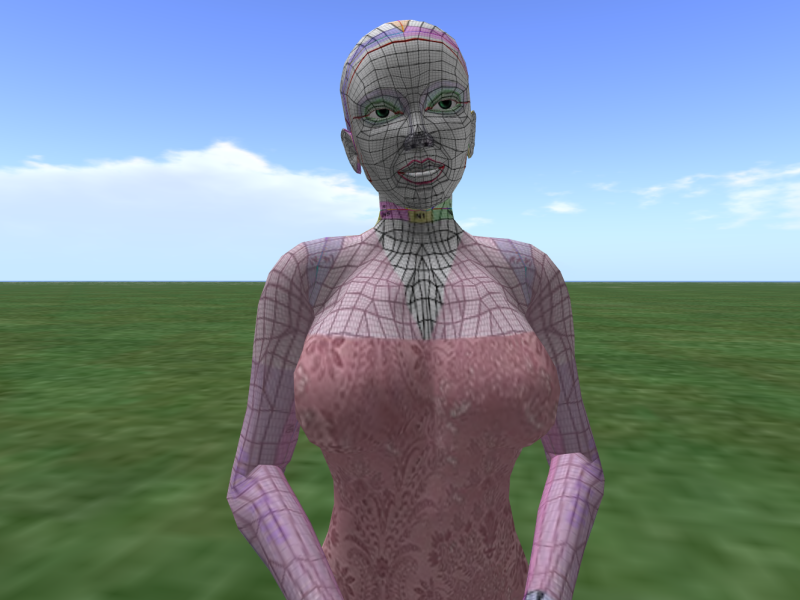
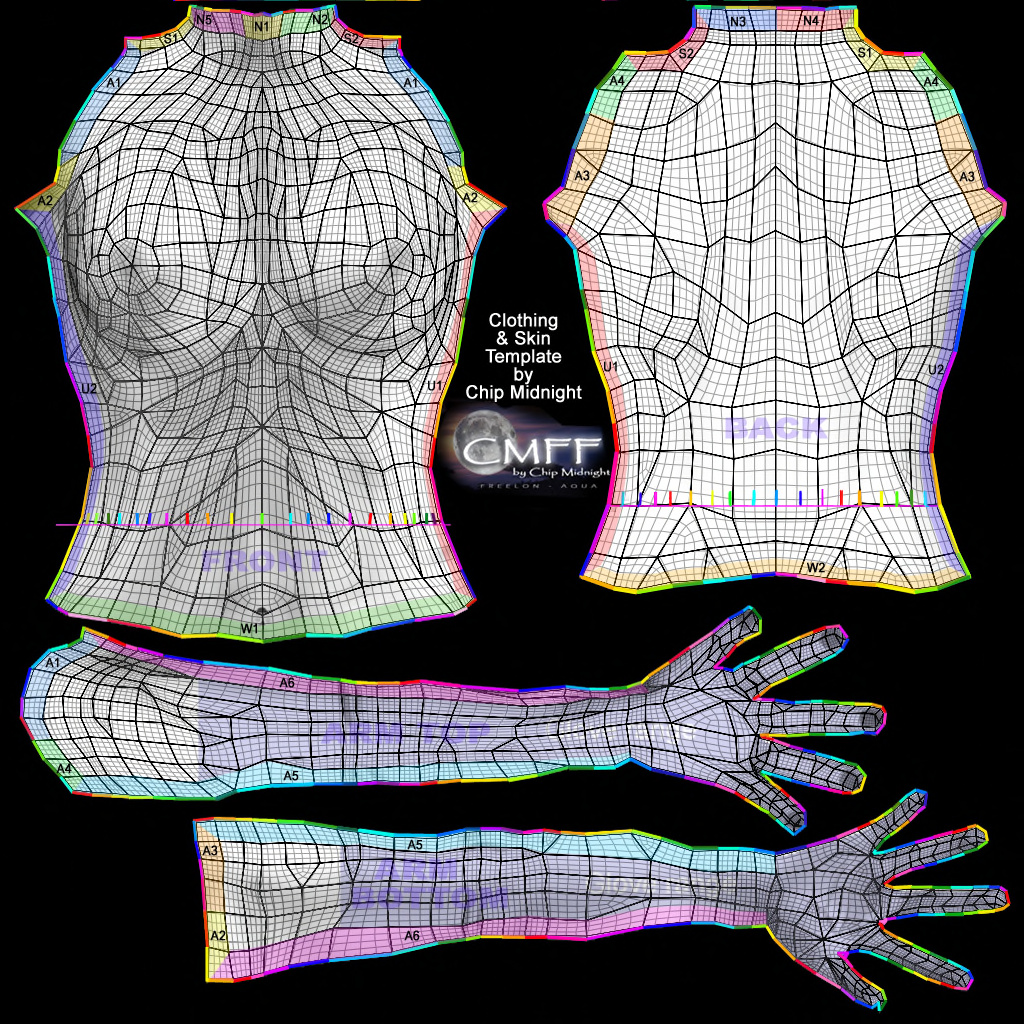
Yes. The wire frame is a guide to line up edges properly on the avatar so the fabric lines up at the seams. If the wire frame is there, it shows up on the avatar over a skin which is already on the avatar which is not wanted. This is for creation of clothing for the avatar to wear.
So I’m wondering if the wire frame is placed on top of all of the layers instead of the bottom,~ then removed, would it still leave that imprint. Which I haven’t tried yet and will have to wait until tonight to try when I can return to the program.
I don’t know what you mean by using think. I’m not familiar with that term.
I clicked to make the new texture, imported the wire frame.
Then imported the solid Damask fabric and used the path tool to cut.
Made a new layer by clicking on the Layers + icon and clicked the bucket fill icon, and then clicked on the blank layer to fill.
Then I went to the path tool to take out the neck line and then hit Ctrl+A to stop the running ants.
Then clicked off the eye icon to shut off the wire frame…merged the layers down (except for the wire frame) and then saved it as a .png
Sorry
What I wanted to write was “I think you’ve used it”
I’m trying to reproduce the workflow, but I’m not able to get the same result…
Can you show us the both original files (the avatar and texture) you’re using to work?
(a reduced version if you don’t want to provide original versions)
Loni hasn’t actually put a solid fill layer on there. It certainly isn’t shown.
I think the Fill (bucket) tool has been used on Layer 2 and has filled/followed the body template grid lines and the Damask pattern.
i.e sampling all layers.
Edit: Additional: Why do you need Layer 2? You already have a Damask material of the correct shape on the Damask layer and it is pink now.
. There are three of these I work with. head, upper body and lower body.
The normal skin on the avatar I cannot show you because I don’t have the template nor did I make them. Which I don’t think would matter anyway. All avatars don’t have the same skin so I could never attach the two together.
The skins are created with that same wire frame template that is used for the clothing and then a skin or clothing is made separately from each other in the virtual world.
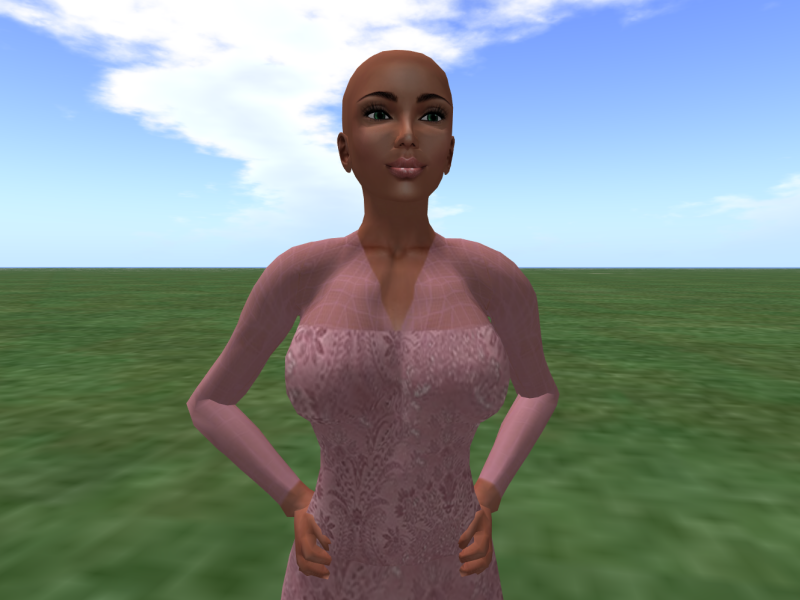
I was testing to see how the program worked with transparent and solid basically just playing around. The transparent is used for sheer fabric which is sometimes a nice ad-on for certain clothing. which the idea of it might come across in one of the photos I sent to explain it better.
That is why I’m wondering if it’s because of the wire frame being on the bottom of the layer pile instead of the top like I read under flat work I believe in the help section.
ok. I just did that and when I turn off the one with the grid lines. It now shows through both fabrics. Which I’m assuming will transfer over when I save it.
A picture would be useful to explain that.
Given that you have the cloth/material cut to shape and size and placed in position, you don’t need the body template showing after that, unless I’ve misunderstood how you’re using it.
If I first add a new layer and then have the wire frame texture on top, which I can make sheer and place the other layers to work in between the two., when I save, just shut off or delete the wire frame layer…and the wire frame doesn’t show:)
I am now a happy girl… and I bet all of you are happy to:)
Thank you so much for all of your help. I appreciate it more than you will ever know. Special thanks to you AhabGreybeard and Grum999. I hope some day I may return the favor. Thank you Thank you Thank you. You guys are awesome.
I have found that I don’t need to lay my wire frame (template) on the top and work below.
If you start with a new layer, then the wire frame (template) and add your other working layers on top, you can shut the wire frame off and it doesn’t show up when saved.
I was starting with the wire frame template. Don’t do that:)




 you guys are funny. It is a rare gem. It really cracked me up the first time I wore it.