I was just wondering if there’s a way to have a desktop and a portable install on the same PC, and if the recent projects list would be separate between the two? I’m not sure if having both would mess anything up, but I use Krita for all my animations and I like to use it as my main drawing program as well, but sometimes it’s a bit easy to get unorganized when I’m switching between the two, or even between personal and freelance projects. If not, it’s no big deal since I mostly keep my file folders organized anyway, but I love the convenience of the recent project list. I use it for pretty much everything between animation, drawing/painting, and as a digital sketchbook, so it’s really easy to get unorganized or forget about something I was working on! Just wanted to ask before I tried it myself since I’m not sure if it’s possible and I don’t want to mess up my main install. Thanks!
Simply create a second user account and use a portable version of Krita in that account. If you have everything set up correctly, you don’t even need to switch between the user-accounts to use the version in the other account, that works with the command runas /user:USERNAME and if you append the string /savecred behind the first string, so runas /user:USERNAME /savecred, you only have to hand over the password the first time you start it this way. In case you use that account only for that second Krita, you’ll take no real security risk by doing so.
Michelist
The [Recent Files] list is stored in kritarc so it should be quite possible to write a simple batch file to swap between two alternative kritarc files that are used for two different ‘project types’.
That would have to be done when krita was not running of course.
The workspace and other configs/settings would also be stored in kritarc so that would be swapped to whatever you were using the last time for a particular ‘project type’.
You could have multiple ‘project types’ with a parameter typed after the batch command name to select the appropriate kritarc file, perhaps with different colour schemes set in each kritarc file to distinguish between them.
Thanks for the replies! I’ll give those a try, the separate user seems like a good idea and only seems a bit inconvenient the first time I run it. Swapping out the recent files list seems smart too, especially since I’m guessing the portable installation has a separate folder than the main install. Hopefully it works, but if not then I’ll just have to reorganize all my projects, which I have to do that anyway so it’s no big deal lol
The portable .zip package is indeed totally separate from any installed version of krita that you may have in the Program Files folder.
However, they share the same config/settings files and the same resources folder, which are stored in your -\AppData\- folders.
That enables you to easily and conveniently try different versions using a portable .zip package without affecting your ‘main’ installed version while maintaining and using the look/feel/behaviour and resources that you’ve so carefully created.
So I wouldn’t even need to create a separate windows user for that? That’s good to know!
But I’m guessing that since it’s still shared then the recent files list is going to be the same between the two? How would I write a batch file to swap between the two though? I don’t know anything about coding but I’m guessing or at least hoping it’s relatively simple. Thanks again!
Like most things, Windows batch files are not difficult to write and use once you know how to write them. I knew how to write them years ago but it’s mostly faded from my mind now. There may be someone here who can do it but don’t hold your breath for that.
At this stage, I’d suggest that you try the dual user method described by @Michelist. Creating a new Windows user isn’t difficult at all but it’s a long time since I did it.
You can copy the config/settings files and the resources folders over to the additional user by means of a usb memory stick if there are permissions complications.
I suppose you could create multiple new users and apply the same techniques as I described for the multi-configs batch file method.
Bear in mind that any changes you make to the config/settings or the resources for any of the multiple users will be limited to that user until you update the
-\AppData\- contents of the other users.
The advantage of having two or more user accounts is that, firstly, you don’t have to juggle batch files and therefore can’t accidentally forget something.
Secondly, you can run all installations at the same time, provided you have enough RAM available.
Thirdly, you have completely independent installations, which can be both an advantage and a disadvantage. But I see it more as a positive, because you can optimize each installation according to its intended role.
Fourthly, if you need to create bundles more often, you can set up a version in another user account just for this purpose. A version for bundling is best freed from the standard resources that can be bundled beforehand, so that you can selectively copy only those resources that you want to have in the bundle and do not have to search for them in the vast number of other resources of your daily used version. Once a bundle has been successfully created, you can clean the portable installation of the required resources and, after restarting Krita, you can thoroughly test the bundle free of possible interference from other resources.
If you want, then I’ll prepare a portable version of Krita for you, so you don’t have to strip out the unneeded resources from it. Or I can provide a batch file that will free any portable version from these resources when you run it on the portable version.
Another advantage is that if you actually damage an installation, you always have an alternative installation to hand.
Once I described the process in short, you can find it here (there you can see a screenshot with seven versions of Krita running side by side on my PC):
This screenshot from a different topic shows my current “batch” of Krita-Installations to select from:
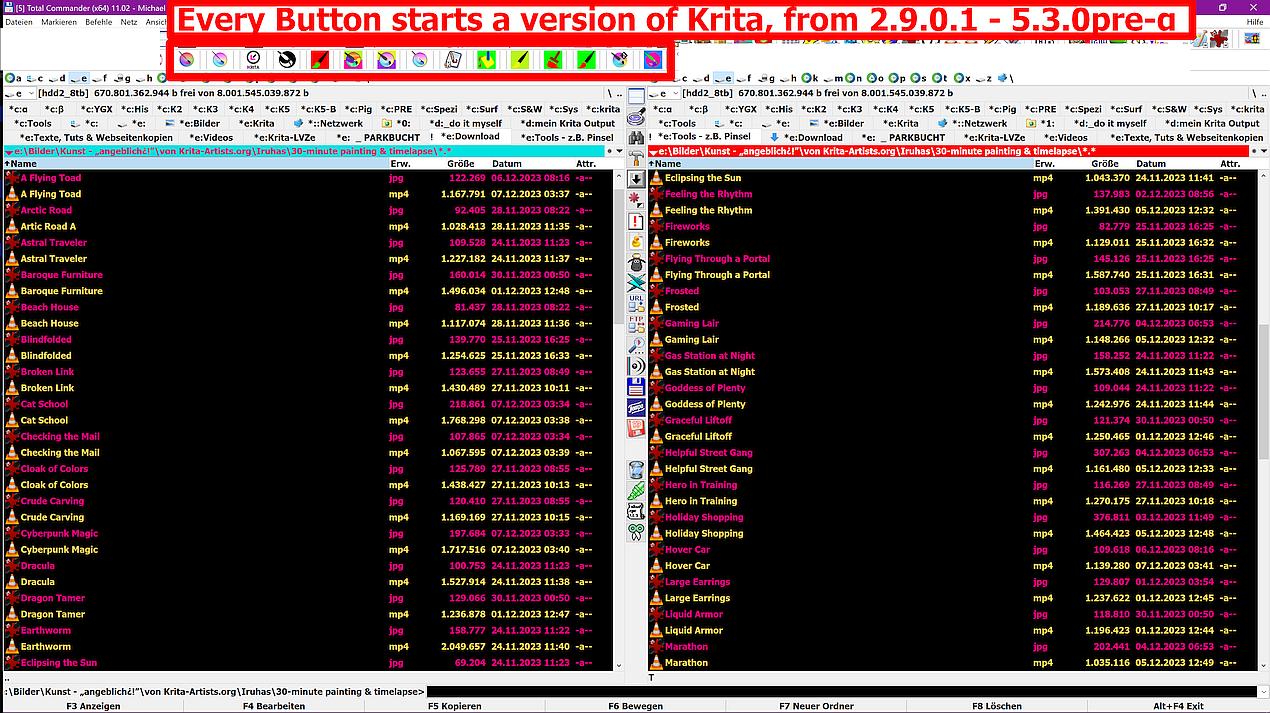
In case you need a better description of the process, I can help you with that, just tell me where you are stuck, with a brief explanation of what worked or worked not.
But I’ll probably can not help before tomorrow, because I’m tired, and my eyes tell me it is time to inspect the inner side of my eye-lids.
Michelist
This topic was automatically closed 30 days after the last reply. New replies are no longer allowed.