Aqao
April 30, 2024, 7:28am
1
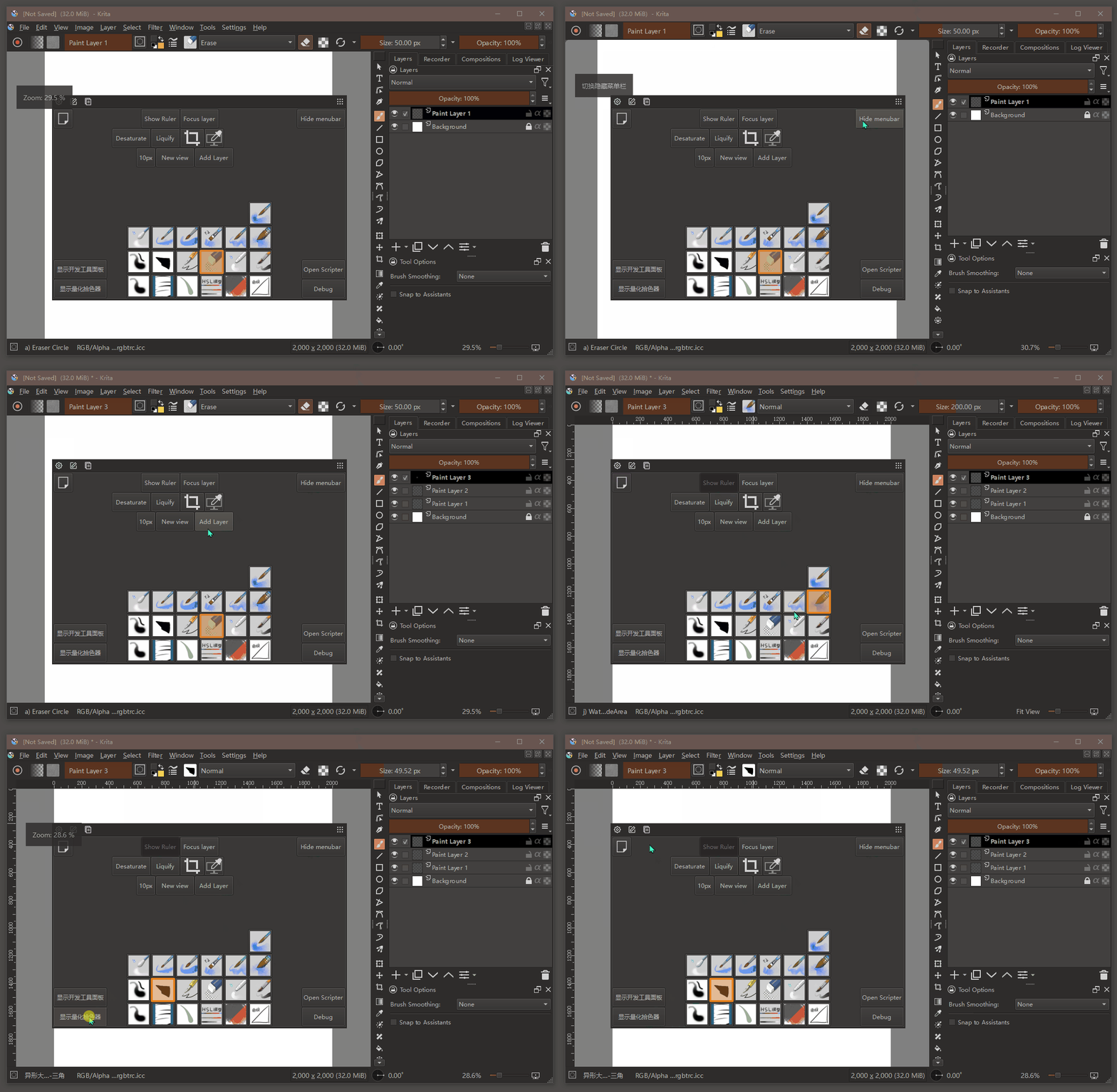
I’m making a plugin that add a customizable docker for Krita, user could add Brush,Action,Script… as a widget like button, and drag widget to move and resize.
Inspired by brusherator , a PS plugin.
I would be post my development progress at here until I release plugin.
Edit:
16 Likes
Aqao
April 30, 2024, 7:42am
2
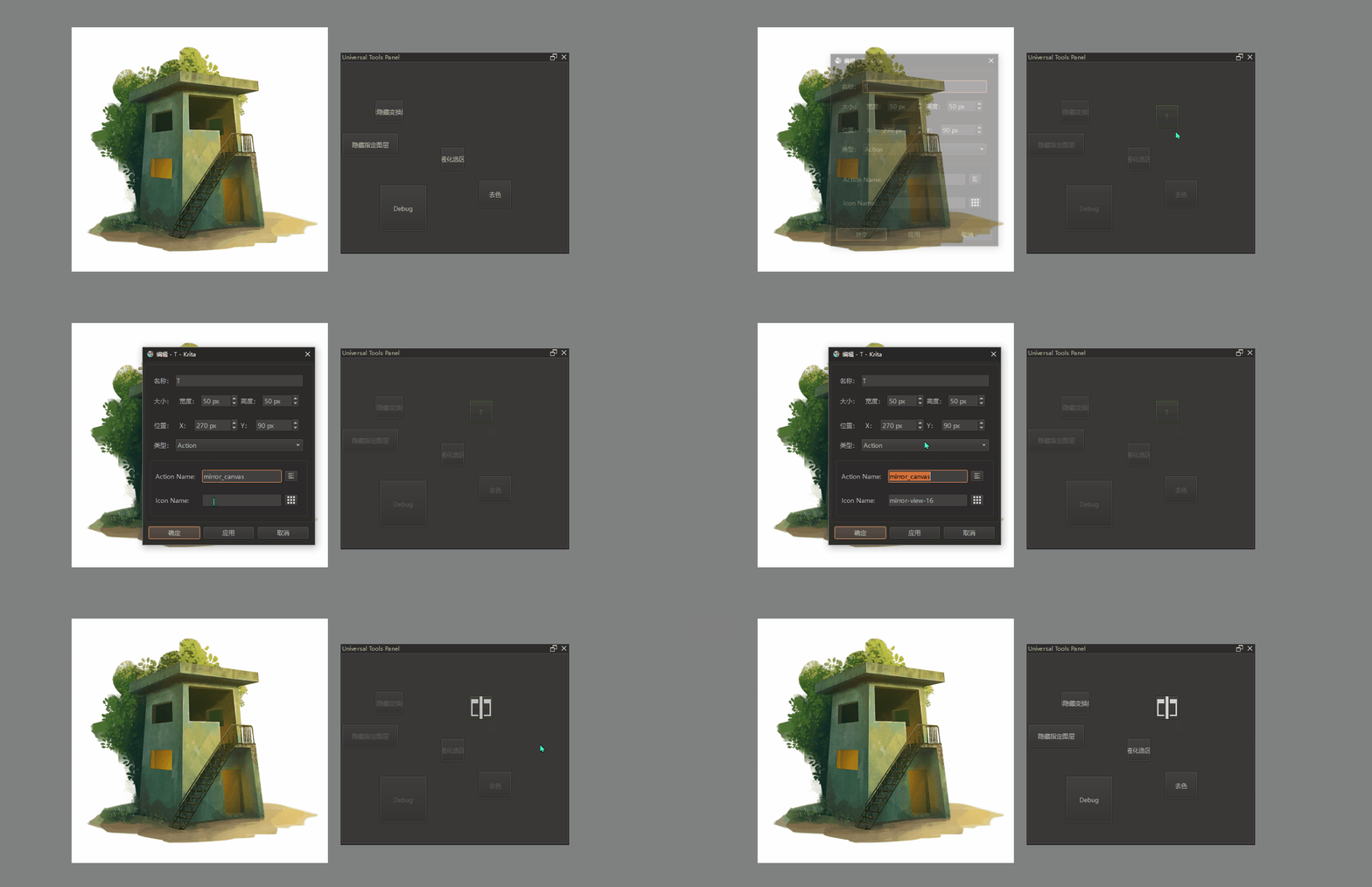
Now,It could add Actions and Scripts from tool editor and call it.
The next step:
Let me know if you have any suggestions.
5 Likes
Looks like a lot of work… I would take inspiration from CSS and it’s grid components.
Row number, column number, row span, column span, column count, row count.
For example.
Row count: 2, column count: 2, row span: 1, column span : 1
Now you can place those buttons on:
Would make the whole docker more predictable.
1 Like
Aqao
April 30, 2024, 12:50pm
4
Qt have similar layout, but I have not use it, I forgot why.
1 Like
AkiR
April 30, 2024, 9:00pm
5
Just for fun.
from krita import Krita
from PyQt5.QtCore import Qt, QByteArray, QXmlStreamReader, QSize
from PyQt5.QtWidgets import QGraphicsView, QGraphicsScene, QGraphicsItem, QFrame
from PyQt5.QtSvg import QGraphicsSvgItem, QSvgRenderer


class MyButtons(QGraphicsView):
    def __init__(self, **kwargs):
        super().__init__(**kwargs)
        self.setWindowFlags(Qt.Window | Qt.FramelessWindowHint)
        # for sillyness WA_TranslucentBackground is True :)
        self.setAttribute(Qt.WA_TranslucentBackground, True)
        self.setBackgroundBrush(Qt.transparent)
        self.viewport().setAttribute(Qt.WA_TranslucentBackground, True)
        self.setFrameStyle(QFrame.NoFrame)
        self._renderer = QSvgRenderer(parent=self)
        scene = QGraphicsScene(parent=self)
        self.setScene(scene)

    def iter_element_ids(self, svg):
        xml = QXmlStreamReader(svg)
        while not xml.atEnd():
            id = xml.attributes().value('id')
            if id:
                yield id
            xml.readNext()

    def load(self):
        scene = self.scene()
        scene.clear()

        app = Krita.instance()
        doc = app.activeDocument()
        node = doc.activeNode()
        svg = QByteArray(node.toSvg().encode('utf-8'))
        self._renderer.load(svg)

        for element_id in self.iter_element_ids(svg):
            item = QGraphicsSvgItem(elementId=element_id)
            item.setFlags(QGraphicsItem.ItemIsMovable | QGraphicsItem.ItemIsSelectable)
            item.setSharedRenderer(self._renderer)
            scene.addItem(item)

    def sizeHint(self):
        return QSize(800, 800)


# create New document and add VectorLayer with some shapes
my_buttons = MyButtons()
my_buttons.load()
my_buttons.show()

# just to keep instance alive...
MyButtons._instance = my_buttons
/AkiR
4 Likes
Aqao
May 1, 2024, 2:43am
6
Good, I was thinking something similar.
Aqao
May 17, 2024, 2:52pm
8
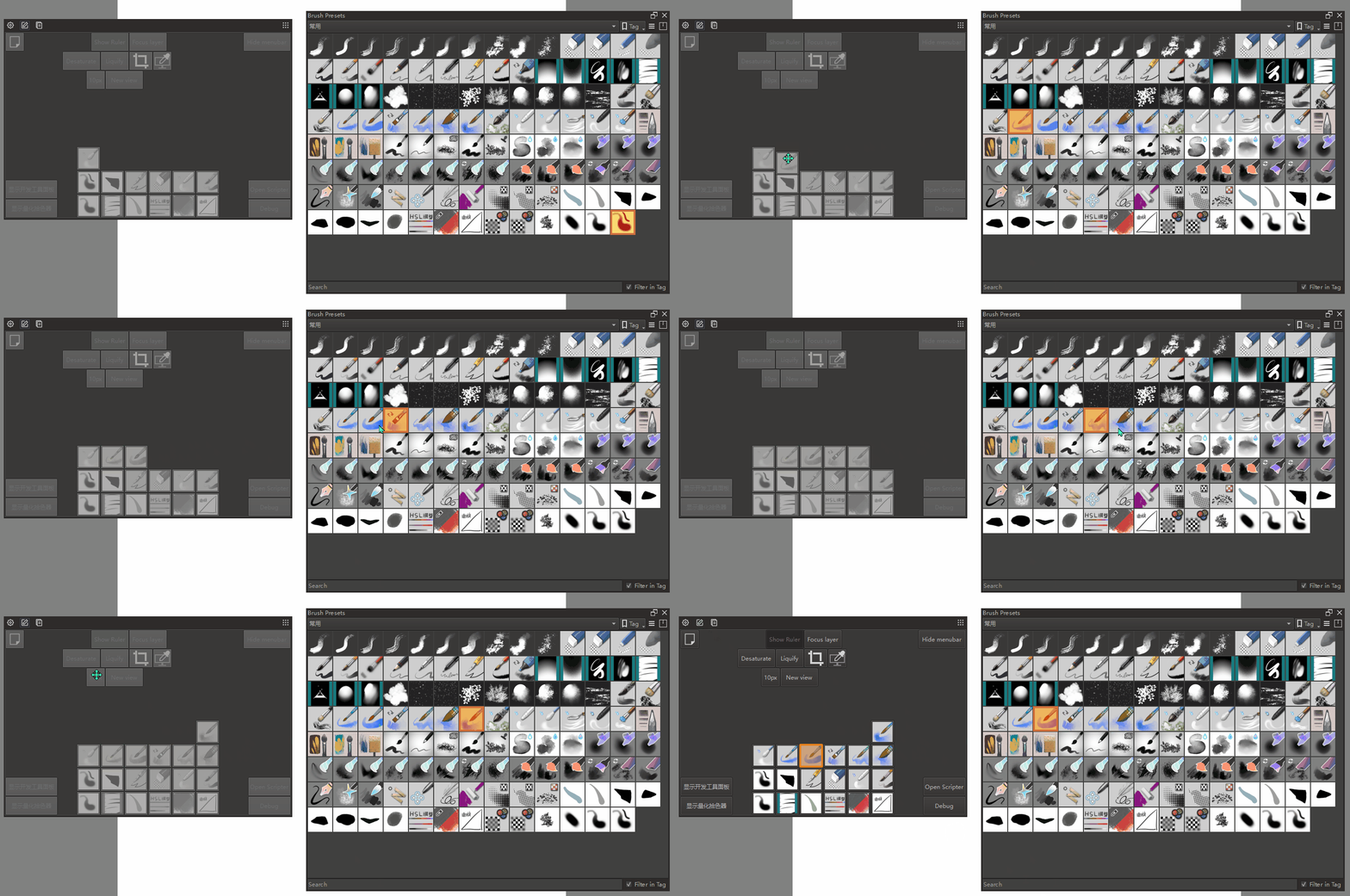
Finally finished. Move multiple buttons at the same time.
There is too much work to do.
14 Likes