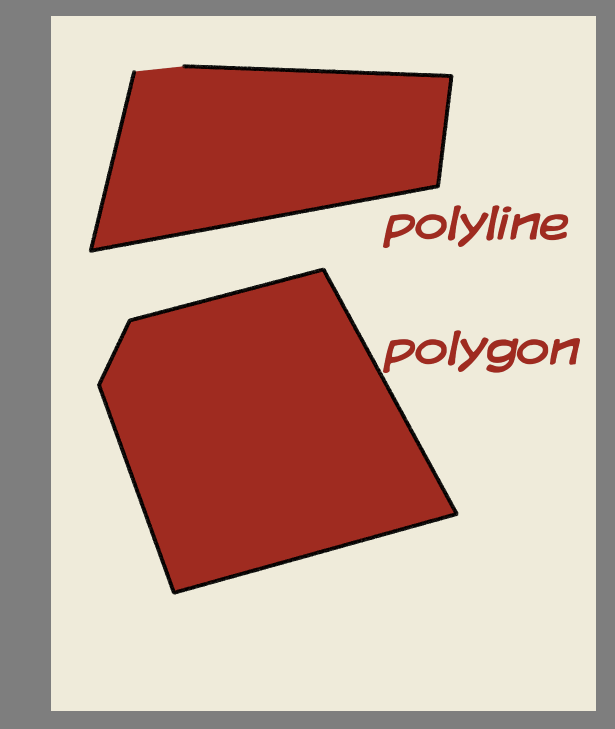
And I know, this topic has already discussed in Polyline vs Polygon Tools - #3 by yetanotherpainter
But I didn’t get my answer but the topic was closed.
I think in the tool option of polygon tool there should have a regular polygon option. Why it’s not???
The difference is subtle but as far as i know.
If you create shape with polyline and end it without purposely enclosing , there is a gap between the start point and end point it wont close the shape.
You migh still see it as close especially if it has fill but it only has stroke its basically open.
polygon tool oth, if you draw with it and there is a gap between your start point and end point it automatically bridge those by creating a line there fore enclosing the shape.
its noticeable when you have outline on the shape.
It’s probably easier that way. As the name suggests, they are only similar, but not the same.
Imagine drawing transparent cubes. You take the polygon tool set with a large brush, make the outside lines and press on a key. The shape closes itself.
Then you take the polyline tool, set on a smaller brush, draw the inside lines, press on a key. The line stops.
Instead of clicking the options, changing sizes, possibly enabling or disabling the color fill, you just change brushes with one key press. It’s easier even if you don’t work with only a visible canvas.