PLEASE let me save PSD without the warning about Krita format every single time.
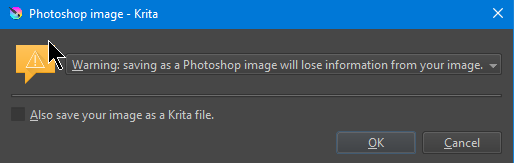
The warning should only show up if you’re going to lose data, which is usually kind of important. What are you doing where you are saving as PSD, but it doesn’t matter that you’re about to lose data? It may be showing the message at a point where it doesn’t make sense.
hello
Thank you for your reply. It’s popping up almost every time, for example if I have a selection (marching ants) active, if I just painted something to the layer etc. Its kind of frustating.
Can we please have a setting to disable the warning in the configuration settings? I open the PSD in Clip paint, SAI easy paint and Blender whenever needing to use their respective tools.
As much as I would love to ditch adobe, PSD sadly is just too universal.
Thanks
Ah yeah, that it warns you about the selection mask seems unnecessary. I also noticed that it yells at you when you use File → Export, which is pretty silly. I think both of those should just be removed, inundating users with nonsense warnings makes them stop paying attention to them.
Giving you a “let me silently lose data” setting is kind of unlikely to happen. Nor is it necessary, if you really want this, you can use a script or plugin to save the file in batch mode, which will not show any warning prompts.
Thanks for confirming it. At least it’s not just my PC.
Perhaps if the warning is necessary, maybe just having a little warning message somewhere in Krita’s notification bar would suffice?
It’s just tiresome pressing save and then needing to press OK to actually save.
Thanks for whatever help you can do.
I really appreciate what Krita is doing for the entire art community.
No, irrevocable data loss is really quite important and needs a prompt, it’s not something where you can really just tuck away a message. Especially with saving files where the program remembers the last place you saved, it’s quite easy to forget that you saved as a different format and if the message didn’t interrupt you, you’d be none the wiser that you’re actually saving in the entirely wrong format when hitting the save button until it’s far too late.
The escape hatch through a batch mode script is there if you really want it, but I don’t think it’s something to put into the core functionality of the program.
any tips on how to do this batch script? I’m not a coder. 
Just for clarification. Is there a good reason why you save the file in PSD and not KRA format? Like is this only a copy of your actual (kra) document or do you save the files mainly in PSD out of habit?
Hello,
Thanks for reaching out.
I save in PSD because I use apps that read that format. Blender for my texturing, Easy Paint Sai for my line drawing, Clip Paint for my finishes (manga effects, gradients, layer managment etc).
Anyways if we could please have a toggle that says “I accept the risk of PSD corruption, stop asking every time I save in PSD”, box that forever disables the pop up, that’d be much appreciated.
Then I recommend exporting to PSD only at the end to prevent loss of progress and use KRA in any other situation.