Hi!
I don’t know if this is a Krita thing or a Discord thing but I want it gone - and you guys usually have the answers! 
Since I’m currently attending a remote fantasy writing course, and that course uses discord, I have the discord app up and running every time I open my computer. I don’t use discord otherwise.
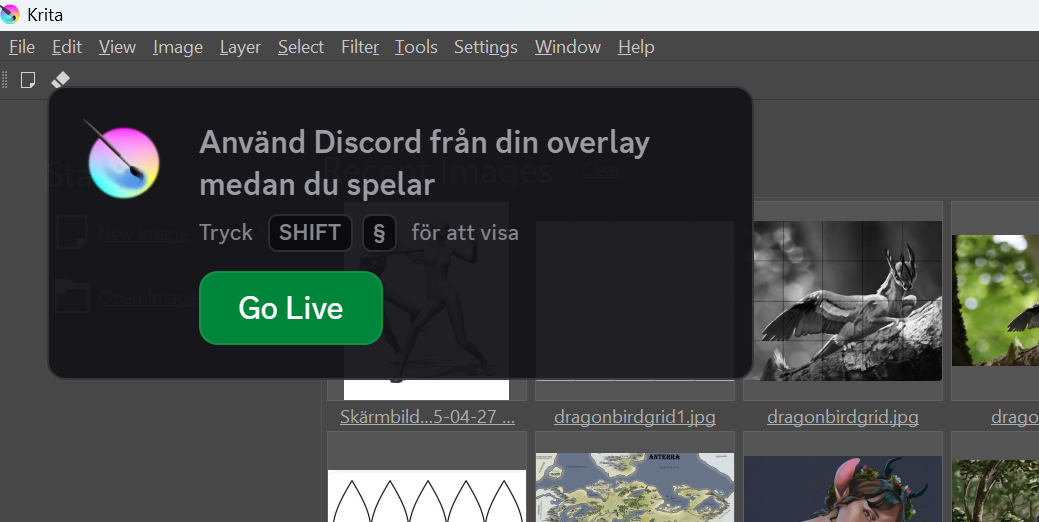
Now that causes a pop-up in Krita every time I start Krita. It’s super annoying, because I can’t click it away (at least I don’t find any button to do so) and it’s in the way of menues (especially starting new files), so I have to wait untill it goes away or maybe I’m accidentally making it disappearing, I dunno.
If I click on it, it starts something and I panic. I don’t want to stream my drawing or whatever it’s doing.
Please tell me how to get rid of it.
I run Krita on a windows laptop, I think it’s version 5.2.6
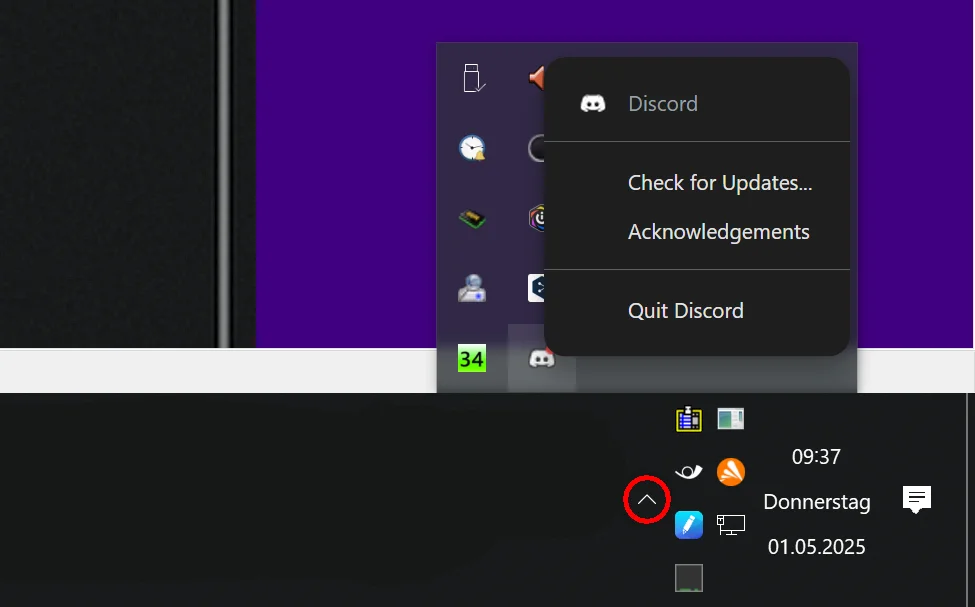
I would say that this is a Discord setting. So you have to search it in the settings of discord. You probably told discord to “watch” your Krita, or to observe it, something in this direction. You can probably get rid of it through closing Discord completely, search for its icon in the systray-area, so in the lower right corner where your clock is, if you can not see it click on the little upward pointing arrow beside the little icons to see more of them and close Discord via a click with the right mouse button from there.
Michelist
But I don’t want to close discord, I still use it for the writing course.
I used discord like 7 years or so ago, or something, and I might have had it linked with Krita then, I suppose? But I’ve changed computers a few times (and thus both discord nor Krita has been reinstalled since) so I doubt the old “shut down and restart” will work on this..
Do you have any idea where I’ll find the settings in discord? It confuses me, but I’ll try to find it..
Ok, I think I found it… in “games” or something.
Thank you for pointing me in the right direction.
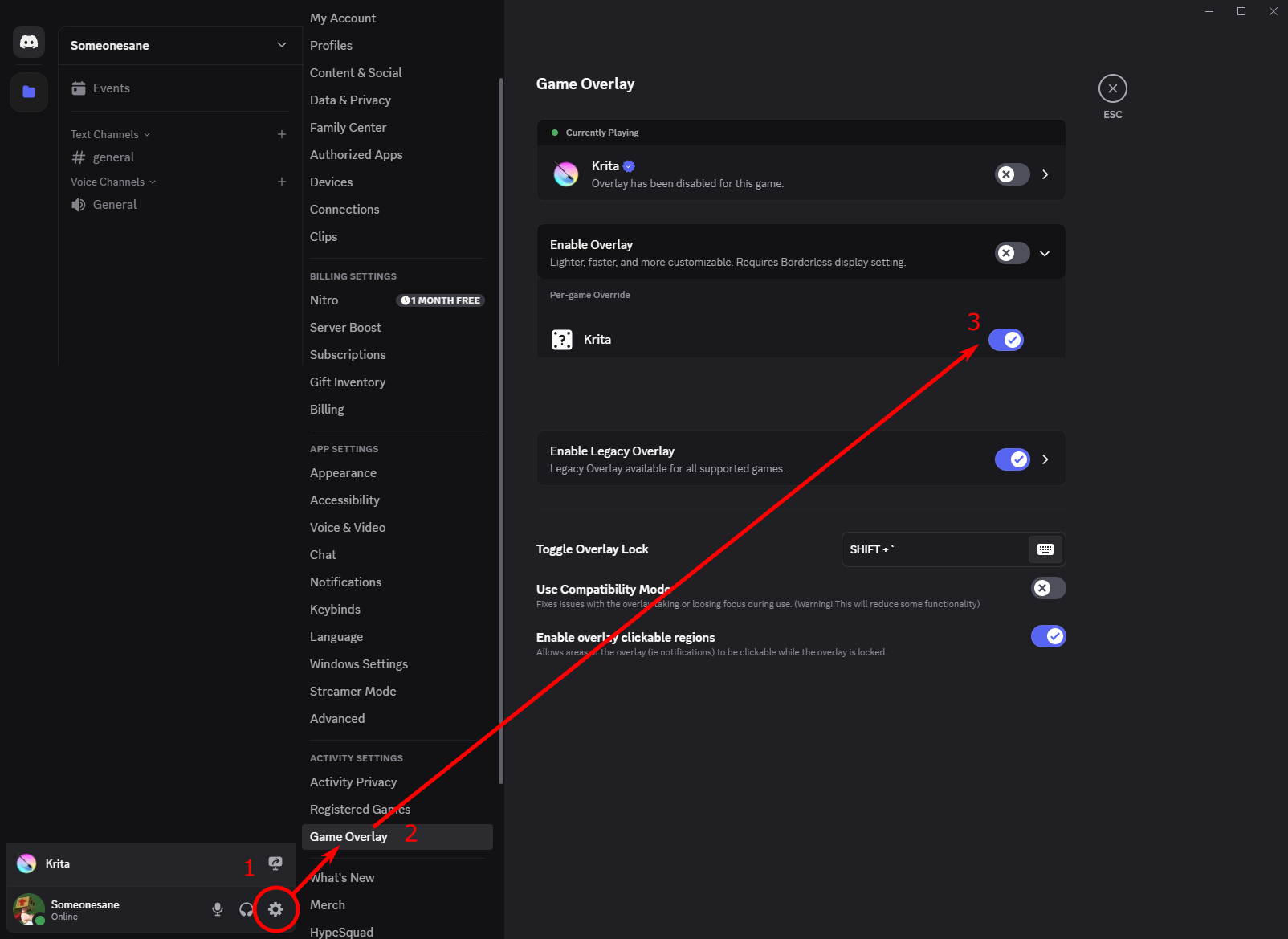
And if that wasn’t it, see under user-settings → authorized apps (or similar, I had to translate it), or when you scroll way down to “activity settings”, “Registered games” or “Games overlay” may be good candidates for your issue.
Michelist
You can disable the overlay (on an application basis) from the Discord application, using User Settings> Game Overlay > Enable Overlay.