Can anybody tell me if it’s possible to change the dpi AFTER the canvas has been created I can’t seem to figure out how.
I guess you could scale to new size. If you want the same amount of pixels you’ll have the make print size smaller (or larger) until the pixels are the same as before.
What I can find is Image > Scale Image to new size
If you want same pixel size as Bleke mentioned, first change dpi, then put previous pixel value in Pixel Dimension, the print size will be adjusted automatically.
1 Like
In Image → Scale Image To New Size there is an option ‘Scale Print Size Separately’ that lets you adjust only the dpi.
I suggest that you experiment with it to figure out how it works and what it does.
3 Likes
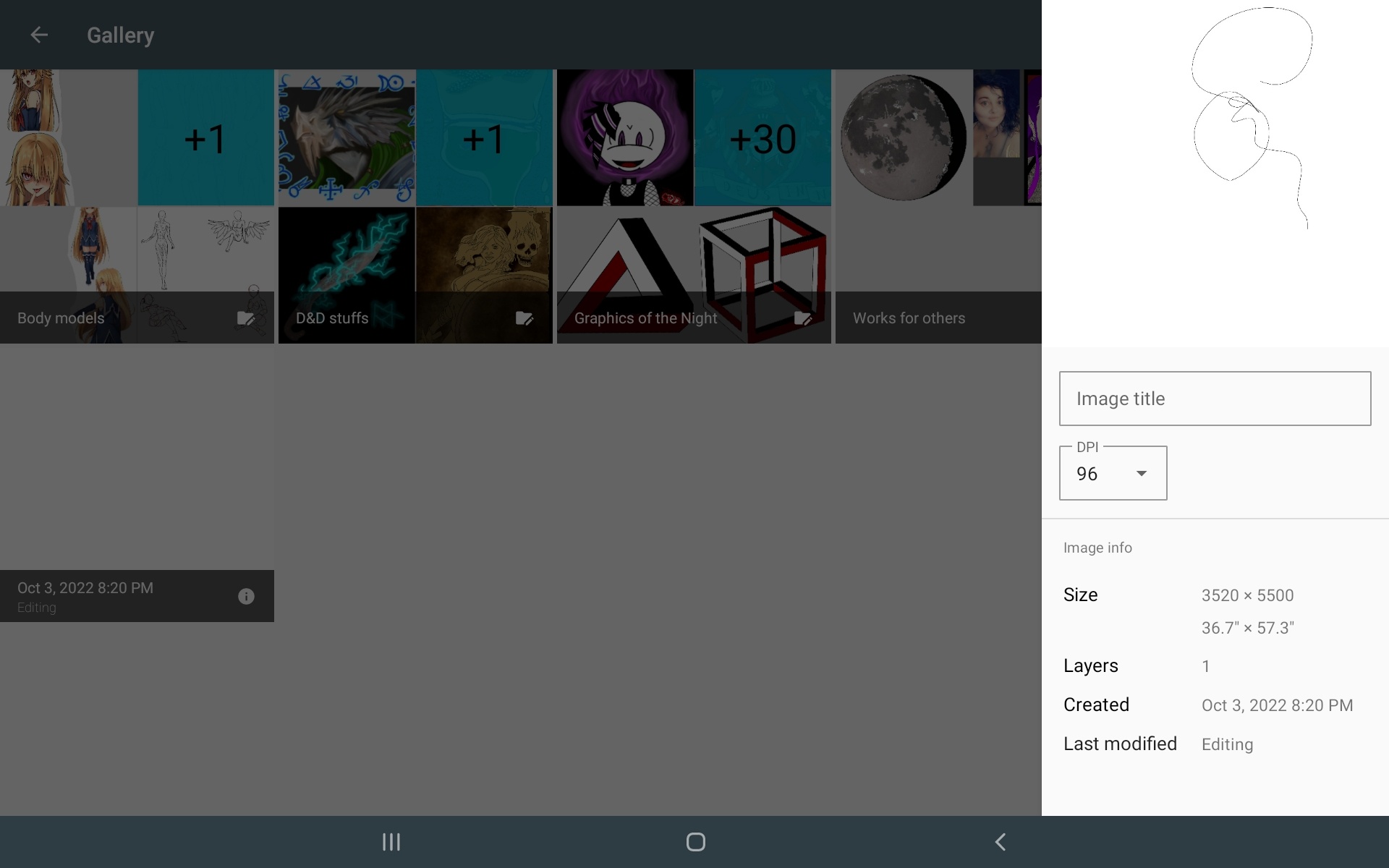
Ok so in image I do not have an option for scaling print size nor anything that would change the dpi. The only thing that even mentions dpi in the image tab is under properties > dimensions which can not be changed. There being the reason for my asking the question in the first place. See I’m not sure YOU get my problem cause unlike me your not using an Android tablet we had a similar problem with another issue I was having Ahab you gave me advice I can’t use my UI is not the same as it is on other devices but I appreciate you trying.
You don’t have “Scale Image To New Size” under “Image”? That is not good.
Michelist
No, I do have scale image to new size, but I am not trying to change the size of my canvas just the dpi. I’m not understanding why no one gets what I’m trying to do?! Let me try explaining it differently.
The current size of my canvas in dimensions is 3200w x 5500h 600dpi
That equates to an image that’s ruffly 5.6x9.5 if I change the DPI to say 95
This same image then becomes close to 22x45.
I don’t want to change the size of my canvas and then need to resize my image I want to change the Dots per inch on the canvas which will then change the size of the output save image to a larger canvas.
I feel I’ve just run myself in a circle and not made my issue clearer. 
People have understood what you’re trying to and gave you the process to do it
In scale to new size, just change DPI, it won’t change image size (in pixel)

Grum999
4 Likes
As illustrated by @Grum999, the option is actually called “Adjust print size separately”

Thank you Grum999
@AhabGreybeard I owe you an apology good Ahab when I looked through what I could find online before coming here the way it was worded I must have read and heard wrong because everything spoke about using this after rescaling the canvas size.  again my apologies don’t give up on me yet I promise to learn from my mistakes.
1 Like
@Volkhvy We never give up on anybody here.
All can be led to salvation and be helped to find the path of light, no matter what colour model or bit depth that path is illuminated with.
3 Likes
So you can understand this is the UI I have been working with for a bit over a year now not that it’s any excuse but the simplicity has dropped my IQ a bunch of points.
1 Like
This topic was automatically closed 3 days after the last reply. New replies are no longer allowed.