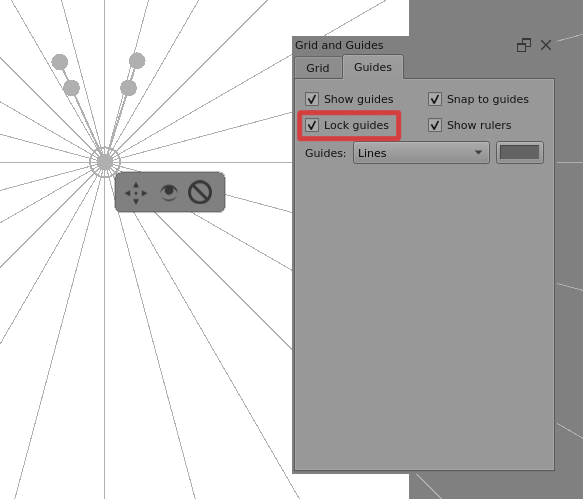
I’m following Perspective in Krita. 2021. Vanishing point and more - YouTube and using the guide to help me place my vanishing point with the assistant tool.
But after placing my vanishing point, I realized I needed to move them horizontally along the guide. So I tried to drag the point to the left/right, but the guide drag action takes over in this case (as soon as I hover a guide line, the mouse cursor becomes a vertical drag icon), making it impossible to directly drag the vanishing point.
A workaround is to drag the vanishing point’s popup move icon instead, but this disables snapping to guide. So I must now hold shift to move perfectly horizontally.
EDIT: but moving the point via the popup move icon has a different effect, as it also moves the handles and lines together
Since the vanishing point covers a small part of the guide, shouldn’t we follow the rule of “higher priority for actions with more specific context” and make dragging work over a vanishing point when near the mouse, and only drag the guide when nothing else is in the way?