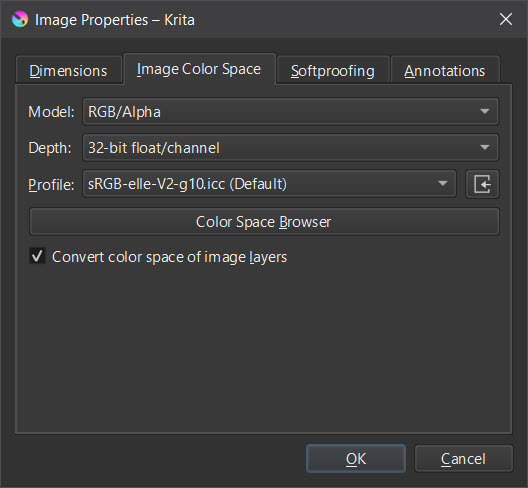
I’m not necessarily the color guru, but why shouldn’t Krita, be able to (further) edit images, in bit depths that it can create itself? And Krita can create and process 32-bit floats in all the color spaces offered in Krita.
If I were you, I would simply load an appropriate image into Krita and then find out if Krita can process it and meet your requirements. And best of all work only with backup copies, then nothing can go wrong, should something go wrong.
The only thing I can think of is that Krita can’t load every image format at that bit depth, such as your EXR’s, so it might be necessary to figure out the formats Krita will accept at that depth and, if necessary, convert them to a format Krita can handle at that depth before you can import them into Krita.
So your question had better be, “Can Krita import 32-bit float EXR’s?”
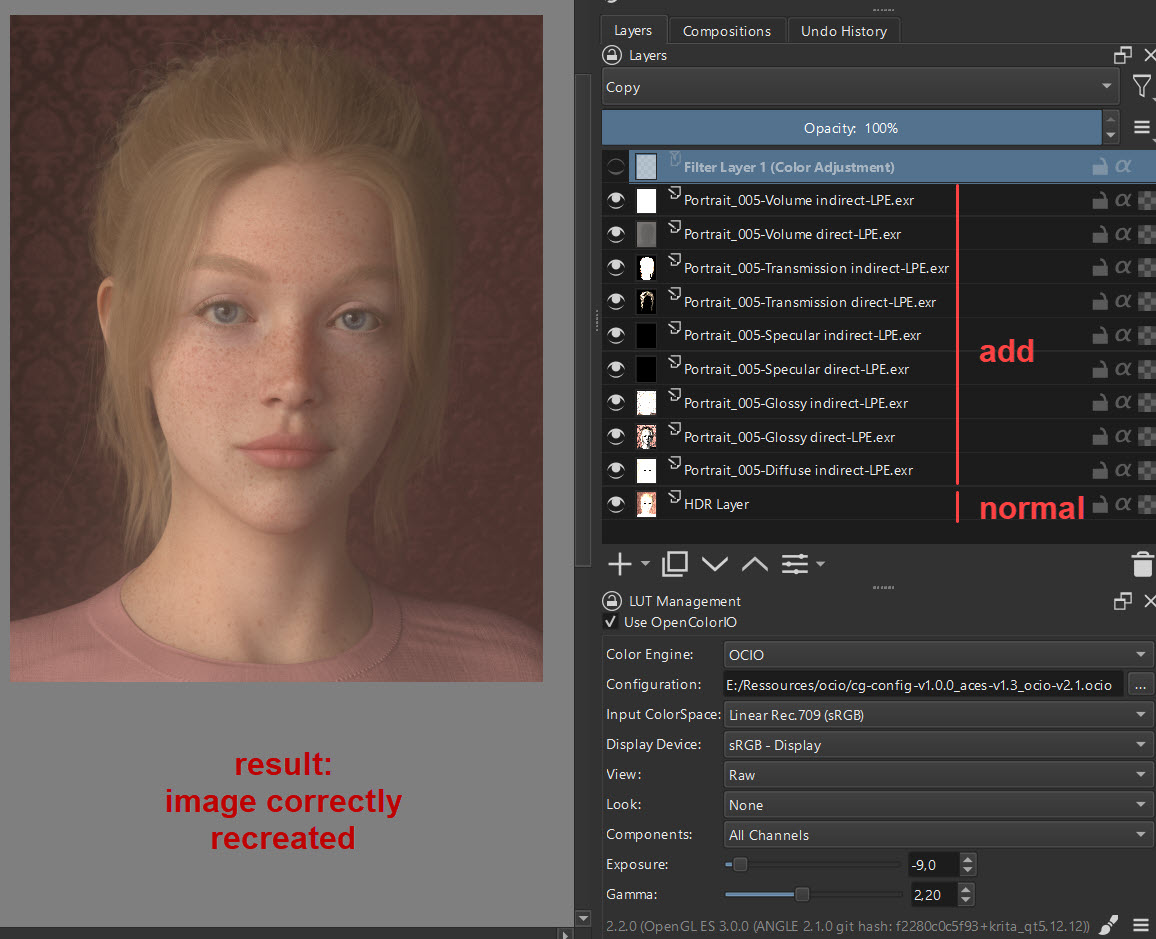
Well, it is loading the exr files as seen in my example. I unsure about editing them. As you can see combining exr passes using the add blend mode works, but using a curve does break the result. If I do the same edit in another software it works as expected instead of creating a black result.
My conclusion so far is, that Krita has basic support for loading 32bit float files but seems to be limited in editng them. But mybe this is due to my limited know how of Krita.
My problem with this topic starts when it goes into depth, I just don’t have enough background knowledge here.
For example, I don’t know if it would work to save the images in Krita format first after importing them, to start editing only when Krita has the format available, which gives Krita the most options. And when you’re done editing the image, export it back to EXR. But you can check this quickly with a short test, except for a little time you don’t have to invest anything, and with a little luck you can still use Krita for your project via this detour.
This is just the idea of a user who is not familiar with this topic.
The color adjustment filters seem to clamp values above 1. The ACL-CDL filter is the exception I believe, but that seems more like a proof of concept than a useful colour adjustment tool.
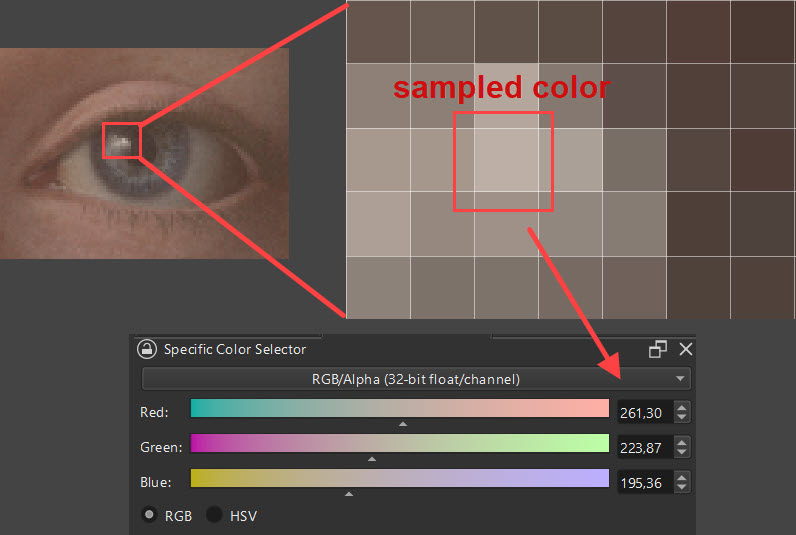
Krita’s curves can only operate on colours in the floating point range 0 to 1. If there are colours greater than 1.0, once the curve adjustment is performed, those colours will be cropped to the value of the rightmost endpoint of the curve.From the image you have provided, the maximum value of the image is cropped to 1 and you have applied an exposure in the LUT, at an exposure of -9, entering 1 will result in an exposure close to 0.
@urzeye does ocio actually change the image data or is it just for adjuting display output?
I know of two concepts in various softwares:
OCIO or ICC tools etc. are leaving the image data untouched. Whatever operation is done in the layer stack takes place on the full 32bit range. OCIO then just normalizes the result into the 0-1 display range so it can be viewed (it does this based on the set profile configuration - in my case I have unnormalized linear exrs with REC709 primaries).
OCIO is used like an adjustment layer. It changes the image data not just the display output.
According to your information, Krita is acting like in 2., right?
Currently krita’s OCIO does not have a baking function, it is a display preview, when the LUT is on the image you see is only a preview of the LUT conversion, but the conversion does not happen, if you want to apply the conversion effect you can use other software that has OCIO baking such as blender. The above image is actually black because you have applied a curve filter, you can You can cancel the LUT and use the colour picker to pick up the colour of the image, you will see that the RGB of the image has changed to 1.0.
Nevertheless, if the curves “clamp” every value above 1 then it is clear that everything gets black. In the exr all values are above 1 so they all get clamped.
So, next question:
Is there something similar to the “exposure” layer adjustment of other software or does Krita have tone mapping features?
Krita does not currently have an exposure and tone mapping filter. You can use the multiply blending mode to achieve the exposure effect, but it should not meet your needs. OCIO should apply the gamma and exposure after the LUT conversion has been applied, so you will need to bake the image in another software before importing it into krita to continue the operation.
After the first “play around days” with Krita I feel it is fantastic for painting - better than the commercial software I use und its UI / UX is also ahead. Got it, that it is not meant to be a full 32bit editor yet. Anyway, it is now on my PC and will stay there