Hi there,
I was tried to use that Environments 2.0 by IForce73 for Krita 5.0.2, I set up with his tutorial but those brushes texture not working as same all come with dotted texture. How can I solve that issue?
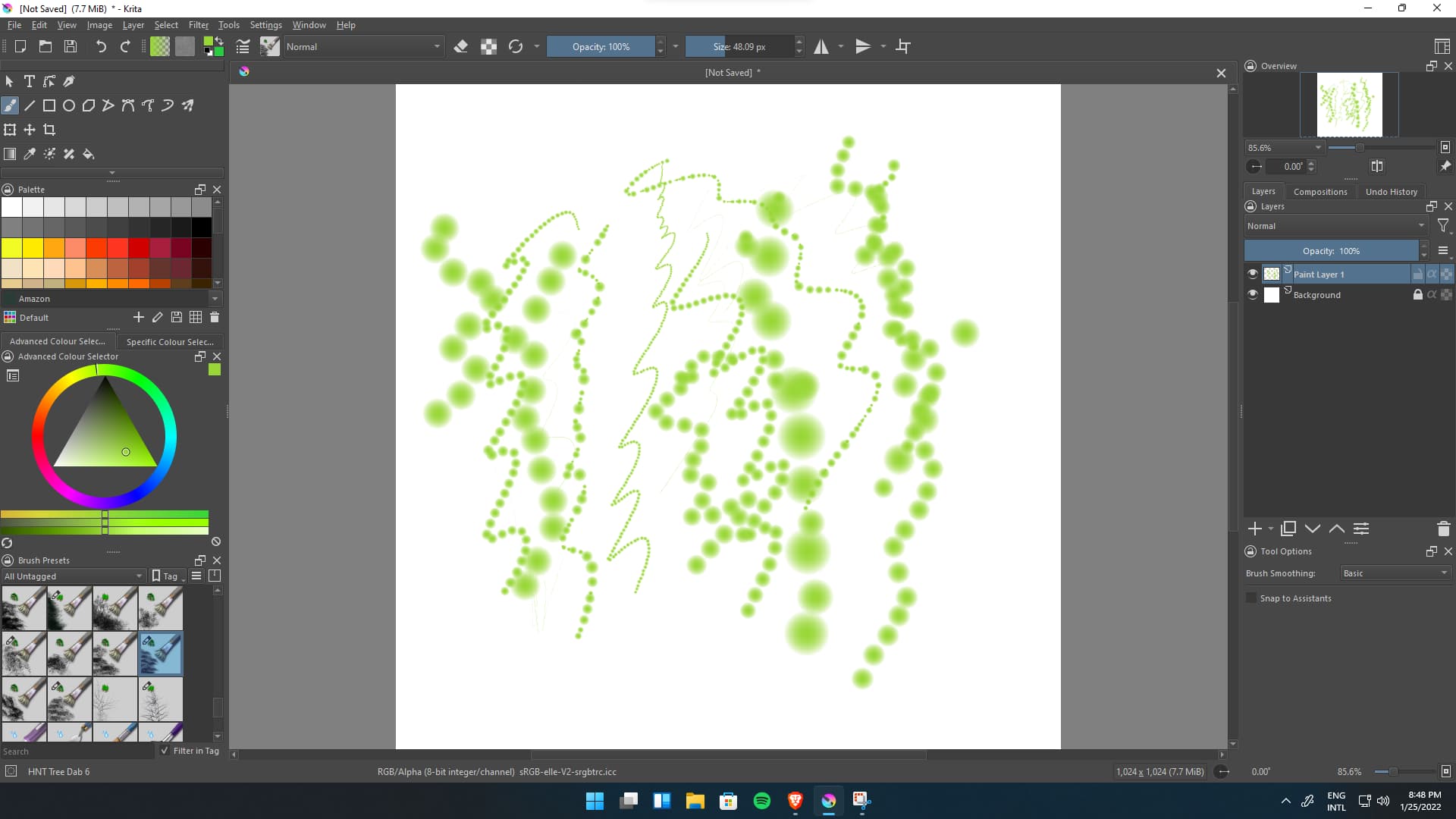
It looks like you’ve imported the bundles (which contain only brush preset files) and have not imported the brush tip files for them.
Those are in separate folders inside the main folder.
You need to Import them using the Manage Resources - Import Resources facility.
It’s just the way that IForce73 has packaged them.
Edit: Hi @Michelist , it’s a funny story 
If you manually put them in the brushes folder, you then have to restart krita, as I remember.
Nowadays, I’m becoming more ‘modern’ and I’m starting to use the new Resource Management facilities.
1 Like
You have to move the brush-tips out of their folders “Environments 2.0 Brushtips” and “Environment Brushes - classic Brushtips”, so the files you put into “brushes”-folder, one level up. They have to be directly in “brushes”, that’s all.
Michelist
Edit: Hi @AhabGreybeard, I shouldn’t edit in full screen mode, didn’t even notice you already posted.
…the story continues… 
1 Like


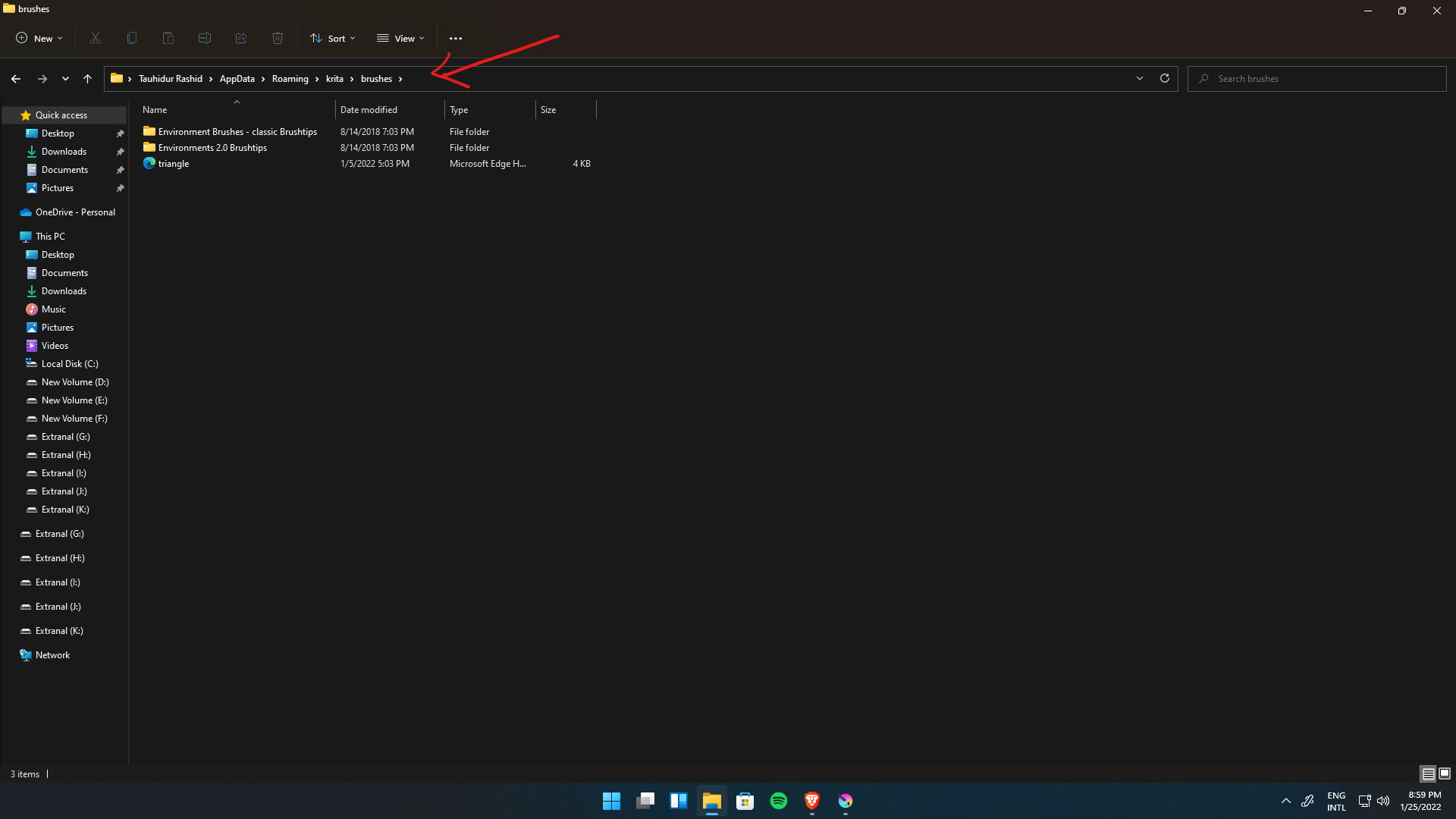
I did everything as the tutorial said!
I do suggest that you use Resources Management facilities in Settings. It’s the modern way.
The tutorial was written in the old days.
Note: According to a comment in late December on his Deviantart account, Iforce73 is trying to repackage those resources so that they can be provided as fully integrated bundles, not with separate brushtips in folders.
1 Like
Select the content of those two folders and move the content directly into “brushes”-folder, then restart Krita.
Michelist
1 Like
Thank you so much both of you, I did direct way to places it all on brush-folder and It’s worked. Much appreciated.  both of your suggestion helped me.
2 Likes
This topic was automatically closed 7 days after the last reply. New replies are no longer allowed.